MarkBase
approvedby Tyler Carrol
Create freeform markdown base views. - This plugin has not been manually reviewed by Obsidian staff.
MarkBase for Obsidian


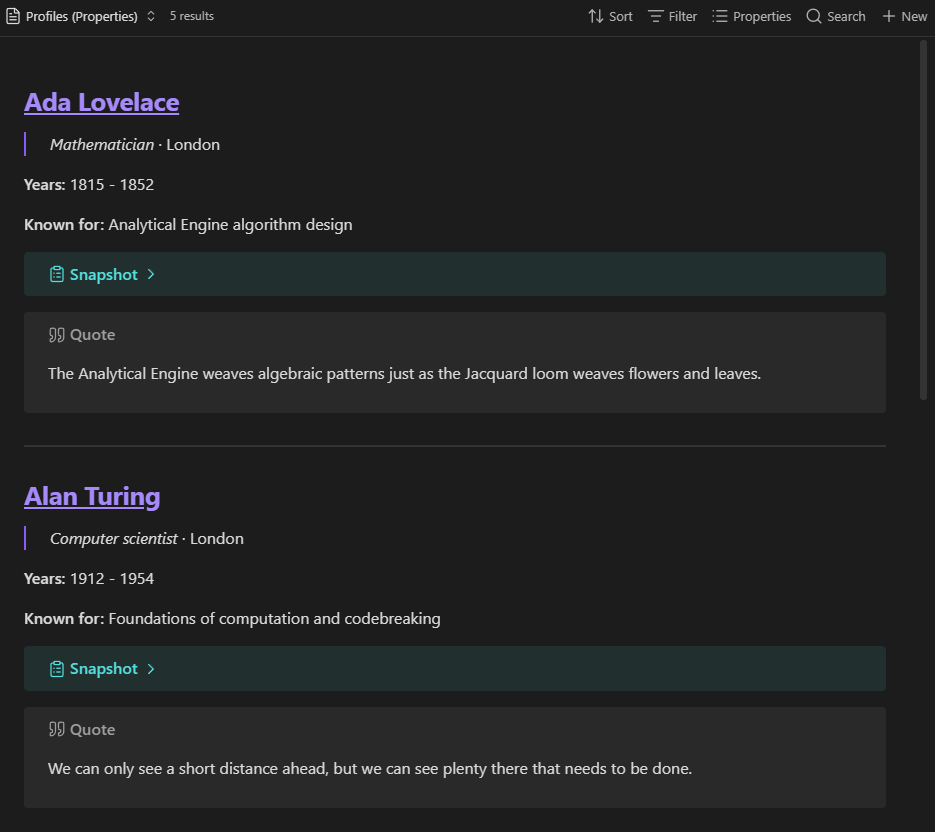
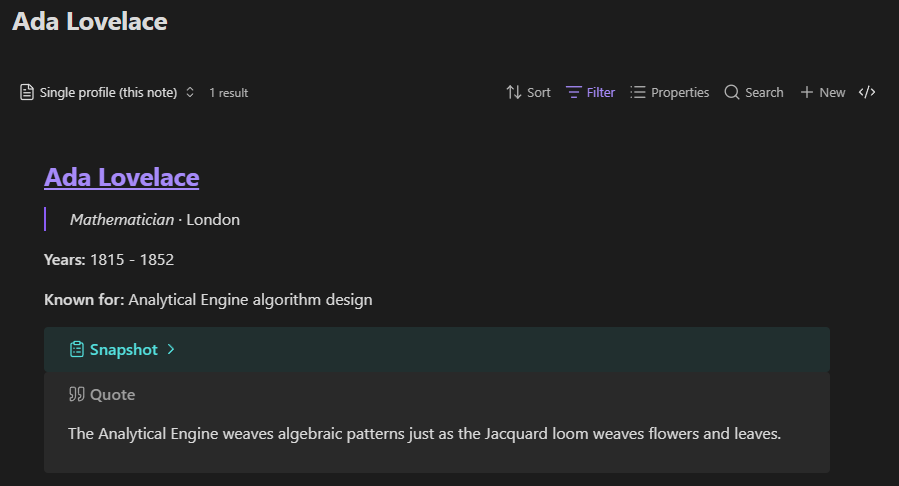
MarkBase combines Markdown and Obsidian Bases into one Freeform view. Rendering the visible properties and formulas for every query result as one continuous Markdown document.
Features
- Render selected note properties, file properties, and formulas as Markdown.
- Control rendered content and its sequence with the Base properties menu.
- Follow internal links and select rendered text for copying.
- Add a multiline Markdown separator between results, or leave it empty.
- Place each note's Markdown body anywhere in the property order.
- Edit note bodies with cursor-sensitive Markdown formatting and wikilink suggestions.
- Optionally override the property layout with a reusable Markdown template.
- Run entirely inside the vault without network requests.
Examples
Requirements
- Obsidian 1.13.0 or later.
- The Bases core plugin must be enabled.
Use the Freeform view
- Open a Base and change its layout to Freeform.
- Use the Base properties menu to choose and reorder the properties and formulas to render.
- Open Configure view → Line separator to set the Markdown placed between
properties inside each result. The default is
\n. Enter\n\nfor a blank line between blocks. - Open Configure view → File separator to set the Markdown placed between
results. Enter
\nfor a new line, such as---\n\n---, or clear the option to join results without a separator. - Open the Base properties menu, add
file.contents, and drag it to where the note's Markdown body should render. YAML frontmatter is omitted. - To edit note bodies in place, enable Configure view → Enable file contents
editing, then select a rendered note body. Markdown markers appear for
the formatting at the caret. Type
[[to search for notes and insert a wikilink. Changes save when focus leaves the editor. - Under Configure view → Export, configure the default vault folder and file name for future exports. Default folder provides suggestions from the folders that already exist in the vault.
Each selected value is rendered as Markdown, in property-menu order. Single
newlines in multiline formula values remain visible. file.name is rendered as
a link to its note. Changes to matching notes, formulas, property order, and
view options update the view automatically.
Use a template override
For a fixed custom layout, create a Markdown file and add placeholders using full Bases property IDs:
# [[{{file.path}}|{{note.title}}]]

{{formula.summary}}

{{file.contents}}
Then select it under Configure view → Template override. The template is repeated for every result. Because the template explicitly controls placement, its placeholder order takes precedence over the Base properties menu. Clear Template override to return to property-order rendering. In template mode, the line separator setting is ignored because the template provides the layout.
The view replaces these placeholder forms before rendering:
| Placeholder | Value |
|---|---|
{{note.property}} | A property from the note's frontmatter |
{{file.property}} | A built-in file property such as file.name or file.path |
{{file.contents}} | The note's Markdown body, excluding YAML frontmatter |
{{formula.name}} | A formula defined in the current Base |
Whitespace inside braces is optional. Missing values render as empty text.
Unsupported placeholders remain unchanged. Formula expressions must be defined
in the Base first; the template references their formula.name.
In template mode, place {{file.contents}} where the note body should appear.
file.contents is provided by the Freeform view, not the Bases formula engine.
Obsidian currently does not expose an API for plugins to add file properties to
formula evaluation, so it cannot be referenced from a Base formula.
Each result is rendered relative to its source note, so relative links and embeds resolve in that note's context. Template edits are reflected automatically. MarkBase does not add labels, italics, callouts, or other formatting; those come only from property values or an explicitly selected template.
Demo vault
The ready-made mark-base-demo-vault includes
a Base, two sample notes, and a Freeform template.
Install for development
- Install dependencies:
npm install - Build the plugin:
npm run build - Copy
main.js,manifest.json, andstyles.cssto:<Vault>/.obsidian/plugins/mark-base/ - In Obsidian, enable Settings → Community plugins → MarkBase.
For watch mode during development:
npm run dev
Fastest way to try it
This repository includes a ready-made demo vault in /mark-base-demo-vault.
- Windows/PowerShell:
.\scripts\build-to-demo-vault.ps1 - Any platform:
- Run
npm run build - Copy
main.js,manifest.json, andstyles.csstomark-base-demo-vault/.obsidian/plugins/mark-base/ - Open
mark-base-demo-vaultin Obsidian
- Run
See mark-base-demo-vault/README.md for a
guided walkthrough.
For plugin developers
Search results and similarity scores are powered by semantic analysis of your plugin's README. If your plugin isn't appearing for searches you'd expect, try updating your README to clearly describe your plugin's purpose, features, and use cases.