Bastion
approvedby Chad Kirkendall
Bastion turns your Obsidian vault into a full command center — AI search, tasks, projects, a calendar, and dashboards — without asking you to restructure a single note. - This plugin has not been manually reviewed by Obsidian staff.
Bastion for Obsidian
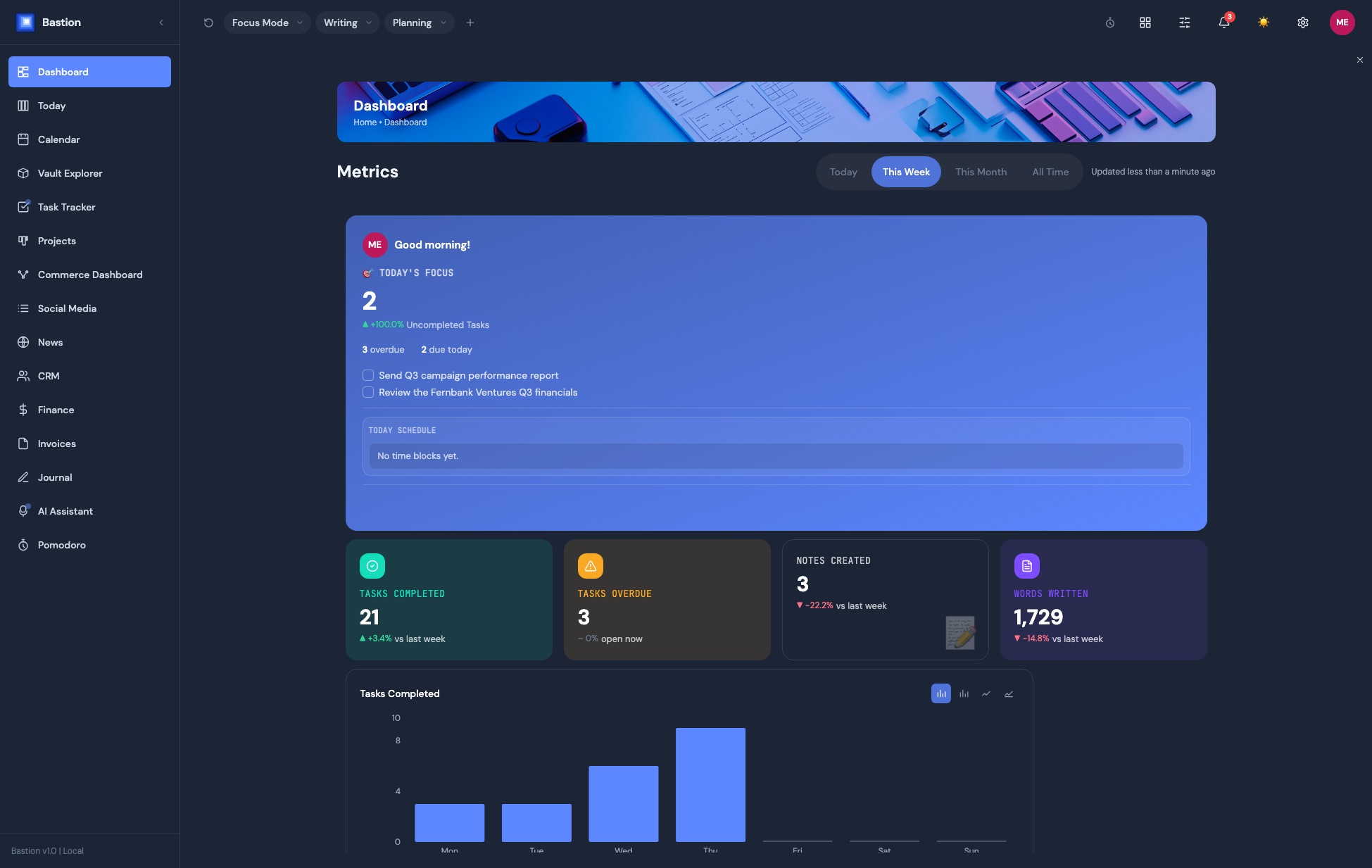
Bastion turns your Obsidian vault into a full command center — AI search, tasks, projects, a calendar, and dashboards — without asking you to restructure a single note. Everything reads from and writes back to plain Markdown files already in your vault.
Learn more, and start a 14-day free trial, at getbastion.app.
This plugin is closed source. This repository distributes compiled releases only — see LICENSE.
Features
- Dashboard — customizable widget grid (drag/resize/hide), per-widget backgrounds, chart-type switching
- Today / Planning Surface — daily planning view, task scheduling
- Vault Explorer — browse, read, and edit notes, plus an Inbox / Health / Rules workflow for capturing new material into a searchable, AI-organized Knowledge Base and keeping it tidy
- AI Assistant — chat against your vault's own content, 7 providers
- Calendar — month/week/day views, synced from Google, Apple, or Microsoft/Exchange
- Task Tracker — synced from 12 sources (Todoist, Apple Reminders, Asana, ClickUp, Jira, Linear, Monday.com, Trello, GitHub Issues, Google Tasks, Microsoft To Do, TickTick)
- Projects — kanban boards, gantt timelines, progress tracking
- Pomodoro — timers with real Flowtime (open-ended) mode, idle detection, task linking
- CRM (Pro) — contacts, companies, and a deals pipeline in one dashboard, synced from Google/Apple/Exchange contacts, with email thread history and AI-assisted create/update
- Finance (Pro) — wallets, budgets with rollover, savings goals, cash-flow forecasting, net worth tracking, a bill-triage view, and PDF/receipt import with AI-read transactions
- Commerce Dashboards (Pro) — multi-instance store analytics (Etsy, Stripe, Shopify, Gumroad, Lemon Squeezy), each with its own layout
- Invoices — 20 built-in layouts with a theme editor, e-signatures, and print-to-PDF, right from the vault
- Social Media Analytics (Pro) — engagement/follower tracking across YouTube, Instagram, Facebook, X, TikTok, Dribbble
- News — a personalized industry feed from sources you configure, AI-ranked, with thumbs-down feedback and save-for-later
- Journal — guided writing templates, mood tracking, streaks, and "on this day" memories
- Web Browser — an in-app browser tab that can clip pages straight into your Knowledge Base
- Terminal — a real PTY-backed terminal panel, not a fake console (Windows Terminal now bundles its own Node runtime — no separate install needed)
Multiple panels can be docked side-by-side (desktop), with saved workspace presets (Focus Mode, custom layouts) and full light/dark theming.
Installing
Option 1 — Community Plugins (recommended)
- In Obsidian, open Settings → Community plugins → Browse, and search for Bastion.
- Click Install, then Enable.
Option 2 — Manual install
- Download
main.js,manifest.json, andstyles.cssfrom the latest release. - Create a folder named
bastioninside your vault's.obsidian/plugins/folder. - Copy the three downloaded files into that folder.
- In Obsidian, go to Settings → Community plugins, reload, and enable Bastion.
Getting a subscription
Bastion needs a Bastion account to unlock Plus/Pro features. Sign up or start your trial at getbastion.app/pricing, then use Settings → Bastion → Sign in to Bastion inside the plugin to connect it.
Support
Help Center: getbastion.app/help
For plugin developers
Search results and similarity scores are powered by semantic analysis of your plugin's README. If your plugin isn't appearing for searches you'd expect, try updating your README to clearly describe your plugin's purpose, features, and use cases.