Bloom
approvedby xiande shui
A soft, pastel daily dashboard for your vault — Dashboard, Tasks, Calendar, and Trackers in one calm view. - This plugin has not been manually reviewed by Obsidian staff.
Bloom 🌸
A soft, pastel daily dashboard for Obsidian — your #1 task, a task board, a lunar calendar, life trackers, study lists, and your reading shelf, all in one calm view.
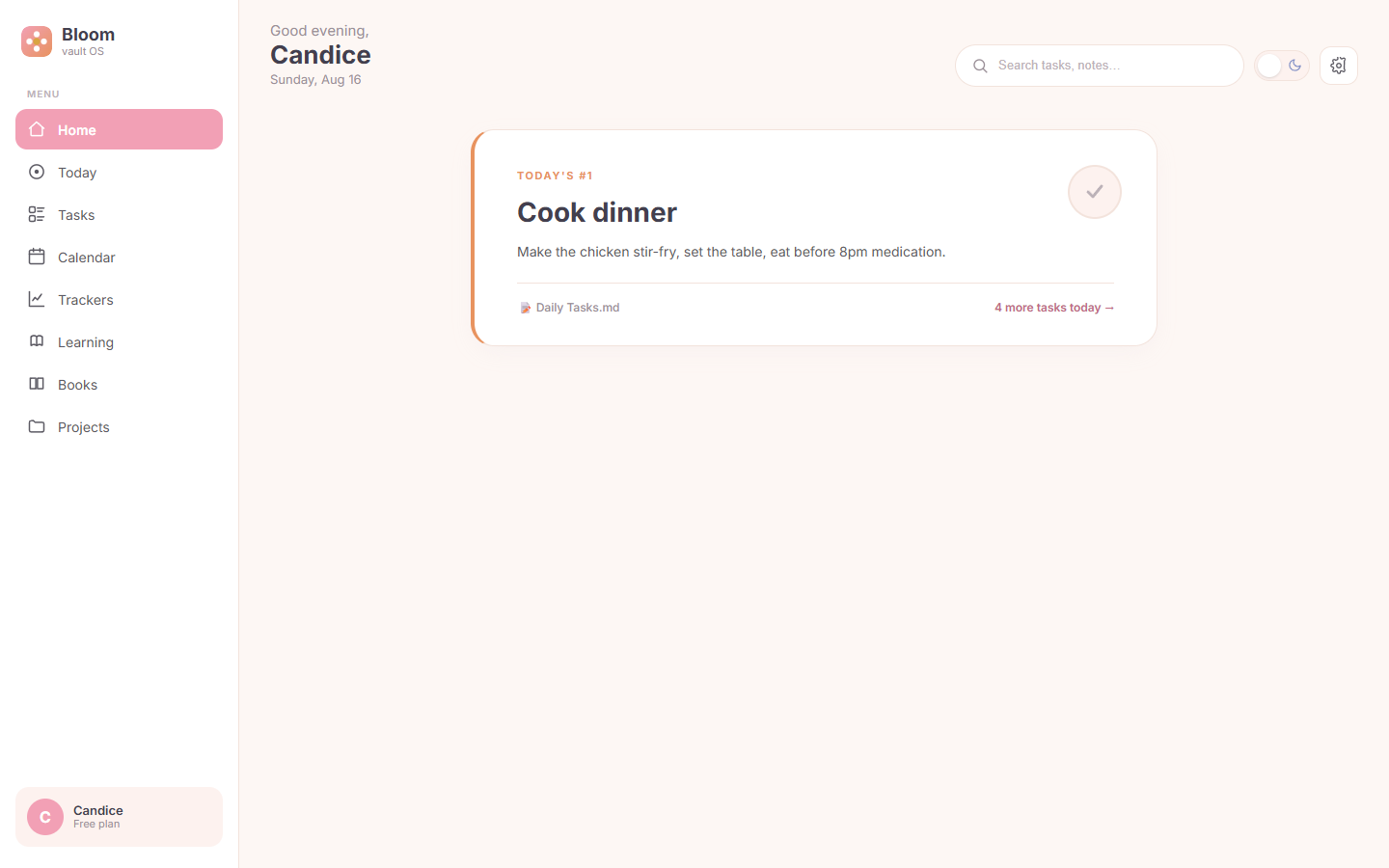
One thing at a time. Bloom is designed around a single-threaded day: the homepage shows exactly one card — today's most important task — instead of a wall of widgets.
| Home | Calendar |
|---|---|
 |  |
| Tasks | Trackers |
|---|---|
 |  |
Features
- Home — a single "Today's #1 task" card. Tick the round button to complete it; the state is written back to your note. If your Daily Note has a
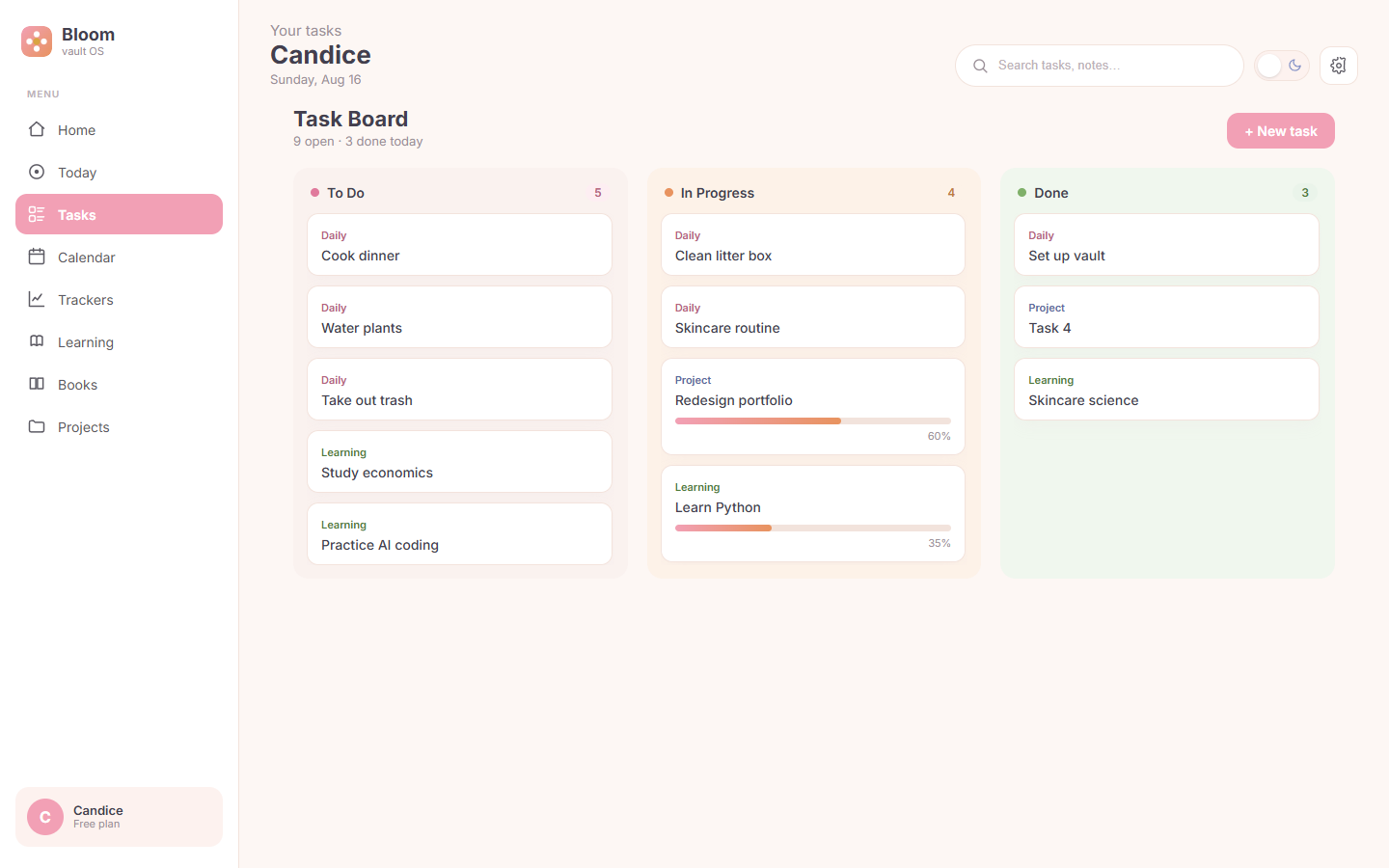
topTaskfrontmatter field, it shows up here automatically. - Tasks — a three-column board (To Do / In Progress / Done) that merges daily, study, and project tasks. Create tasks with + New task, filter with the search box; tall columns scroll inside.
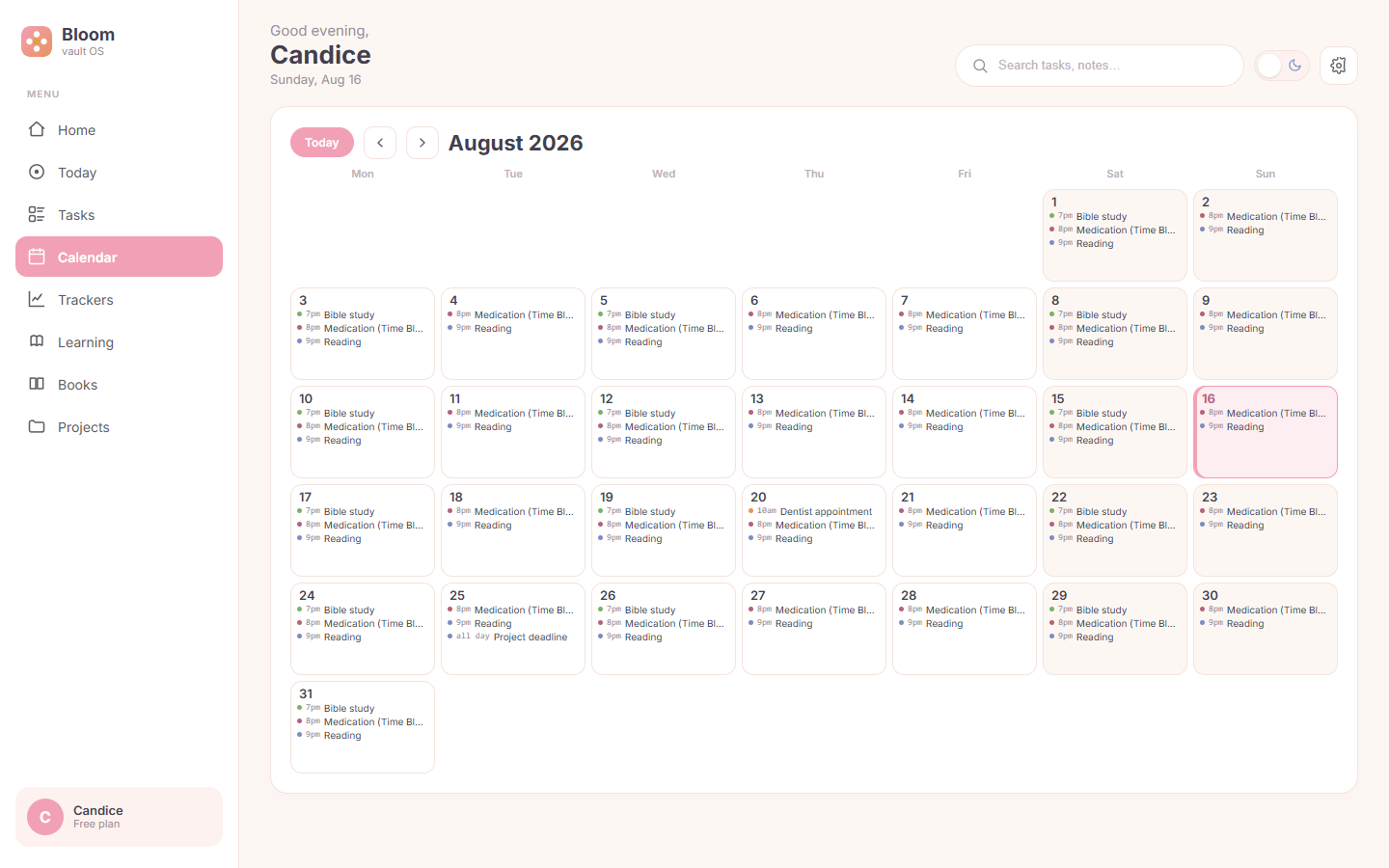
- Calendar — a full-month grid with lunar dates, holiday banners (statutory + commemorative, e.g. Teacher's Day), and timed events from your Daily Notes'
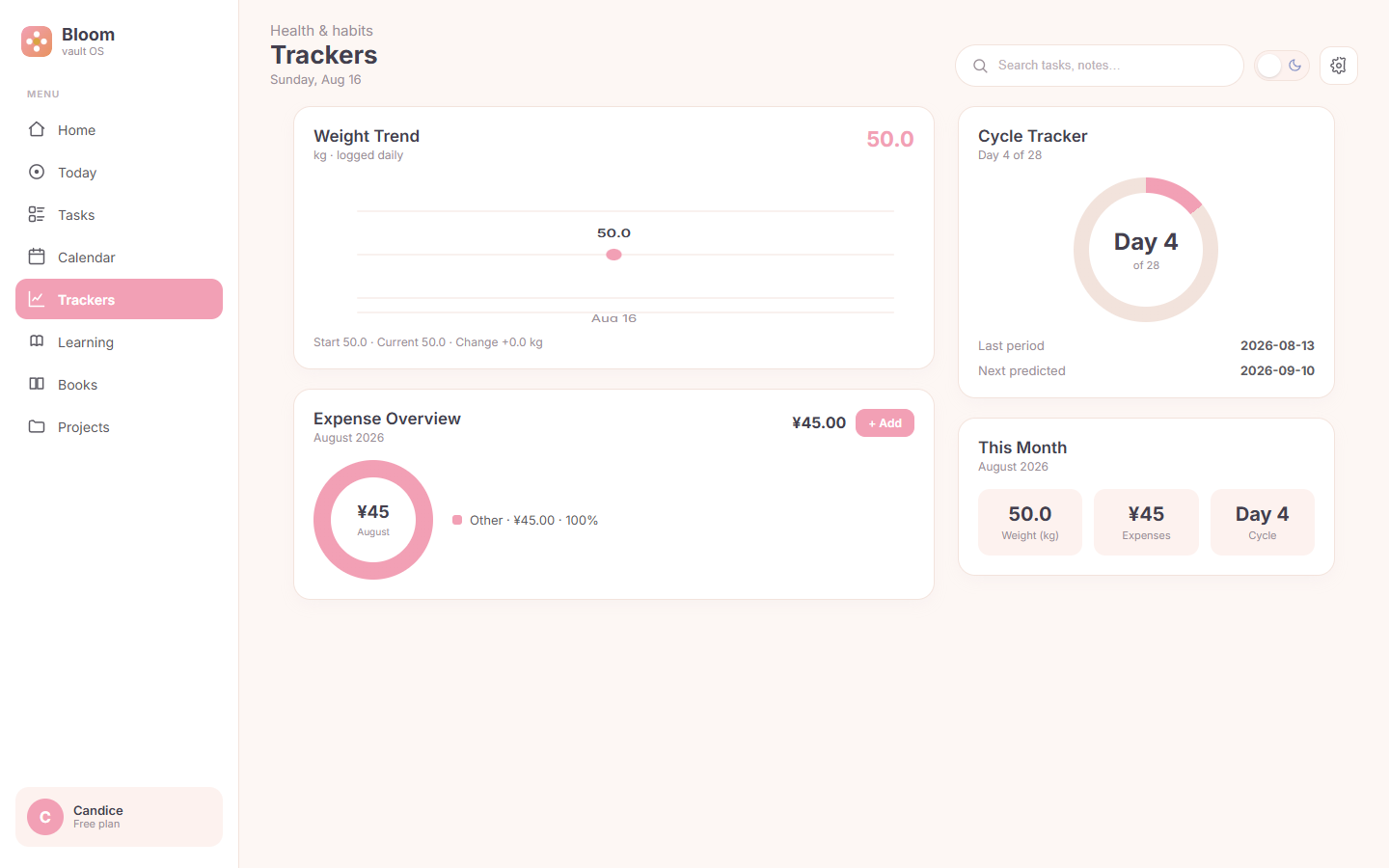
## ⏰ Scheduletable. Today is highlighted; jump back anytime with Today. - Trackers — weight trend line, an expense donut with monthly total, a cycle ring, and a month summary. Log an expense with + Add (date / category / item / amount) and the chart refreshes instantly.
- Learning — today's study tasks as a checklist; tick items or add new ones with + Add study task. State is written back to the source file.
- Books — your reading list grouped by category (Reading / Finished / Want to read / Paused). Add a book with + Add book and it lands in the right category table.
- Settings — light/dark theme, default landing view, and one-click Refresh from vault. Also available from the command palette.
- All input is native — every add/edit flow uses real Obsidian modals, so nothing gets swallowed by the iframe sandbox.
Data: your notes stay the source of truth
Bloom reads and writes plain Markdown — no database, no cloud, nothing leaves your vault:
| View | Reads from | Writes back |
|---|---|---|
| Home | 12-Calendar/Daily Notes/<date>.md (topTask) | completion state |
| Tasks | 11-Todo/*.md, 10-Projects/Project Dashboard.md | new tasks, checkboxes |
| Calendar | Daily Notes (## ⏰ Schedule) | — |
| Trackers | 13-Trackers/*.md tables | new expense rows |
| Learning | 11-Todo/Study Tasks.md | checkboxes, new tasks |
| Books | 15-Books/Book List.md | new book rows |
Missing files never break the UI — affected modules simply fall back to sample data.
Installation
From Community Plugins
Open Settings → Community plugins → Browse, search for Bloom, and install.
Via BRAT (beta channel)
- Install the BRAT community plugin.
Add a beta plugin→ pastehttps://github.com/shuixiande/bloom-obsidian-plugin.- Enable Bloom and reload.
Manual
- Download
main.js,styles.css,manifest.jsonfrom the latest release. - Copy them into
<vault>/.obsidian/plugins/bloom/. - Enable Bloom in Settings → Community plugins.
Open the dashboard
Click the ribbon icon, or run "Open Bloom dashboard" from the command palette.
Development
npm install
npm run dev     # esbuild watch
npm run build   # production build
prototype.html— a standalone, data-stub preview that needs no Obsidian. It reuses the samesrc/dashboard.tsrender layer as the plugin, so the prototype and the real plugin can never drift apart.VAULT-SETUP.md— how to build a vault that Bloom understands.
Project structure
src/
  main.ts        Obsidian ItemView + plugin entry (ribbon, commands, theme)
  dashboard.ts   single render layer (shell + views) — shared by plugin & prototype
  data.ts        static fallback dataset
  vault.ts       live reader/writer (app.vault.adapter) — Obsidian only
  task-modal.ts  New-task modal (native, sandbox-safe)
  entry-modal.ts field-driven entry modal (expense / book)
  settings.ts    settings modal
esbuild.config.mjs   builds main.js (cjs) + prototype.js (iife)
manifest.json        Obsidian plugin manifest
styles.css           pastel-fresh styling + light/dark tokens
License
MIT © AiteSn
For plugin developers
Search results and similarity scores are powered by semantic analysis of your plugin's README. If your plugin isn't appearing for searches you'd expect, try updating your README to clearly describe your plugin's purpose, features, and use cases.