BibDesk Integration
approvedby alberti42
Import BibTex citations into your notes and open PDF documents linked in a BibDesk library
BibDesk Integration Plugin for Obsidian
This plugin integrates BibTeX libraries with the PDF++ plugin in Obsidian, enabling you to manage and open PDFs associated with bibliography entries directly from Obsidian. It works with external BibTeX files, parsing them in the background for a seamless experience.
[!NOTE] This plugin works with any standard BibTeX library. However, some features are designed specifically for libraries maintained with BibDesk on macOS, such as resolving
bdsk-file-<NUMBER>fields — macOS bookmarks that allow seamless file access even if files are renamed or moved.
Unlike most BibTeX plugins for Obsidian, this plugin is designed to handle large libraries with 10,000+ papers:
- parsing runs on a dedicated background thread to keep the UI responsive (no freezing, not even for an instant)
- using a custom high-performance parser built with Peggy makes parsing large BibTex files faster than any TypeScript-based BibTeX parsers I could test, and even BibDesk's own parser.
Additional Features
- Automatic reloading: The BibTeX library is also watched for changes and re-parsed automatically in the background whenever the
bibfile is updated - External Library Support: Your BibDesk library does not need to reside within your Obsidian vault, making it ideal for large libraries (several GBs).
- Integration with PDF++: Opens PDFs stored outside your Obsidian vault via the PDF++ plugin.
Screenshots
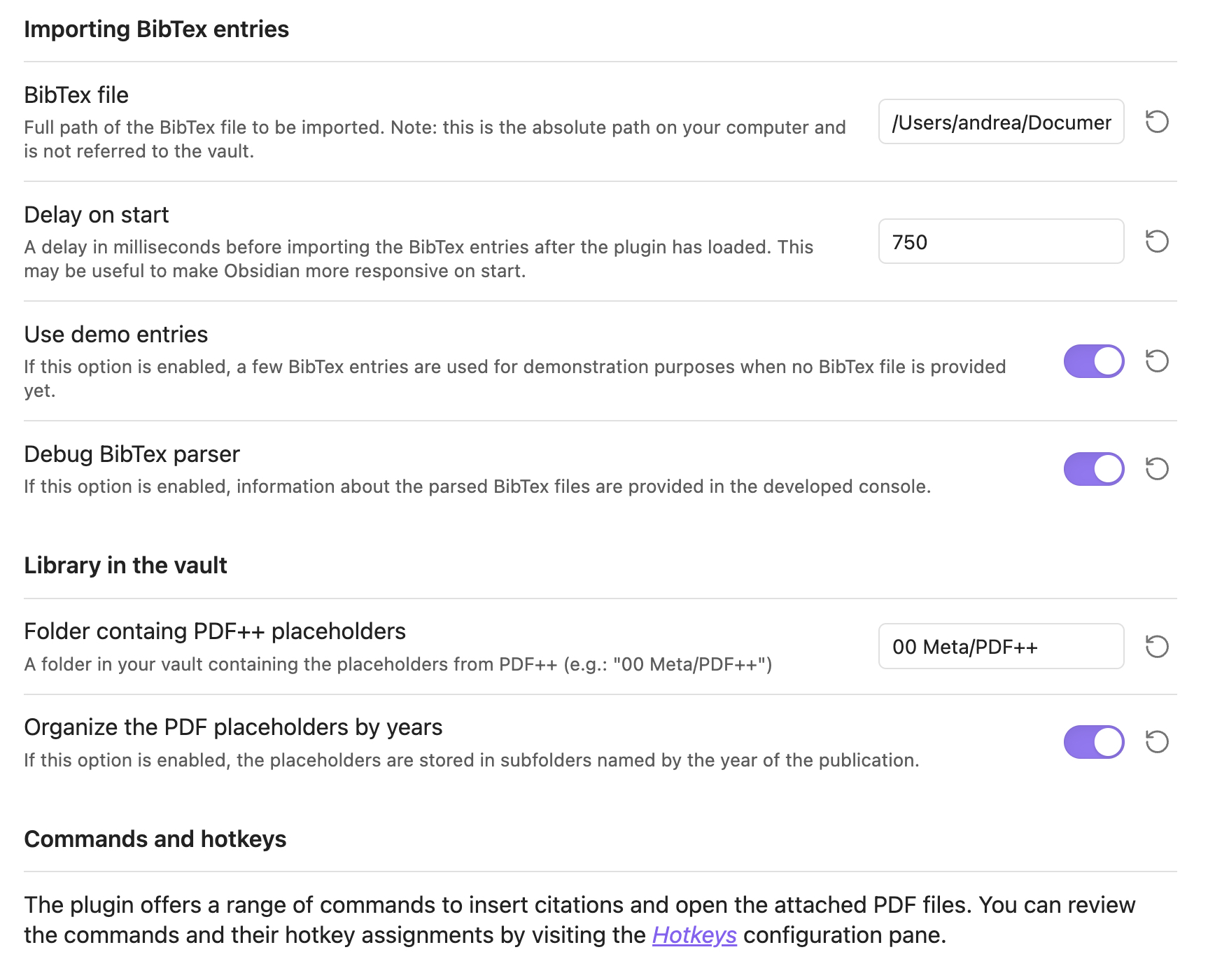
Configuration Pane
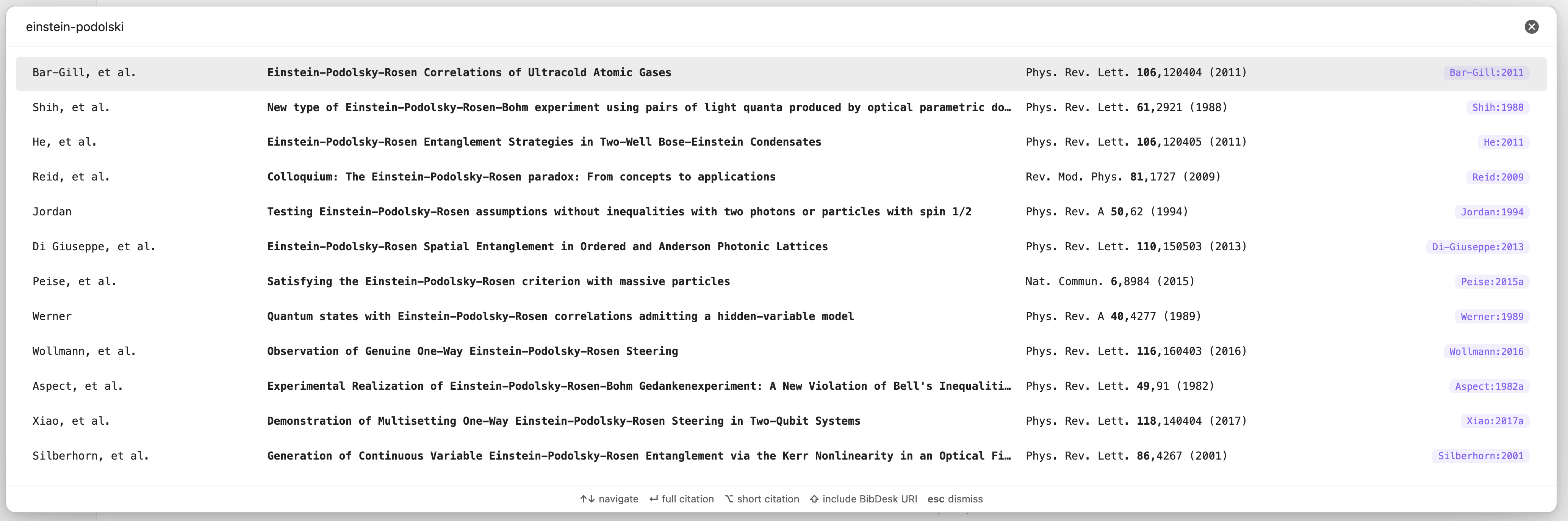
Fuzzy Search Modal for Paper Selection
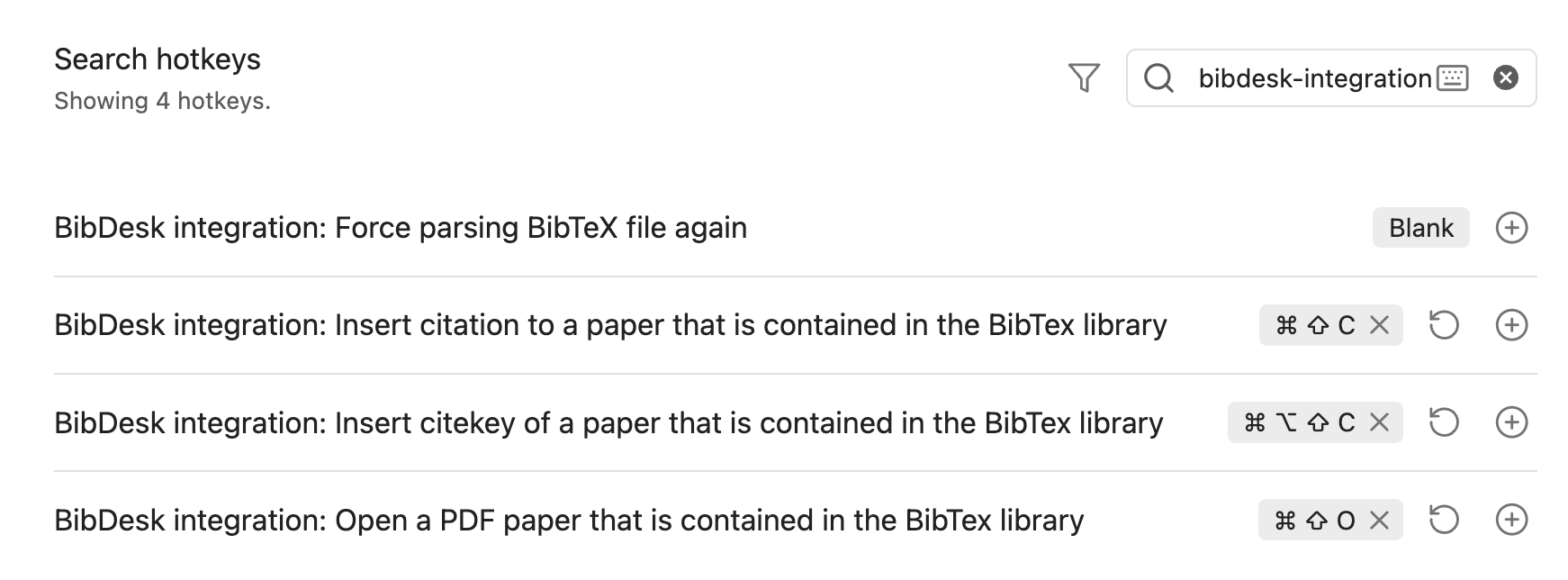
Recommended Hotkeys
Installation
To install the plugin manually, follow these steps:
-
Clone the Repository:
git clone https://github.com/alberti42/obsidian-bibdesk-integration.git -
Install Node.js Packages:
npm install -
Generate the Parser for BibTeX Files:
npm run grammar -
Build the macOS Bookmark Resolver:
npm run bookmark_resolverEnsure you have the
swiftccompiler available via the command line. Refer to Xcode’s documentation if needed. -
Transpile the Plugin:
npm run build -
Verify Output: Ensure that the
distfolder containsstyles.css,bookmark_resolver,main.js, andmanifest.json. -
Copy or Link Plugin Files to Obsidian:
- Create the plugin folder in your vault:
mkdir -p <YOUR_VAULT_FOLDER>/.obsidian/plugins/bibdesk-integration - Copy or create symbolic links from the
distfolder to the plugin folder created in step 7. This is helpful if you plan to further develop the plugin.
- Create the plugin folder in your vault:
Support the Project
If you find this plugin helpful, consider supporting its development:

About the Author
- Author: Andrea Alberti
- GitHub: alberti42
- Donations:

Please feel free to contribute or report any issues in the GitHub repository.
For plugin developers
Search results and similarity scores are powered by semantic analysis of your plugin's README. If your plugin isn't appearing for searches you'd expect, try updating your README to clearly describe your plugin's purpose, features, and use cases.