Brand icons
approvedby richin13
Add brand icons/logos to your notes, inline. - This plugin has not been manually reviewed by Obsidian staff.
Brand Icons
Display brand logos and icons inline in your Obsidian notes.
Write :brand:github.com: in your note and it renders as an inline icon right next to your text.
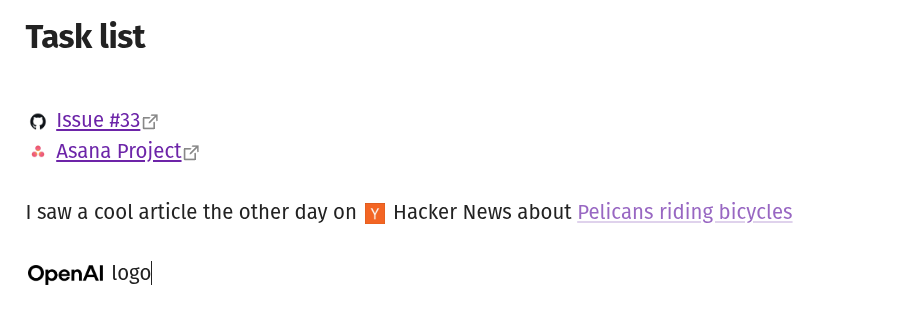
Syntax
:brand:github.com:
:brand:spotify.com|logo:
:brand:stripe.com|icon|32:
The format is :brand:domain: with optional variant and size overrides separated by |.
| Part | Required | Description |
|---|---|---|
| domain | Yes | The company's domain, e.g. github.com |
| variant | No | icon, logo, or symbol (depends on provider) |
| size | No | Height in pixels, overrides the default |
Settings
- Provider -- which brand icon service to fetch from (default: Brandfetch)
- Default size -- icon height in pixels (default: 20)
- Default variant -- which logo variant to use when not specified
Each provider may have its own settings. For example, Brandfetch requires a client ID from their developer portal.
Installation
Copy main.js, manifest.json, and styles.css into your vault at .obsidian/plugins/brand-icons/, then enable the plugin in settings.
Architecture
src/
  main.ts             Plugin lifecycle, registers renderers and settings
  parse.ts            Regex tokenizer -> BrandToken {domain, variant?, size?}
  brand-element.ts    BrandToken -> <img> via provider.buildUrl()
  post-processor.ts   Reading mode: DOM TreeWalker replaces text nodes
  editor-extension.ts Live preview: CodeMirror 6 decorations, reveals syntax at cursor
  settings.ts         Settings interface + dynamic provider-driven UI
  providers/
    provider.ts       BrandProvider interface + registry
    brandfetch.ts     Brandfetch CDN implementation
styles.css            Single rule using Obsidian CSS variables
Data flow: text node -> findBrandSpans() -> BrandToken -> createBrandImg() -> provider.buildUrl() -> <img>
Adding a provider
Create a new file in src/providers/, implement the BrandProvider interface, and push it to the providers array. No other files need changes. The settings UI and URL building are driven entirely by the interface.
Development
npm install
npm run dev    # watch mode
npm run build  # production build
For plugin developers
Search results and similarity scores are powered by semantic analysis of your plugin's README. If your plugin isn't appearing for searches you'd expect, try updating your README to clearly describe your plugin's purpose, features, and use cases.