Broken Links
approvedby ipshing
Find broken links in your vault that don't connect to notes.
Broken Links (a plugin for Obsidian)
Locate internal links in your vault that are not connected to any files. This searches all files in your vault and even checks for broken links to headings and blocks.
How to use
Open the Broken Links view using the ribbon icon or command palette, then click on any link shown. The note containing the link will be opened so you can edit it or create a corresponding note using the built-in commands/context menus.
Folder View
The folder view mimics the file browser layout allowing you to find broken links in an organized listing. Counts of broken links are displayed to help identify areas of your vault that need the most attention.
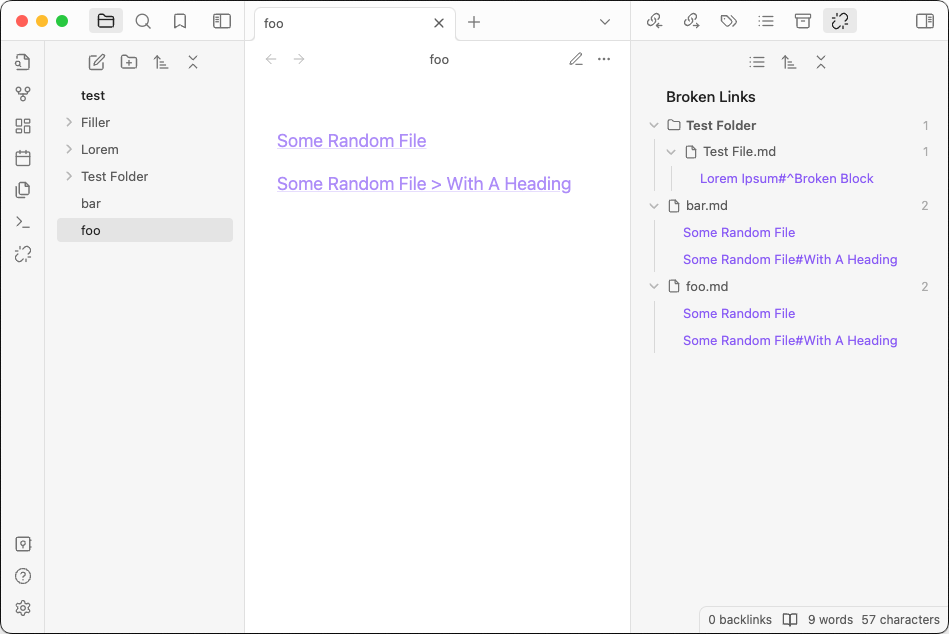
File View
If you don't have many files with broken links this view can eliminate a level of navigation by forgoing the folder portion. Files can be sorted alphabetically or by how broken links are in the file.
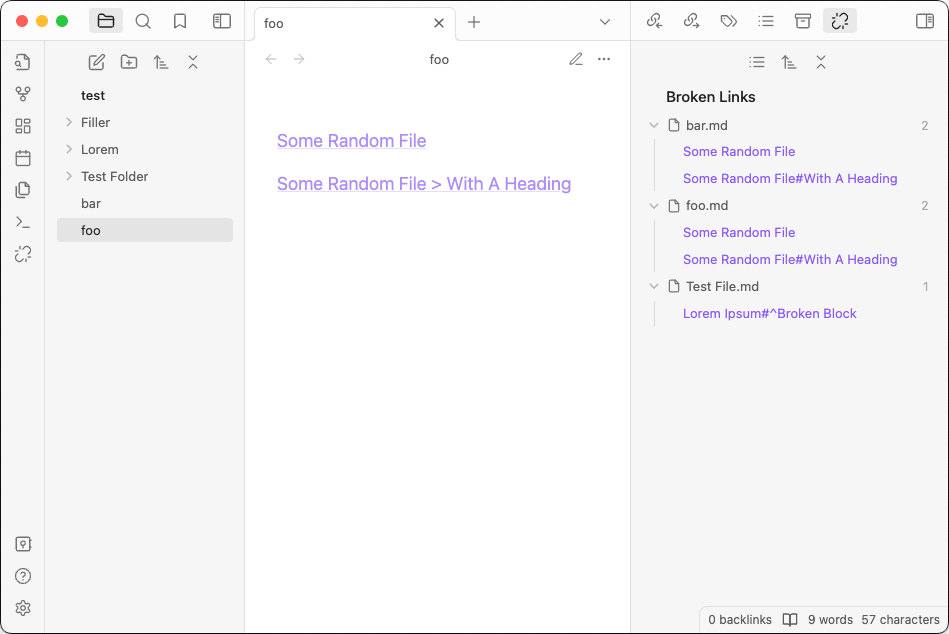
Link View
This view collates all brokn links by the link name, showing which files they appear in. They can be sorted by name or by occurrences.
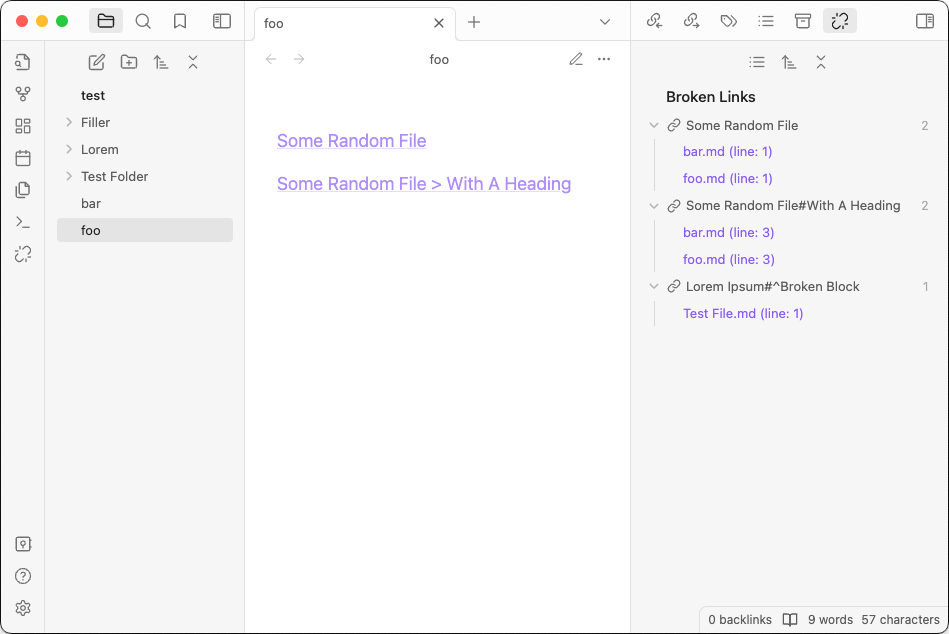
CSS Overrides
The styles used in this plugin mirror the core file explorer look-and-feel. Some plugins make alterations to the core file explorer that affect the layout of the Broken Links view. If you encounter such issues, please copy the snippet in the resources folder into your vault. If you find plugin styles that are not addressed in the snippet, feel free to open an issue or a PR.
Donations
If you like Broken Links and want to support further development of this and other plugins, please consider donating: https://ko-fi.com/ipshing

For plugin developers
Search results and similarity scores are powered by semantic analysis of your plugin's README. If your plugin isn't appearing for searches you'd expect, try updating your README to clearly describe your plugin's purpose, features, and use cases.