Calculite
approvedby Holo
Standard calculator with a simple button layout.
Calculite
A standard calculator for doing simple maths in Obsidian, like adding up shopping lists, subtracting from countdowns, multiplying your gym reps, or dividing up averages. More convenient than switching to your system calculator, especially on mobile!
Supports any version of Obsidian all the way back to 0.13.30.
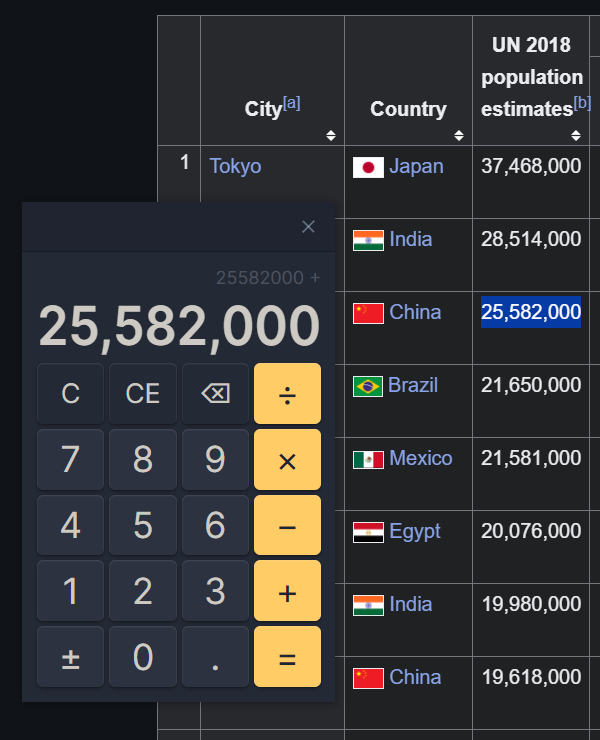
⤿ Desktop users can toggle a floating calculator that works anywhere on your computer.
How to use
Calculite works like most other desktop calculators. There's no back & forward history, but copy & paste is supported, and the plugin will remember your current equation even if you close and relaunch Obsidian, as long as you don't close the calculator tab.
There are four different ways to open the calculator:
- The ribbon icon
- The
Show calculatorcommand - The
Toggle between sidebarscommand - The
Toggle floating calculatorcommand
You can use commands by opening the command palette. Show calculator opens a calculator tab (or finds an existing tab) and the Toggle commands switch the calculator between different positions.
Hotkeys
Calculite supports most hotkeys used by the Windows and macOS calculators:
| Button | Hotkeys | Extra Hotkeys |
|---|---|---|
| Clear | C | Escape |
| Clear Entry | Del | ⇧ Shift + Escape |
| Delete | Backspace | ⇧ Shift + Backspace |
| Numerals | 0–9 | |
| Decimal | . | , (region-specific) |
| Negate | Alt + - | F9 |
| Add | + | P |
| Subtract | - | O |
| Multiply | * | T or X |
| Divide | / | Y |
| Equals | = | Enter |
Etymology
- calx: Latin for limestone or chalk.
- -ulus: A suffix meaning small in size.
- -ite: A suffix used to denote rocks, minerals or fossils.
License
This plugin is released under an MIT No Attribution license, which means you're free to modify and share its source code without needing to credit the author (me). It also protects the code author from liability for damages, so I recommend using a similar license if you republish this code.
For plugin developers
Search results and similarity scores are powered by semantic analysis of your plugin's README. If your plugin isn't appearing for searches you'd expect, try updating your README to clearly describe your plugin's purpose, features, and use cases.