Calendar Clock Companion
approvedby Izzan Mirza
Simple, live clock above the Liam Cain's Calendar plugin - This plugin has not been manually reviewed by Obsidian staff.
Calendar Clock Companion for Obsidian
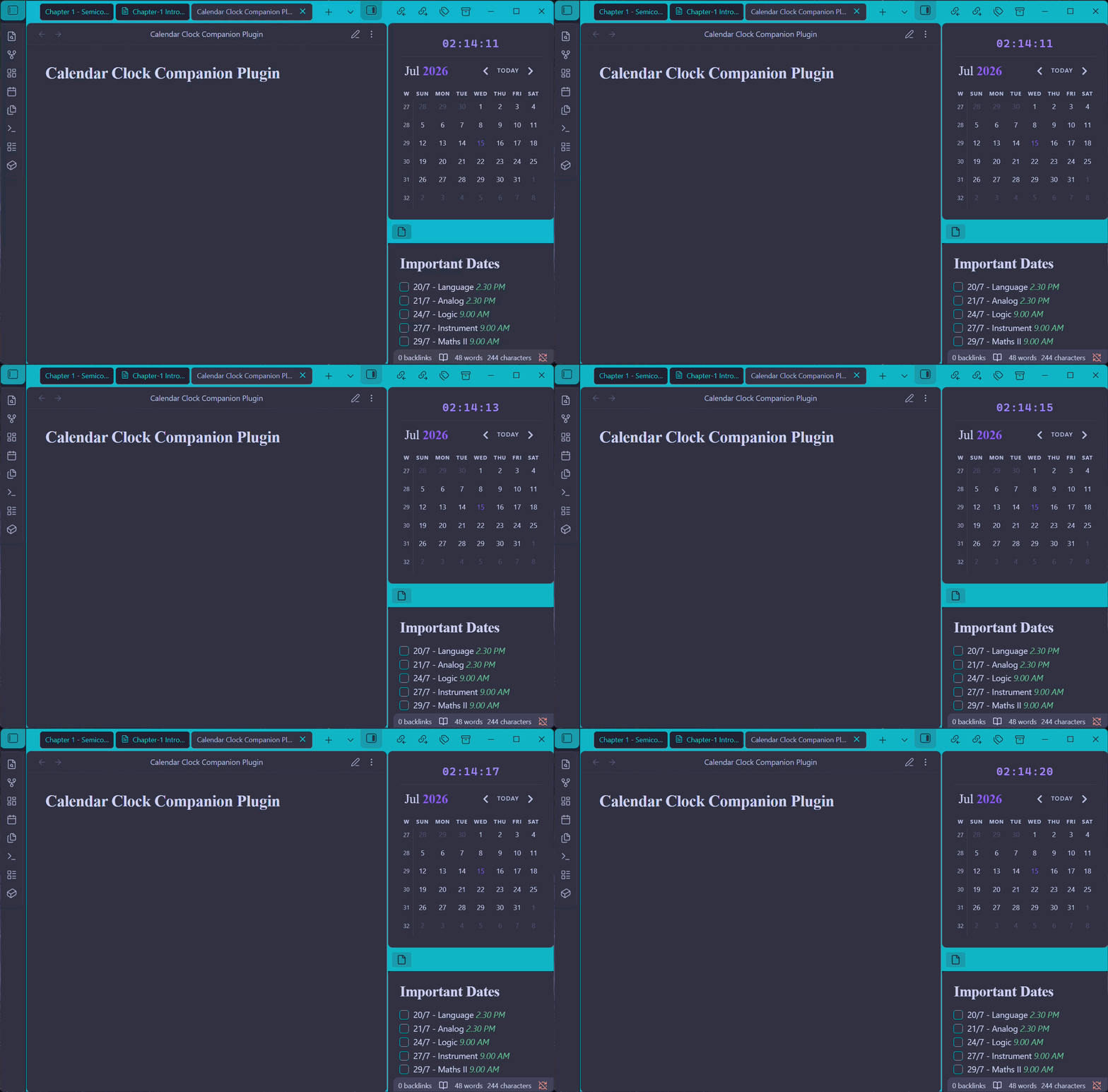
Simple Obsidian plugin that injects a live clock directly into the top of Liam Cain's Calendar plugin interface.
This plugin is designed as a zero-configuration UI extension, providing a seamless layout bridge between your daily note schedule and the current time.
Prerequisite
This plugin is a UI companion extension. You must have Liam Cain's Calendar plugin installed and enabled for the clock to display.
- If you don't have it yet, search for Calendar in the Obsidian Community Plugins store, or check out the Official Liam Cain Calendar GitHub Repository.
Installation
Manual Installation
- Download
main.jsandmanifest.jsonfrom the latest GitHub Release of this repository. - Open your Obsidian Vault's plugin directory:
.obsidian/plugins/(Note:.obsidianis a hidden folder). - Create a new subfolder named
calendar-clock. - Drop both
main.jsandmanifest.jsoninside that folder. - Open Obsidian, go to Settings > Community Plugins, hit the Refresh icon, and toggle Calendar Clock Companion to ON.
Usage
Once enabled, the plugin automatically finds your active Calendar panel in the sidebar and embeds a clean clock right at the top.
To customize the clock's behavior, navigate to Settings > Calendar Clock Companion:
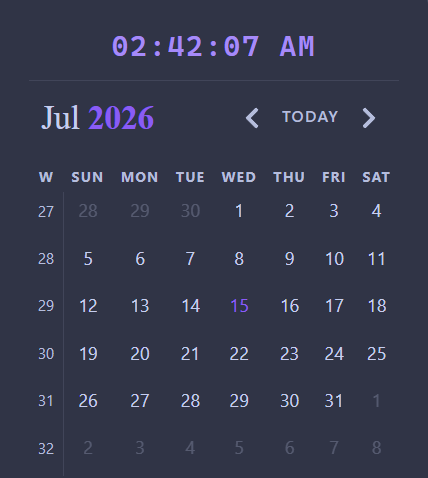
- Use 12-hour format: Toggle this ON to switch from a 24-hour military layout to a standard 12-hour AM/PM clock display.
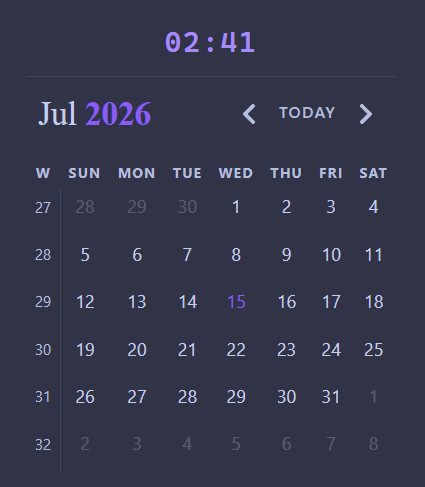
- Show seconds: Toggle this OFF if you prefer a quieter, minimal view showing just the hours and minutes (
HH:MM).
Features
- Theme Native: Built using Obsidian's core CSS styling variables (
var(--text-accent)). The clock will naturally scale and shift colors to match whatever Light or Dark community theme you choose. - Wiggle-Free Layout: Utilizes monospace font configurations so that shifting numbers do not cause your sidebar layouts or calendar grids to shudder or re-align every second.
- Update-Safe: Because this operates as its own plugin, you can freely update Liam's Calendar plugin without worrying about your custom clock modifications getting overwritten.
For plugin developers
Search results and similarity scores are powered by semantic analysis of your plugin's README. If your plugin isn't appearing for searches you'd expect, try updating your README to clearly describe your plugin's purpose, features, and use cases.