Canvas Enhance
approvedby joeytoday
Forked from Developer-Mike/obsidian-advanced-canvas
Supercharge your canvas experience! Create presentations, flowcharts and more! - This plugin has not been manually reviewed by Obsidian staff.
Canvas Enhance for Obsidian.md




⚡ 全面增强你的 Obsidian Canvas 体验。流程图、脑图,一个插件搞定。
📖 使用指南 · 📋 更新日志 · 🐛 反馈问题 · 🇬🇧 English
为什么选择 Canvas Enhance?
Obsidian Canvas 原生功能够用,但不够好用。Canvas Enhance 在不改变原生体验的前提下,补上了这些缺口:
- 缩小画布就看不清节点? 概览模式自动用大号标题填满卡片,全局视角也能快速定位
- 想用 Canvas 做脑图? Tab 创建下级节点、Enter 创建同级节点、方向键导航,完整的思维导图工作流
- 节点样式太单调? 流程图形状、边框样式、自定义 CSS 属性,右键菜单直接设置
- Canvas 文件是信息孤岛? 元数据缓存让
.canvas接入关系图谱、反向链接、出链系统
所有功能均可在设置中独立开关,不用的功能零开销。
https://github.com/user-attachments/assets/86da3869-f637-467e-a2dd-4042e3c7c74b
功能
概览模式
https://github.com/user-attachments/assets/d98e9132-ad4f-4186-b1e3-f2f051ceabeb
缩小画布后节点内容变得难以阅读。概览模式自动用大号标题填满每张卡片:
- 文件节点显示文件名或第一行标题
- 文本节点显示第一个 Markdown 标题(
# 标题) - 分组标签自动放大,保持可读
- 放大画布超过阈值后,自动恢复原始内容
思维导图
https://github.com/user-attachments/assets/9d0a7240-75b7-4c5c-bc42-cfba88a1e9f9
将画布变成思维导图:Tab 创建下级节点,Enter 创建同级节点,Alt+方向键 在节点间导航。下级节点自动继承上级节点颜色;新建节点自动避开已有节点,按层级顺序落位。
底部工具栏「整体重排」整理整个画布,普通思维导图保持分支连续,多条分支汇入的共享卡片只排布一次,并在避免重叠的前提下尽量对齐关联卡片。可见文本卡片高度自适应内容;折叠隐藏、固定宽高比及环形结构中的卡片保留尺寸。输入不变时重复重排不再漂移,重排支持一次撤销。
分组框与内部卡片整体移动,保留组内排版、尺寸和折叠状态;嵌套、重叠分组以及压在组边界上的卡片一起平移。浮动连线按起点、终点识别层级,连接边仍自动选择。含传送门的画布暂不支持整体重排,会提示并保留原布局。
卡片标题:新增「卡片标题」「卡片标题级别」设置,新建文本卡片时第一行自动填一级/二级/三级标题,光标停在标题后。
https://github.com/user-attachments/assets/c78a55e6-309e-4150-92ee-d68c80d1d015
文件节点模板
支持在设置中配置,使用特定模板创建文件节点。
https://github.com/user-attachments/assets/7ae37cf5-bc9d-427e-90d5-e86e044c1b79
节点与边样式
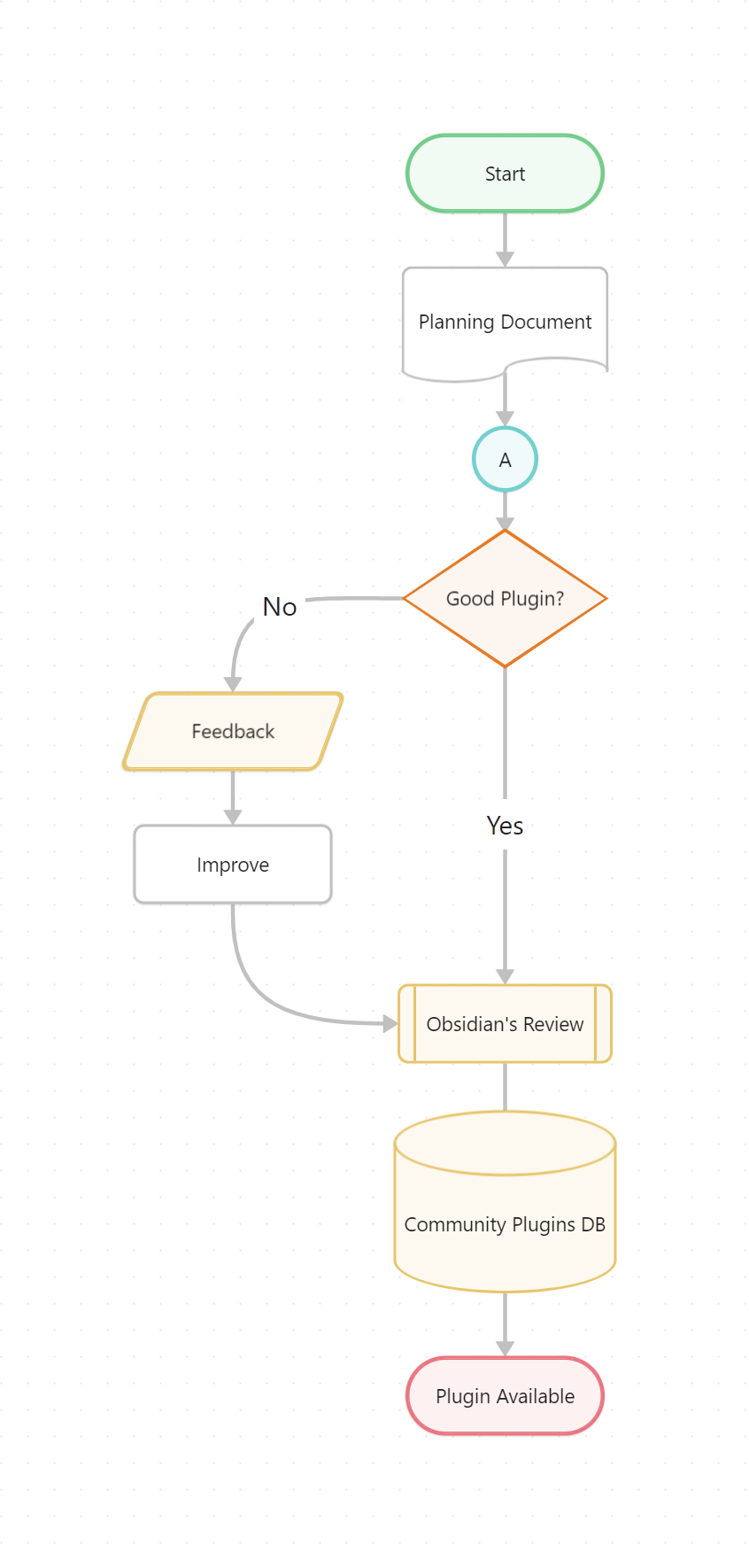
流程图形状(终端、流程、判断、数据库等)、边框样式、文本对齐、8 种箭头、路径样式(实线/点线/虚线)、自动避障连线——全部通过右键菜单设置。
更多功能
| 功能 | 说明 |
|---|---|
| 元数据缓存 | .canvas 文件接入关系图谱、反向链接、出链 |
| Frontmatter | 为 Canvas 文件添加自定义属性(标签、别名、CSS 类) |
| 单节点链接 | 通过 [[canvas#node-id]] 链接或嵌入单个节点 |
| 文件模板 | 新建文件节点时用指定的 Obsidian 模板填充内容 |
| 画布内搜索 | Ctrl+F 搜索画布中的文本 |
| 可折叠组 | 组节点可折叠/展开 |
| 聚焦模式 | 模糊未选中节点,突出当前节点 |
| 传送门 | 在画布中嵌入另一个画布的视图 |
| 图片导出 | 导出为 PNG/SVG,支持透明度选项 |
| 图层顺序 | 右键菜单调整节点前后叠放顺序 |
| 浮动边 | 边自动调整连接侧,支持不连接到节点的浮动边 |
| 自动调整节点大小 | 节点高度自适应内容,可配置最大高度与垂直边距 |
| 20+ 命令 | 创建、导航、克隆、展开、翻转、交换等 |
自定义 CSS 样式
通过 CSS snippet 为节点和边添加自定义样式属性,在 CSS 文件中用 YAML 注释定义:
/* @canvas-enhance-node-style
key: validation-state
label: 验证状态
options:
  - label: 无状态
    value: null
    icon: circle-help
  - label: 已通过
    value: approved
    icon: circle-check
*/
详见示例 CSS 文件。
社区插件市场
在 Obsidian 设置 → 第三方插件 → 浏览中搜索 Canvas Enhance。
设置
四个标签页:
- 基础设置 — 通用、文件模板、概览模式、命令、搜索、图片导出
- 思维导图 — 节点间距、快捷键、颜色传播
- 节点与边 — 节点/边样式、自定义样式、浮动/翻转边、边高亮/选择、自动调整、宽高比、图层顺序、可折叠分组
- 进阶功能 — 元数据、传送门、专注模式、封装选区、节点渲染断点、增强只读、替代文本渲染
支持这个项目
如果 Canvas Enhance 帮到了你,请考虑给一个 ⭐ Star。这是对我最大的鼓励,也让更多人发现这个插件。

☕️ 支持作者
如果插件帮助到您,欢迎请作者喝杯咖啡~
许可证
致谢
基于 Developer-Mike 的 Advanced Canvas 项目,重命名并独立维护。
English
⚡ Supercharge your Obsidian Canvas. Flowcharts, mindmaps, and more — one plugin does it all.
📖 Usage Guide · 📋 Changelog · 🐛 Report Issue · 🇨🇳 中文文档
Why Canvas Enhance?
Obsidian Canvas is great, but it leaves gaps. Canvas Enhance fills them — without changing the native experience:
- Can't read nodes when zoomed out? Overview Mode fills each card with a large title so you can navigate at a glance
- Want a mindmap? Tab for child nodes, Enter for siblings, arrow keys to navigate — a full mindmap workflow
- Boring node styles? Flowchart shapes, border styles, custom CSS attributes — all from the right-click menu
- Canvas files are isolated? Metadata cache integrates
.canvasinto the graph view, backlinks, and outgoing links
Every feature can be toggled independently. Unused features have zero overhead.
Features
Overview Mode
Zoom out and nodes become unreadable. Overview Mode automatically replaces card content with large titles:
- File nodes show filename or first heading
- Text nodes show the first Markdown heading (
# Title) - Group labels scale up to stay readable
- Zoom back in past the threshold and everything restores automatically
Mindmap
Turn your canvas into a mindmap: Tab creates a child node, Enter creates a sibling, Alt+Arrow navigates between nodes. Child nodes inherit the parent's color. New nodes never cover existing ones — they are placed following the hierarchy order.
"One-click Rearrange" keeps ordinary mindmap branches together and places shared cards once, aligning related cards where spacing allows. Visible text cards fit their content; hidden cards, cards with a fixed aspect ratio, and cards in cycles keep their sizes. Repeated rearrangement stays stable when the input is unchanged, and the layout can be undone in one step.
Groups move together with their cards, preserving internal positions, sizes, and collapsed states. Nested or overlapping groups and cards crossing a group border move as one region. Floating connections retain their directed hierarchy while attachment sides adjust automatically. Canvases containing portals are not yet supported; they show a notice and keep their existing layout.
Card heading: new "Card Heading" / "Card Heading Level" settings — new text cards start with a H1/H2/H3 heading and the caret lands right after it.
https://github.com/user-attachments/assets/c78a55e6-309e-4150-92ee-d68c80d1d015
Node & Edge Styles
Flowchart shapes (terminal, process, decision, database…), border styles, text alignment, 8 arrow types, path styles (solid/dotted/dashed), and automatic obstacle-avoiding edges — all from the right-click menu.
More Features
| Feature | Description |
|---|---|
| Metadata Cache | .canvas files join the graph view, backlinks, and outgoing links |
| Frontmatter | Custom properties for canvas files (tags, aliases, CSS classes) |
| Single-node Links | Link or embed individual nodes via [[canvas#node-id]] |
| File Templates | Create file nodes pre-filled with a chosen Obsidian template |
| In-canvas Search | Ctrl+F to search text inside a canvas |
| Collapsible Groups | Collapse/expand group nodes |
| Focus Mode | Blur unselected nodes to highlight the current one |
| Portals | Embed another canvas view inside a canvas |
| Image Export | Export to PNG/SVG with transparency options |
| Layer Order | Adjust node stacking order from the right-click menu |
| Floating Edges | Edges auto-adjust connection side; support unattached edges |
| Auto-resize Nodes | Node height adapts to content, with configurable max height and vertical padding |
| 20+ Commands | Create, navigate, clone, expand, flip, swap, and more |
Custom CSS Styles
Define custom style attributes for nodes and edges via CSS snippets with YAML comments:
/* @canvas-enhance-node-style
key: validation-state
label: Validation State
options:
  - label: None
    value: null
    icon: circle-help
  - label: Approved
    value: approved
    icon: circle-check
*/
See example CSS file.
Installation
Community Plugin
Search Canvas Enhance in Obsidian → Settings → Community Plugins → Browse.
Manual
- Create a
canvas-enhancefolder inside your vault's.obsidian/plugins/ - Download
main.js,styles.css,manifest.jsonfrom Releases - Enable the plugin in Settings → Community Plugins
Settings
Four tabs:
- Basic — General defaults, file templates, Overview Mode, commands, search, image export
- Mindmap — Node spacing, hotkeys, color propagation
- Nodes & Edges — Node/edge styles, custom styles, floating/flip edge, edge highlight/selection, auto-resize, aspect ratio, layer order, collapsible groups
- Advanced — Metadata, portals, focus mode, encapsulation, render breakpoints, readonly, text rendering
Support This Project
If Canvas Enhance helps you, consider giving it a ⭐ Star. It's the biggest encouragement and helps others discover the plugin.
License
Credits
Based on Advanced Canvas by Developer-Mike. Canvas Enhance continues development with a rename, refactoring, and new features.
For plugin developers
Search results and similarity scores are powered by semantic analysis of your plugin's README. If your plugin isn't appearing for searches you'd expect, try updating your README to clearly describe your plugin's purpose, features, and use cases.