Canvas Node Linker
approvedby Giuseppe Mastrodomenico
A simple plugin that adds a right-click menu on Canvas nodes to instantly copy a wikilink of the node. - This plugin has not been manually reviewed by Obsidian staff.
What it does
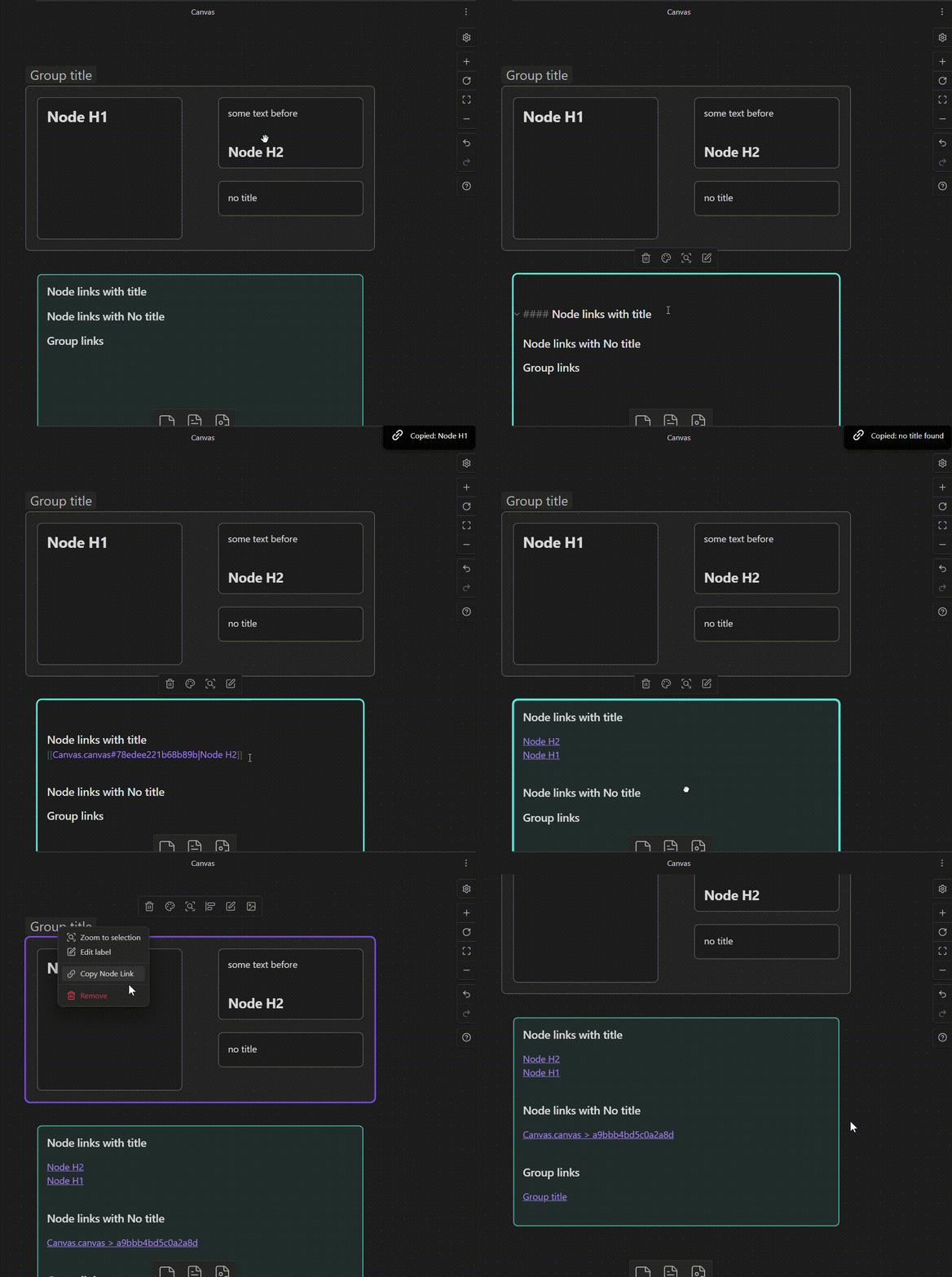
Canvas Node Linker adds a "Copy Node Link" entry to the right-click menu of any canvas node or group. One click copies a ready-to-paste wikilink to your clipboard:
- Text nodes — uses the first heading found in the node's content as display text
- Groups — uses the group label as display text
- No heading / no label — copies a bare link with no display text
if you don't need the node Wikilink option, consider this plugin
[[my-canvas.canvas#a1b2c3d4|My Heading]]   ← node with heading
[[my-canvas.canvas#e5f6g7h8|My Group]]     ← group with label
[[my-canvas.canvas#i9j0k1l2]]              ← node with no heading
Installation
From the Community Plugin catalog (recommended)
- Open Obsidian and go to Settings → Community plugins
- Disable Safe mode if prompted
- Select Browse and search for
Canvas Node Linker - Select Install, then Enable
Manual install
- Download
main.jsandmanifest.jsonfrom the latest release - Create the folder
<your-vault>/.obsidian/plugins/canvas-node-linker/ - Copy both files into that folder
- Reload Obsidian and enable the plugin under
Settings → Community plugins
Settings
| Setting | Description | Default |
|---|---|---|
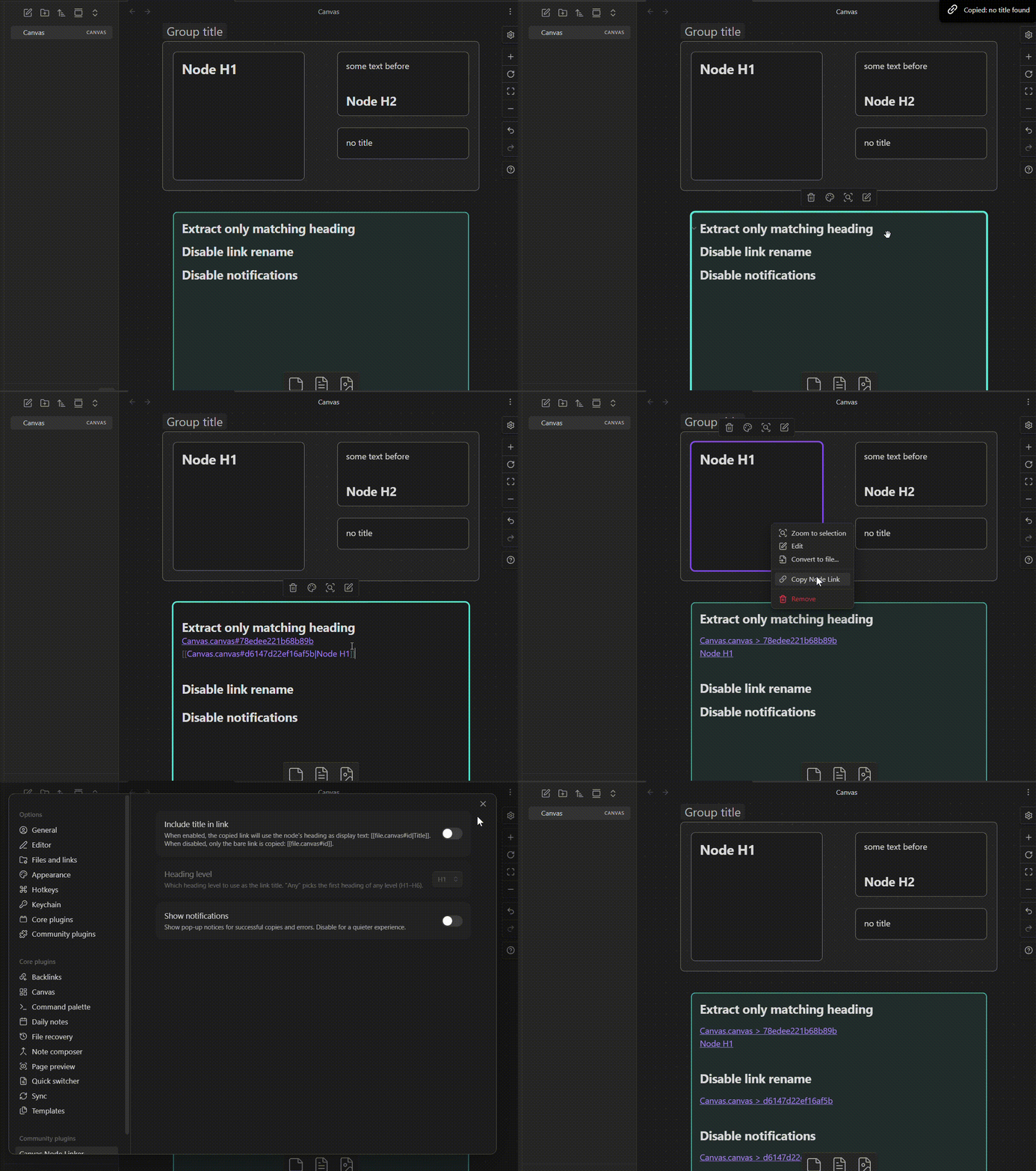
| Include title in link | Uses the node heading or group label to rename the wikilink | Enabled |
| Heading level | Which heading level to extract as the title (Any, H1–H6) | Any |
| Show notifications | Shows a pop-up notice on copy success or error | Enabled |
(by "Any" it searches in the Node text and renames the node ID with the first Heading that encounters, if not then it just copies the wikilink with the node ID)
For plugin developers
Search results and similarity scores are powered by semantic analysis of your plugin's README. If your plugin isn't appearing for searches you'd expect, try updating your README to clearly describe your plugin's purpose, features, and use cases.