by Henrik Korslind
Export a canvas to PDF or Word (.docx), either as drawn or as running text that follows the arrows.
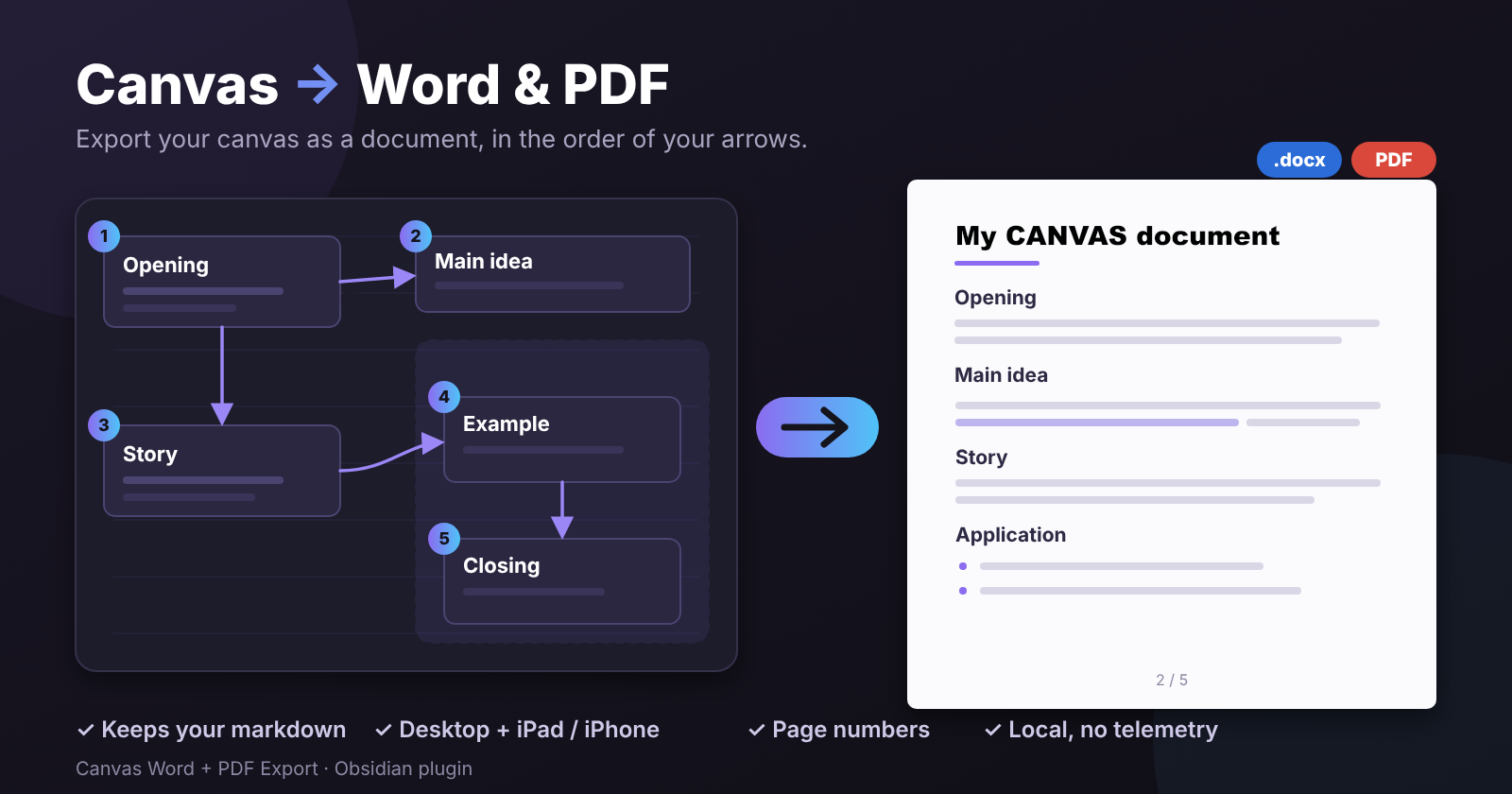
Canvas Word + PDF Export
An Obsidian plugin that exports a Canvas to PDF or Word (.docx).
It can export a canvas in two different ways:
- As a document, following the arrows – the canvas is read in the order of its arrows and written as a running text document, with the markdown formatting kept. Works on desktop and mobile (iOS/iPadOS).
- As drawn – a PDF that looks like the canvas: boxes, groups, colours, arrows and labels where you placed them. Desktop only.
Features
Document export (follow arrows)
- Start at nodes without incoming arrows and follow the arrows. Branches are read left to right; a node where several arrows meet comes after all its predecessors; cycles are handled.
- Unconnected nodes are placed by their position on the canvas.
- Group names become headings (first time the flow enters a group). Arrow labels become an italic line (
» label) before the node they lead to. The canvas name can be used as the title. - Markdown is kept: headings, bold, italic, strikethrough, highlight, inline code and code blocks, links, bullet/numbered/task lists (nested), quotes, callouts, tables and images. Notes added as file nodes (including
#headingsections), link nodes and images are included. - Output as Word (.docx) or PDF (A4). Neither format uses the browser's print engine, so it behaves the same on every platform.
As drawn (desktop)
- One page sized to the canvas, or the canvas scaled onto A4 landscape/portrait.
- Text, notes, images, links, groups, colours, arrows and labels.
- If the normal print route produces a blank page, the plugin automatically falls back to an image-based PDF with an invisible text layer, so the text can still be selected and searched.
Installation
With BRAT (recommended until the plugin is in the community list)
- Install the BRAT plugin from Community plugins.
- In BRAT choose Add beta plugin and enter
sm7urw/canvas-word-pdf-export. - Enable Canvas Word + PDF Export in Settings → Community plugins.
BRAT also works on iOS/iPadOS, where hidden folders such as .obsidian can't be reached from the Files app.
Manually
- Download
main.jsandmanifest.jsonfrom the latest release. - Put them in
<your vault>/.obsidian/plugins/canvas-word-pdf-export/. - Restart Obsidian and enable the plugin. (If your vault syncs between devices, the files follow along.)
Usage
Open a canvas and run one of these from the command palette, or right-click the canvas file / use its ⋯ menu:
| Command | Result |
|---|---|
| Export current canvas as Word document (follow arrows) | <name>-document.docx |
| Export current canvas as PDF document (follow arrows) | <name>-document.pdf |
| Export current canvas to PDF (as drawn) – desktop | <name>.pdf |
The file is saved in the vault, next to the canvas by default (or in a folder you choose). On desktop you can instead get a save dialog. On mobile the exported PDF opens right away; Word files are handed to the system.
Settings
- Canvas name as title, Arrow labels, Group names as headings, Page numbers (
2 / 5in the footer) – for the document export. - Vault output folder – leave empty to save next to the canvas.
- Desktop only: page format for the drawn PDF, always use light theme, export method (automatic or image-based), save location, and Save debug HTML for troubleshooting.
Good to know
- No network access, no telemetry: everything happens locally in Obsidian.
- The PDF document uses the Roboto font, so emojis and rarely used symbols may be missing in the PDF. Word keeps them.
- Long text in a node is clipped to the node's box in the as drawn export, just as on the canvas.
- Tested on macOS and iPadOS. Windows, Linux and Android are untested – reports are welcome.
Development
npm install
npm run dev      # watch + rebuild main.js
npm run build    # type-check + production build
npm test         # unit tests
Copy main.js and manifest.json into a test vault's .obsidian/plugins/canvas-word-pdf-export/ to try a build.
Releasing
npm version patch      # or minor / major – updates package.json, manifest.json and versions.json, commits and tags
git push --follow-tags
The tag is the version number without a leading v (set in .npmrc). Pushing it triggers the Release workflow, which builds the plugin and attaches main.js and manifest.json to a GitHub release.
License

For plugin developers
Search results and similarity scores are powered by semantic analysis of your plugin's README. If your plugin isn't appearing for searches you'd expect, try updating your README to clearly describe your plugin's purpose, features, and use cases.