CardNote
approvedby cycsd
Quickly extract your thoughts in the Canvas and Excalidraw.
CardNote





⚡ Turn thoughts into connected visual notes.
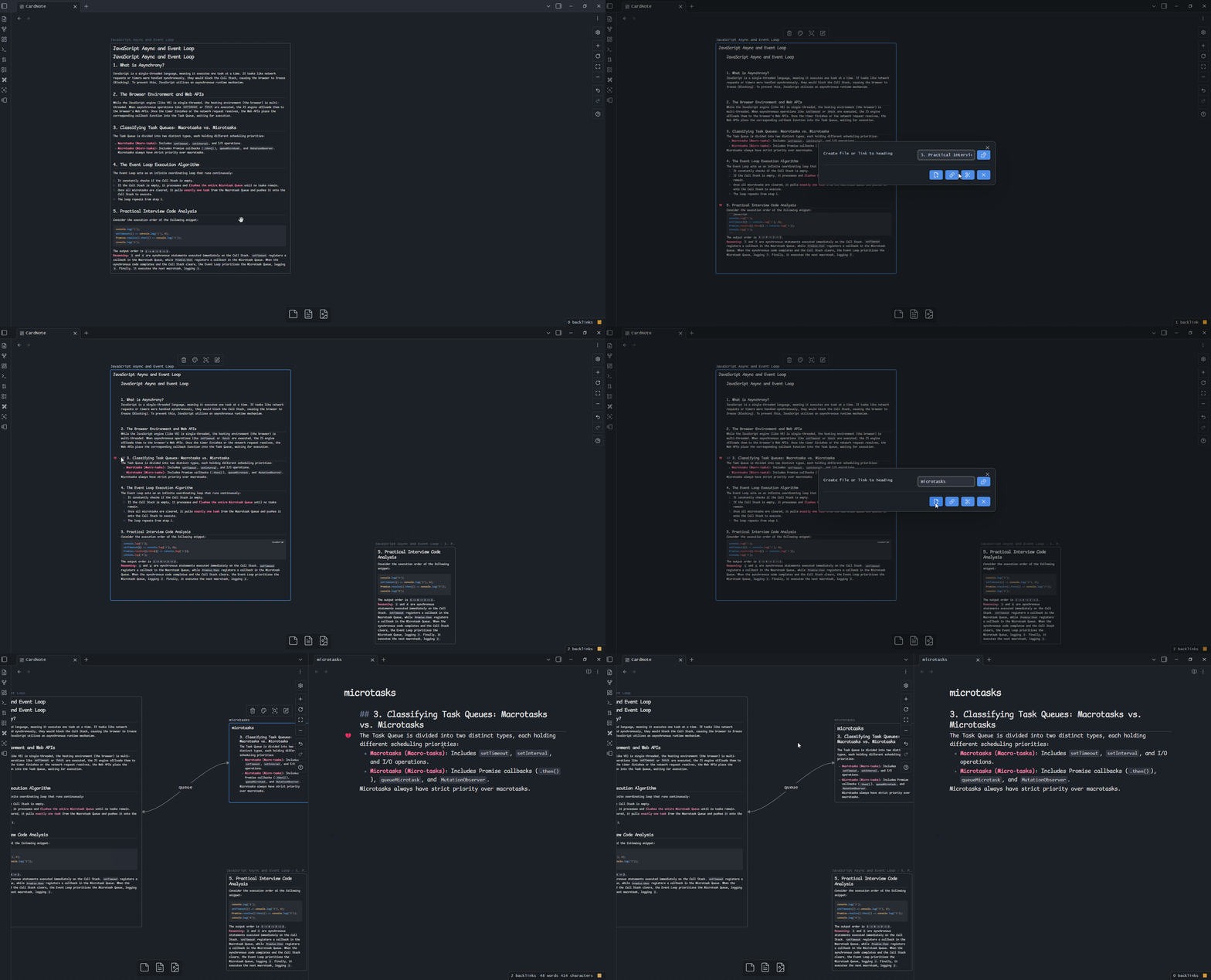
CardNote helps you extract ideas from the editor and turn them into linked notes on Obsidian Canvas or Excalidraw.
Drag a block, drop it onto your board, and keep thinking without breaking your flow.
Why CardNote?
- Capture ideas without breaking your flow: Drag a heading, paragraph, list, or selected text directly from the editor.
- Build visual notes faster: Create a new note from the content you want to keep and place it on Canvas or Excalidraw.
- Keep context connected: Automatically draw a link between the source card and the extracted note.
- Explore notes side by side: Open the selected Canvas file node in a split view with Auto Preview.
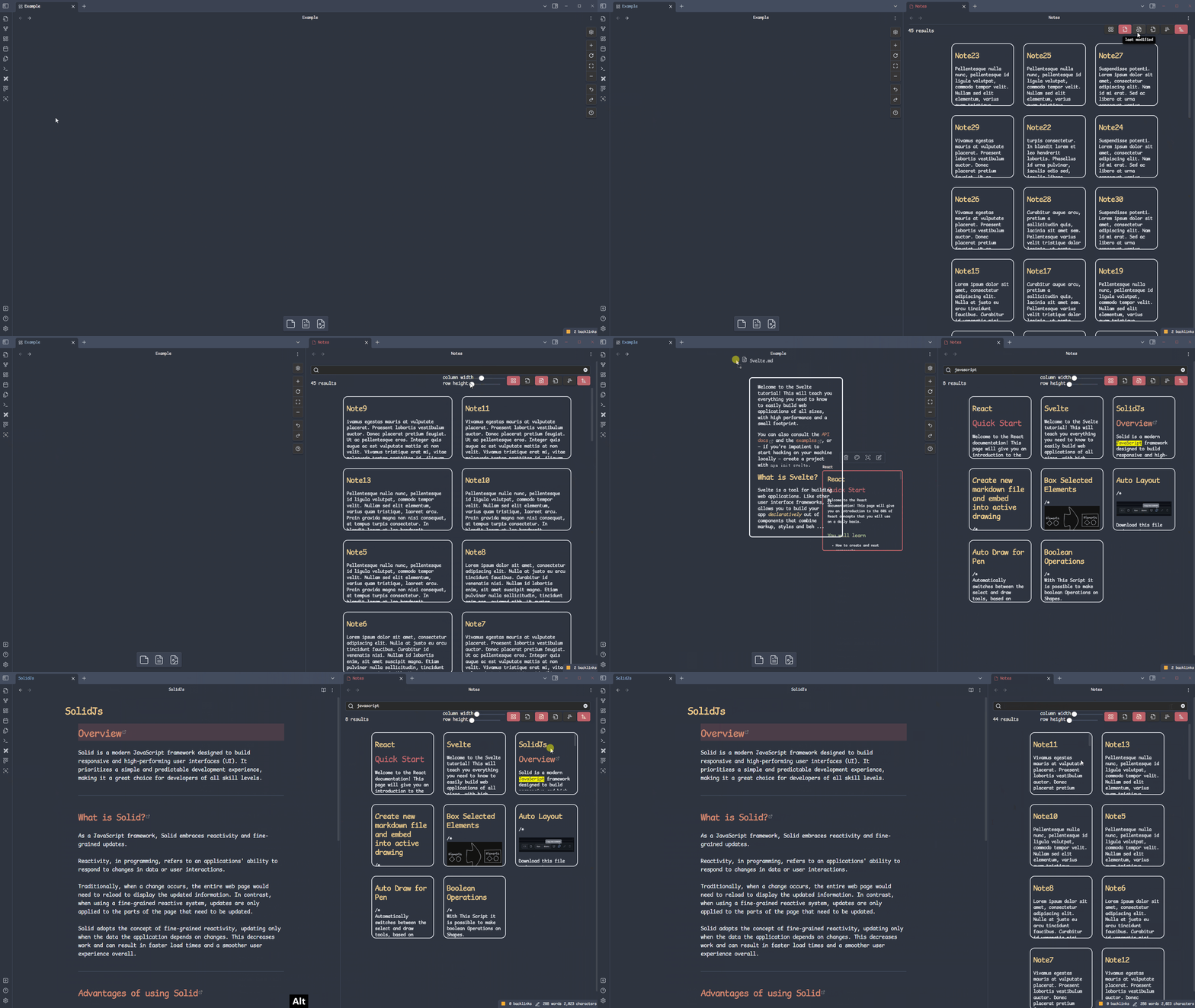
- Browse your vault visually: Search notes with the built-in Cards View.
Get Started
- Install CardNote from Obsidian Community Plugins.
- Open a note in the editor and find the drag symbol beside a block.
- Drag the block onto an Obsidian Canvas or Excalidraw.
- CardNote creates a linked note and connects it to the source.
Features
Obsidian Canvas
Create notes from editor content, place them on Canvas, and automatically connect them with configurable arrows and labels.
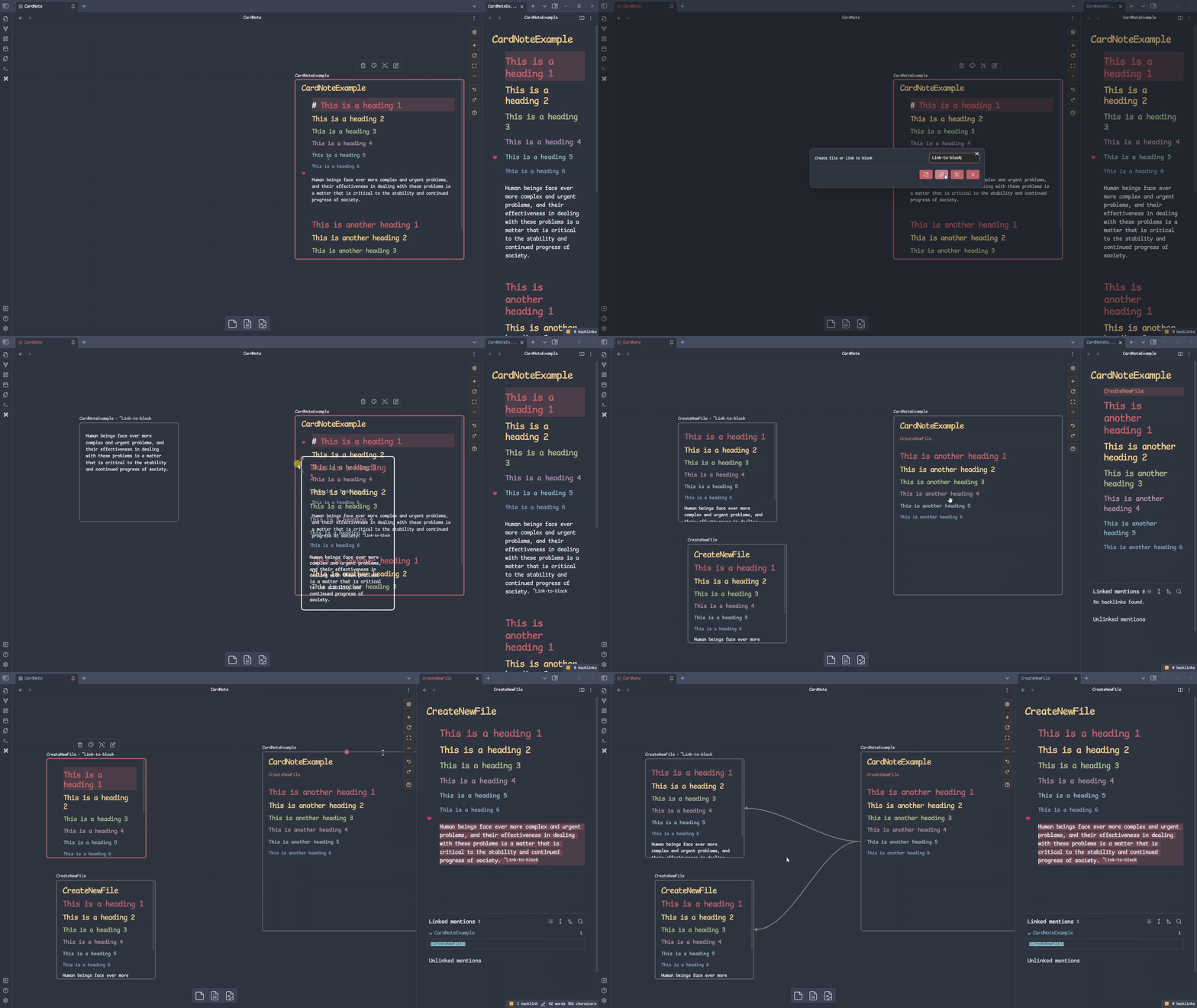
Excalidraw
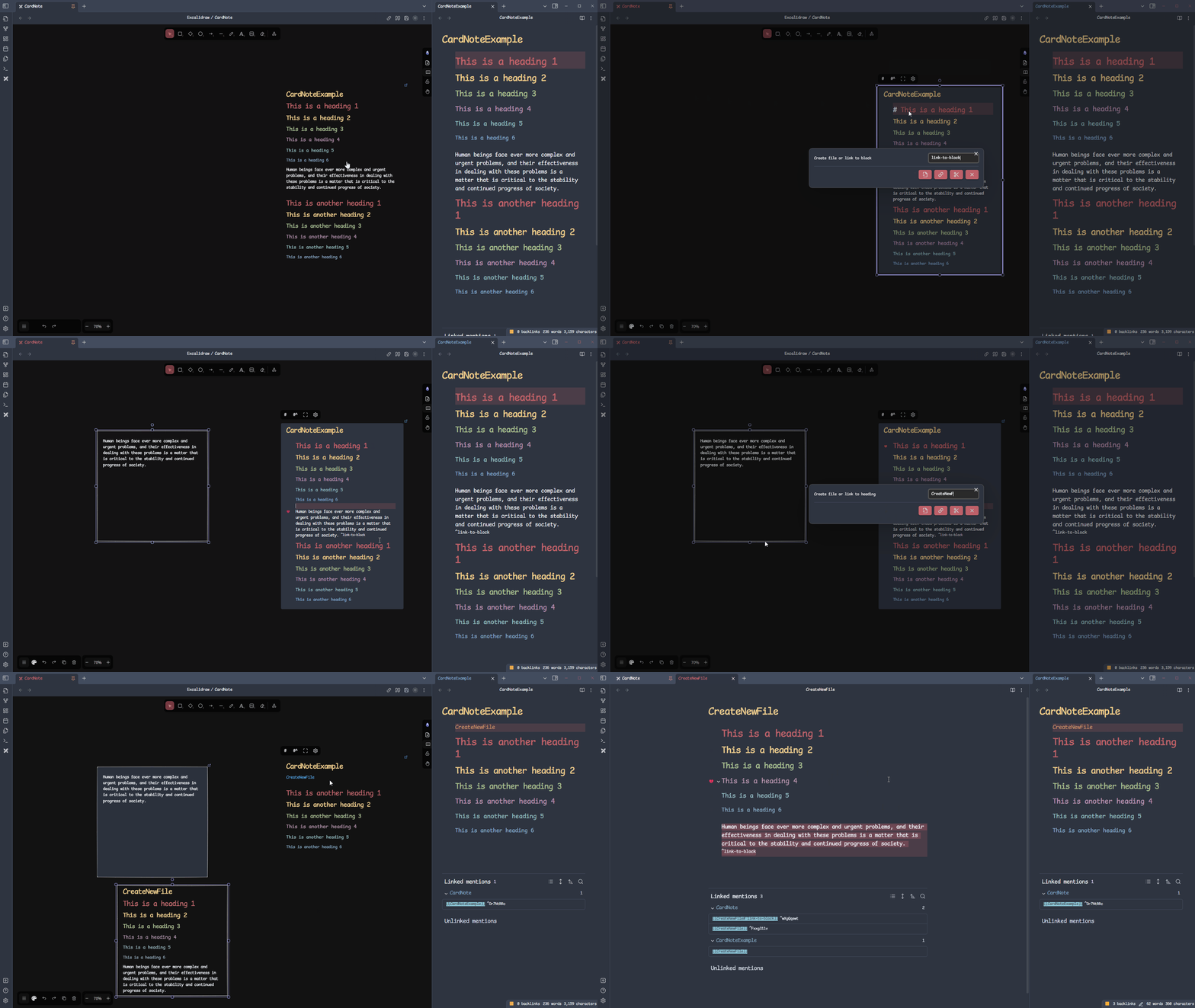
Use the same drag-and-drop workflow while sketching and organizing ideas in Excalidraw.
Cards View
Search and browse your notes in a visual card layout.
Commands
| Command | Description |
|---|---|
| Enable/Disable Auto Link | Automatically connect the extracted note to the source card on Canvas. |
| Arrow to * | Choose an arrow pointing from the source, to the target, in both directions, or no arrow. |
| Set Default Label | Add a label to automatically created links. |
| Show/Hide Drag Symbol | Show or hide the editor drag handle. |
| Enable/Disable Auto Preview | Open the selected Canvas file node in a split view. |
Requirements
- Obsidian 1.13.7 or later
- Obsidian Canvas for Canvas workflows
- The Excalidraw community plugin for Excalidraw workflows
Support CardNote

License
For plugin developers
Search results and similarity scores are powered by semantic analysis of your plugin's README. If your plugin isn't appearing for searches you'd expect, try updating your README to clearly describe your plugin's purpose, features, and use cases.