Canvas Explorer
approvedby hjamet
Explore your vault by iteratively adding or ignoring linked notes, ultimately generating a customizable canvas that visually represents the preserved notes and their connections.
🦉 Canvas Explorer
Canvas Explorer is an Obsidian plugin that allows you to explore your vault by adding or ignoring linked notes, generating a customizable canvas.
🚀 Features
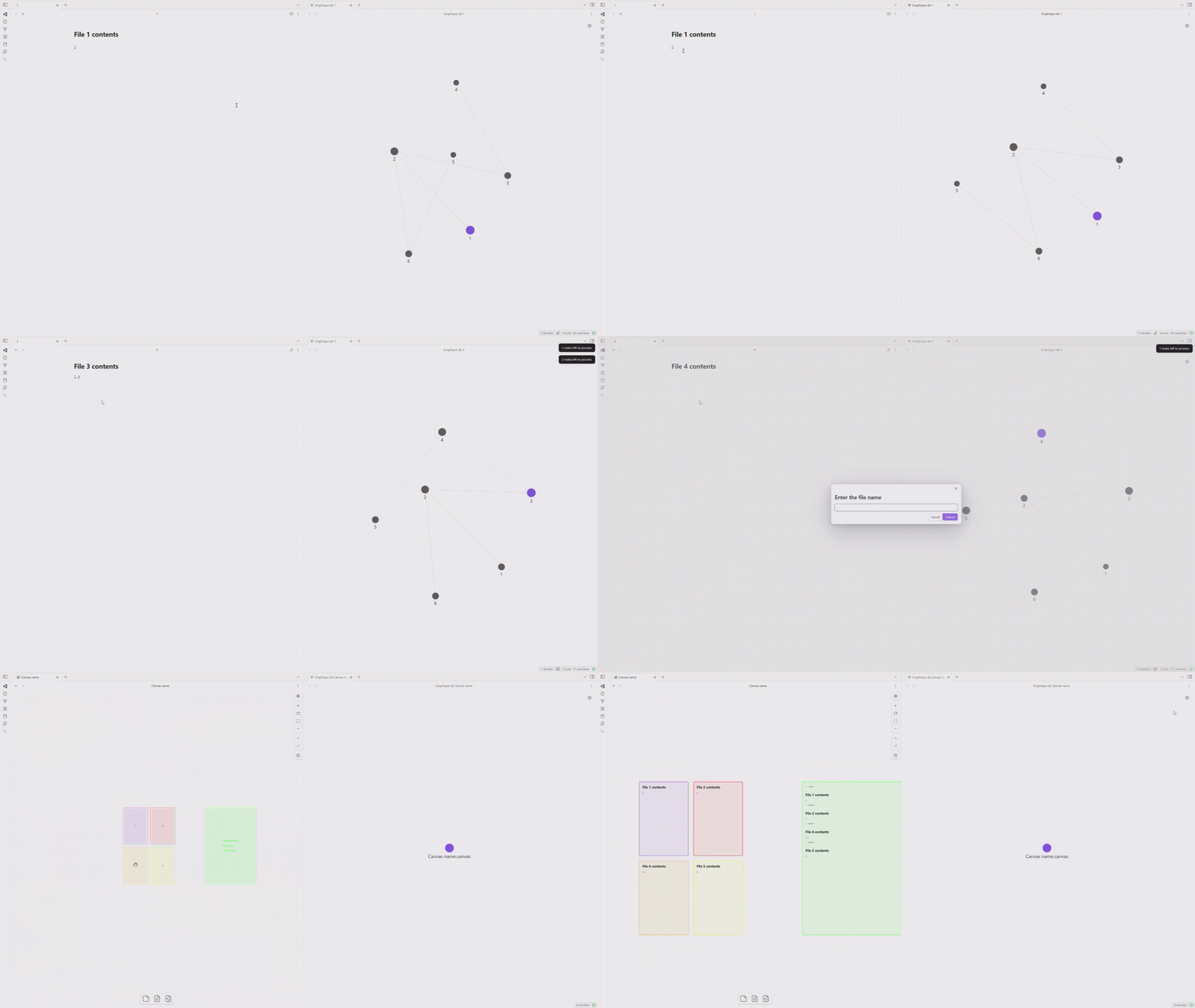
- Add notes to an exploration stack
- Ignore unwanted notes
- Automatically create a canvas with preserved notes and their connections
- Customizable node dimensions and canvas folder location
- Sort notes based on a frontmatter property or creation date
- Exclude specific sections from notes
- Concatenate note content in a separate node
- Color-code notes based on their connection count
- Generate a summary node with concatenated content
🛠️ Installation
- Open Obsidian and go to Settings
- Navigate to Community Plugins and disable Safe Mode
- Click on Browse and search for "Canvas Explorer"
- Click Install and then Enable the plugin
🎮 Usage
- Open a note to start exploring
- Use the "Add Note" command to add it to the exploration stack
- Navigate through suggested linked notes using "Add Note" or "Ignore Note"
- Once exploration is complete, name your canvas
- A new canvas will be created with all preserved notes and their connections
⌨️ Commands
- Add Note: Adds the current note to the exploration stack
- Ignore Note: Skips the current note and moves to the next
⚙️ Settings
- Canvas Folder: Folder to save generated canvases
- Node Width: Width of note nodes in the canvas (in pixels)
- Node Height: Height of note nodes in the canvas (in pixels)
- Sort Property: Frontmatter property for sorting notes
- Excluded Sections: Section titles to exclude from concatenation
🎨 Color Coding
Notes are color-coded based on their number of connections:
- Red: Most connected
- Orange
- Yellow
- Purple
- Blue: Least connected
This visual cue helps identify central or highly connected notes in your knowledge graph.
📊 Note Sorting
Notes are sorted based on the specified frontmatter property or creation date if not found. This allows for chronological or custom-ordered exploration of your notes.
📝 Concatenated Summary Node
A separate, larger node is created containing the concatenated content of all explored notes. This provides a comprehensive overview of the explored topic. The summary node is color-coded green for easy identification.
🐛 Support
To report issues or suggest improvements, visit our GitHub repository.
👤 Author
Developed by Henri Jamet. More information at https://www.henri-jamet.com/.
📄 License
Canvas Explorer is under the MIT License. See the LICENSE file for more details.
For plugin developers
Search results and similarity scores are powered by semantic analysis of your plugin's README. If your plugin isn't appearing for searches you'd expect, try updating your README to clearly describe your plugin's purpose, features, and use cases.