Cerebro Mycelium
approvedby colorpulse6
Render your vault as an animated 2D living fungal network. - This plugin has not been manually reviewed by Obsidian staff.
Cerebro Mycelium
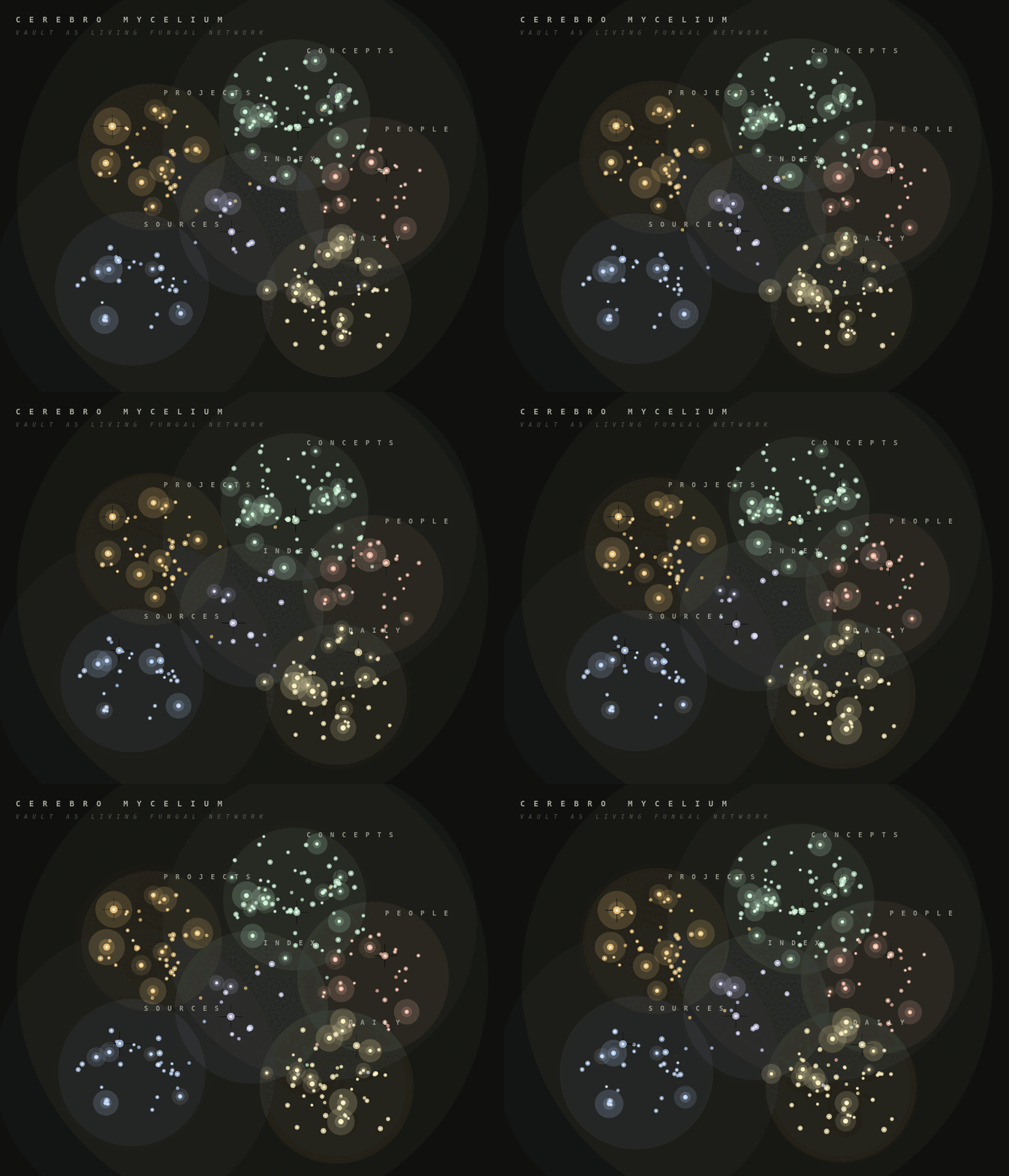
Cerebro Mycelium is an Obsidian community plugin that renders your vault as a 2D living fungal network. Markdown notes become soft kind-clusters, wikilinks become curved hyphae, recently edited notes glow as fruiting bodies, and clicking a node sends a light cascade through its nearby graph.
The animated preview below uses synthetic demo vault data.
Features
- Native Obsidian custom view, no separate app required.
- Read-only vault adapter built from
metadataCacheandvault.getMarkdownFiles(). - Kind classification from frontmatter, tags, folders, and date-style daily notes.
- Curved multi-fibre hyphae for wikilinks.
- Recent-note fruiting halos driven by
file.stat.mtime. - Hover blooms, click cascades, shockwaves, drag pan, and scroll zoom.
- Drag notes to pin them into persistent positions, with a reset command when you want to return to automatic layout.
- Settings for palette, recency window, spore density, cluster haze, decorative micro-leaves, and click behavior.
Install
Cerebro Mycelium is available in Obsidian's community plugin directory:
https://community.obsidian.md/plugins/cerebro-mycelium
- Open
Settings -> Community plugins. - Search for
Cerebro Mycelium. - Install and enable the plugin.
- Run Cerebro Mycelium: Open mycelium from the command palette.
Manual Installation
- Run
npm install. - Run
npm run build. - Copy
manifest.json,main.js, andstyles.cssinto:
<your-vault>/.obsidian/plugins/cerebro-mycelium/
- In Obsidian, enable community plugins, then enable Cerebro Mycelium.
- Run Cerebro Mycelium: Open mycelium from the command palette.
Development
npm install
npm test
npm run build
npm run demo:gif
The plugin does not make network requests and does not modify notes. It enumerates markdown files so it can build the vault graph locally.
Author
Built by Nichalas Barnes, a software engineer and composer. More work at nichalasbarnes.com/projects.
You might also like Brain Atlas, which renders your vault as an animated 3D anatomical brain.
License
MIT
For plugin developers
Search results and similarity scores are powered by semantic analysis of your plugin's README. If your plugin isn't appearing for searches you'd expect, try updating your README to clearly describe your plugin's purpose, features, and use cases.