Smart Cluster Graph
approvedby Alan Li
Folder-based cluster graph explorer with strongest cross-community bridges, line crossing avoidance, and tight convex hulls. - This plugin has not been manually reviewed by Obsidian staff.
★ 2 stars↓ 531 downloadsUpdated 4d agoMIT
Smart Cluster Graph
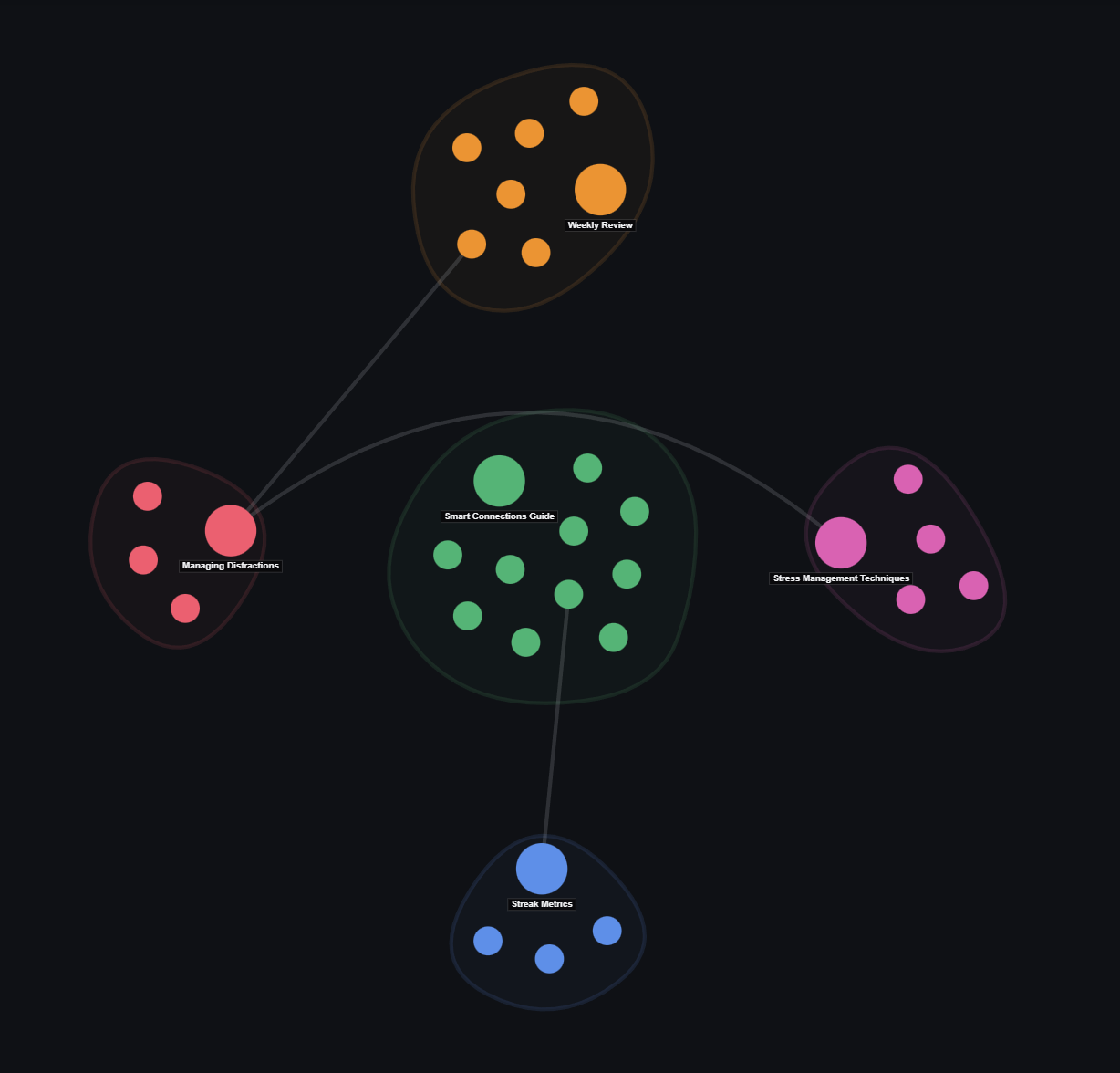
A folder-based cluster graph view plugin for Obsidian. It organizes your vault notes into distinct community clusters with soft convex hulls, line-crossing avoidance, and real-time node search.
Features
- 🏝️ Community Clusters: Groups notes into clean topic clusters with soft convex hulls.
- 🌉 Strongest Bridge Links: Displays key cross-cluster bridge relationships without web clutter.
- ↪️ Line Crossing Avoidance: Curves cross-cluster links smoothly around intermediate hulls.
- 🔍 Live Node Search: Search and highlight notes directly within the graph view.
- 🎯 Active Note Tracking: Automatically syncs with your currently open Obsidian note.
Usage
- Click Node: Select node.
- Double Click Node: Open note in Obsidian workspace.
- Right Click Node: Open context menu (Open note, Open in new tab, Copy link).
- Search Bar: Type to filter and highlight matching nodes in real time.
- Pan & Zoom: Drag canvas to pan; scroll wheel to zoom around screen center.
Installation
Community Plugins
- Open Obsidian Settings → Community plugins.
- Search for
Smart Cluster Graph. - Click Install, then Enable.
Manual Installation
- Download
main.js,manifest.json, andstyles.cssfrom the latest Release. - Copy files into your vault's
.obsidian/plugins/smart-cluster-graph/directory. - Reload Obsidian and enable the plugin in settings.
License
For plugin developers
Search results and similarity scores are powered by semantic analysis of your plugin's README. If your plugin isn't appearing for searches you'd expect, try updating your README to clearly describe your plugin's purpose, features, and use cases.