Chatty
approvedby ssaquif
Allows you to listen to your notes using text-to-speech. Uses the browser's built-in speech synthesis capabilities and your default system voices.
Chatty
A simple plugin for Obsidian that allows you to listen to your notes using text-to-speech.
No external apis, just uses the browser's built-in speech synthesis capabilities and your default system voices.
This plugin has been tested on Windows only.
Setup
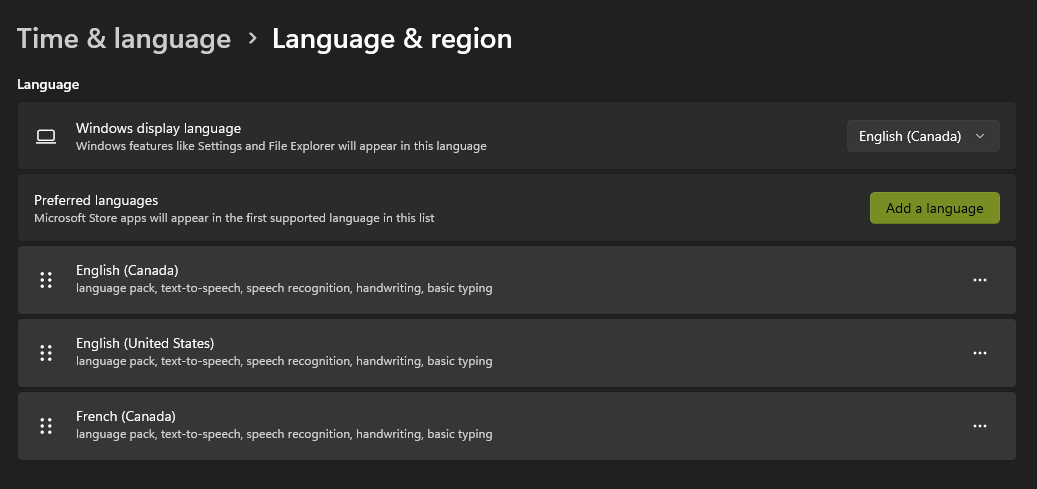
The plugin uses your system's default languages and their text-to-speech voices. In order to add a new language, you need to install the language pack for your operating system.
For Windows, you can do this by going to Settings > Time & Language > Language, and then adding a new language.
Features
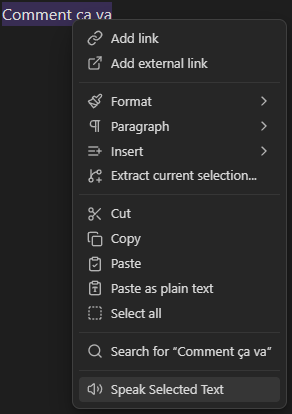
You can either select the text in your notes, right-click, and select "Speak Selected Text".
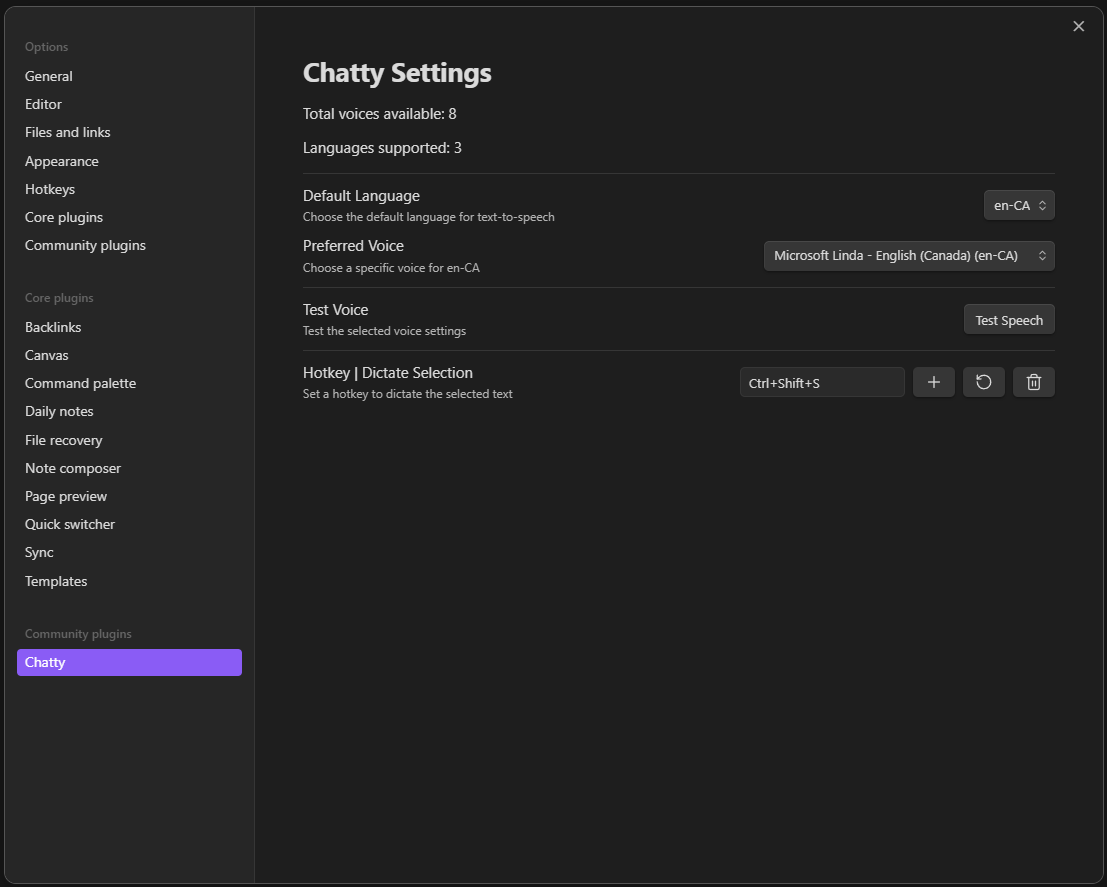
Or you can select the text and then use the hotkey combination, the default hotkey is Ctrl + Alt + S.
But you can change this in the plugin settings, along with the voice and language settings.
Beware that certain hotkey combinations may not work as they might already be used by Obsidian or by other plugins.
For plugin developers
Search results and similarity scores are powered by semantic analysis of your plugin's README. If your plugin isn't appearing for searches you'd expect, try updating your README to clearly describe your plugin's purpose, features, and use cases.