Chess Study
approvedby chrislicodes
A chess study helper and PGN viewer/editor.
Obsidian Chess Study
A chess study helper and PGN viewer/editor for Obsidian.
With this plugin, you can either import PGNs or simply start a fresh new game. It allows you to add comments and arrows for each move, which will be persisted within a JSON File in your vault. Although it is not a full analysis board, it serves as a valuable tool to support your chess notetaking in Obsidian.
Table of contents
Motivation
I love Obsidian and its tools, but managing screenshots of chess positions is getting out of hand and is also annoying to update. It would be great to have a PGN Viewer similar to the ones offered by lichess.org or chess.com within Obsidian. It should allow us to effortlessly view PGNs, add arrows and comments, while also persisting them inside the Obsidian vault. The currently existing alternatives primarily focus on visualizing FEN snapshots, which is why this side project started.
Installation
Once you have disabled Safe Mode, you can find third-party plugins by navigating to Settings > Community Plugins > Browse and search for "Chess Study". Once you have installed the plugin, you can access it under Settings > Community Plugins. Please note that you must enable the plugin to use it. You can also unsintall the plugin from there.
Usage
To start, position your cursor where you want to place the PGN viewer/editor within your note. Execute the Obsidian command Chess Study: Insert PGN-Editor at cursor position.
This action will trigger a modal window, where you have the option to paste your PGN or leave it empty for a fresh new game. Here is what it will look like:
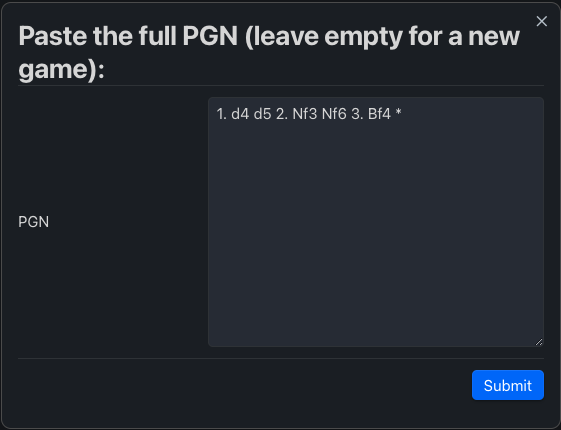
Once you click Submit, Obsidian Chess Study will parse the PGN, generate a new JSON file in your vault located at .obsidian/plugins/obsidian-chess-study/storage/{id}.json, and insert a chessStudy codeblock at the cursor's position. Here's an example of the chessStudy codeblock:

After that the PGN viewer/editor will render and you are good to go (styles are aligned with your theme and accent color):
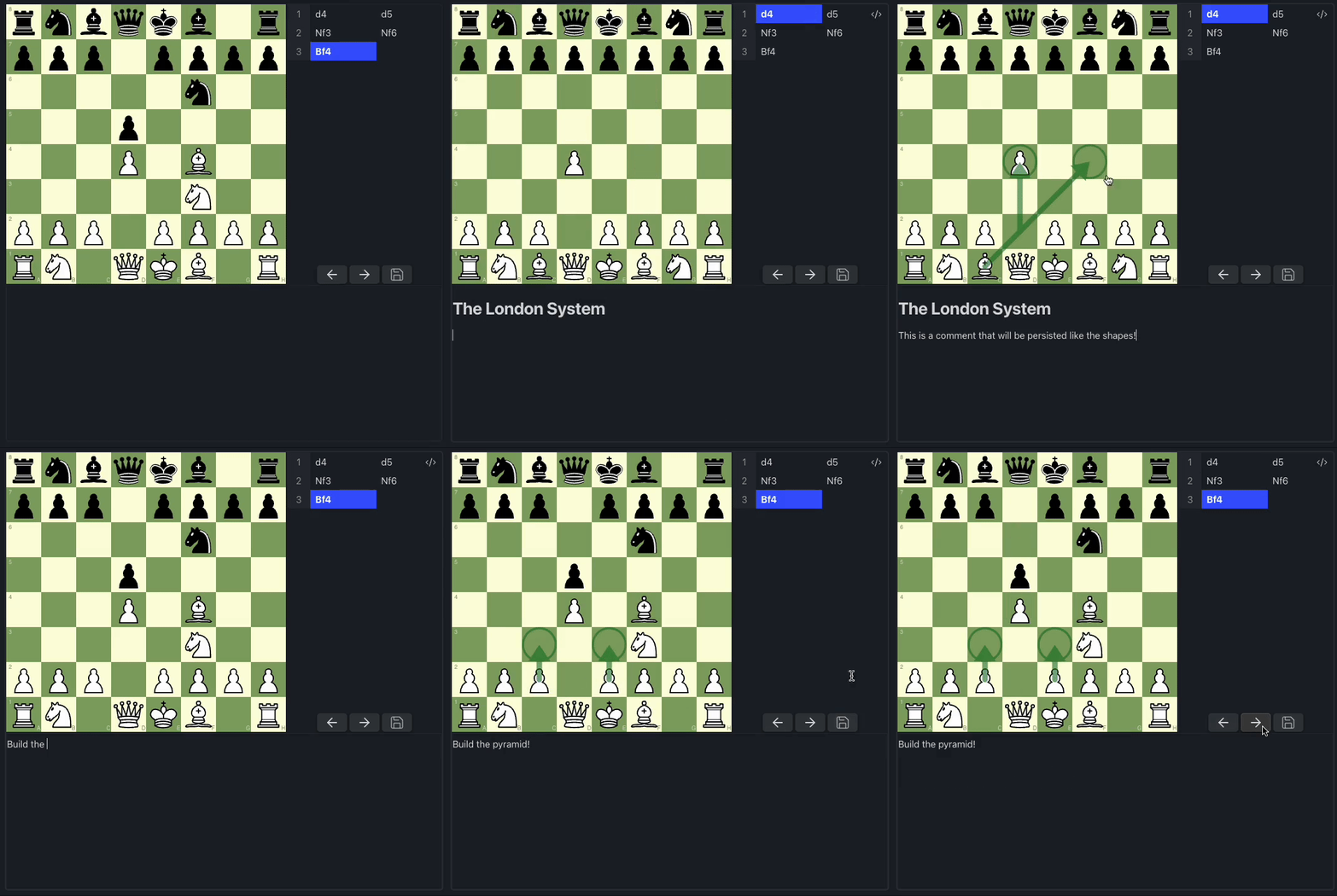
Features
1.0.0
- Import PGNs
- Store game state in JSON
- Add custom PGN viewer
- Only allow legal moves
- Move through the moves via navigation buttons and direct click
- Draw and sync shapes
- Add and sync comments with Markdown support
1.1.0
- Add support for variants (depth 1)
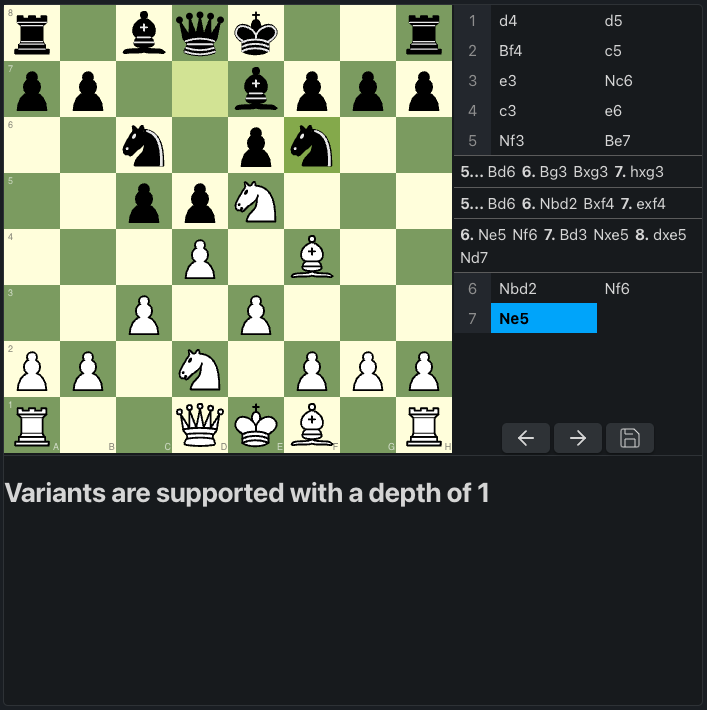
1.2.0
- Add FEN start position support
- Add undo button
- Copy current FEN string to clipboard
Thanks to @latenitecoding for the contributions
Settings
Here are the available settings for a chessStudy code block:
| Setting | Possible Values | Description |
|---|---|---|
chessStudyId | Valid nanoid | Valid ID for a file stored in the plugin storage |
boardOrientation | white | black | Orientation of the board |
boardColor | green | brown | Color of the board |
viewComments | true | false | Whether to display the comments section |
You can permanently set some settings in the Obsidian plugin settings for Obsidian Chess Study.
Roadmap
- Add view to manage stored games
- Add more styles
- Add more settings
- Support canvas view
- Mobile support
Tools Used
- Chess visuals are powered by Chessground
- Chess logic is powered by Chess.js
- The markdown editor is powered by TipTap
- Icons are provided by Lucide
- Everything is tied together by React
Alternatives
If you want to have a look at FENs instead, check out these alternative Obsidian plugins:
License
Obsidian Chess Study is licensed under the GPL-3.0 license. Refer to LICENSE for more informations.
For plugin developers
Search results and similarity scores are powered by semantic analysis of your plugin's README. If your plugin isn't appearing for searches you'd expect, try updating your README to clearly describe your plugin's purpose, features, and use cases.