by Christian Pure
Insert today's Bible verse and prayer, a verse for how you feel, or a short prayer for an occasion, each with a link to the full article.
Christian Pure Verses and Prayers
Put a Bible verse or a prayer into your notes without leaving Obsidian.
Open the command palette and run one of four commands:
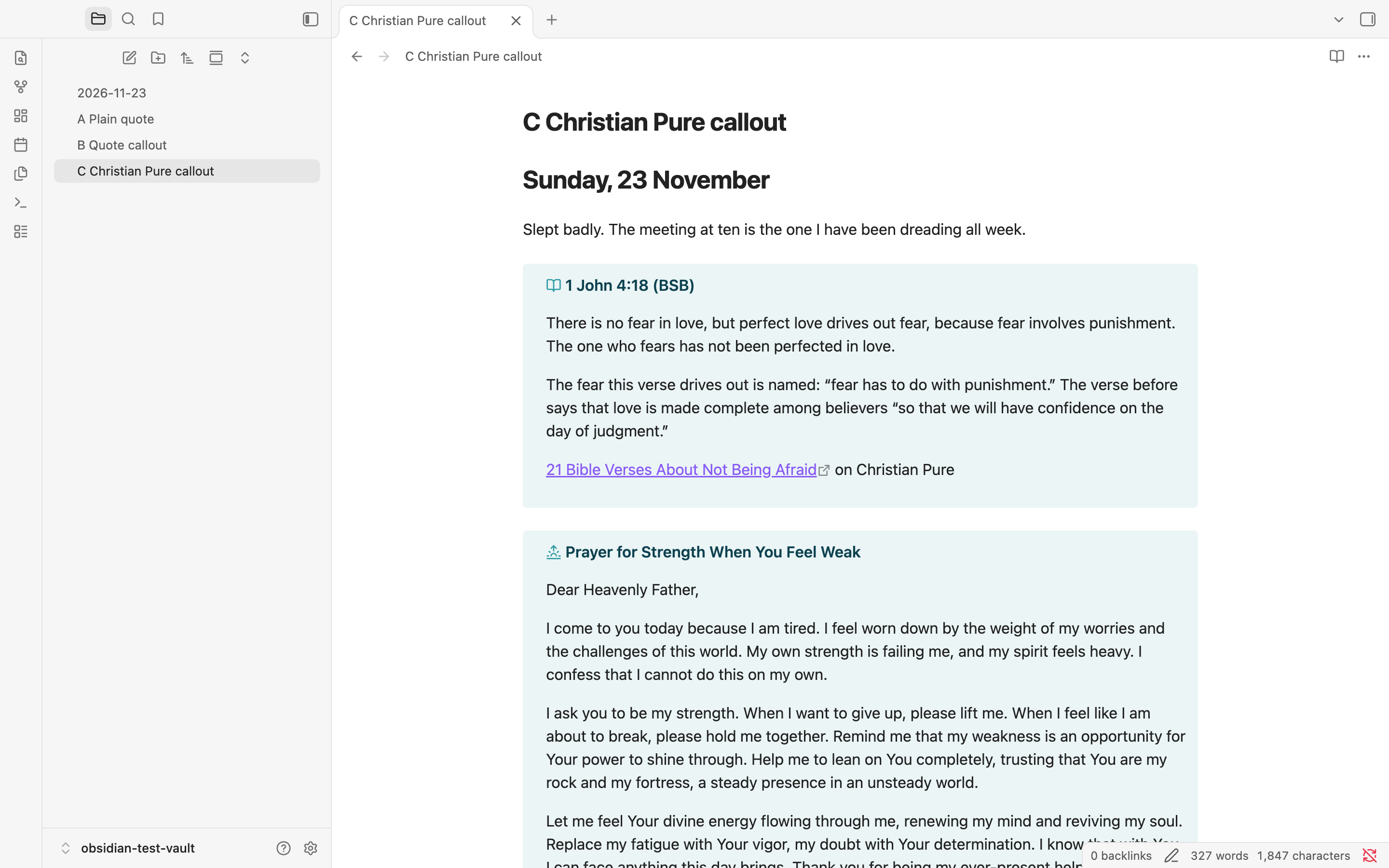
- Insert today's verse: the day's verse from Christian Pure, with a short note on what it says and a link to the full article.
- Insert today's prayer: the day's prayer, with its source.
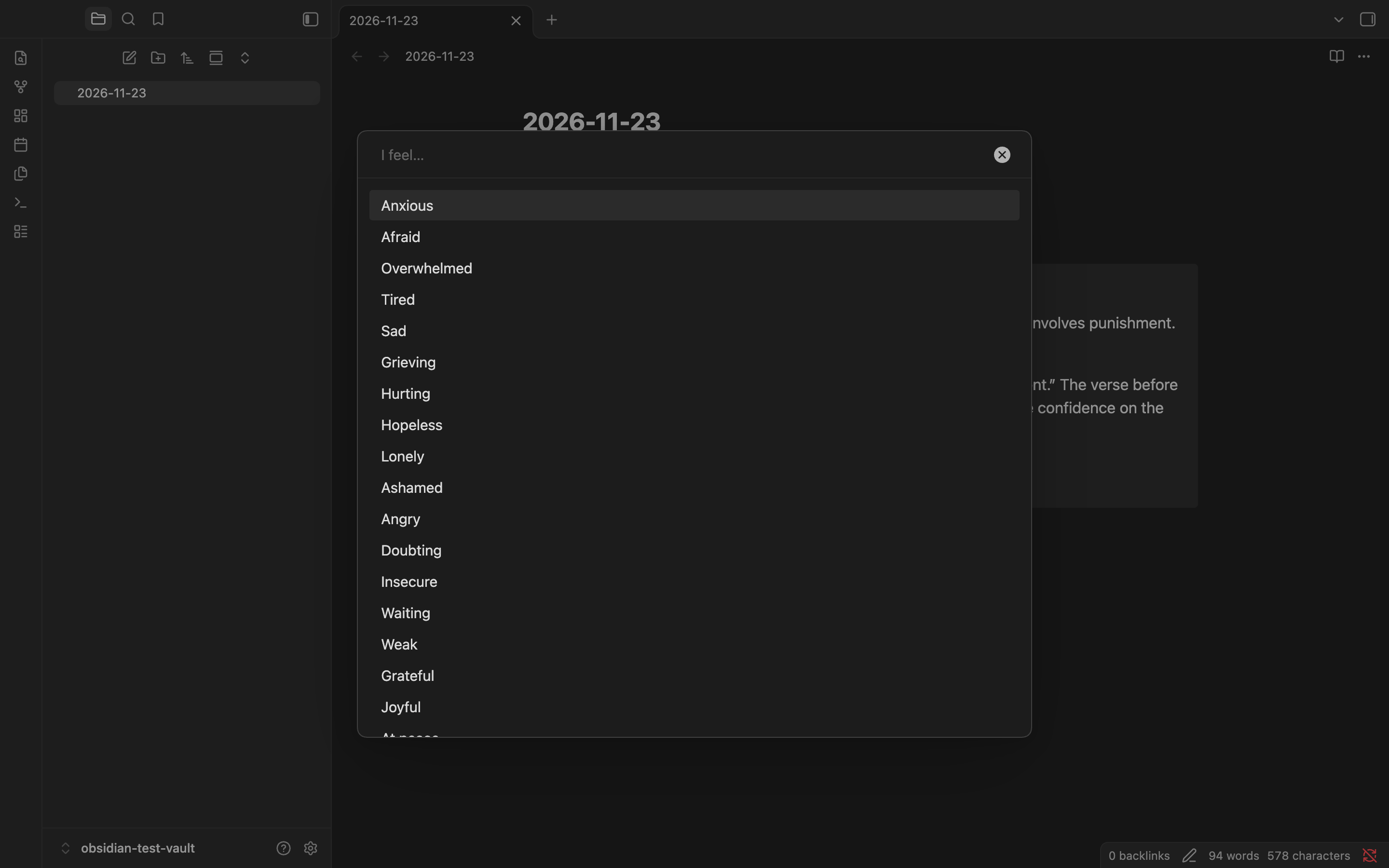
- Insert a verse for how you feel: choose a feeling (anxious, tired, grieving, grateful and 14 more), then one of 178 verses.
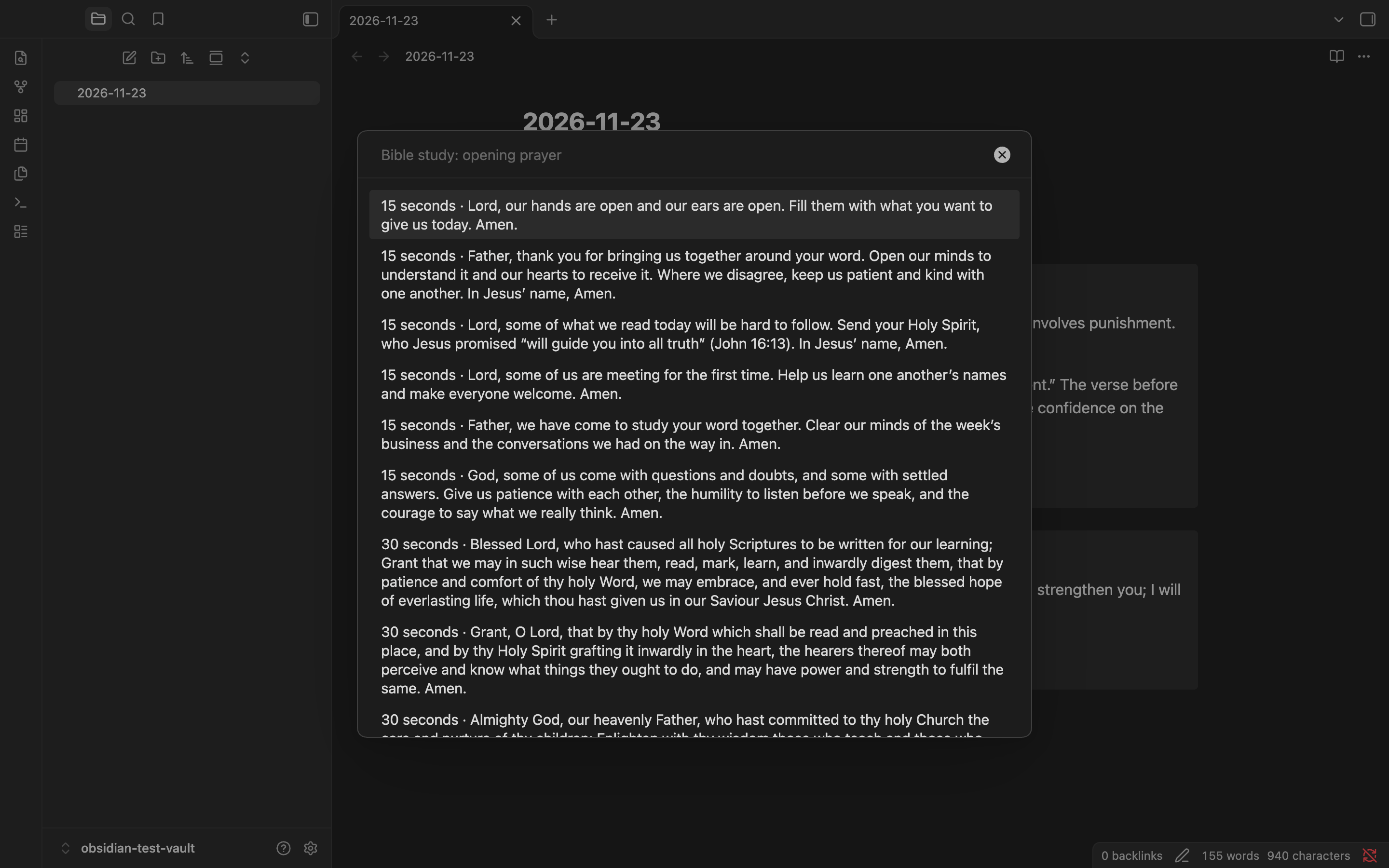
- Insert a prayer for an occasion: short prayers to pray aloud before a meal, at the start or end of a Bible study, a church service, a meeting, school or sports, or a funeral. Each shows how long it takes to pray.
Verses are from the Berean Standard Bible. The text goes into your note as ordinary Markdown at the cursor.
Network use
This plugin connects to christianpure.com to fetch the verse and prayer text when you run a command. It sends no account, note content or personal data, and it does not track you. Today's verse and prayer are kept for an hour so the site is not asked twice. Links in what it inserts carry utm_source=obsidian so Christian Pure can count visits that came from the plugin.
Settings
- Look of inserted verses and prayers: the Christian Pure callout in peacock blue (the default), Obsidian's own quote callout, or a plain quote. Changing it affects new inserts only.
- Add the short note under today's verse: on by default.
Install by hand
Copy main.js, manifest.json and styles.css from the latest release into .obsidian/plugins/christian-pure/ in your vault, then turn the plugin on under Settings › Community plugins.
Contact
For plugin developers
Search results and similarity scores are powered by semantic analysis of your plugin's README. If your plugin isn't appearing for searches you'd expect, try updating your README to clearly describe your plugin's purpose, features, and use cases.