Claude Synapse
approvedby Nuno Ricardo
Bring Claude Agent SDK-powered assistance into Obsidian with agents, tools, skills, and workflows in your notes. - This plugin has not been manually reviewed by Obsidian staff.
Claude Synapse
Claude Synapse is an independent Obsidian plugin. It integrates the Claude Agent SDK and Claude CLI; it is not affiliated with, endorsed by, or produced by Anthropic.
Your notes already hold what you know. Claude Synapse puts Claude to work on them.
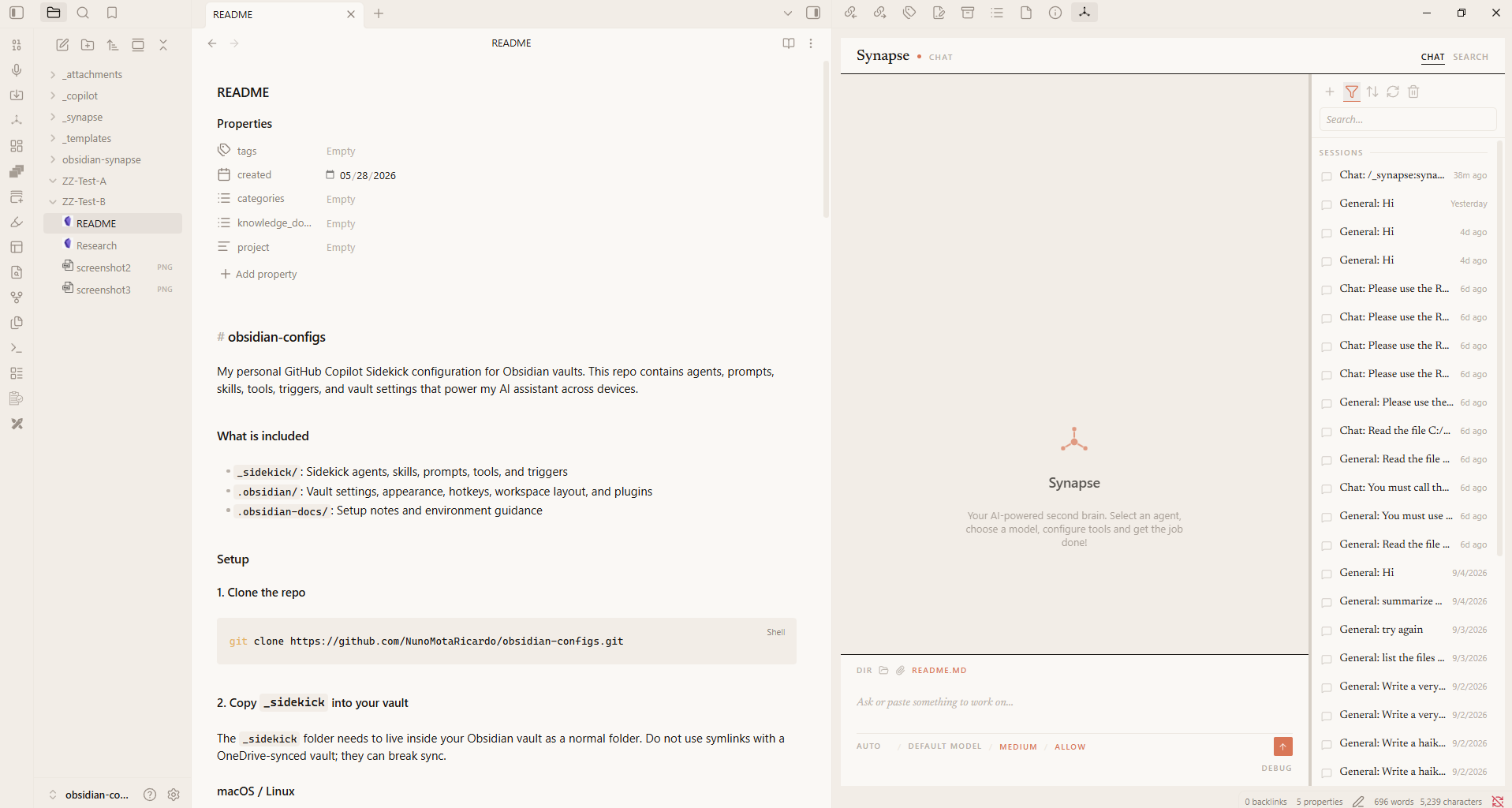
Most AI tools make you copy notes into a chat window and paste the answers back. Claude Synapse works the other way round. It brings the Claude agent into Obsidian, where it can read your notes, follow your links, write and reorganize files, run tools, and keep a history of every conversation. Your vault becomes the agent's workspace.
It isn't a thin chat wrapper. Claude Synapse is a native Claude Agent SDK plugin: every message runs on the same agent loop as Claude Code. You get real sessions, subagents, skills, MCP tools, permission controls, and live reasoning, all inside your vault.
Claude when you need the best. Local models when you want privacy.
Claude Synapse runs Claude and local models through Ollama in the same agent. Switch models from the chat panel, or bind a model to each agent. Keep private notes on your own machine and bring in Claude for the hard problems. You can also use Ollama's cloud models, or any endpoint that speaks the Anthropic Messages API.
Local models aren't a stripped-down mode. They run through the same Claude Agent SDK, so they get the same sessions, skills, subagents, and MCP tools as Claude.
[!IMPORTANT] Claude Synapse runs on the Claude CLI, which you need to install, even if you use only local models. For Claude, sign in with your Claude subscription or use an Anthropic API key. For local models, run Ollama v0.14.0 or newer and point Claude Synapse at it. Requires Obsidian Desktop 1.13.0 or newer.
Community directory disclosure
Claude Synapse is an independent, open-source plugin with no maintainer telemetry, analytics, crash reporting, or advertising. It does not sell accounts or process payments. Claude-hosted use requires a separately installed Claude CLI plus either a Claude subscription (OAuth) or an Anthropic API key; Anthropic API usage and Ollama Cloud may incur provider charges. The plugin can send prompts, content autonomously read from any accessible file in the selected working directory or MCP/additional locations (not only explicitly selected text), attachments, tool results, and conversation content to a user-configured Anthropic Messages API-compatible endpoint, Telegram (api.telegram.org), or configured MCP services. Provider retention, telemetry, training, and billing are controlled by those services.
The Claude Agent SDK starts the local Claude CLI subprocess for each agent query. The agent may autonomously read any accessible file in its working directory, not only explicitly selected text; the user can select another directory, and MCP/additional locations or attachments may extend access beyond the vault. Vault-local _synapse/.mcp.json can start local MCP processes or contact remote MCP services; MCP tools may execute commands, access files outside the vault, or use the network. Telegram is optional, runs unattended with bypassed tool approval for users on its numeric allowlist, and persists downloads under _synapse/bot-attachments (which may sync and is not automatically deleted). Keep approval on Ask unless these risks are intentional.
See the full Community directory disclosure and security policy for the account, payment, endpoint, filesystem, subprocess, privacy, advertising, source, and attribution details.
Why Claude Synapse
It knows where you are. The note you're looking at is already in the conversation. Scope a chat to a folder, drop in files and images, and reopen any past session exactly where you left off.
It writes like you, not like an AI. Give Claude Synapse a few pieces you've written and it builds a style guide from them. Drafts, rewrites, and emails then follow your voice, and AI filler words get stripped out.
You shape it by talking to it. Tell it "always cite sources in APA" or "I need an agent that turns meeting notes into action items". Claude Synapse proposes the agent or skill, shows you the file, and writes it when you say yes. No config screens, and no reload.
Everything is a note. Agents and skills are Markdown files in your vault. Read them, edit them, version them with git, and sync them across devices like any other note.
It works where you work. Chat in the side panel. Right-click selected text to rewrite, proofread, expand, or summarize it. Right-click a folder to summarize everything in it. Search your vault by describing what you want. Or message your agents from your phone through Telegram.
It connects to everything else. Add MCP servers to give Claude Synapse a browser, GitHub, web search, or your own tools. Approve each tool call, or allow them once you trust your setup.
Useful from the first message: the starter kit
Claude Synapse installs a small starter kit into _synapse/ on first run. It's useful from day one, and
built to be made your own.
| What it gives you | |
|---|---|
synapse-config skill | Customizes Claude Synapse from chat. Describe what you want and it proposes an agent, skill, or MCP server, shows you the exact file, and writes it only after you approve. It also runs the setup workflow, which builds writing styles from your own documents. |
| Writer agent | Delivers finished prose, not outlines: essays, reports, proposals, emails, speeches, and articles. It picks the right structure, asks only for what's missing, and hands over the whole piece. |
writing-style skill | Controls how the words sound. It uses your own styles when you have them, falls back to four built-in voices (personal, technical, spoken, professional), and strips AI-sounding phrasing. |
think skill | Helps you think before anything gets written. It asks one question at a time, suggests an answer, and checks your vault first so it doesn't ask what you've already written down. |
obsidian skill | Obsidian know-how: wikilinks, embeds, callouts, properties, Bases, and the obsidian CLI. What it writes renders correctly the first time. |
Start here: make it yours with synapse-config
Open Claude Synapse and type:
Set up my writing styles.
synapse-config suggests a style for each kind of writing you do. It asks for 3–5 pieces you wrote
yourself, studies their voice, structure, rhythm, and vocabulary, and shows you a style file to
approve. From then on, the Writer agent and every rewrite sound like you.
The same skill lets Claude Synapse keep growing with you. Whenever you notice you're repeating an instruction, turn it into an agent or skill in a single message.
Get started in three steps
- Install the Claude CLI and sign in by running
claude, or have an Anthropic API key ready. For local models, also install Ollama. - Install Claude Synapse from the Obsidian Community directory when available, or use
BRAT by adding
https://github.com/NunoMotaRicardo/obsidian-synapse, or install manually from the latest release. - Open Claude Synapse from the ribbon icon or the command Open chat, and ask it to set up your writing styles.
Full walkthrough, including local models: Installation.
[!CAUTION] With great power comes great responsibility. Claude Synapse can run tools, execute commands, and modify files on your behalf. Keep tool approval on Ask until you trust your setup. This open-source software comes without warranty or support. Use at your own risk.
Learn more
The wiki has the details:
- Installation: requirements, the Claude CLI, BRAT or manual install, and first run
- Using Claude Synapse: the chat panel, search, sessions, and editor actions
- Starter kit: every bundled skill and agent, and the
synapse-configsetup workflow - Customization: agents, skills, MCP servers, and vault settings in
_synapse/ - Configuration: every settings tab
- Local models with Ollama: running Claude Synapse on local or cloud Ollama models
- Telegram bot: chatting with your agents from anywhere
Credits
Thank you to Alexandre Vieira, for the work on obsidian-sidekick, a sibling of Synapse. Sidekick is an Obsidian assistant built on the GitHub Copilot SDK.
Contributing
Working on the code, as a person or an AI agent? Start with specs/ARCHITECTURE.md, then read CONTRIBUTING.md.
Feedback
Found a bug or have an idea? Open an issue. All feedback is welcome.
For plugin developers
Search results and similarity scores are powered by semantic analysis of your plugin's README. If your plugin isn't appearing for searches you'd expect, try updating your README to clearly describe your plugin's purpose, features, and use cases.