AI Agent
approvedby Manuel Magaña
Lend your vault to an AI agent. It can read, write, and search your notes.
Obsidian Agent
Lend your vault to an AI agent. Read, write, and search your notes with AI.






🚀 Overview
A simple and lightweight AI extension for Obsidian. Connect Google Gemini, Anthropic Claude, OpenAI, or a local Ollama model, and delegate basic tasks to an agent that can write, edit, and create notes and folders within your vault.
It features a user-friendly UI, inspired by other agentic apps.
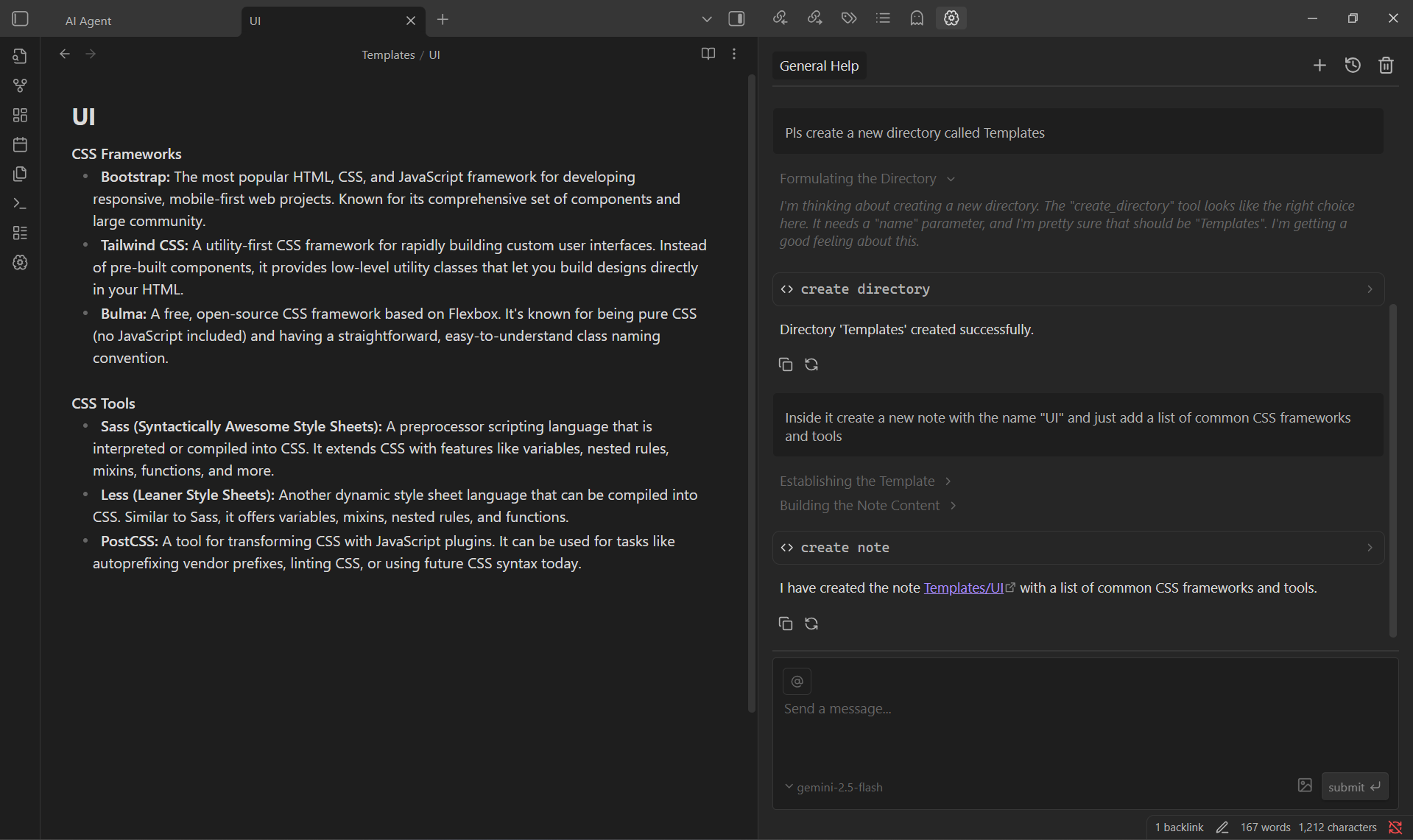
🧠 Getting Started
- Clone the repository inside your
~/vault/.obsidian/plugins/folder. - Enable the plugin from Obsidian's settings panel.
- In the plugin's settings panel, choose your AI provider (Google, Anthropic, OpenAI, or Ollama) and add the corresponding credentials.
[!IMPORTANT]
- For Google, Anthropic, and OpenAI, make sure you have a valid API key for the selected provider.
- For Ollama, no API key is needed, just make sure your local Ollama server is running and the model has been pulled.
- You can also add a custom base URL to connect to a different endpoint for the selected provider.
Start chating with the agent by locating and clicking on the brain icon in the left and right sidebars. Or add a hotkey to kickly acces your most recent chat.
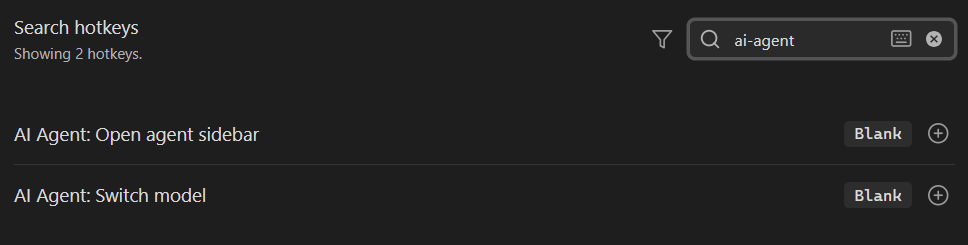
💬 Chats
Manage your chats as Obsidian notes. Rename the chat by renaming the file.
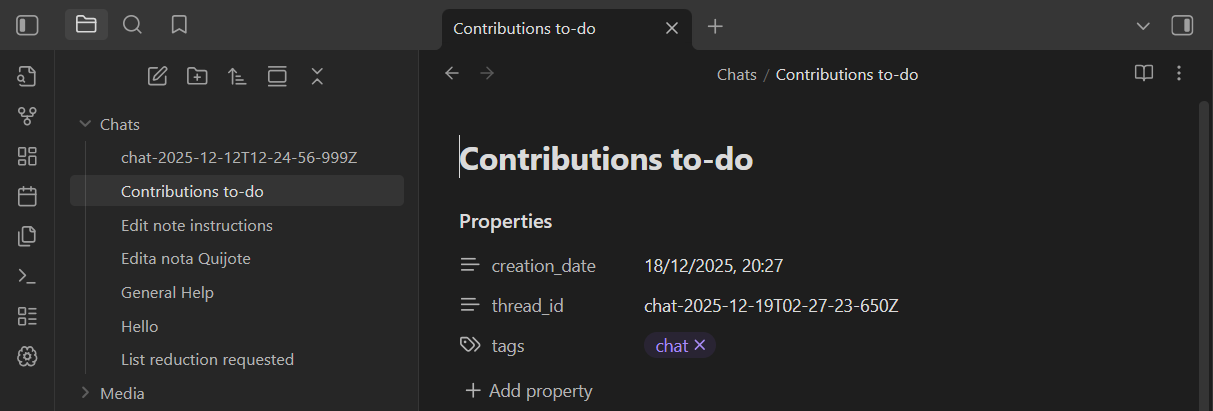
[!CAUTION]
Chat files are design to store the chat history and the messages metadata. Do not modify or move them.
🛠️ Tools
The agent can use the following tools to interact with your vault:
- Create note: Create a new note in your vault.
e.g: Create a note titled 'Project Ideas' - Read note: Read the content of a note.
e.g: Read the active note - Edit note: Edit an existing note.
e.g: Add a summary of this text: [...] to the note 'Book Review' - Create folder: Create a new folder.
e.g: Create a folder called '2024 Plans' - List files: List files in a folder.
e.g: List all files in the folder 'Research' - Vault Search: Search for content across your vault.
e.g: Search if it exist a note called 'AI agent' - Note filtering: Return note paths that fall inside a date range.
e.g: Give me yesterday's notes - Web search: Search for content on the web. Not available with Ollama models.
e.g: Search on the web for todays temperature in Austin, Texas
Also you can right click over selected text, in your markdown notes, to summarize selection or ask agent.
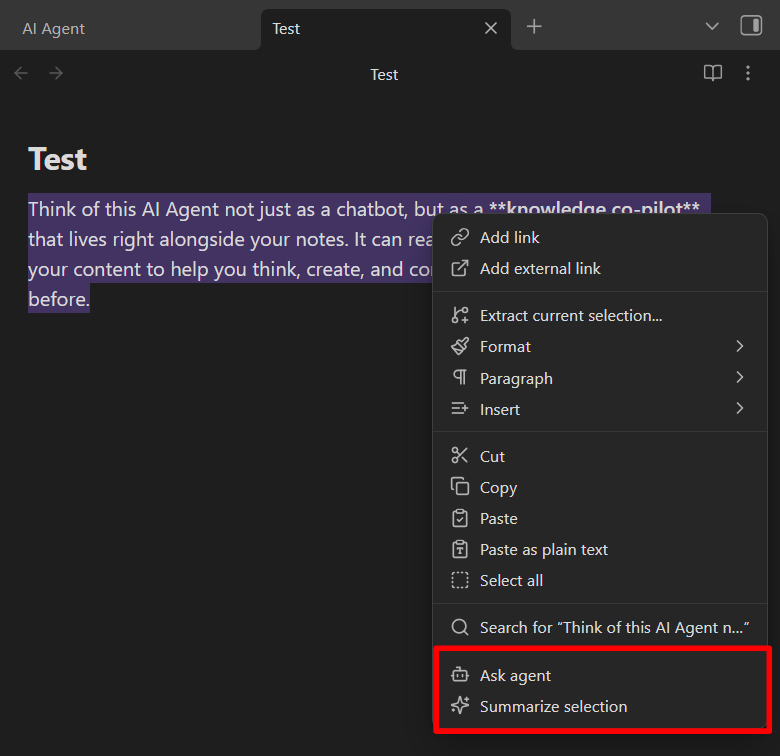
And finally, you can also attach images by clicking the image icon, and notes with the @ icon in the input.
🟡 Disclosures
This plugin can connect to remote AI services (Google Gemini, Anthropic Claude, or OpenAI) to process your requests, or to a local Ollama instance.
Why is this needed?
The AI models that power these features run on external servers and require an internet connection, with the exception of Ollama, which runs locally on your machine. Your notes or queries are sent securely to the selected provider for processing, and the results are only returned to your vault.
To use Google, Anthropic, or OpenAI, you must set the corresponding API key. You are responsible for obtaining and managing your API keys. Ollama does not require an API key, but does require a local Ollama installation.
Network usage in detail:
- Your messages, the notes and images you attach, and any note content the agent reads with its tools are sent to the AI provider you selected (Google, Anthropic, or OpenAI) — or stay on your machine if you use Ollama. Nothing is sent anywhere until you send a message.
- The bundled LangChain library may download token-counting data from
tiktoken.pages.dev(a public CDN for the js-tiktoken library) when estimating message sizes for OpenAI models. - The plugin makes no other network requests: there is no telemetry, no analytics, and no data is shared with the plugin author.
Other capabilities used by the plugin:
- Vault access: the agent's tools can list, read, create, and edit notes and folders in your vault. Edits can be reviewed before being applied with the "Review changes" setting.
- Clipboard: the copy buttons in the chat write the selected message or tool output to your system clipboard. The plugin never reads your clipboard.
🫱🏼🫲🏼 Contributing & Support
- Found a bug? Open an issue here.
- Want to contribute? Create a new pull request.
For plugin developers
Search results and similarity scores are powered by semantic analysis of your plugin's README. If your plugin isn't appearing for searches you'd expect, try updating your README to clearly describe your plugin's purpose, features, and use cases.