by yujia
Delete, remove or strip all properties (YAML frontmatter / front matter metadata) from a note in one click with a button beside the properties block. Undoable. Quick cleanup of old notes, mobile too.
Clear Properties
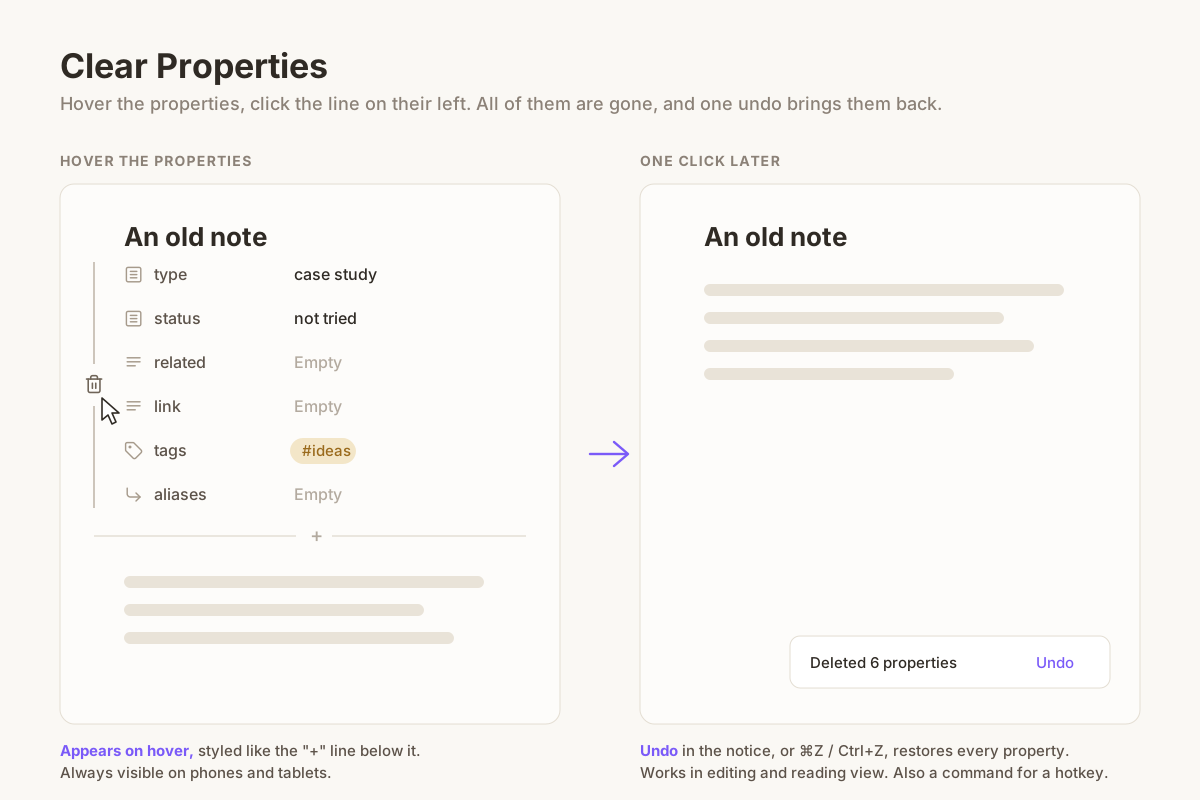
Cleaning up old notes often means getting rid of properties (YAML frontmatter) you no longer use. Obsidian only lets you delete them one at a time, each with its own menu.
Clear Properties adds a thin line to the left of a note's properties. Hover the
properties to see it, click the trash icon on it, and every property of the note
is deleted at once, together with the --- lines around them.
Features
- One click, all properties. The whole frontmatter block goes, along with the blank lines right after it, so the note starts with its first line of text.
- Out of the way. The line only shows up when you hover the properties, and it is drawn like the hairline of the "+ Add property" button, so it fits most themes.
- Undoable. A notice says how many properties were deleted and has an Undo link. In editing view, ⌘Z / Ctrl+Z works too.
- Editing and reading view. In reading view the note is saved first, then the properties are removed from the file.
- Works on phones and tablets. There is no hover on touch screens, so there the line is always visible. Tap it to delete.
- A command, Clear Properties: Delete all properties of current note, for a hotkey or the mobile toolbar.
- English and Chinese interface, following Obsidian's language.
Use cases
- Strip leftover YAML from notes imported from other apps or old templates.
- Remove frontmatter before sharing or publishing a note.
- Clean up old notes one by one while you review them, on desktop or on your phone.
Install
Search for Clear Properties in Settings → Community plugins, or copy
main.js, manifest.json and styles.css from the latest release into
<vault>/.obsidian/plugins/clear-properties/.
There are no settings.
License
MIT
For plugin developers
Search results and similarity scores are powered by semantic analysis of your plugin's README. If your plugin isn't appearing for searches you'd expect, try updating your README to clearly describe your plugin's purpose, features, and use cases.