Close and Switch to Recent Tab
approvedby xzhi
Auto-switch to the most recently used tab when closing the current one.关闭当前标签页后,自动切换到最近所在的标签页 - This plugin has not been manually reviewed by Obsidian staff.
中文 | English
Close and Switch to Recent Tab
Auto-switch to the most recently used tab when closing the current one.
👀 Preview
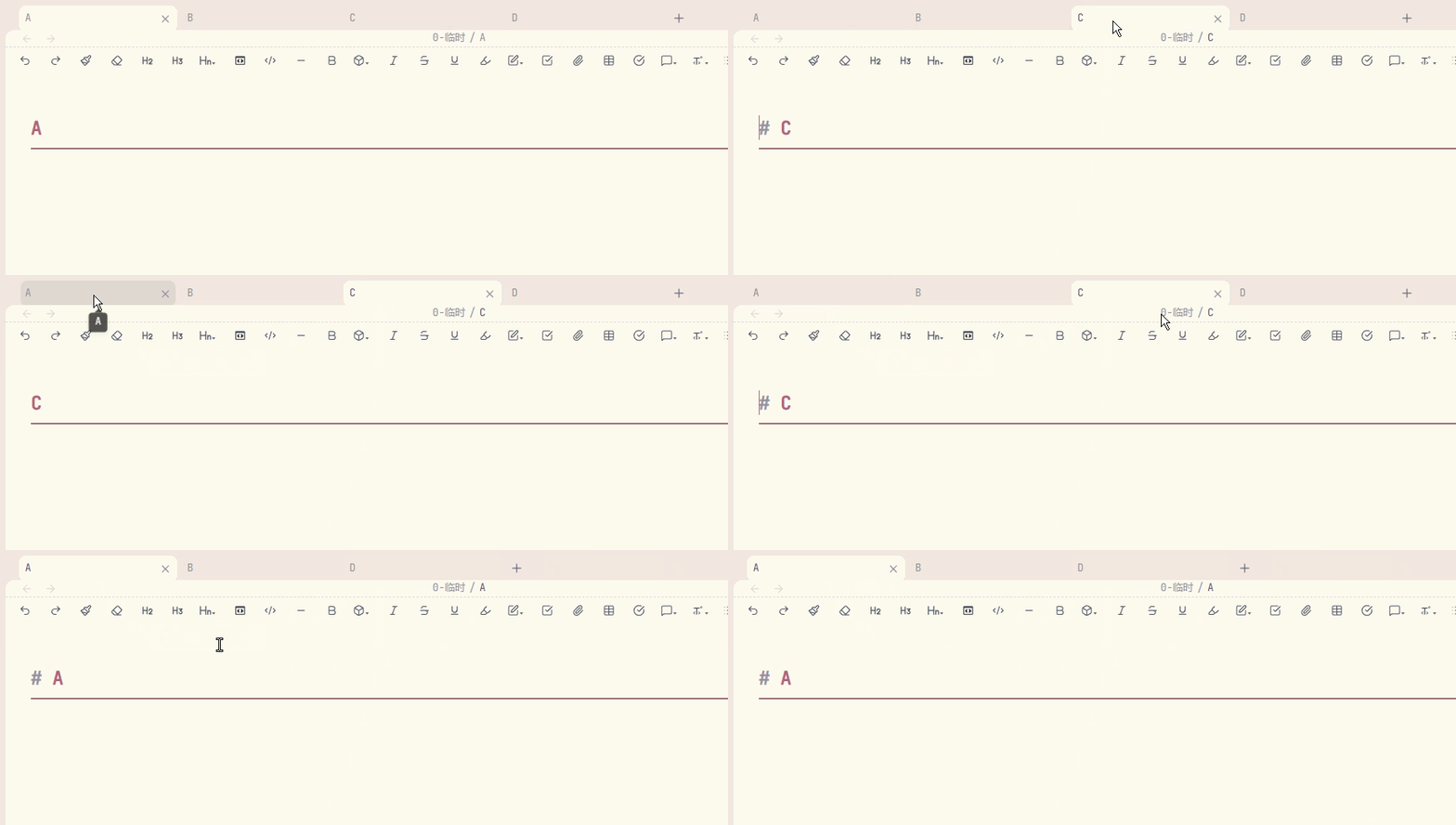
📖 Background
By default, Obsidian switches to the adjacent tab when you close the current one. This means that if you have tabs A → B → C open in that order and you're viewing C, closing C always jumps to B — even if you were just working in A moments ago.
Browsers like Chrome and Firefox handle this differently: they switch to the most recently used tab. This plugin brings that behavior to Obsidian.
✨ Features
| Feature | Description |
|---|---|
| MRU-based switching | Tracks the last 30 visited tabs; on close, switches to the most recently used one |
| Command support | Includes a dedicated command "Close and Switch to Recent Tab" for keyboard shortcuts |
| Zero configuration | Works out of the box — no settings panel needed |
| Lightweight | Under 100 lines of code, no external dependencies |
📦 Installation
From Obsidian Community Plugins (Recommended)
- Open Obsidian → Settings → Community plugins
- Click Browse and search for Close and Switch to Recent Tab
- Click Install, then Enable
From GitHub Releases
- Download
main.jsandmanifest.jsonfrom the latest release - Place them in
<vault>/.obsidian/plugins/close-and-switch-to-recent-tab/ - Restart Obsidian and enable the plugin in Settings → Community plugins
🚀 Usage
The plugin works automatically — just close a tab as you normally would (middle-click, Ctrl+W, or the close button), and Obsidian will switch to the most recently visited tab instead of the adjacent one.
You can also assign a hotkey to the built-in command Close and Switch to Recent Tab via Settings → Hotkeys for a dedicated close-and-switch shortcut.
📄 License
💖 Support
If you enjoy this plugin and want to say thanks, you can buy me a bubble tea!
| WeChat Pay | WeChat Tip | Alipay |
|---|---|---|
 |  |  |
For plugin developers
Search results and similarity scores are powered by semantic analysis of your plugin's README. If your plugin isn't appearing for searches you'd expect, try updating your README to clearly describe your plugin's purpose, features, and use cases.