Confluence Import
approvedby kkei34
Import Confluence space into your vault.
★ 41 stars↓ 7,272 downloadsUpdated 2y agoMIT
Confluence Import
This plugin imports Confluence space exported as HTML into Obsidian vault.
[!NOTE]
- The plugin is currently WIP, so use it on your own risk
- Works only on desktop (tested on Windows 10, Ubuntu 22, macOS Sonoma)
- Under the hood the plugin uses confluence-to-markdown
Requirements
You must have pandoc command line tool installed.
[!NOTE] On macOS, the plugin assumes that Pandoc is located in
/usr/local/bin, which is its default installation path when usingbrew install pandoc. You can usewhich pandocin the terminal to check the location of pandoc.
How to use
- Export Confluence space as HTML
- Confluence Server
- Open space
- Select Space Tools | Content Tools | Export
- Select HTML as export format and click Next>>
- In Export HTML Options choose Normal or Custom export and click Export
- Download
zipfile
- Confluence Cloud
- Open space
- Select Space Settings, in Manage space group select "Export space"
- Select HTML as export format and click Next>>
- In Export HTML Options choose Normal or Custom export and click Export
- Download
zipfile
- Confluence Server
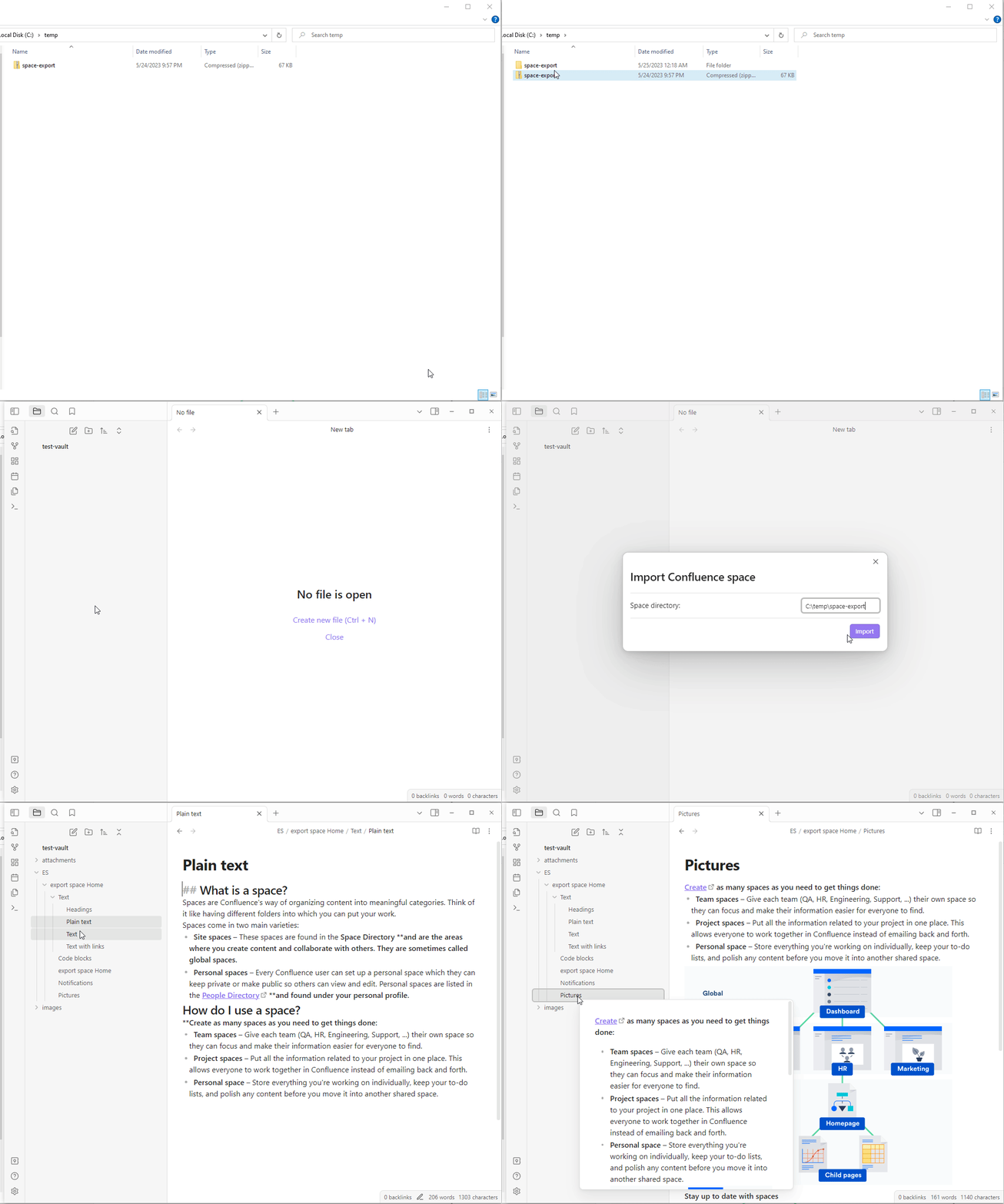
- Import Space into Obsidian
- Extract zip file
- In Obsidian command palette select Confluence Import: Import Confluence space command
- In Space directory field of Import Confluence space dialog provide path to the confluence space folder, extracted from
zipfile and click Import
For plugin developers
Search results and similarity scores are powered by semantic analysis of your plugin's README. If your plugin isn't appearing for searches you'd expect, try updating your README to clearly describe your plugin's purpose, features, and use cases.