Copy Inline Code
approvedby ozavodny
Easily copy the contents of an inline code element with a single click.
Copy Inline Code
Copy the contents of inline code in Obsidian with a single click. The plugin adds a configurable copy icon to inline code in Live Preview and Reading Mode.
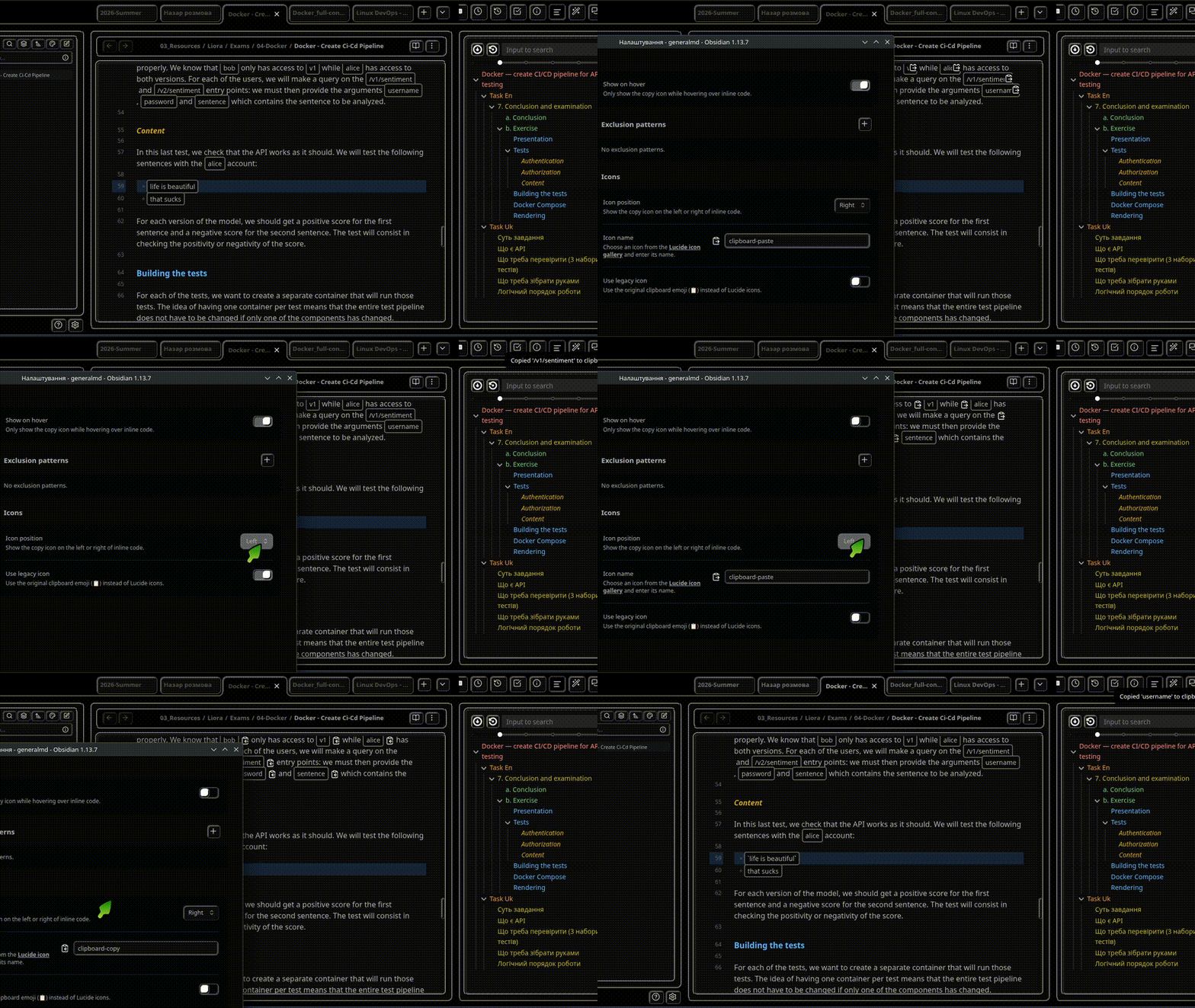
Features
- Copy inline code with one click.
- Choose a Lucide icon or the legacy clipboard icon.
- Show copy icons permanently or only while hovering.
- Position copy icons on the right or left of inline code.
- Exclude matching inline code with regular-expression filters.
- Apply setting changes immediately without restarting Obsidian.
- Keep hover icons overlaid without changing line length or line height.
- Hide copy icons when printing or exporting notes to PDF.
- Display a notice when copying succeeds or fails.
Configuration
Open Settings → Copy Inline Code to configure:
- Show on hover — hide the copy icon until inline code is hovered.
- Exclusion patterns — prevent copy icons from appearing on matching inline code.
- Icon position — place the copy icon on the right or left.
- Icon name — select a Lucide icon by name.
- Use legacy icon — use the original clipboard emoji instead of a Lucide icon.
Installation
Community Plugins
- Open Settings → Community plugins in Obsidian.
- Select Browse and search for Copy Inline Code.
- Select Install, and then select Enable.
BRAT
To test a beta or pre-release version with BRAT:
- Open Settings → BRAT.
- Select Add Beta plugin.
- Enter
https://github.com/ozavodny/obsidian-copy-inline-code-plugin. - Add and enable the plugin.
Manual installation
- Download
main.js,styles.css, andmanifest.jsonfrom the latest GitHub release. - Copy them to
[vault-folder]/.obsidian/plugins/copy-inline-code/. - Reload Obsidian and enable Copy Inline Code under Community plugins.
Development
- Install Node.js 20 LTS or newer. The minimum supported Node.js version is 18.18.
- Run
npm cito install the exact dependency versions frompackage-lock.json. - Run
make devto compile continuously while developing. - Run
make localbuildto create a copy-ready plugin directory underlocal-build/. - Run
make checkbefore committing to lint the source and manifest and produce a strict production build.
Additional dependency checks are available through npm audit --audit-level=low and npm install-scripts ls.
Credits
Copy Inline Code was originally created by Ondrej Zavodny.
The plugin is now maintained by Vitovt.
The original GNU General Public License v3.0 remains intact.
For plugin developers
Search results and similarity scores are powered by semantic analysis of your plugin's README. If your plugin isn't appearing for searches you'd expect, try updating your README to clearly describe your plugin's purpose, features, and use cases.