Copy Text Protocol
approvedby jldiaz
Create clickable links to instantly copy text snippets, commands, or templates to your clipboard, with live hover previews. - This plugin has not been manually reviewed by Obsidian staff.
Copy Text Protocol
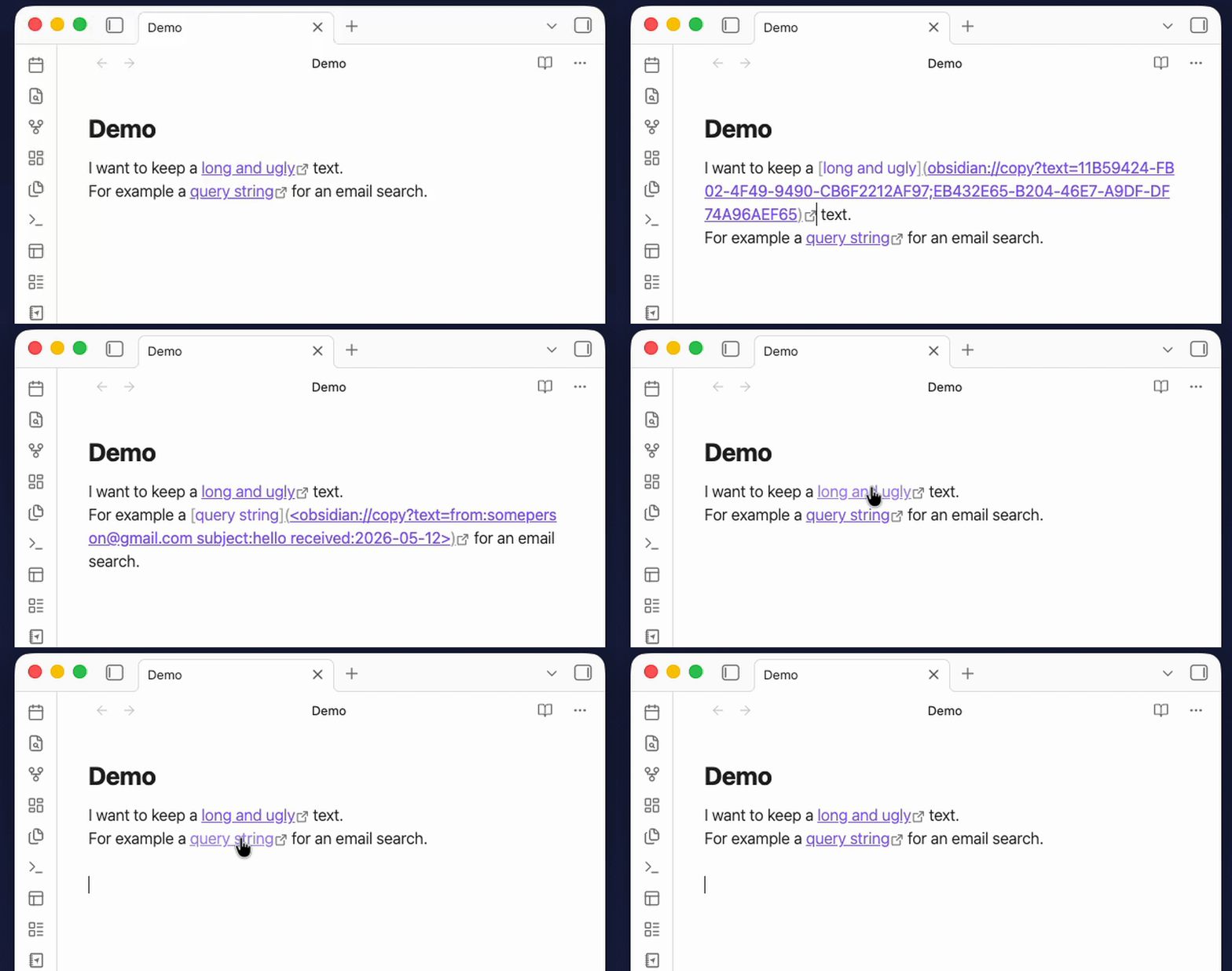
What is this for?
Have you ever wanted to create a note that, when you click a link, automatically copies a snippet of text to your clipboard? This plugin makes that possible.
Some use cases:
- A "cheat sheet" note with commands, passwords, or templates — click the link, paste anywhere.
- A collection of code snippets ready to paste into a terminal.
- Frequently used texts (email signatures, boilerplate, addresses) accessible from any note.
- Query strings to paste into other apps (e.g. to search specific emails in Outlook, my primary use case)
How it works
The plugin registers a custom obsidian://copy protocol. When you click a link using this protocol, the text embedded in the URL is silently copied to your clipboard and a small confirmation notice appears — no popups, no external apps.
Creating links manually
[Click to copy](obsidian://copy?text=Your-text-here)
When clicked, "Your-text-here" is copied to your clipboard.
For text containing spaces, wrap the URL in angle brackets:
[Click to copy](<obsidian://copy?text=Hello world>)
Other special characters need to be encoded, and as you can see it can be tedious to do manually, so a command for that is included.
Creating links with a keyboard shortcut
The plugin includes a command called Copy Protocol: Paste clipboard as copy-protocol link that automates the process. It reads your current clipboard content and inserts a ready-to-use markdown link at the cursor. If you have text selected in the editor, that selection becomes the link label; otherwise, the clipboard text itself is used as a label.
To assign a keyboard shortcut
- Open Settings → Hotkeys.
- Search for "Paste clipboard as copy-protocol link".
- Click the
+button and press your preferred key combination.
Example workflow
- Copy a command or text you want to reuse (e.g.
git log --oneline). - In your note, type a label like
Show git logand select it. - Press your hotkey.
- The selection is replaced with:
[Show git log](<obsidian://copy?text=git%20log%20--oneline>) - Clicking that link copies
git log --onelineto your clipboard instantly.
Hover Previews
You can preview the text that a copy link contains before actually copying it.
- To preview: Hold
Ctrl(orCmdon macOS) while hovering your mouse over anyobsidian://copylink or copy icon. - A custom, theme-aware tooltip will appear showing a snippet of the text to be copied (e.g.,
Copy: "your command here"). - This allows you to verify exactly what is going to be copied without needing to click it or inspect the markdown source.
Installation
You can install this plugin from the Community Plugins settings of Obsidian, or via BRAT:
- Open the BRAT settings in Obsidian.
- Click Add Beta plugin.
- Paste the repository URL:
jldiaz/copy-protocol-plugin. - Enable the plugin in your Community Plugins list.
For plugin developers
Search results and similarity scores are powered by semantic analysis of your plugin's README. If your plugin isn't appearing for searches you'd expect, try updating your README to clearly describe your plugin's purpose, features, and use cases.