Ghost Text
approvedby lawrencefeng17
Hide text behind display text and copy on click.
★ 1 stars↓ 587 downloadsUpdated 1y agoMIT
Hidden Hyperlinks Plugin for Obsidian
Hide arbitrary text behind display text and copy the hidden payload to the clipboard when clicked.
Features
- Hide Secret Text: Hide any text behind clickable display text
- One-Click Copy: Click to copy hidden text to clipboard
- Customizable Syntax: Configure your own delimiters and separators
- Unobtrusive Notifications: Get feedback when text is copied
- Theme-Aware Styling: Adapts to your Obsidian theme
- Tooltip: Show the hidden payload when hovering over the display text
Usage
Basic Syntax
Using the default delimiters:
::hidden payload|display text::
hidden payload- The secret text that gets copied to clipboarddisplay text- What users see and click on
Examples
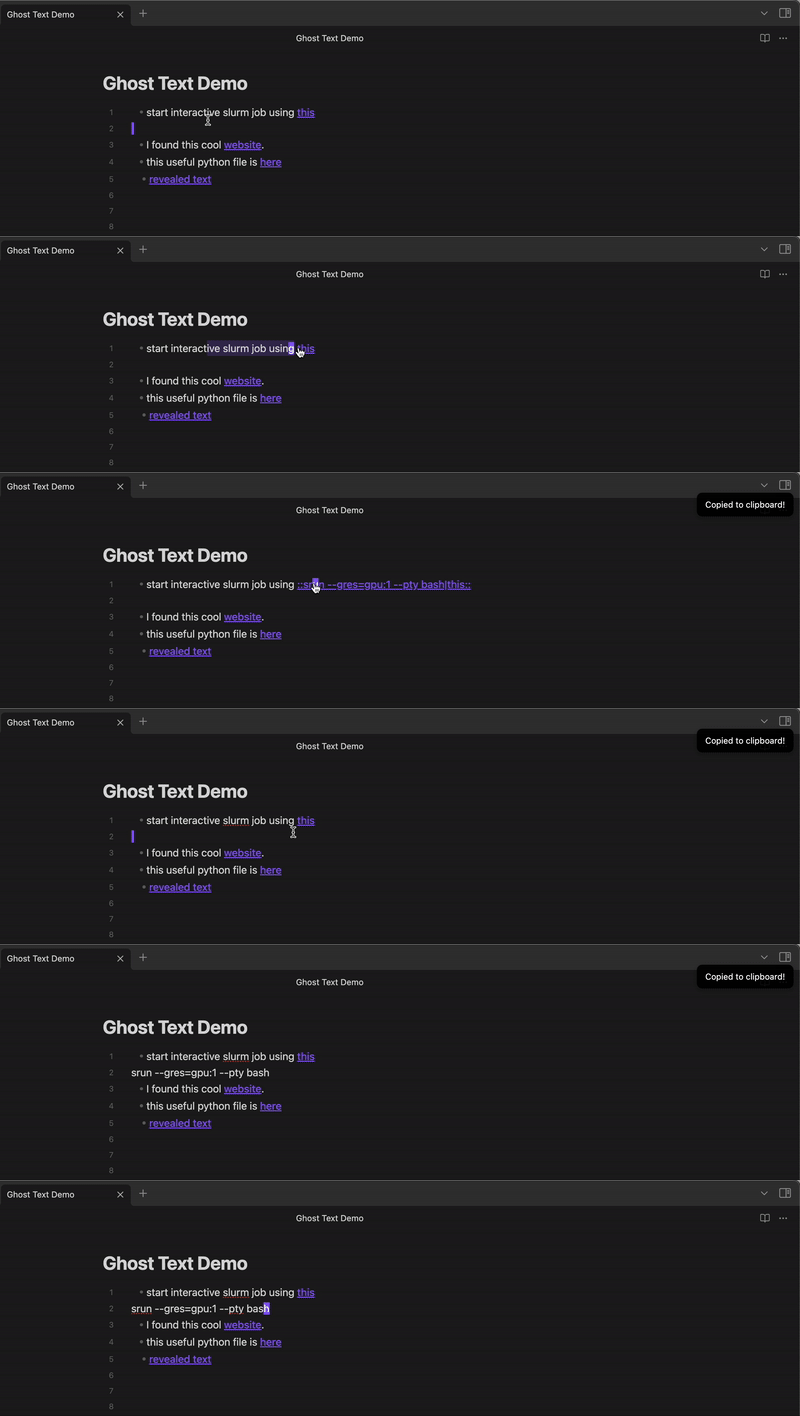
* start interactive slurm job using ::srun --gres=gpu:1 --pty bash|this::

* I found this cool ::https://very-long-url.com/with/many/parameters|website::.

* this useful python file is ::really/long/file/path/that/does/not/nicely/fit/anywhere|here::
Custom Delimiters
You can customize the delimiters in the plugin settings:
- Start Delimiter: Default
:: - Separator: Default
| - End Delimiter: Default
:: - Notification Text: Default "Copied to clipboard!"
Installation
From Obsidian Community Plugins
- Open Obsidian Settings
- Go to Community Plugins and disable Safe Mode
- Click Browse and search for "Hidden Hyperlinks"
- Install and enable the plugin
Manual Installation
- Download the latest release files (
main.js,manifest.json,styles.css) - Create a folder named
obsidian-hidden-hyperlinksin your vault's.obsidian/plugins/directory - Place the downloaded files in this folder
- Reload Obsidian and enable the plugin in Community Plugins settings
Development
Building the Plugin
npm install
npm run build
Development Mode
npm run dev
This will watch for changes and rebuild automatically.
License
MIT
Support
If you encounter any issues or have feature requests, please file them on the GitHub repository.
For plugin developers
Search results and similarity scores are powered by semantic analysis of your plugin's README. If your plugin isn't appearing for searches you'd expect, try updating your README to clearly describe your plugin's purpose, features, and use cases.