Core Habits
approvedby Ahmed Farhat
Build your core identity. Track habits visually in daily notes with adaptive sidebar grids, atomic markdown storage, and rich statistics. - This plugin has not been manually reviewed by Obsidian staff.
Core Habits 🔥
Core Habits is a visual, privacy-first, and highly optimized habit tracker designed to help you build consistency and shape your identity directly inside Obsidian.
Unlike complex database-heavy trackers, Core Habits integrates seamlessly with your existing Daily Notes using standard Markdown checkboxes (- [ ]). Your data remains future-proof, 100% offline, and entirely yours.
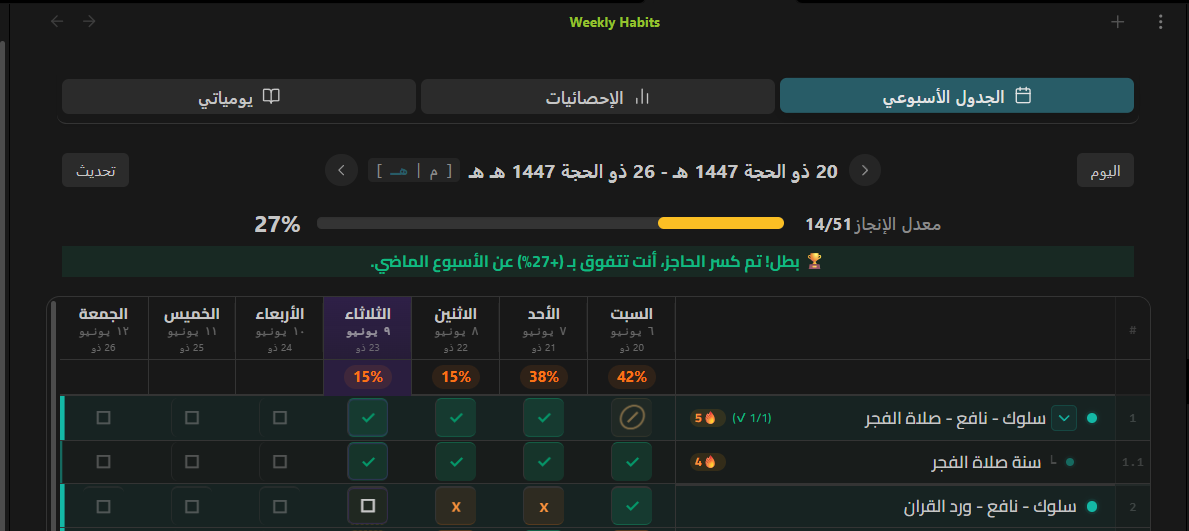
Why Core Habits?
Most habit trackers lock your progress in proprietary databases or cluttered JSON blocks. Core Habits treats your Markdown files as the single source of truth.
When you toggle a habit on the visual dashboard:
- It automatically finds or creates your daily note.
- It writes standard Markdown checkboxes in a clean, human-readable section.
- It keeps your vault fast by relying on local cache and atomic, non-blocking file operations.
It’s local-first productivity, built the Obsidian way.
✨ Key Features
📅 Elegant Weekly Grid & Adaptive Layout
- Visual Dashboard: A clean, distraction-free weekly grid to track all scheduled habits in one screen.
- Responsive Sidebar & Mobile Views: Automatically switches to an optimized compact layout when dragged to the sidebar or opened on mobile devices.
- Hierarchical Nesting (Parent-Child): Group related habits (e.g., Morning Routine -> Read, Meditate) with automatic progress tracking and folding/collapsing support.
🗺️ Dual Calendar Support (Gregorian & Hijri)
- Localized Dates: Display dates in Gregorian or Hijri format, fully localized in both English and Arabic.
- Smart Scheduling: Custom schedules for each habit (specific days of the week, weekends, or daily) with non-scheduled days clearly marked (
--).
⚡ Smart Streak System & Analytics
- Historical Accuracy: Calculates streaks, recovery speeds, and lifetime metrics by scanning past daily notes.
- No Double Counting: Robust algorithms ensure streaks are accurate even when habits are renamed.
🎙️ Audio Reflections & Rich Context
- Voice Memos: Record audio thoughts and reflections directly within a habit's popup and embed them in your note.
- Daily Comments: Write notes or log thoughts attached to specific completions, keeping your reflections intimately tied to your actions.
📸 Screenshots
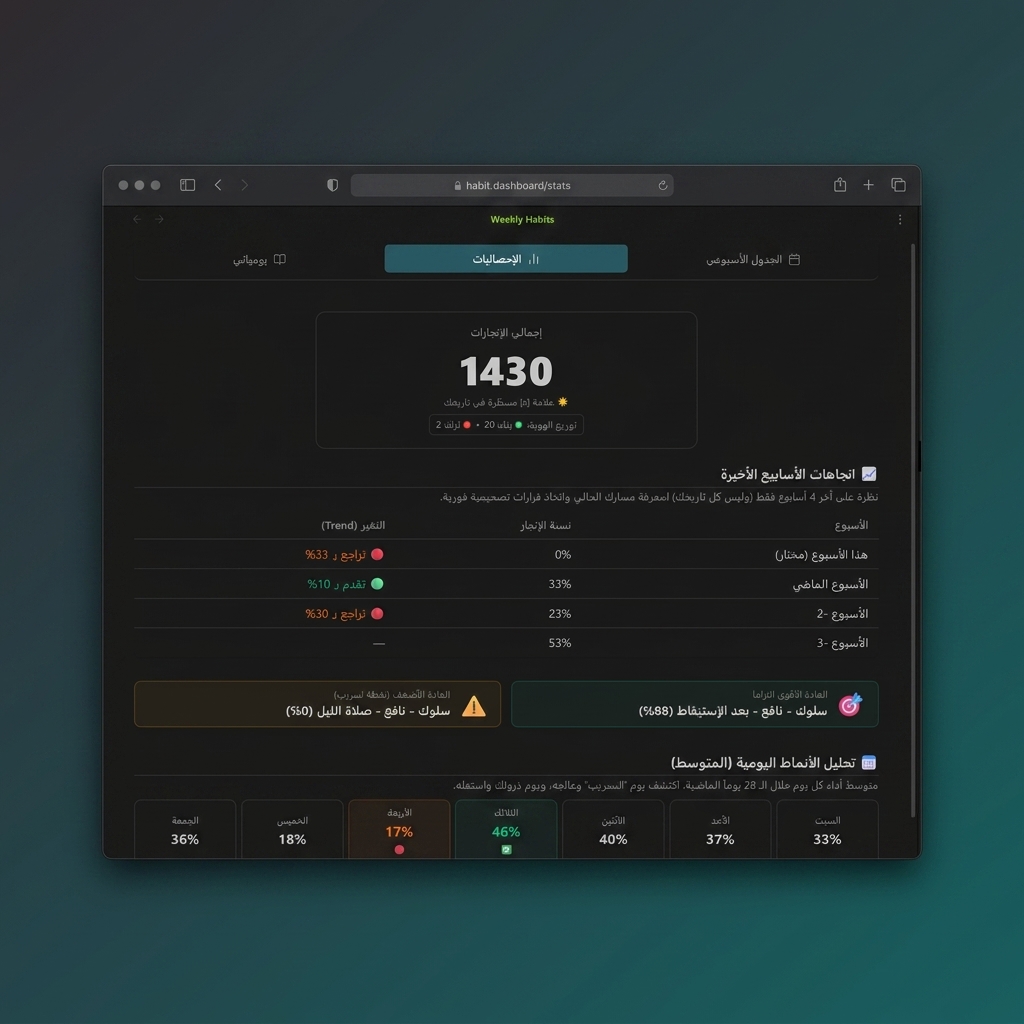
📊 Deep Habit Insights & Statistics
Monitor your performance trends over the last 4 weeks, track daily completion patterns, and analyze consistency metrics.
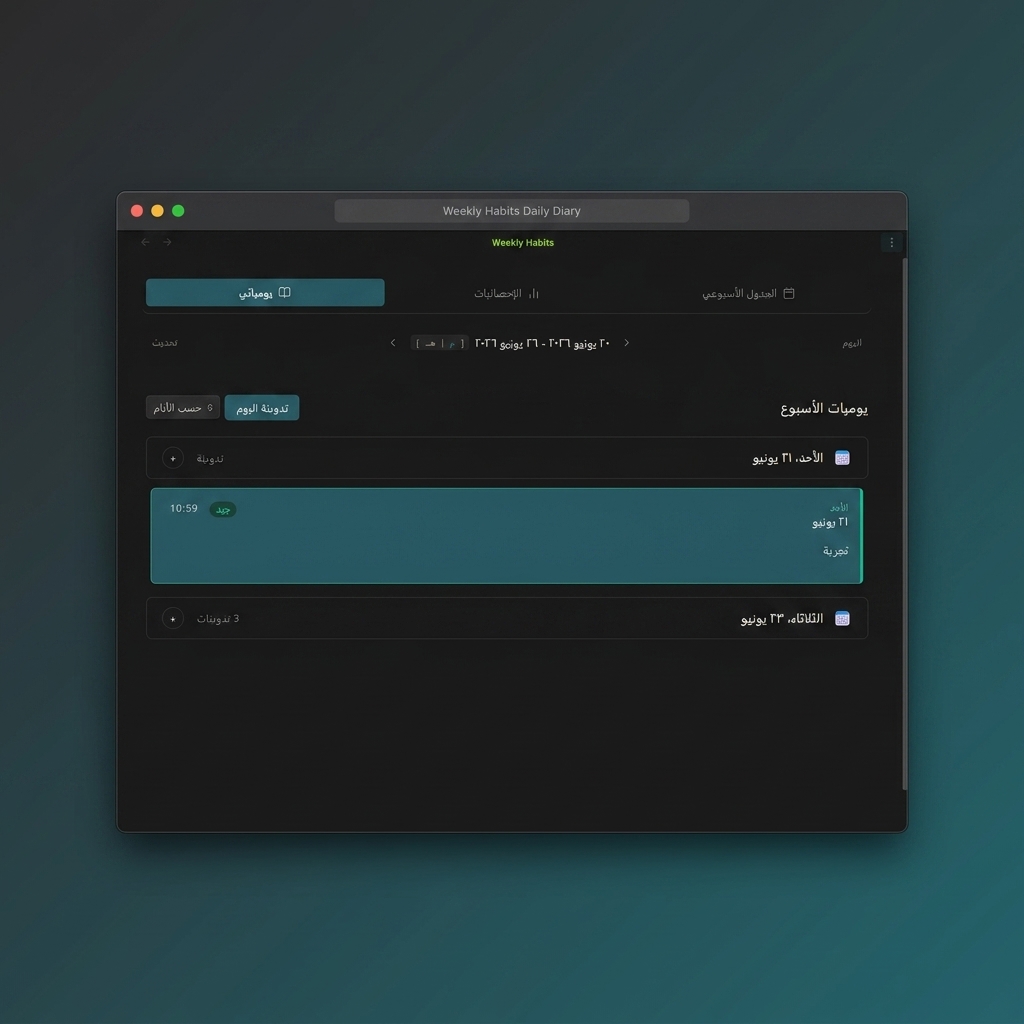
✍️ Daily Diary & Reflections
Add written thoughts or voice recordings connected directly to your habits, keeping a rich journal of your daily progress.
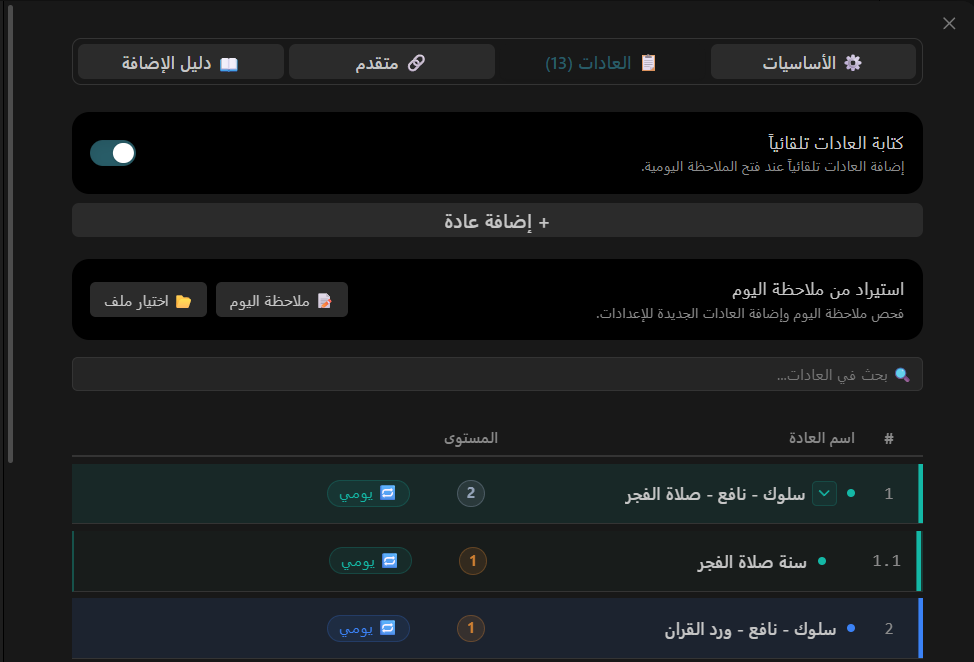
🛠️ Comprehensive Habit Settings
Organize, color-code, and sequence your habits. Define routines and atomic cues to build a sustainable daily system.
🔒 Local-First Privacy Policy
- 100% Offline: Core Habits operates entirely on your local machine.
- No Telemetry: No tracking, no analytics, no external network calls.
- Vault Privacy: Your habit logs and audio files never leave your Obsidian vault.
🛠️ Installation
Manual Installation
- Go to the Releases page on GitHub.
- Download
main.js,manifest.json, andstyles.cssfrom the latest release. - Create a folder named
core-habitsunder your vault's plugins directory:<vault>/.obsidian/plugins/core-habits/. - Copy the downloaded files into that folder.
- Open Obsidian settings, head to Community plugins, and enable Core Habits.
🚀 How to Use
- Run the command
Core Habits: Open Weekly Dashboard(viaCtrl/Cmd + P) to open the tracker. - Click Add New Habit to customize your schedules, colors, parent relationships, and cues.
- Toggle habits directly on the grid. Daily notes will be updated/created automatically in the background.
For plugin developers
Search results and similarity scores are powered by semantic analysis of your plugin's README. If your plugin isn't appearing for searches you'd expect, try updating your README to clearly describe your plugin's purpose, features, and use cases.