Habit Tracker
unlistedby James Hawkins
Track your daily habits, build streaks, and visualize your progress over time.
Habit Tracker for Obsidian
A powerful habit tracking plugin for Obsidian that helps you build and maintain daily habits with streaks, progress tracking, and an intuitive interface. All your habit data is stored as markdown notes in your vault for maximum transparency and portability.
Features
- 📋 Track Multiple Habits - Create and manage as many habits as you need
- 📝 Note-Based Storage - Each habit is saved as a markdown file you can view and edit
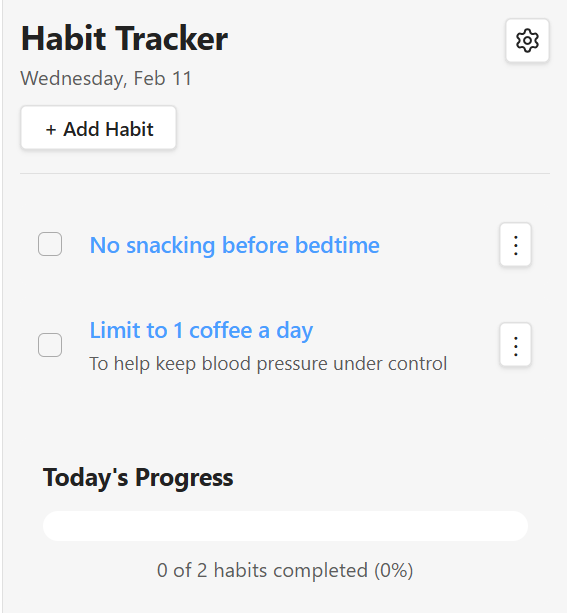
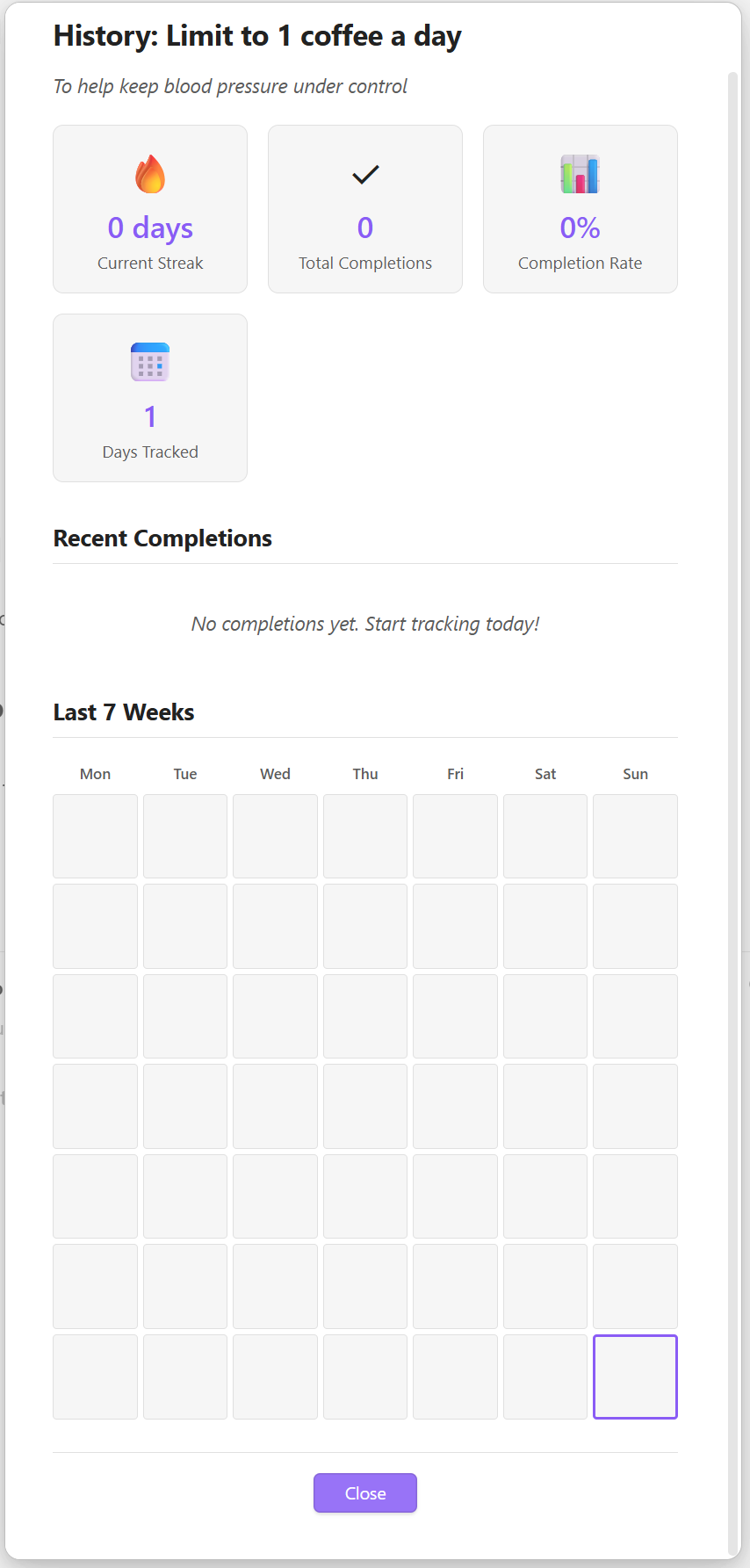
- 🔥 Streak Tracking - See how many consecutive days you've maintained each habit
- 📊 Progress Visualization - View your daily completion rate with a visual progress bar
- 📅 Calendar View - 7-week calendar visualization in the history modal
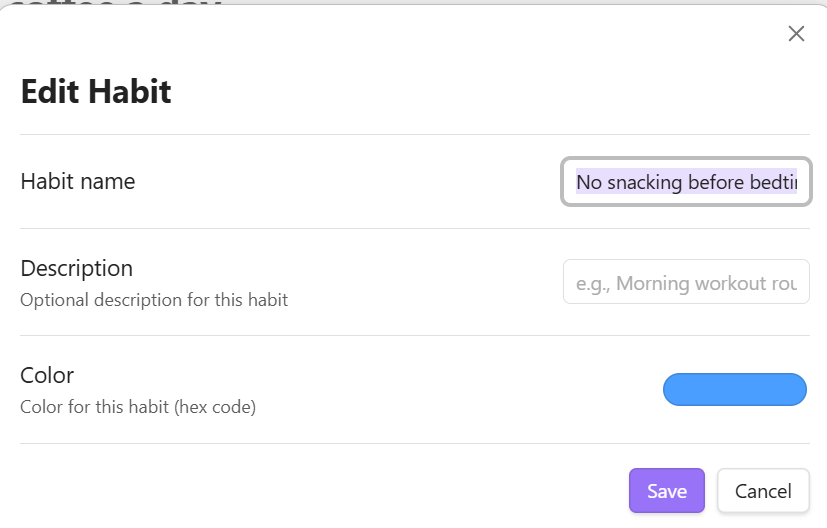
- 🎨 Customizable - Set colors for individual habits and customize your tracking experience
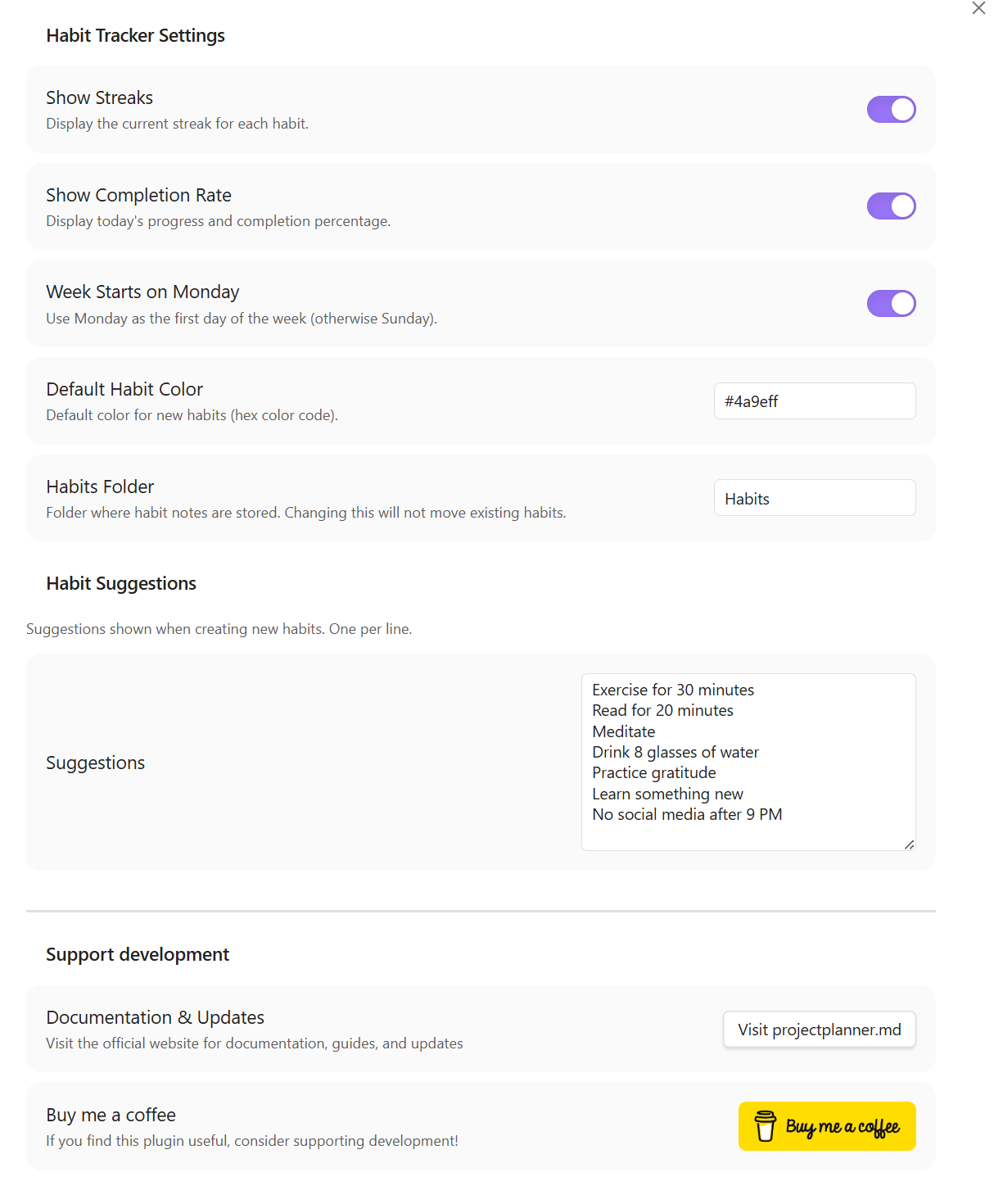
- 💡 Habit Suggestions - Get inspiration from built-in suggestions or add your own
- ⚡ Quick Access - Ribbon icon and commands for easy access to your habits
- 📂 Organized - All habits stored in a dedicated folder (default:
Habits/)
How It Works
Each habit is stored as a markdown note in your vault with:
- Frontmatter containing metadata (ID, color, creation date, etc.)
- Heading with the habit name
- Description (optional)
- Completions list showing all your check-ins with dates
Example habit note (Habits/Exercise.md):
---
id: 1707734400000-abc123
name: Exercise for 30 minutes
description: Morning workout routine
color: #4a9eff
createdAt: 2026-02-01T08:00:00.000Z
archived: false
---

# Exercise for 30 minutes

Morning workout routine

## Completions

- 2026-02-12 ✓
- 2026-02-11 ✓
- 2026-02-10 ✗
- 2026-02-09 ✓
This means you can:
- ✅ View your habits as regular notes
- ✅ Link to habits from other notes
- ✅ Manually edit completions if needed
- ✅ Keep your data in version control
- ✅ Back up habits with your vault
Screenshots
Installation
Manual Installation
- Download the latest release from the releases page
- Extract the files into your vault's
.obsidian/plugins/habit-tracker/directory - Reload Obsidian
- Enable the plugin in Settings → Community Plugins
From Obsidian (when published)
- Open Settings → Community Plugins
- Search for "Habit Tracker"
- Click Install, then Enable
Usage
Opening the Habit Tracker
- Click the check-circle icon in the left ribbon bar
- Use the command palette:
Ctrl/Cmd + P→ "Open Habit Tracker"
Adding Habits
- Click the "+ Add Habit" button in the tracker view
- Enter a name for your habit
- The habit will appear in your daily list
Alternatively:
- Use the command palette: "Add New Habit"
- Click on suggested habits in the empty state
Tracking Completion
- Simply check the box next to a habit to mark it complete for today
- Uncheck to mark it incomplete
- Your streak will automatically update
Managing Habits
Click the ⋮ menu next to any habit to:
- Edit habit details (coming soon)
- Delete the habit
- View completion history (coming soon)
Settings
Access settings via Settings → Habit Tracker:
- Show Streaks - Display current streak for each habit
- Show Completion Rate - Show daily progress percentage
- Week Starts on Monday - Choose your preferred week start day
- Default Habit Color - Set the default color for new habits
- Habits Folder - Choose where habit notes are stored (default:
Habits/) - Habit Suggestions - Customize the list of suggested habits
Commands
Open Habit Tracker- Opens the habit tracker viewAdd New Habit- Quick add a new habitQuick Toggle Habit Completion- Quickly toggle habit completion
Tips
- Start Small - Begin with 2-3 habits and build up over time
- Be Consistent - Check your habits at the same time each day
- Review Regularly - Use the completion rate to monitor your progress
- Customize - Use colors to categorize habits (health, work, personal growth)
Support
If you encounter any issues or have feature requests:
- Create an issue on GitHub
- Reach out to the developer at https://projectplanner.md
License
MIT License - feel free to use and modify as needed.
Credits
Developed by @ArctykDev (James Hawkins)
For plugin developers
Search results and similarity scores are powered by semantic analysis of your plugin's README. If your plugin isn't appearing for searches you'd expect, try updating your README to clearly describe your plugin's purpose, features, and use cases.