Cornell Notes
approvedby Sergii Krymets
Renders two-column Cornell Notes layouts. - This plugin has not been manually reviewed by Obsidian staff.
Cornell Notes for Obsidian
Renders cornell fenced code blocks as a two-column
Cornell Notes layout in Reading view.
Features
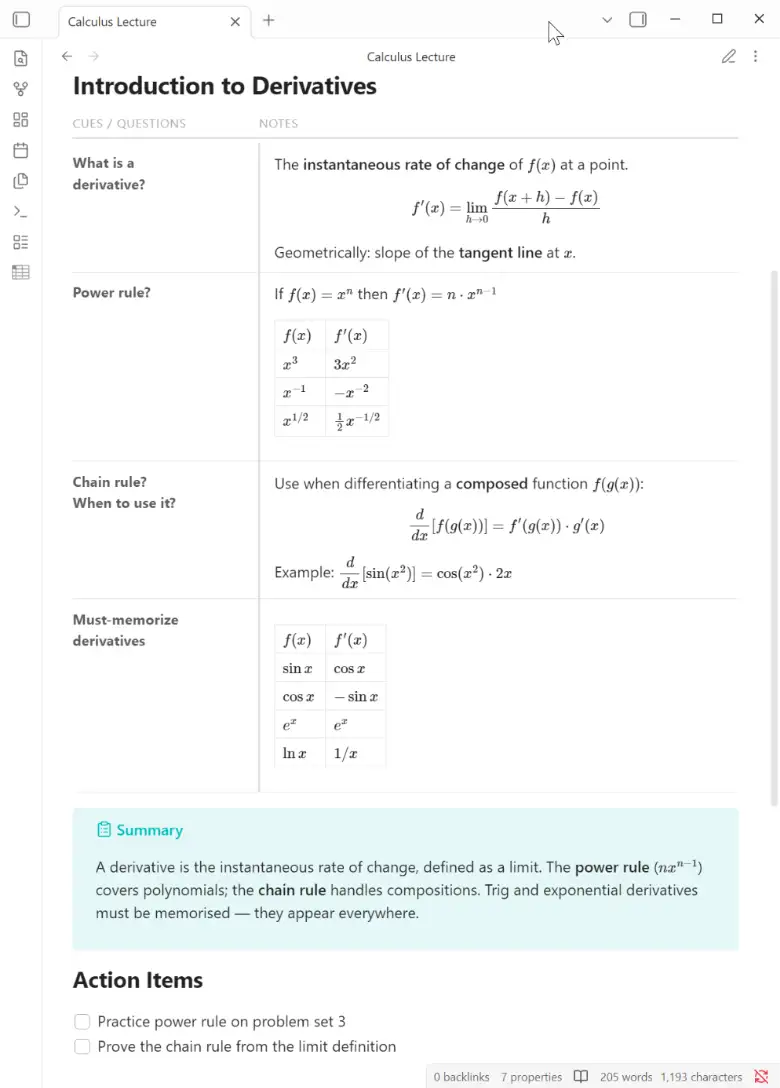
- Two-column layout with configurable column widths (default 28% cues / 72% notes)
- Supports any Markdown in both columns: paragraphs, lists, tables, code blocks, callouts, math, mermaid diagrams, images, wikilinks
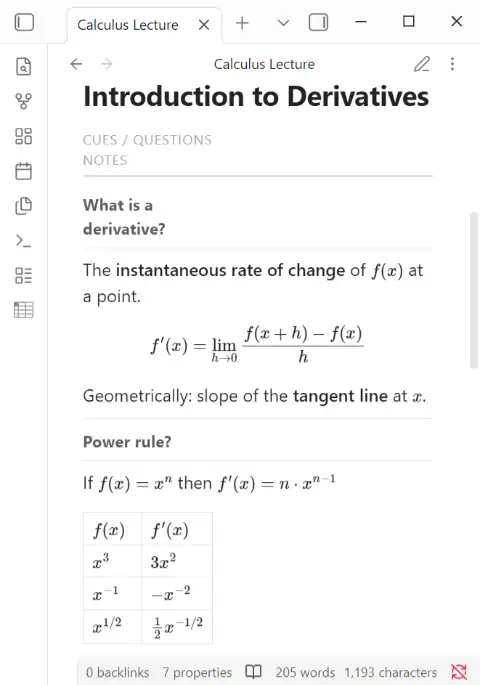
- Mobile-responsive: columns stack vertically on narrow screens
- Plain-text storage — readable and editable without the plugin
- Configurable headers, borders, and column widths via the settings page
(or per-block with
::noheader,::header,::borders,::columnsdirectives)
Installation
Community plugins (once approved)
Settings > Community plugins > Browse > search Cornell Notes > Install > Enable
Manual install
- Download
main.js,manifest.json,styles.cssfrom the latest release - Copy all three files into
<your-vault>/.obsidian/plugins/cornell-notes/ - Settings > Community plugins > enable Cornell Notes
Via BRAT (beta)
- Install BRAT
- BRAT > Add Beta Plugin >
https://github.com/bytetiles/obsidian-cornell-notes
Usage
Wrap your Cornell Notes rows in a 4-backtick cornell fence.
Use ::cue to start a row and ::note to start the note for that row.
::cue
What is a window function?
::note
A calculation across related rows **without collapsing** them.

Unlike GROUP BY, all original rows stay visible.

::cue
What does PARTITION BY do?
::note
Splits rows into logical groups inside the window.

| PARTITION BY | GROUP BY       |
|--------------|----------------|
| keeps rows   | collapses rows |
Syntax rules
| Element | Syntax |
|---|---|
| Start a new row | ::cue on its own line |
| Switch to note | ::note on its own line |
| Cue-only row | ::cue with no following ::note |
| Code block inside | use ```lang ``` (safe inside 4-backtick outer fence) |
Always use 4 backticks for the outer fence (
````cornell). This lets you freely use triple-backtick code blocks inside.
Block directives
Directives go before the first ::cue in a block and override the vault-wide
default for that block only. Vault-wide defaults are set in
Settings → Community plugins → Cornell Notes.
| Directive | Effect |
|---|---|
::noheader | Hide the header row |
::header Cues | Notes | Custom column labels (pipe-separated) |
::borders solid | Border style: solid / dashed / dotted / off |
::borders dashed 2pt/1pt #4A90D9 | Style + accent/row thickness + hex color |
::columns 20 | Cue column width in % (10–90) |
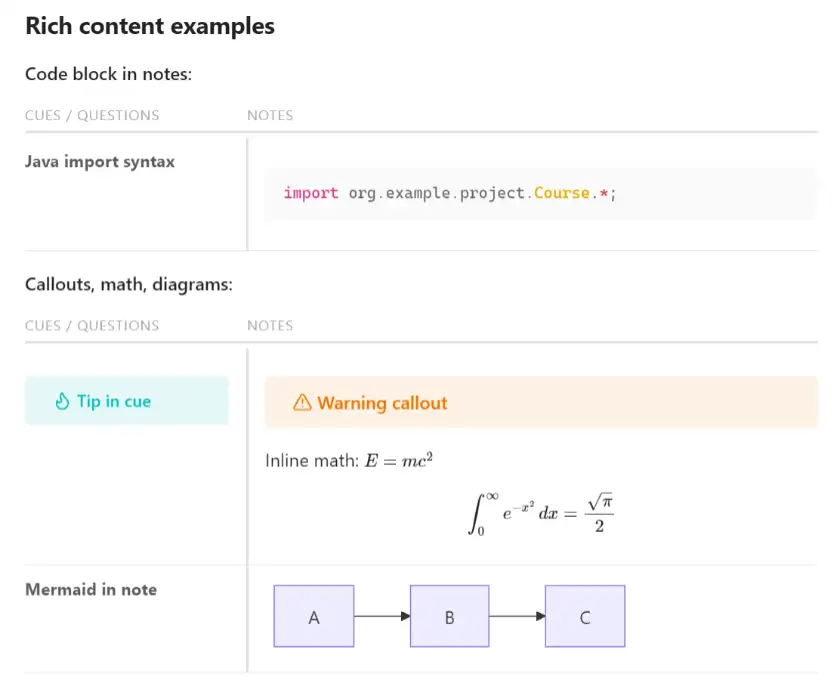
Rich content examples
Code block in notes:
::cue
Java import syntax
::note
```java
import org.example.project.Course.*;
```
Callouts, math, diagrams:
::cue
> [!tip] Tip in cue
::note
> [!warning] Warning callout

Inline math: $E = mc^{2}$

$$\int_0^\infty e^{-x^2}\,dx = \frac{\sqrt{\pi}}{2}$$

::cue
Mermaid in note
::note
```mermaid
graph LR
  A --> B --> C
```
Mobile view
On screens narrower than 700 px the columns stack vertically (cues first, then notes below).
Known limitations
| Feature | Status |
|---|---|
~sub~ / ^sup^ Obsidian syntax | ✗ Not rendered — use <sub> / <sup> HTML or Unicode (₂, ²) |
| Live Preview two-column layout | ✗ Reading view only — edit mode shows plain text |
For plugin developers
Search results and similarity scores are powered by semantic analysis of your plugin's README. If your plugin isn't appearing for searches you'd expect, try updating your README to clearly describe your plugin's purpose, features, and use cases.