by zenpuro
Track countdowns and memorial days (solar & lunar) in a list view.
Countdown Day
An Obsidian plugin for tracking countdowns and memorial days — birthdays, anniversaries — with full solar & lunar calendar support (leap months included).
Features
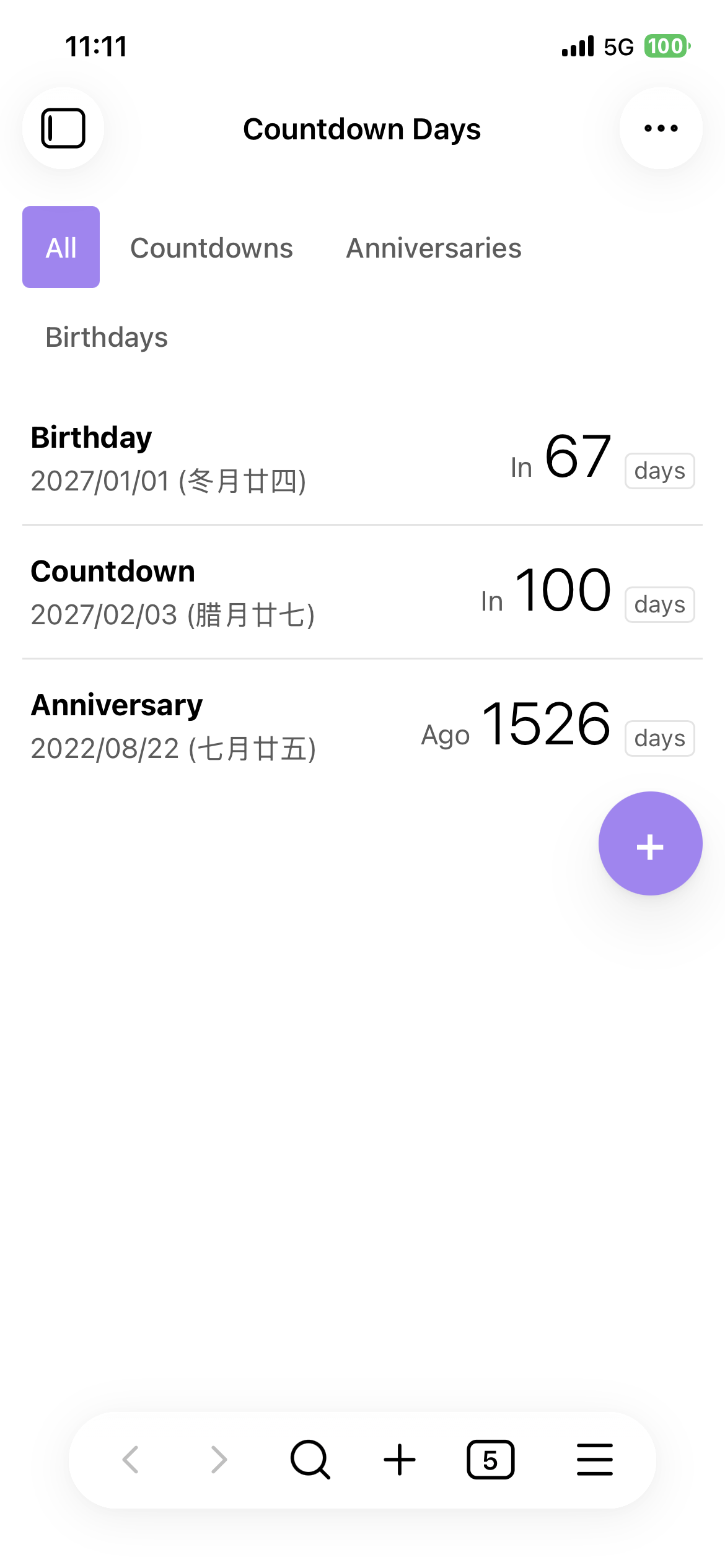
- List view — one row per event (name, date with lunar label, big day count), soonest first; pinned on top, expired sink to the bottom; type filters (all / countdowns / anniversaries / birthdays). Text actions on desktop, left-swipe on touch devices.
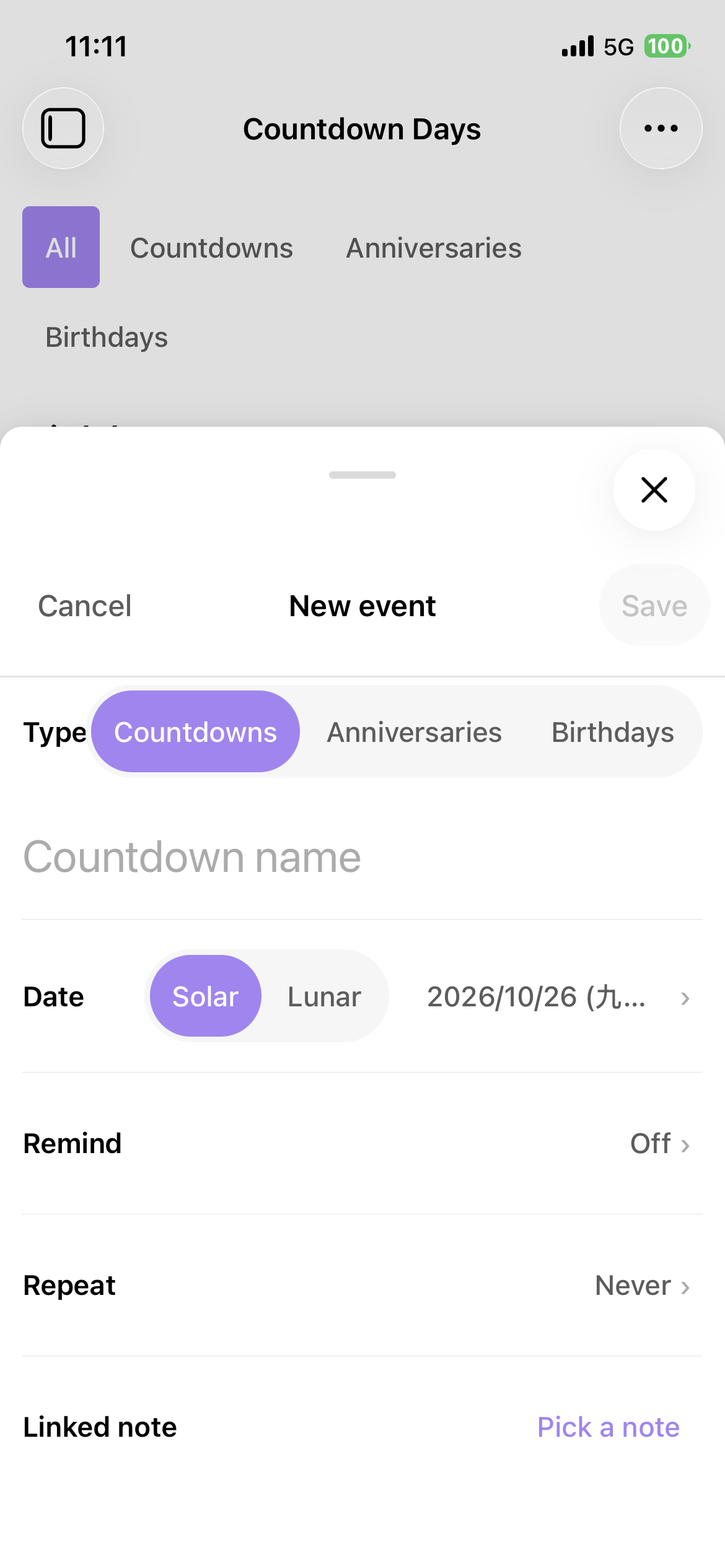
- Sheet-style dialogs — bottom sheets on mobile, centered on desktop; month-grid date picker on desktop, iOS-style wheel on mobile; solar/lunar picks convert automatically, so an invalid date can never be entered.
- Repeat — never / daily / weekdays / weekly / monthly / yearly, or custom every-N-days. Yearly lunar events fall back automatically in years without that leap month or a 30th day.
- Events are notes — one markdown file per event (default folder
Countdowns/), frontmatter is the data. Edit by hand or via the form — the view updates live. - Embed anywhere — render event rows in any note with a
countdowncode block. - Reminders — multi-select days ahead; desktop system notifications (Obsidian notices as fallback / on mobile), once per occurrence and day.
- Bilingual UI (English / 简体中文), follows your Obsidian language.
Usage
Creating events
Open the view via the ribbon icon (calendar-clock) or the command palette ("Countdown Day: Countdown Days"), tap +, fill the form, save.
Embedding in a note
```countdown
type: birthday, anniversary
limit: 5
```
| Option | Format | Default | Description |
|---|---|---|---|
type | comma-separated types | all | filter by event type |
limit | positive integer | unlimited | show only the first N |
Reminders
Pick one or more remind days on an event. A notification fires when today is exactly one of those days ahead of an occurrence — checked at startup, every 10 minutes, and when events change; once per occurrence and day.
Settings
- Events folder — where event files live (default
Countdowns/); created automatically on first event.
Event file format
File name = event name; body = your notes. Frontmatter fields (unknown fields are always preserved):
| Field | Values | Default | Description |
|---|---|---|---|
type | countdown / anniversary / birthday | required | event type |
date | yyyy-MM-dd | required | event date (lunar month/day for lunar events) |
calendar | solar / lunar | solar | calendar of date (lunar: years 1900–2100, leap months) |
leap-month | boolean | false | lunar only: the month is a leap month |
repeat | none / daily / weekdays / weekly / monthly / yearly / custom | none | repeat rule |
repeat-every | integer ≥ 1 | — | custom only: every N days |
note | "[[Note]]" | — | linked note |
remind | integer or list ≥ 0 | — | days ahead to notify, 0 = on the day |
pinned | boolean | false | pin to top |
---
type: birthday
date: 1985-06-08
calendar: lunar
repeat: yearly
note: "[[Family]]"
remind: [0, 3]
pinned: true
---
Your notes here.
Install
Until the plugin is listed in the community marketplace:
- Download
main.js,manifest.json,styles.cssfrom the latest release. - Put them in
<vault>/.obsidian/plugins/countdown-day/. - Enable "Countdown Day" in Settings → Community plugins.
Development
npm install
npm run dev     # watch build
npm test        # vitest
npm run build   # type-check + production bundle
License
For plugin developers
Search results and similarity scores are powered by semantic analysis of your plugin's README. If your plugin isn't appearing for searches you'd expect, try updating your README to clearly describe your plugin's purpose, features, and use cases.