
Features
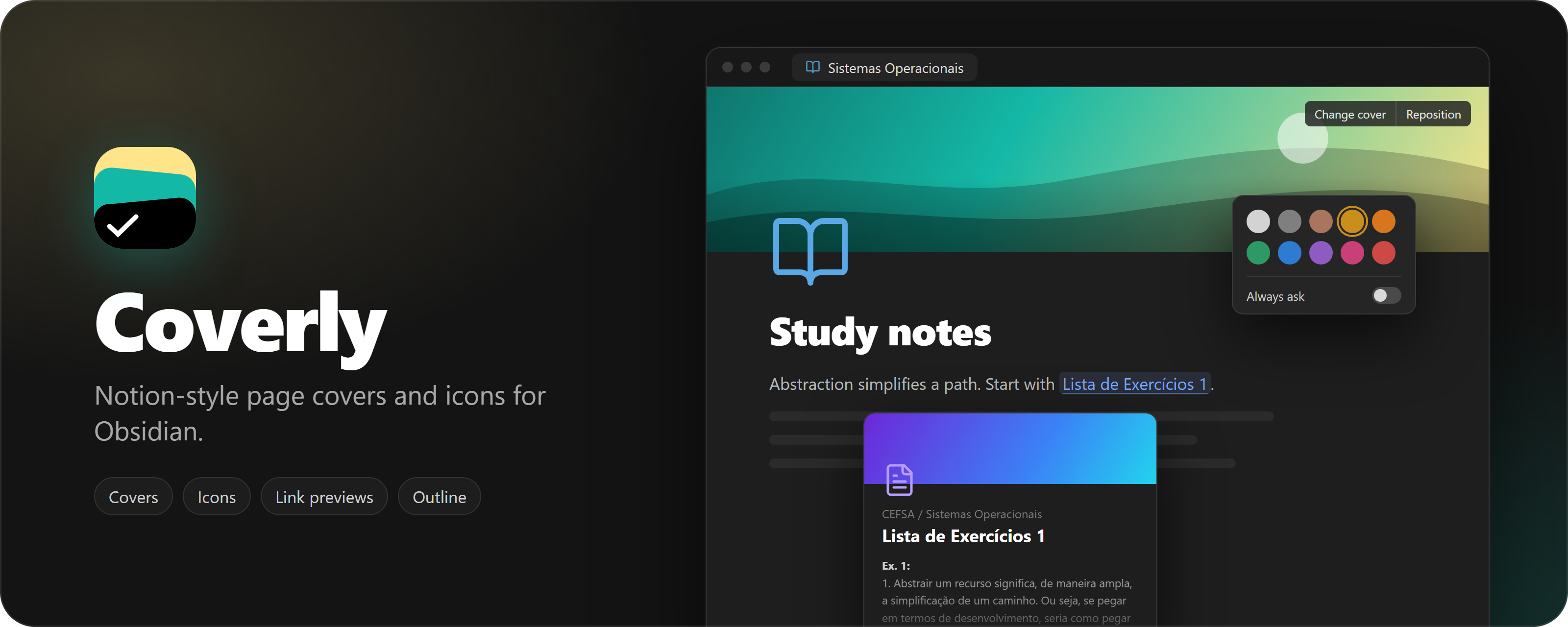
- Page covers: pick a color or gradient, a public domain artwork, an Unsplash photo, an uploaded image, a link, or paste an image with Ctrl+V. Drag to reposition. Height, rounded corners, bottom fade and bottom shade are configurable.
- Page icons: any Unicode emoji (optionally drawn with Twemoji), any Lucide icon in a color of your choice, or a custom image.
- Icons everywhere: the note icon also shows in the tab title and the file explorer.
- Heading outline: a slim outline on the right edge of the note that expands on hover and jumps to a heading on click.
- English and Portuguese interface, following Obsidian's language by default.
Covers and icons are stored in the note's frontmatter (cover, cover-position, cover-credit, cover-credit-url, icon), so your notes stay plain Markdown.
Network use
Coverly works offline. It only reaches the network for these features:
- Unsplash (
api.unsplash.com,images.unsplash.com): searching photos and loading the ones you pick, only after you add your own Unsplash access key in the settings. Picking a photo also sends Unsplash a download notice, as their API guidelines require. - Twemoji (
cdn.jsdelivr.net): downloading emoji images the first time they appear. They are cached in the plugin folder. Turn off X-style emojis in the settings to use system emojis instead. - Gallery artworks (
images.metmuseum.org,commons.wikimedia.org, which redirects toupload.wikimedia.org): loading the public domain images shown in the cover gallery. - Images from links: if a cover or icon comes from a web address, Obsidian loads that image from its host each time the note is shown.
No note content, file names or personal data are sent anywhere.
Installation
Until Coverly is listed in the community catalog, install it manually:
- Download
main.js,manifest.jsonandstyles.cssfrom the latest release. - Copy them to
<Vault>/.obsidian/plugins/coverly/. - Reload Obsidian and enable Coverly in Settings → Community plugins.
Development
bun install
bun run dev
bun run build makes a production build and bun run check runs the linter and formatter checks.
Releasing
Releases are automated. Bump the version in manifest.json, package.json
and versions.json (bun run version does it from package.json), then push
to main. If that version has no release yet, the Release Obsidian plugin
workflow builds the plugin, creates the tag (no v prefix) and publishes the
release with main.js, manifest.json and styles.css.
License
For plugin developers
Search results and similarity scores are powered by semantic analysis of your plugin's README. If your plugin isn't appearing for searches you'd expect, try updating your README to clearly describe your plugin's purpose, features, and use cases.