Day One Importer
approvedby marcdonald
Import Day One journals.
Obsidian Day One Importer

Easily convert your Day One journals into Obsidian markdown.
How to import
-
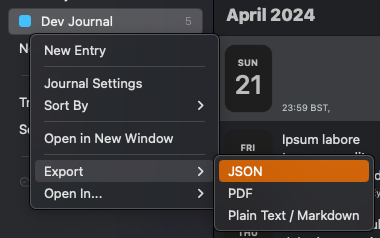
Export your Day One journal as JSON
-
Extract the
.zipfile you are given into a folder in your Obsidian vault. The default folder is a top level folder calledday-one-in, but this is customizable in the settings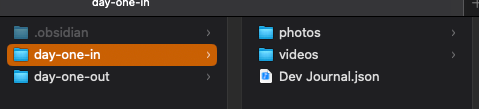
[!NOTE] You may not see the
.jsonfile in Obsidian, this is fine as long as it is there in your system file explorer -
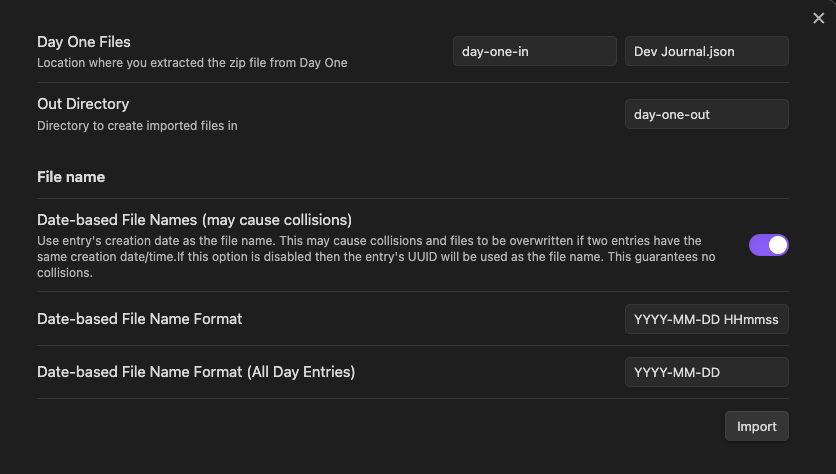
Adjust the settings to match what your setup
-
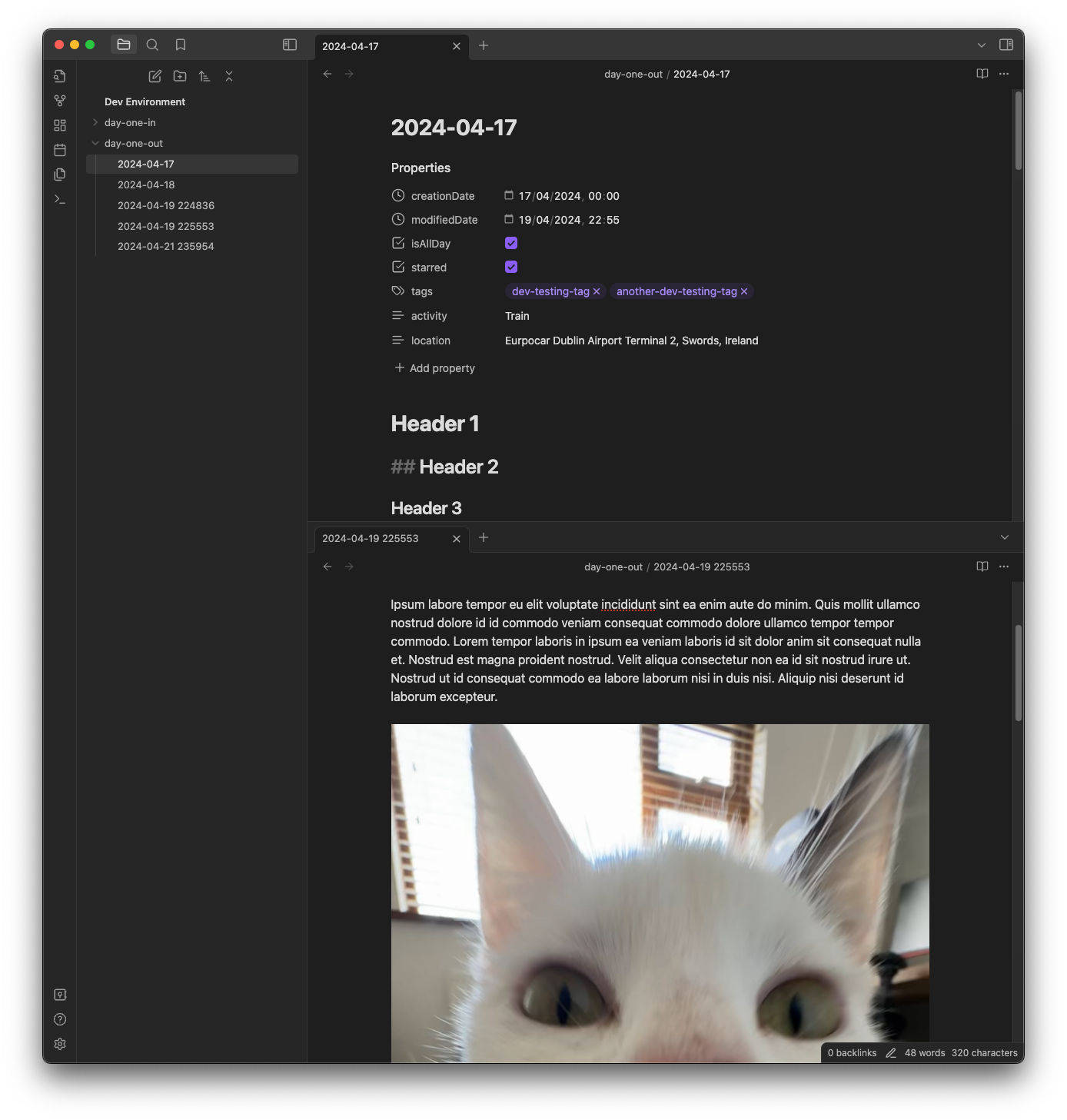
Click import and verify all your entries have been created in the folder you designated
-
If there were any errors when importing, a file called
Failed Imports.mdwill be created in that directory with the reason that the import failed. This may be caused by a conflicting file name (e.g. if you used date-based file names with the format YYYY-MM-DD and had two files on the same date). -
Once you are happy with your import, you can delete the journal JSON file and move the photos/videos to wherever you prefer
If something doesn't seem right please file an issue on this repository.
Features
Supported
- Text entries
- Rich text
- Date-based file names or UUID file names
- Inline images and videos
Added to frontmatter
- Tags
- If entry is starred
- If entry is pinned
- If entry is "all day"
- Location (name & coordinates)
- Activity (e.g. walking, cycling, train, flying, etc)
Not Currently Planned
- Customizable metadata formats (i.e not in frontmatter)
- Weather
OSS
- Zod: MIT License
For plugin developers
Search results and similarity scores are powered by semantic analysis of your plugin's README. If your plugin isn't appearing for searches you'd expect, try updating your README to clearly describe your plugin's purpose, features, and use cases.