by Musashino Software
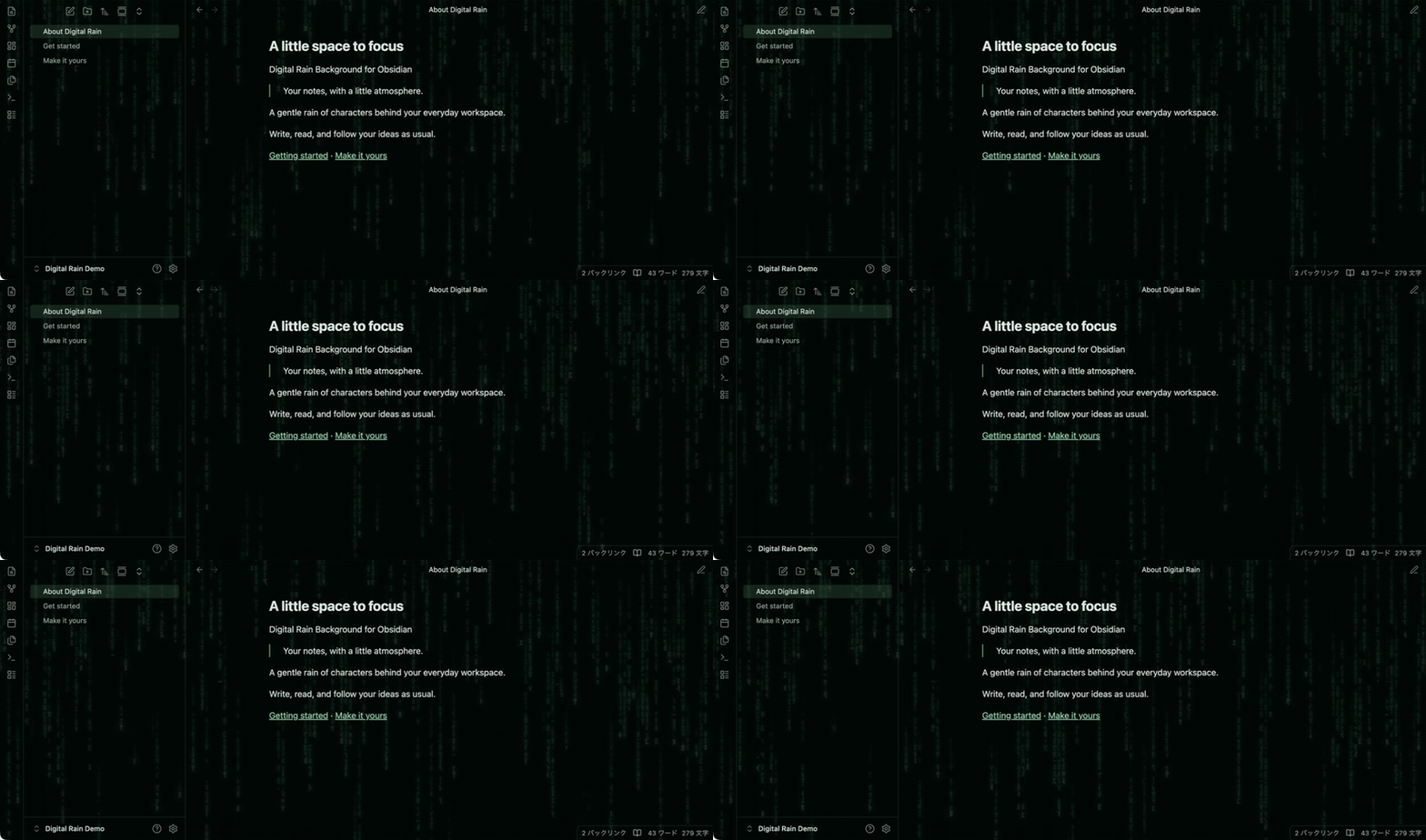
Adds animated Matrix-style rain and adjusts your theme’s colors and transparency to match.
Digital Rain Background
An Obsidian plugin that adds animated Matrix-style rain and adjusts your theme's colors and transparency to match.
Install
Requires Obsidian 1.13.7+.
Download main.js, manifest.json, and styles.css from GitHub Releases. Place them in your vault's .obsidian/plugins/digital-rain-background/, reload Obsidian, and enable it under Settings → Community plugins. Your selected theme stays in Appearance → Themes.
Use
Adjust the look in Settings → Digital Rain Background. Higher interface opacity makes the rain more subtle.
Toggle with Digital Rain Background: Toggle background in the command palette.
Notes
- Pauses in inactive windows; stays still with reduced motion.
- On Windows, the rain moves only when Settings → Accessibility → Visual effects → Animation effects is on (Windows 10: Show animations in Windows). Turning it off is treated as reduced motion.
- Uses the same dark green palette in light and dark modes.
- Tested on macOS with Default and Minimal. Other themes and platforms may vary.
- No network access. No reading or editing your notes.
- Settings export and import write and read only
settings-backup.jsonin the plugin folder.
Build
npm ci
npm test
Release files are generated in dist/.
MIT · Musashino Software
For plugin developers
Search results and similarity scores are powered by semantic analysis of your plugin's README. If your plugin isn't appearing for searches you'd expect, try updating your README to clearly describe your plugin's purpose, features, and use cases.