by theluckystrike
Show GitHub discussion text and answer state beside your notes.
Discussion Brief Cards
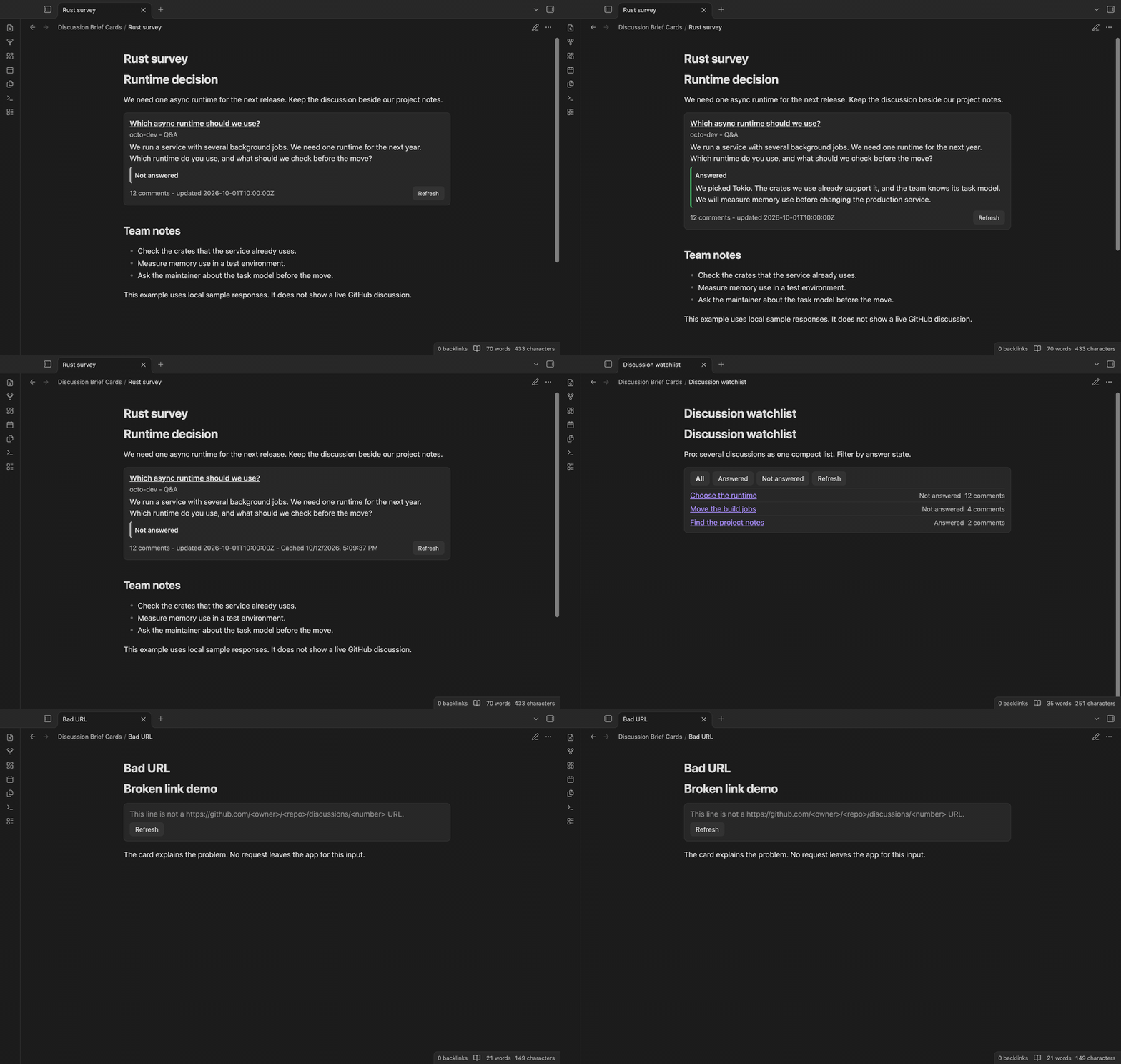
Discussion Brief Cards puts GitHub Discussion text beside your project notes. A discussion code block holds one source URL. In Reading view, the plugin reads that discussion and draws a card with its title, body and answer state.
The single card is free. Loading data needs a GitHub account and a discussion read token. The token setting is separate from GitHub Sponsors sign-in. The images below use local sample responses, so they show the feature without using a real account or payment.
Features
One discussion beside your notes
A card shows the title, author, category, plain body text, comment count and update date from the response. Select the title to open the source on GitHub. Body text is cut after 1,500 characters, with an ellipsis. A cut body has a link to the full discussion.
HTML and image markup stay plain text. A card does not load images from a discussion body. This keeps a remote image or script out of the note view.
Answer state and answer text
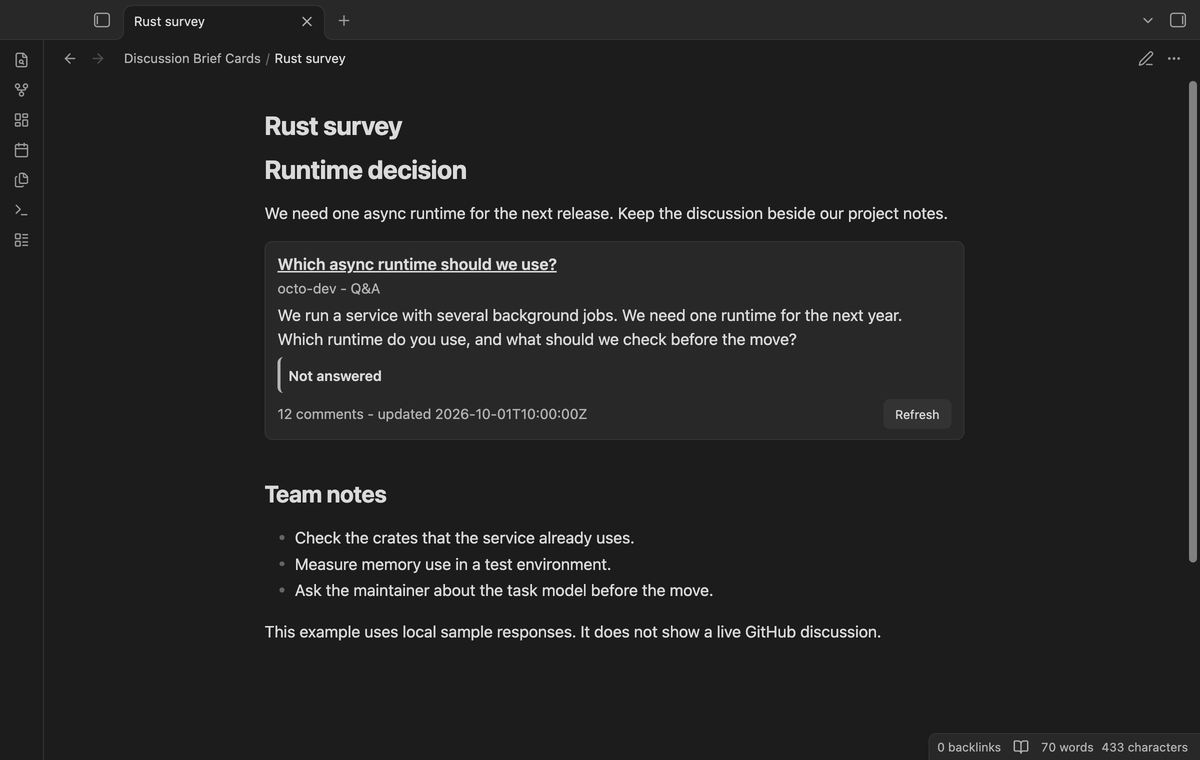
The card shows Answered or Not answered. An accepted answer appears beneath that state, cut after 800 characters. If GitHub returns a null answer state, the card uses the presence of an accepted answer. Select Refresh to request the current response after an answer changes.
Cached text with a fetch time
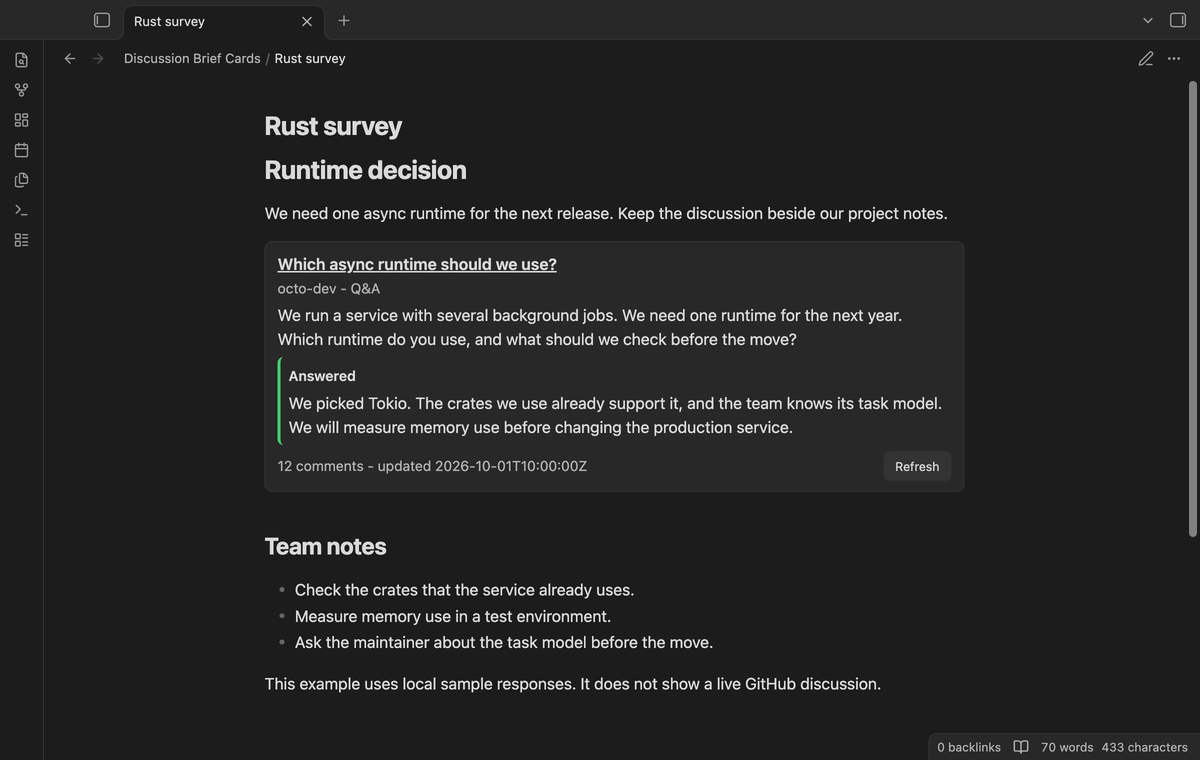
With caching on, a successful response is saved in the plugin's data file. Opening the card within the configured cache age shows that saved result. A failed fetch can also fall back to the saved result. Cached cards show Cached and the fetch time, so you can judge how old the text is.
Clear input and request errors
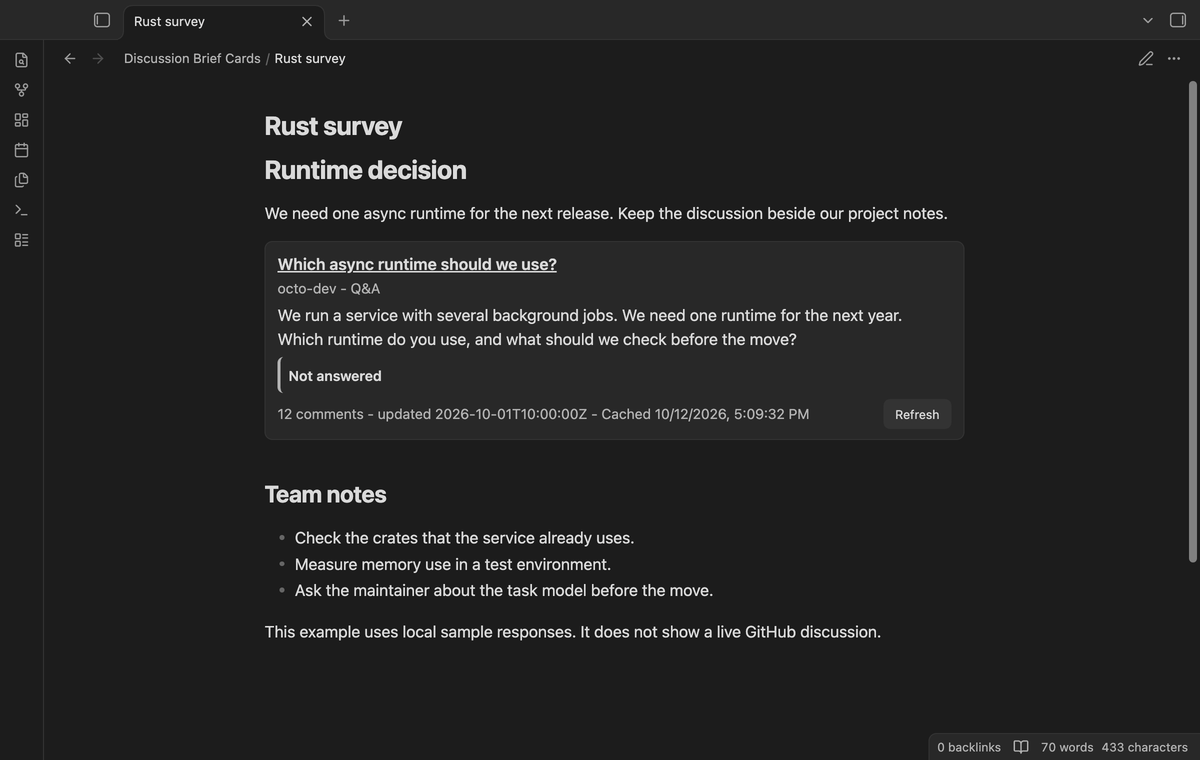
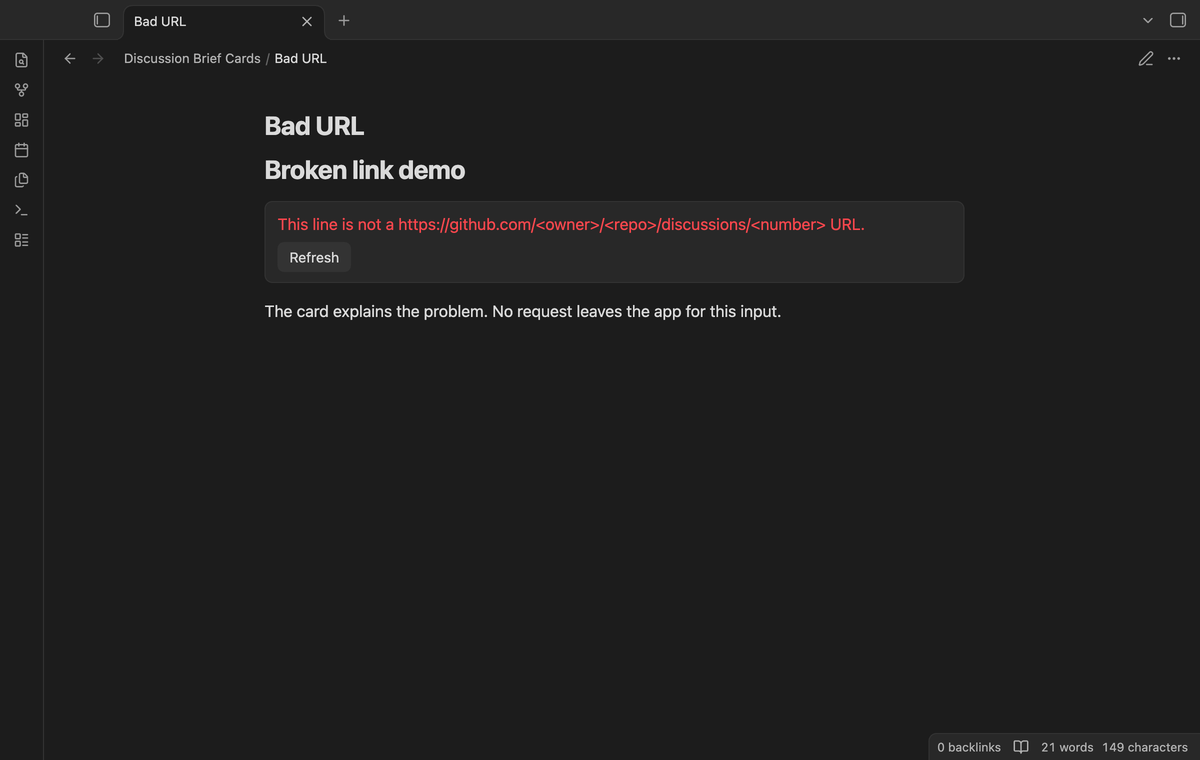
An issue URL, pull request URL or another host gives an error before a request. A valid discussion URL accepts a query string, trailing slash or comment anchor. Missing tokens, HTTP failures and missing discussion data have messages in the card. GitHub error text is not copied into these messages.
Compact discussion list (Pro)
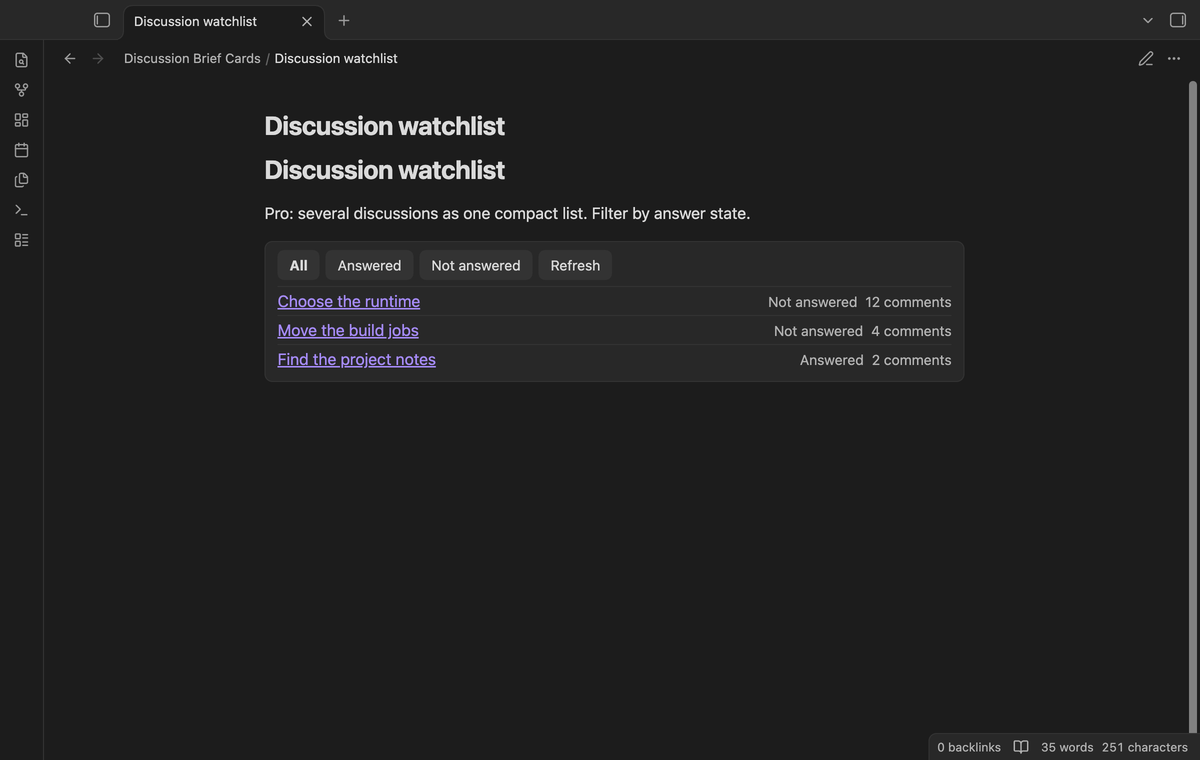
Use discussion-list to put several discussion URLs in one compact list. Each row has a source link, answer state and comment count. Select Answered or Not answered to narrow the rows. Request errors remain visible in the filtered list. Refresh requests new data and keeps the selected filter. You can refresh the list again after the first refresh.
Install
You need Obsidian 1.13.4 or later. This source build is prepared for release by its owner. To install a supplied build, copy main.js, manifest.json and styles.css into <vault>/.obsidian/plugins/discussion-brief-cards/, then enable Discussion Brief Cards in Community plugins.
Usage
Open the plugin settings and select or add a secret for Discussion read token. Use a GitHub token with permission to read the source discussion. GitHub documents public_repo for classic tokens that read public repositories; fine-grained tokens include public repository read access. See the GitHub GraphQL guide. Private sources need the matching repository access and can have organization restrictions.
Write this block in a note, then open Reading view:
```discussion
https://github.com/owner/repository/discussions/42
```
Replace the sample URL with the source you want to follow. Keep your own decisions, questions and task notes outside the block. The plugin fetches data when the rendered card needs it. It does not poll a closed note. Select Refresh when you need a new response.
For a Pro list, change the block language to discussion-list and put one URL on each line. Empty lines and lines that start with # are skipped. A list shows a Pro message before loading its URLs when Pro is off. Signing out replaces an open list with that message.
Settings
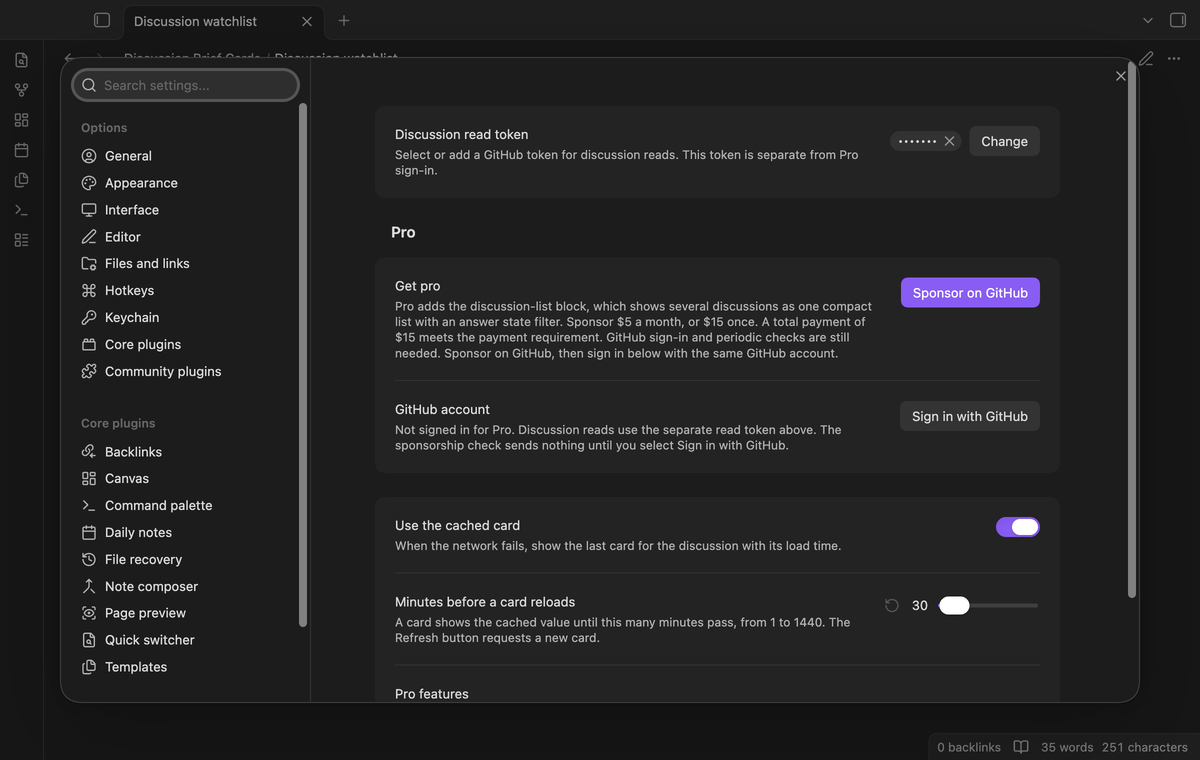
Discussion read token selects the secret for card reads. The saved settings hold its reference. The value is managed through Obsidian secret storage. Keep this secret separate from the Sponsors sign-in secret.
Use the cached card is on by default. Turning it off stops cache reads and new cache writes. It leaves previous saved entries in the data file. Treat that file as local discussion content: a vault sync or backup tool can copy it.
Minutes before a card reloads sets the cache age from 1 to 1,440 minutes, with a default of 30. It is an age check when a card renders, rather than a background timer. Refresh requests data sooner. Cards with the same repository and number share an in-flight request.
The Sponsors controls show sign-in, status, Refresh and sign-out. The list feature uses the cached sponsorship result.
Payment, account and network
The core features are free. Pro features need a GitHub Sponsors sponsorship of theluckystrike: $5 a month or more, or $15 once. A total payment of $15 meets the payment requirement for Pro without further payment. Sign-in and the checks below still apply. Your notes stay readable and editable with or without Pro.
GitHub handles the payment. Sponsor at https://github.com/sponsors/theluckystrike. Loading GitHub data needs a GitHub account and a read token. Pro also needs the GitHub account that sponsors.
Discussion reads send the repository owner, repository name, discussion number and your discussion read token to https://api.github.com/graphql when a card needs a fetch or you select Refresh. These three fields come from the URL in your note. Other note text and file paths are not sent. The read token is stored through the secret storage API of Obsidian, separate from the Sponsors token. Cached discussion text is stored in the plugin data.json when caching is on. The discussion reader can send requests before Sponsors sign-in. The sign-in and sponsorship checks described below are separate requests.
Until you select "Sign in with GitHub" in the settings, Discussion Brief Cards makes no sponsorship requests. Sign in uses the GitHub device flow. Discussion Brief Cards sends its public client ID and the scope read:user to https://github.com/login/device/code and shows you a code. While you enter the code at https://github.com/login/device, it asks https://github.com/login/oauth/access_token every few seconds to check the sign-in status. The scope permits profile reads only. GitHub needs this access to show the sponsorship tier. It grants no repository scope and no write access.
After sign in, Discussion Brief Cards sends one query to https://api.github.com/graphql. It checks if the signed-in account sponsors theluckystrike. It asks for the tier and the total payment to theluckystrike. The plugin reuses a successful check for 7 days. Failed checks can retry after 6 hours. Select Refresh to request an earlier check. This sponsorship query sends no note content, file names or other vault data to GitHub, and it has no telemetry.
After a successful check, Pro can work offline for up to 14 days. Sign out or a negative sponsorship answer turns Pro off. The plugin stores the GitHub token through the secret storage API of Obsidian. It does not put the token in its saved settings or its local sponsorship data. The local storage of this device keeps your GitHub login, the tier and the time of the last check. Sign out clears the token. You can also revoke the access in your GitHub settings, under Applications.
FAQ
Why does GitHub need a token for a public source?
GitHub GraphQL requires authentication. Public content does not remove that requirement. A missing read token gives a local message. A rejected token gives a request error. Check its permissions, update its secret value and select Refresh.
Does sign-out remove my discussion read token?
Sponsors sign-out clears the Sponsors token. It leaves the separate discussion token in place. Manage the discussion secret in Obsidian settings if you need to remove it.
What was tested, and what was not tested?
Unit tests cover URL parsing, response mapping, truncation, inert text and cache fallback. Real app tests use local responses for rendered Markdown cards, request guards, repeated list refresh, filters and Sponsors gating on the earliest supported and latest desktop releases.
This lane did not test a live authenticated discussion read, private repositories, organization access policies, token expiry, the real Sponsors payment or device sign-in flow, GitHub Enterprise, Linux, Windows, Live Preview or a mobile device. The manifest permits mobile because product code uses the public Obsidian API and browser APIs.
Support
Report the source URL shape, error message and app version with a bug report through the contact form on notemods.com. Leave tokens and private discussion text out of the report. The plugin uses the MIT license. The publisher is theluckystrike.
For plugin developers
Search results and similarity scores are powered by semantic analysis of your plugin's README. If your plugin isn't appearing for searches you'd expect, try updating your README to clearly describe your plugin's purpose, features, and use cases.