doing
approvedby rooyca
It helps you remember what you were doing.
📋 Doing
🎉 Introduction
Welcome to Doing, an Obsidian plugin designed to help you keep track of what task you were doing. This plugin is perfect for users who often find themselves switching contexts and need a quick reminder of their current task.
🚀 Features
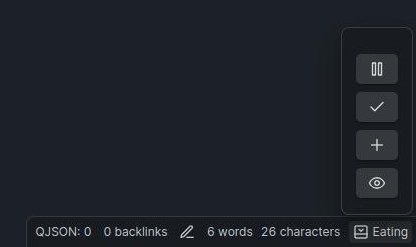
- 📌 Task Display: Shows the current task in the status bar for easy reference.
- 📝 Task Logging: Stores all tasks in a file for future reference.
📖 Usage
- Add a Task: To add a task, use the command palette (Ctrl/Cmd+P) and search for "doing: Add Task". Enter your task description and hit Enter.
- View Current Task: Your current task will be displayed in the status bar at the bottom of Obsidian.
- Complete a Task: Once you've completed a task. The task will be logged in
doing.mdwith a timestamp. - View Task History: Open
doing.mdto see a history of all your tasks.
🌟 Contributing
We welcome contributions! If you have ideas for new features or improvements, feel free to open an issue or submit a pull request on our GitHub repository.
📞 Support
If you encounter any issues or have questions, please open an issue on GitHub or reach out via our support page.
📝 License
This plugin is licensed under the MIT License. See the LICENSE file for more details.
For plugin developers
Search results and similarity scores are powered by semantic analysis of your plugin's README. If your plugin isn't appearing for searches you'd expect, try updating your README to clearly describe your plugin's purpose, features, and use cases.