by Eren Can
Checks YAML and Kubernetes manifests in your notes as you write: typos, wrong types, removed APIs and labels that don't match.
ecu-kube
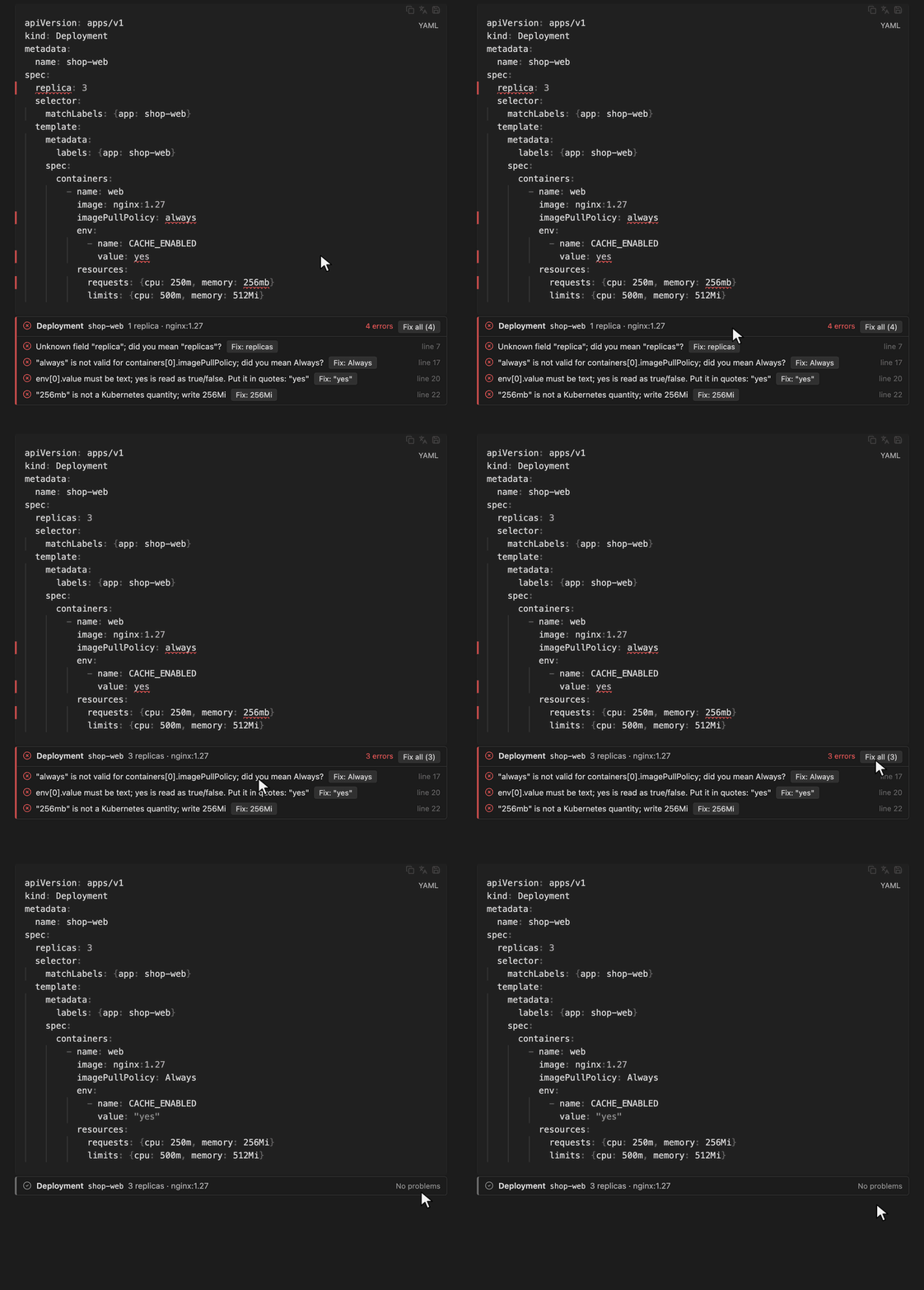
Checks the YAML and Kubernetes manifests in your notes while you write them. Typos, wrong types, removed APIs and labels that don't line up are underlined in place, and each block gets a short summary of what it defines.
What it catches
- YAML mistakes: bad indentation, tabs, duplicate keys.
- Unknown or misspelled fields, with a suggestion:
replica→replicas,imagePullPolicy: always→Always. - Wrong types, including the classic YAML traps:
value: yesorvalue: 8080in an env var or label is read as a boolean or a number and rejected by the API, so you're asked to quote it. - Bad quantities:
512mb→512Mi, memory written as512m, a request larger than its limit. - Removed or wrong API versions:
extensions/v1beta1 Ingress→networking.k8s.io/v1,batch/v1beta1 CronJob→batch/v1, a kind under the wrong group. - Things that would break at deploy time: a Deployment selector that doesn't match its
Pod labels, a volumeMount without a volume, a Job with
restartPolicy: Always, a 6-field cron schedule, Secret data that isn't base64, invalid names. - Links between objects in the same note: a Service whose selector matches nothing, a targetPort the Pods don't expose, an Ingress pointing at a missing Service port.
- Optional best-practice hints: untagged or
:latestimages, containers without resources, unused volumes.
Kubernetes 1.37 built-in kinds are checked against the official API schema, plus the custom
resources of Gateway API, MetalLB, cert-manager, Prometheus Operator and Argo CD. Other custom
resources get the basic checks. Blocks with Helm or
Jinja templates are skipped, and placeholders like <name> are left alone, so half-written
examples in your notes don't light up red. A block wrapped in cat <<EOF | kubectl apply -f -
is checked as the YAML inside it.
One-click fixes
When the right value is clear, the problem comes with a Fix button: replica →
replicas, always → Always, yes → "yes", 256mb → 256Mi, a removed apiVersion →
the current one, a missing apiVersion, a Job's restartPolicy, a 6-field cron schedule,
Secret data → base64, tabs → spaces. Fix all applies every fix in a block at once.
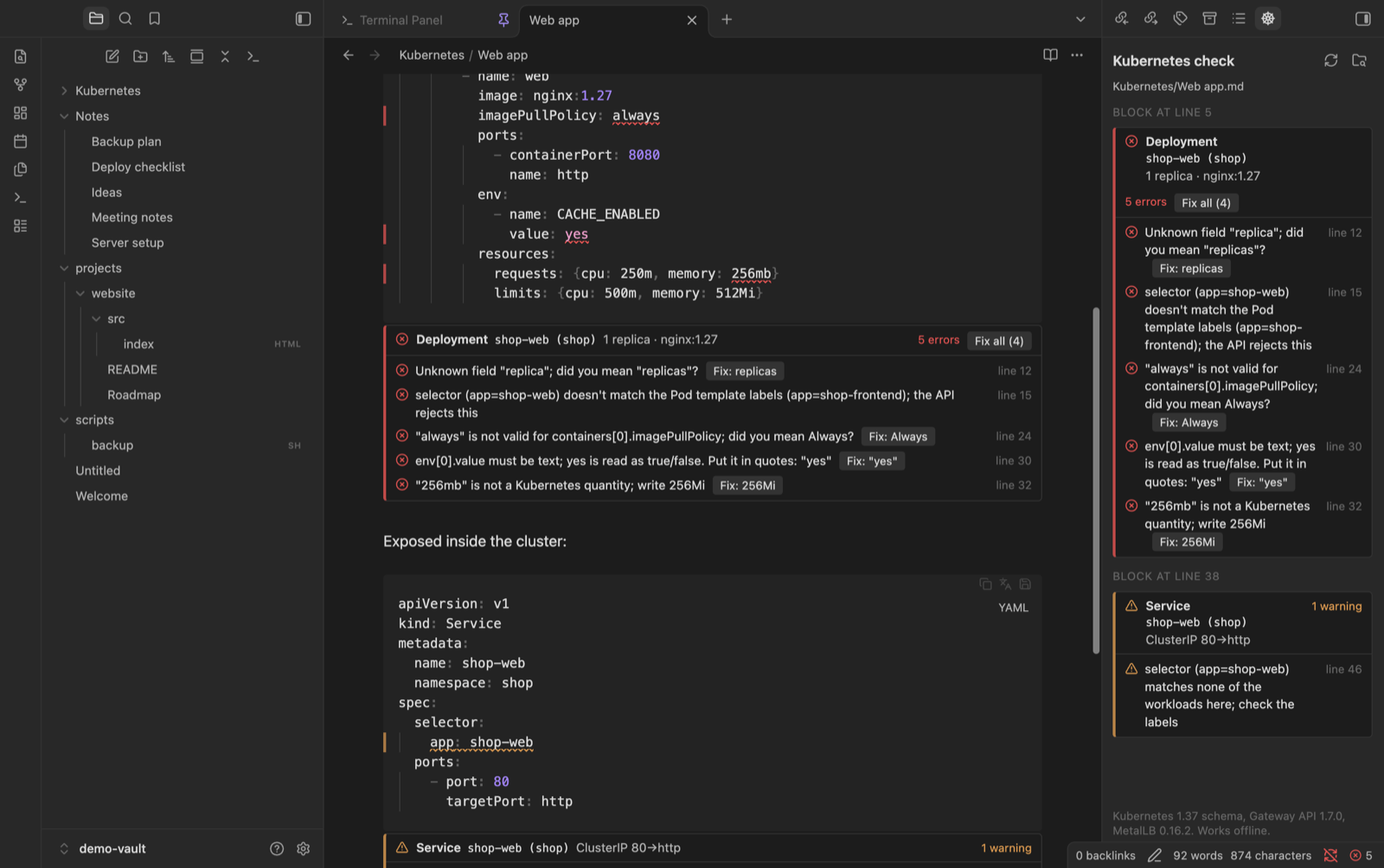
Fixes work from the block summary, the side panel and reading view. In the editor you can
also right-click an underlined value, or give Fix the problem at the cursor and Fix
everything fixable in this file a hotkey. Every fix is a normal edit, so Cmd/Ctrl+Z undoes
it. Things that need a decision from you, like which side of a mismatched selector is right,
are only reported.
Where it shows up
- Editing view: the exact key or value is underlined; hover it to read the message.
Under each
yamlblock a summary lists the objects (kind, name, replicas, image, ports, links) and the problems; click one to jump to its line. - Reading view: the same summary under each block.
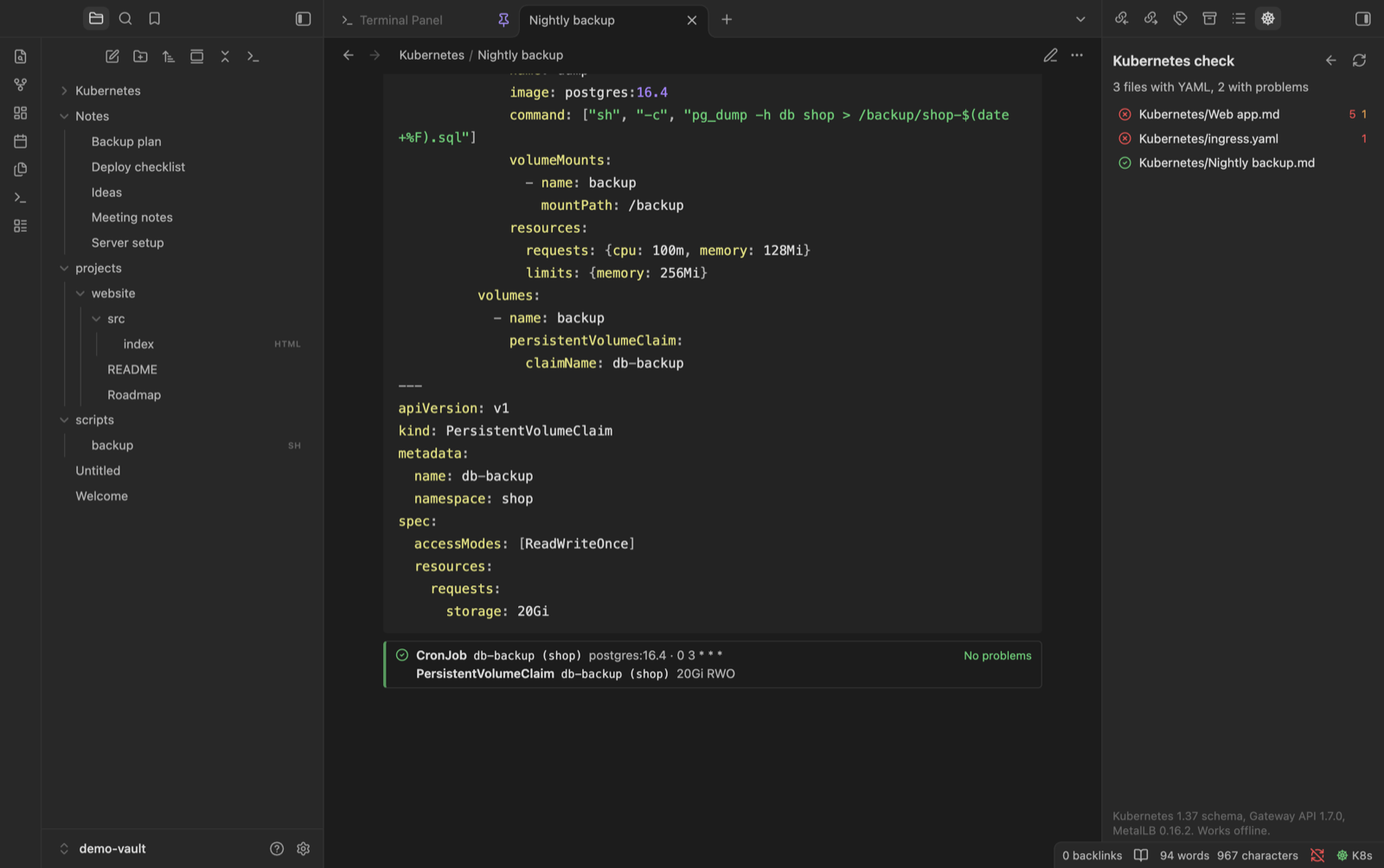
- Side panel (command "Open Kubernetes check panel", the status bar item or the ribbon icon, which you can hide in settings): every block in the current note, plus Check the whole vault.
.yaml/.ymlfiles opened with ecu-codekit are underlined too.
Everything runs locally. The schema is bundled in the plugin and nothing is sent anywhere.
Install
- From the latest release,
download
main.js,manifest.jsonandstyles.cssinto<your vault>/.obsidian/plugins/ecu-kube/. - In Obsidian, open Settings > Community plugins, turn off Restricted mode if needed, and enable ecu-kube.
Settings
Underlines, block summaries, best-practice hints, the status bar item and .yaml file checks
can each be switched off. The interface is available in English and Turkish and follows
Obsidian's language by default.
Building
npm ci
npm test
npm run build
npm run schema regenerates src/schema.json from the Kubernetes OpenAPI spec and the
Gateway API, MetalLB, cert-manager, Prometheus Operator and Argo CD CRDs (versions are pinned
in scripts/gen-schema.mjs).
License
MIT, see LICENSE.
For plugin developers
Search results and similarity scores are powered by semantic analysis of your plugin's README. If your plugin isn't appearing for searches you'd expect, try updating your README to clearly describe your plugin's purpose, features, and use cases.