by tattorba87
Read notes and PDFs aloud with word highlighting, or dictate English into Markdown. Private, on-device text-to-speech (TTS) and speech-to-text (STT).
Edge Voice
Read your notes and PDFs aloud, or write them with your voice, in Obsidian.
Free. Private. Open source (MIT), with no account, no subscription and no cloud. The voices and the speech recognition run on your own computer, so your notes and your voice never leave it.
What it does
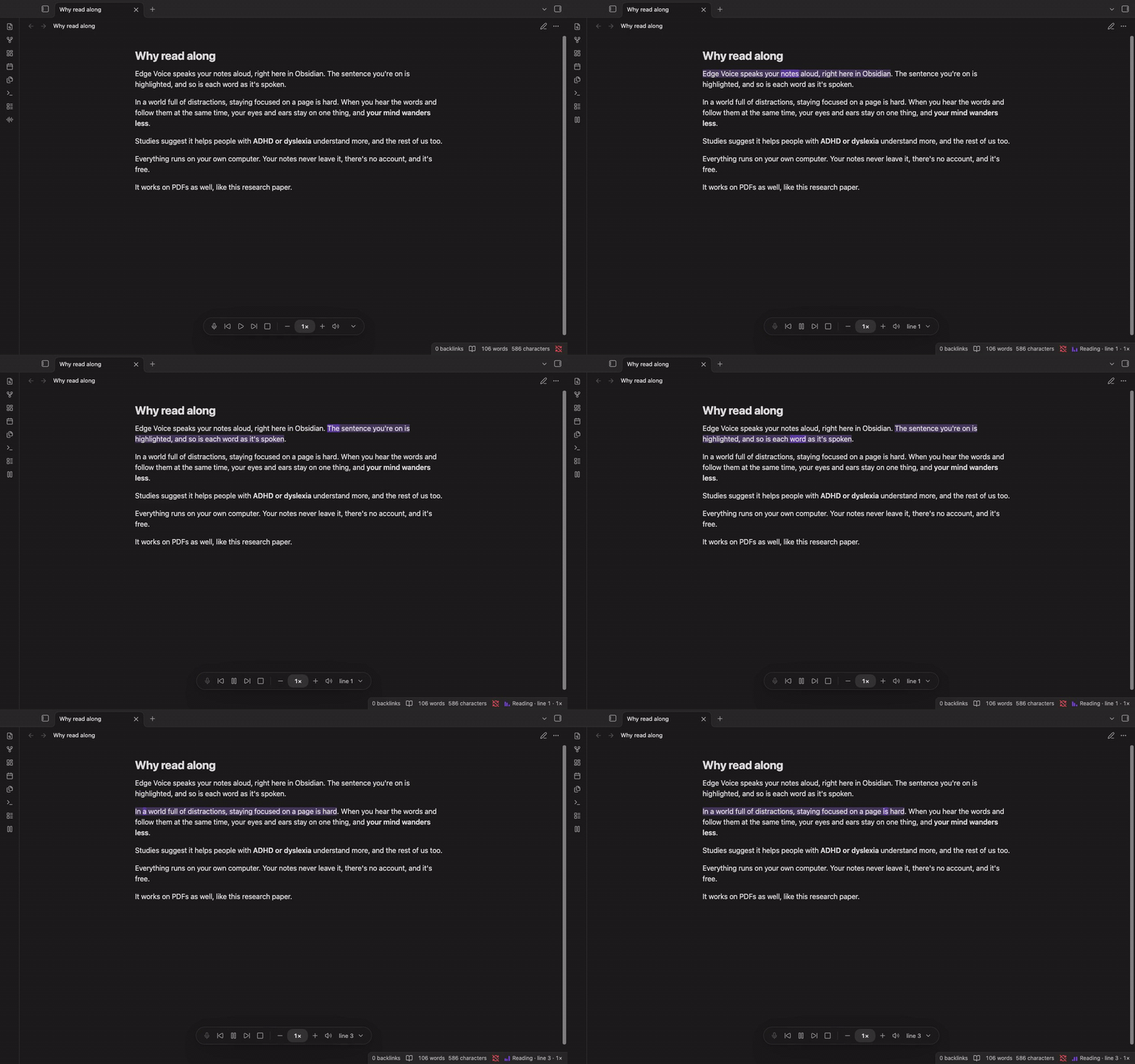
- Read along. Listen to notes and PDFs while the sentence and each spoken word light up on the page.
- Natural voices. 66 English voices, American and British, from Kokoro and Piper.
- Write with your voice. Double-tap Left ⌘ (Left Ctrl on Windows and Linux) or click the microphone, and your words appear in the note as you speak. When you pause, the mic turns green and dictation stops on its own; or tap the key once to stop.
- Start anywhere. Right-click a sentence and choose Start text-to-speech here; pause, skip and change speed from the player bar.
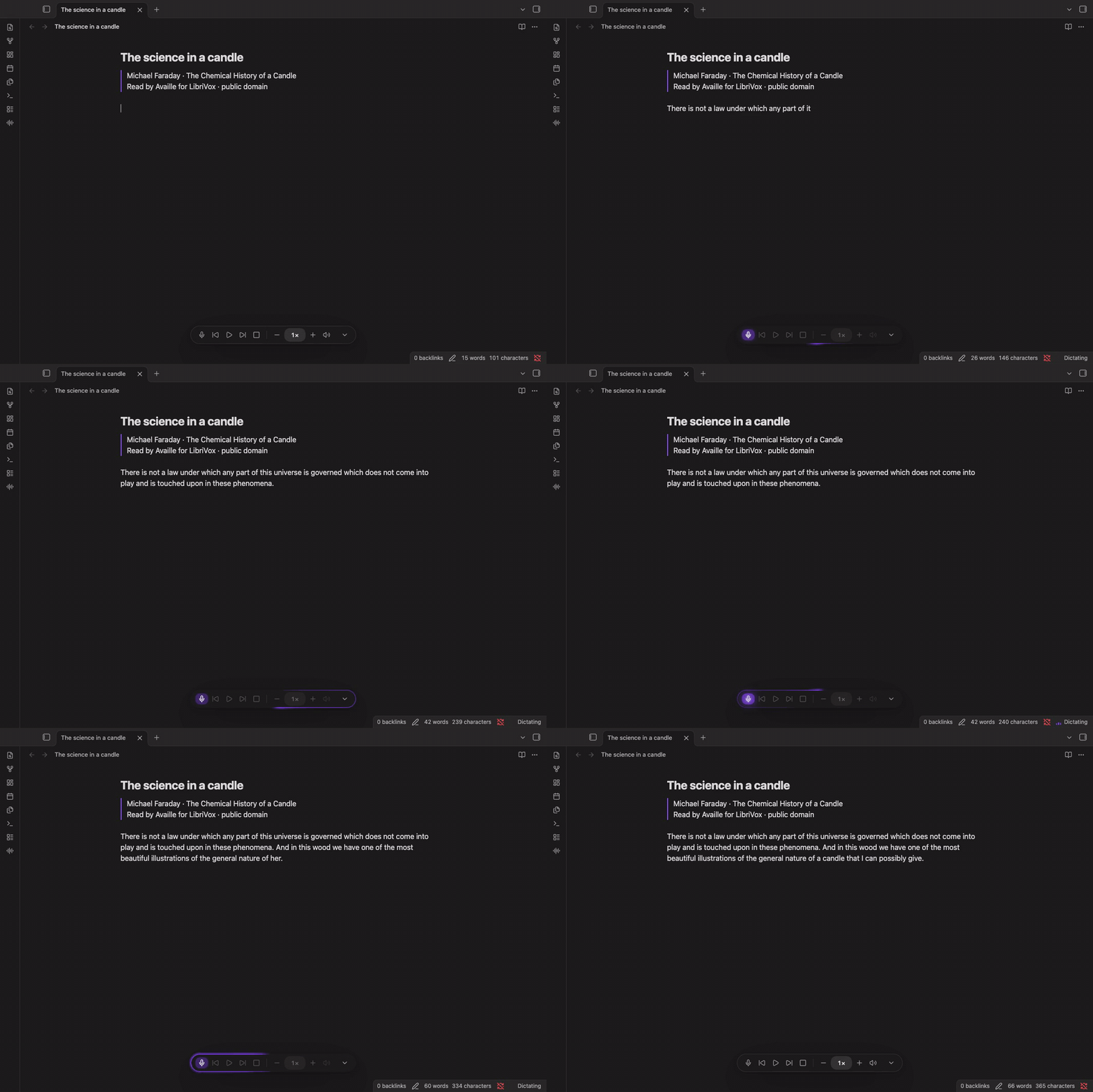
▶ Watch the dictation demo with sound
English only for now. Obsidian desktop only (macOS, Windows, Linux).
Setup
- Install Edge Voice from Obsidian's Community plugins and enable it.
- Edge Voice shows the setup commands for your computer, each with a Copy button. Run them once in Terminal (PowerShell on Windows). They install its small speech engine and the voice or dictation model you choose. Edge Voice itself never installs or downloads anything.
- Back in Obsidian, click Check again, and press play.
Full setup and update instructions
Is it safe?
- No internet: the plugin makes no network requests. No telemetry, no account.
- It runs one program, its own speech engine, directly, without a shell. That's what Obsidian's scan lists as "shell execution".
- Microphone only while you dictate, and audio is never saved. The clipboard is written only when you press Copy, and never read.
- Verifiable: Obsidian rebuilds every release from this source and checks it matches.
Documentation
- Setup and updates: install the engine, voices and dictation models; update later
- Using Edge Voice: commands, shortcuts, the player bar and settings
- Dictation: models, controls and troubleshooting
- Voices: all 66 voices, with samples and sizes
- Why read along: the research on reading while listening
- How it works and limits
- Privacy, files and verifying downloads
- Licences · Media credits
- Changelog · Security · Contributing
Edge Voice is MIT licensed (LICENSE). The demo PDF is Wei et al., Chain-of-Thought Prompting Elicits Reasoning in Large Language Models (2022), CC BY 4.0; that recording was made on an Intel Mac with the pauses for synthesis cut. The dictation demo uses Faraday's The Chemical History of a Candle, read by Availle for LibriVox (public domain).
For plugin developers
Search results and similarity scores are powered by semantic analysis of your plugin's README. If your plugin isn't appearing for searches you'd expect, try updating your README to clearly describe your plugin's purpose, features, and use cases.