Embed EML
approvedby useroption3
Embed .eml email files directly in your notes with ![[file.eml]]. - This plugin has not been manually reviewed by Obsidian staff.
Embed EML
Obsidian plugin that embeds .eml email files directly inside your notes.
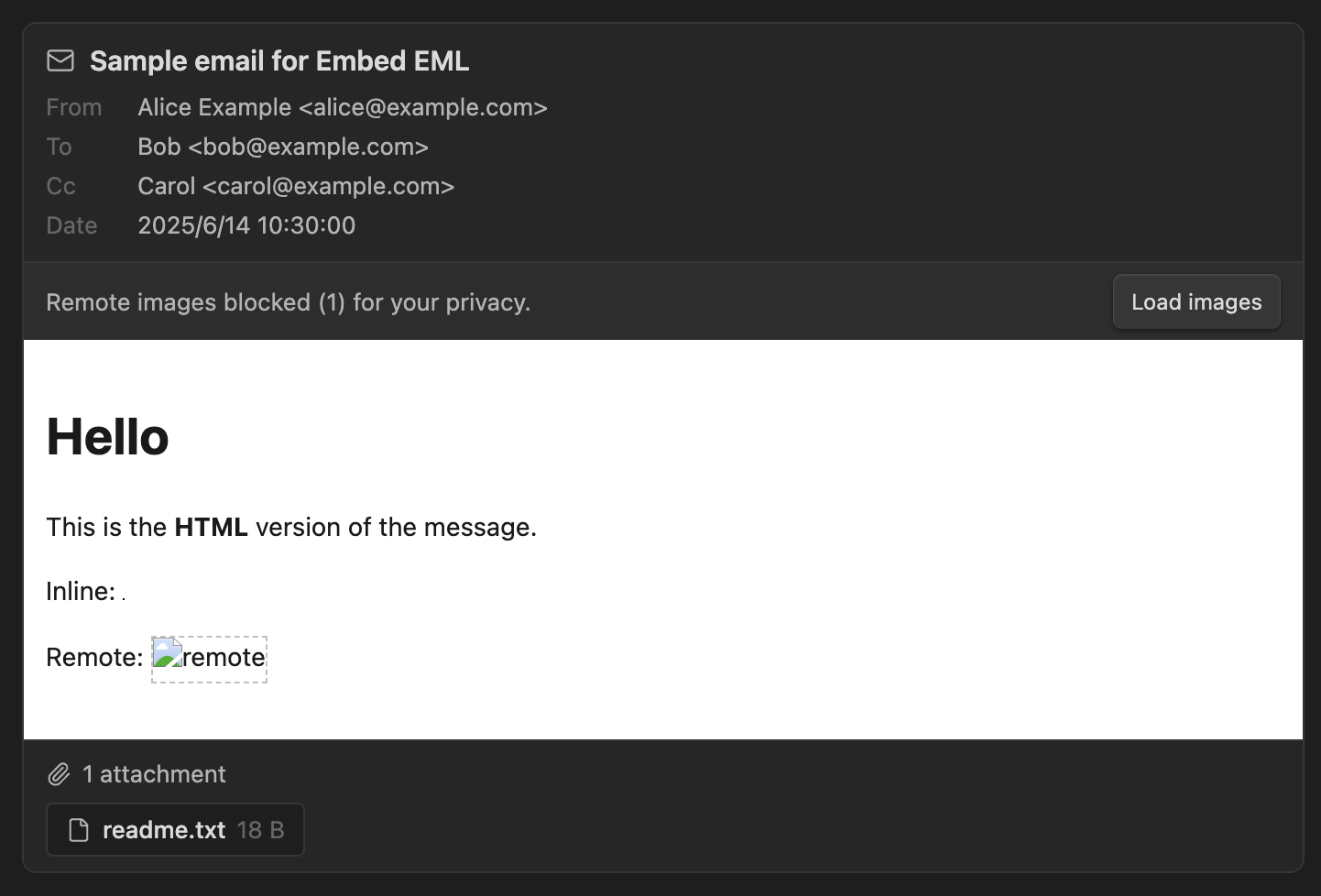
Reference an email like any other attachment:
![[sample.eml]]
…and the message renders inline — subject, sender/recipients, date, the formatted body, and downloadable attachments.
Features
-
Inline embeds in both Reading view and Live Preview via
![[file.eml]]. -
Open
.emlfiles in their own tab — click an email in the file explorer to read it full-width. -
Header block: subject, From / To / Cc, and a localized date.
-
HTML body rendered in a sandboxed
<iframe>(scripts never run, styles can't leak into Obsidian), with automatic height fitting. Falls back to plain text when there's no HTML. -
Inline images (
cid:references) are resolved from the email's own parts. -
Remote images / trackers are blocked by default — a one-click "Load images" button reveals them per embed.
-
Attachments are listed with size — double-click to open them (read-only) in your OS default app (desktop).
-
Robust MIME parsing (charsets, encoded-word headers, quoted-printable / base64, nested multipart) via postal-mime.
Installation
Community plugin (recommended)
- Open Obsidian → Settings → Community plugins → Browse.
- Search for Embed EML and click Install, then Enable.
Install via BRAT
- Install the BRAT community plugin and enable it.
- BRAT → Add beta plugin → enter
useroption3/obsidian-embed-eml. - Enable Embed EML under Settings → Community plugins.
Manual install
-
Download
main.js,manifest.json, andstyles.cssfrom the latest release. -
Copy those three files into your vault at:
<vault>/.obsidian/plugins/embed-eml/ -
Reload Obsidian, then enable Embed EML under Settings → Community plugins. (Turn on community plugins first if you haven't.)
Usage
Put any .eml file in your vault, then embed it in a note:
![[sample.eml]]
A ready-made samples/sample.eml is included for testing.
Settings
| Setting | Default | Description |
|---|---|---|
| Render HTML body | On | Show the HTML version when available; off = always plain text. |
| Block remote images | On | Block remote images/trackers until you click "Load images". |
| Long message body | Show in full | Whether a tall body shows in full, or scrolls within a fixed height. |
| Body height | 400 | (Scroll mode only) max height in px before the body scrolls. |
Security & privacy
-
The HTML body is rendered in an
<iframe>withoutallow-scripts, so any JavaScript in an email never executes. -
<script>elements are stripped before rendering as a defense in depth. -
Remote images are removed unless you explicitly load them, which prevents tracking pixels from phoning home when you open a note.
-
Links open in your external browser. Treat links in emails with the usual caution.
-
Opening an attachment writes a temporary, read-only copy to your system temp folder and hands it to your OS default app — open attachments only from emails you trust.
License
MIT
For plugin developers
Search results and similarity scores are powered by semantic analysis of your plugin's README. If your plugin isn't appearing for searches you'd expect, try updating your README to clearly describe your plugin's purpose, features, and use cases.