by bobstanton
Take your Wikilinks to the eXtreme! by using frontmatter to customize their appearance.
Extreme Wikilinks
Take your Wikilinks to the eXtreme! by using frontmatter to customize their appearance. EXTREME!
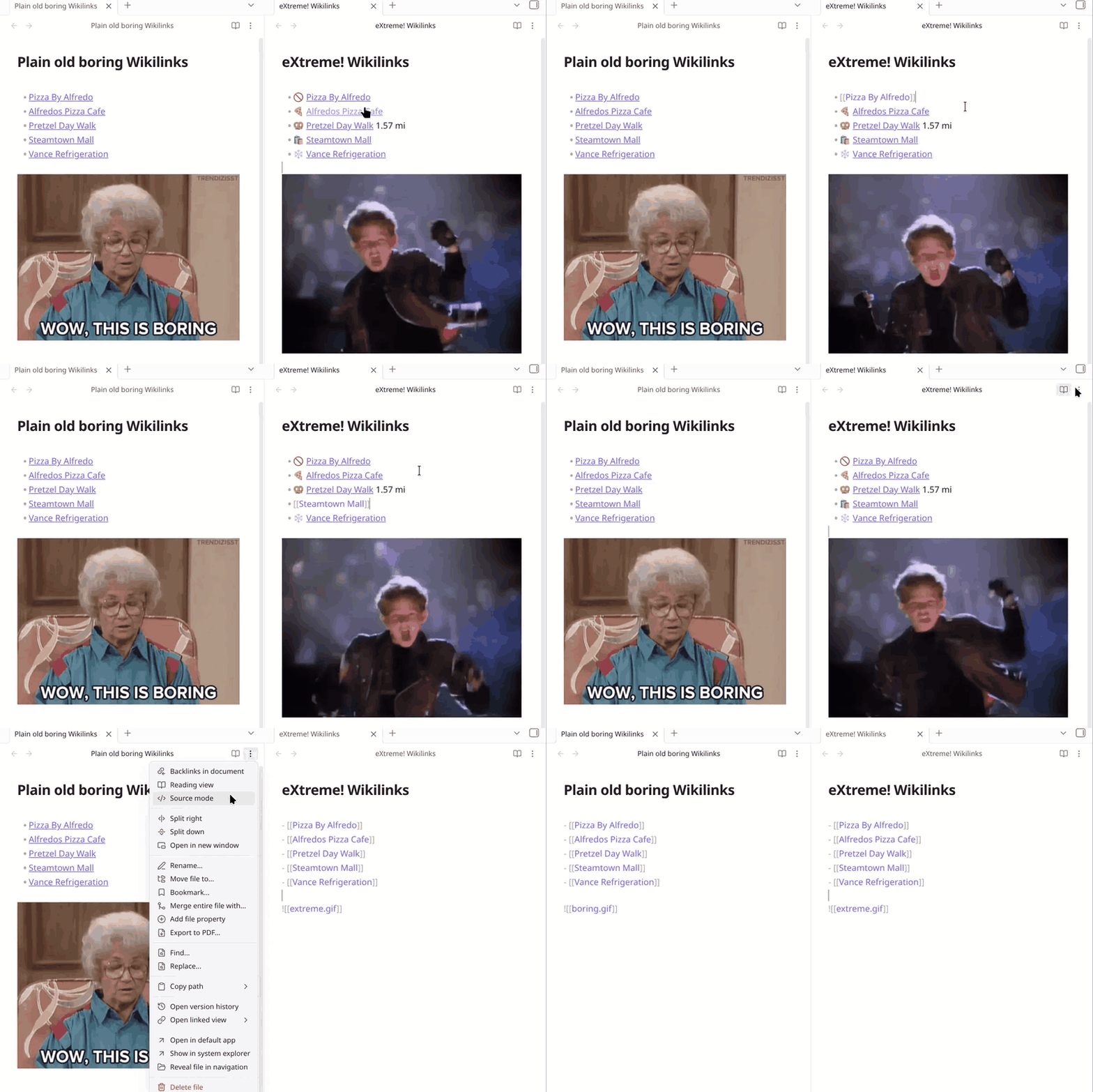
Using frontmatter such as:
---
Address: 1040 S Washington Ave, Scranton, Pennsylvania 18505
icon: 🍕
---
With a template like:
{this.icon} {this.wikilink}
Will result in:
🍕 [[Alfredos Pizza Cafe]]
Or with frontmatter:
---
Distance: 1.57 mi
icon: 🥨
---
And template:
{this.icon} [[{this.linkDestination}|{this.title} {this.Distance}]]
Results in:
🥨 [[Pretzel Day Walk|Pretzel Day Walk 1.57 mi]]
Templates can be conditionally applied based on headings or target links.
Skip an individual link
Add %%ew:skip%% immediately after a wikilink to skip extreme processing:
[[Alfredos Pizza Cafe]]%%ew:skip%%
[[Alfredos Pizza Cafe|Pizza]]%%ew:skip%%
[[Alfredos Pizza Cafe#Menu|Menu]]%%ew:skip%%
Choose a template for an individual link
Add %%ew:template=compact%% immediately after a wikilink to use the enabled template named compact, regardless of its conditions or position in the template list:
[[Alfredos Pizza Cafe]]%%ew:template=compact%%
[[Alfredos Pizza Cafe#Menu|Dinner]]%%ew:template=compact%%
Names are case-sensitive. Missing, disabled, or duplicate names leave the ordinary wikilink. Exclude patterns still apply.
Templates
Templates are managed in plugin settings.
Built-in values:
{this.title}- linked file basename{this.basename}- linked file basename{this.path}- linked file path{this.tags}- linked file frontmatter tags, without the leading#{this.bodyTags}- tags written in the linked file's body, without the leading#{this.wikilink}- Wikilink to the original link destination using the original display text{this.linkDestination}- original link destination, including headings or block anchors{this.linkDisplayText}- original link display text, such asPizzafrom[[Alfredos Pizza Cafe|Pizza]]{this.frontmatter}- linked file frontmatter object
Linked file frontmatter is also available directly, such as {this.icon}, {this.Address}.
For frontmatter names with spaces or punctuation, use bracket syntax:
{this['Property With Spaces']}
Template expressions can use JavaScript:
{h.hasTag(this.tags, 'online-ordering') && this.Website ? this.Website : ''}
Styling
Every rendered link is wrapped in a span.extreme-wikilinks-link, with a data attribute for the template name, custom CSS can style each template:
[data-extreme-wikilinks-template="Archived"] {
  --link-color: var(--text-muted);
  --link-color-hover: var(--text-normal);
}
And there are built in classes for extreme-wikilinks-faint and extreme-wikilinks-highlight:
<span class="extreme-wikilinks-faint">{this.wikilink}</span>
For plugin developers
Search results and similarity scores are powered by semantic analysis of your plugin's README. If your plugin isn't appearing for searches you'd expect, try updating your README to clearly describe your plugin's purpose, features, and use cases.