Feel the Notion
approvedby michael-5653
Notion-like block editing in Live Preview: drag whole blocks, select whole blocks, block-aware Cmd+A and Backspace, and a slash insert menu. - This plugin has not been manually reviewed by Obsidian staff.
Feel the Notion
Recommended plugin to enhance experience: Bullet depth markers
Recommended setting: Obsidian Settings → Files and Links → under Links, toggle on Automatically update internal links.
Notion-like block editing for Obsidian's Live Preview.
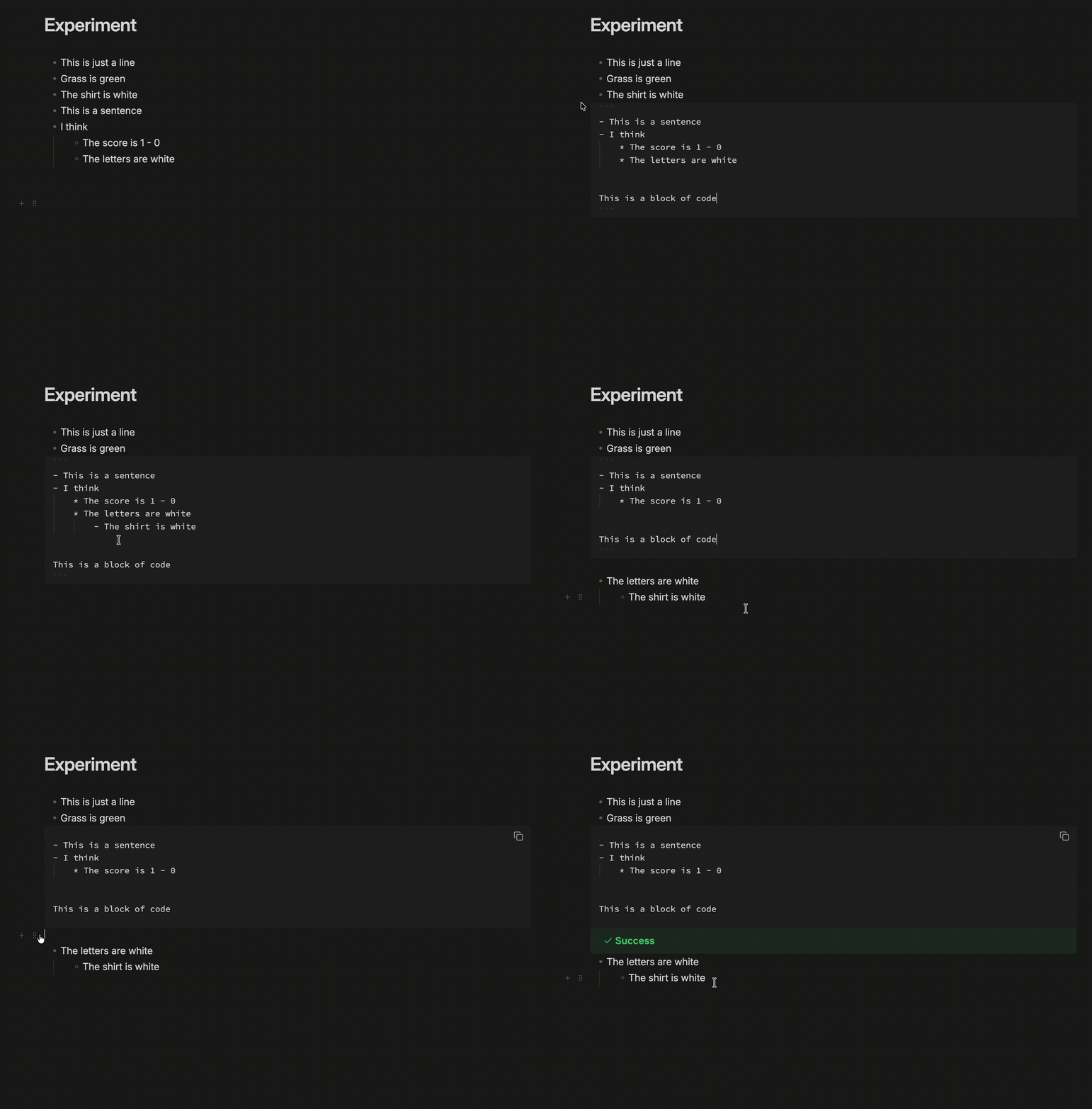
Features
- Hover handles — a
+and a drag handle follow the pointer down the gutter. - Drag whole blocks — grabbing any line takes the block, children included, and drops it at a depth you choose with horizontal position.
- Multi-block selection — a drag across blocks paints whole blocks rather than a ragged text range.
- Block-aware keys —
Cmd+Aselects the block, then the note.Backspaceat a block's start outdents, then drops the marker, then merges. - Insert menu — type
/on an empty block or mid-line, or click the+. - Hide syntax markers — optional: stops text shifting sideways as the caret enters
**bold**. - Handle side — the handle can sit on the left or the right of the text, and can be pinned so it never hides when the pointer moves away.
- Fold blocks — a chevron on the handle folds a block to its first line, leaving an ellipsis you click to expand it again.
- Move blocks together — selecting several blocks and dragging any one of their handles moves all of them together.
- Custom insert menu — insert-menu rows can be reordered, hidden, and extended with custom rows that run any Obsidian command. A custom row runs its command on a single click with no confirmation, so binding a destructive one — "Delete current file", say — gives you a one-click delete.
Everything behavioural has a toggle in settings.
Change logs
0.6.2
Bug fixes and improvements.
New features:
- Insert a new line, for getting a paragraph under a table or code block that ends a note
0.6.1
Bug fixes and improvements.
0.6.0
Bug fixes and improvements:
- The drag handle no longer disappears while you reach for it.
- The settings page no longer jumps back to the top when you add, edit, reorder or delete an insert menu row.
- Custom insert menu rows can now bind any Obsidian or plugin command, not just the handful that were listed.
0.5.0
Bug fixes and improvements.
New features:
- Handle position and always-on pinning
- Block folding from the handle
- Multi-block drag
- Insert menu reordering, hiding and custom commands
0.4.0
Bug fixes and improvements:
- Dragging blocks is smoother. Pointer movement is now handled once per frame rather than once per mouse event, so a fast drag no longer does the same measuring several times between two redraws.
- Hovering the gutter costs less. The handle measures the line only when the pointer actually crosses into a different one, instead of re-checking on every movement.
- Measuring and repositioning were interleaved, which forced the browser to recalculate layout repeatedly within a single mouse event. Everything is now measured first and drawn afterwards.
- Editor geometry that cannot change mid-drag is read once instead of on every movement, and the list of legal drop depths is recalculated only when the drop point moves to a different line.
- Releasing the mouse at the end of a fast drag drops the block where the pointer actually was, not where it had been a moment earlier.
- The hover handle no longer occasionally stays on screen after the pointer has left the editor.
0.3.0
Mobile support coming!
New:
/check list— inserts a- [ ]checkbox./yesterdayand/tomorrow— insert the neighbouring day's date.
Bug fixes and improvements:
- Hide syntax markers now leaves code alone.
_VARIABLE_A_inside a fenced block or an inline code span keeps its underscores. - Typing
/tablenow offers Table before Table of contents. - A table inserted directly under text gets the blank line Markdown needs, so it renders as a table instead of literal pipes.
- The caret now lands in the new table's first cell.
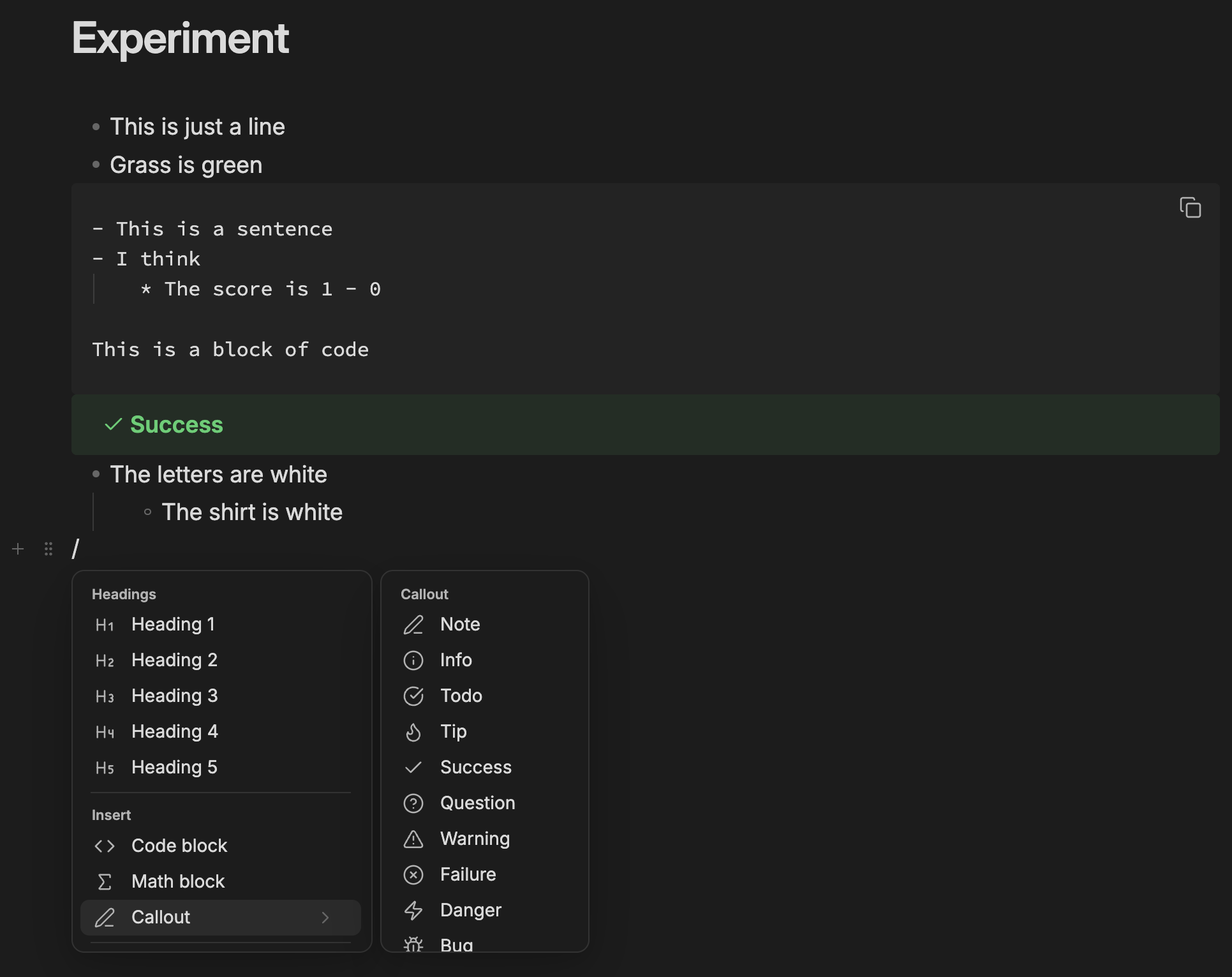
Installation
Community plugins
- Settings → Community plugins → Browse.
- Search for Feel the Notion, then Install.
- Enable it.
Manual
- Download
main.js,manifest.jsonandstyles.cssfrom the latest release. - Put them in
<vault>/.obsidian/plugins/feel-the-notion/. - Enable the plugin in Settings → Community plugins.
Credits
Forked from BCS1037/notion-block v1.4.0 (MIT).
Built with the help of Claude Code.
License
MIT. See LICENSE.
For plugin developers
Search results and similarity scores are powered by semantic analysis of your plugin's README. If your plugin isn't appearing for searches you'd expect, try updating your README to clearly describe your plugin's purpose, features, and use cases.