by mx - pai
飞书文档风格的编辑体验:斜杠菜单、图片分栏网格、粘贴自动命名、彩色高亮。Feishu-doc-style editing for Obsidian.
Feishu Lite
飞书文档风格的 Obsidian 编辑体验。 批注、图片、斜杠命令、彩色高亮——每项能力见下方配图展示。
Lark-doc-style editing for Obsidian: annotations, image layout & crop-annotate, slash menu, image grids, paste auto-rename, colored highlights, code line numbers, and more.
功能展示
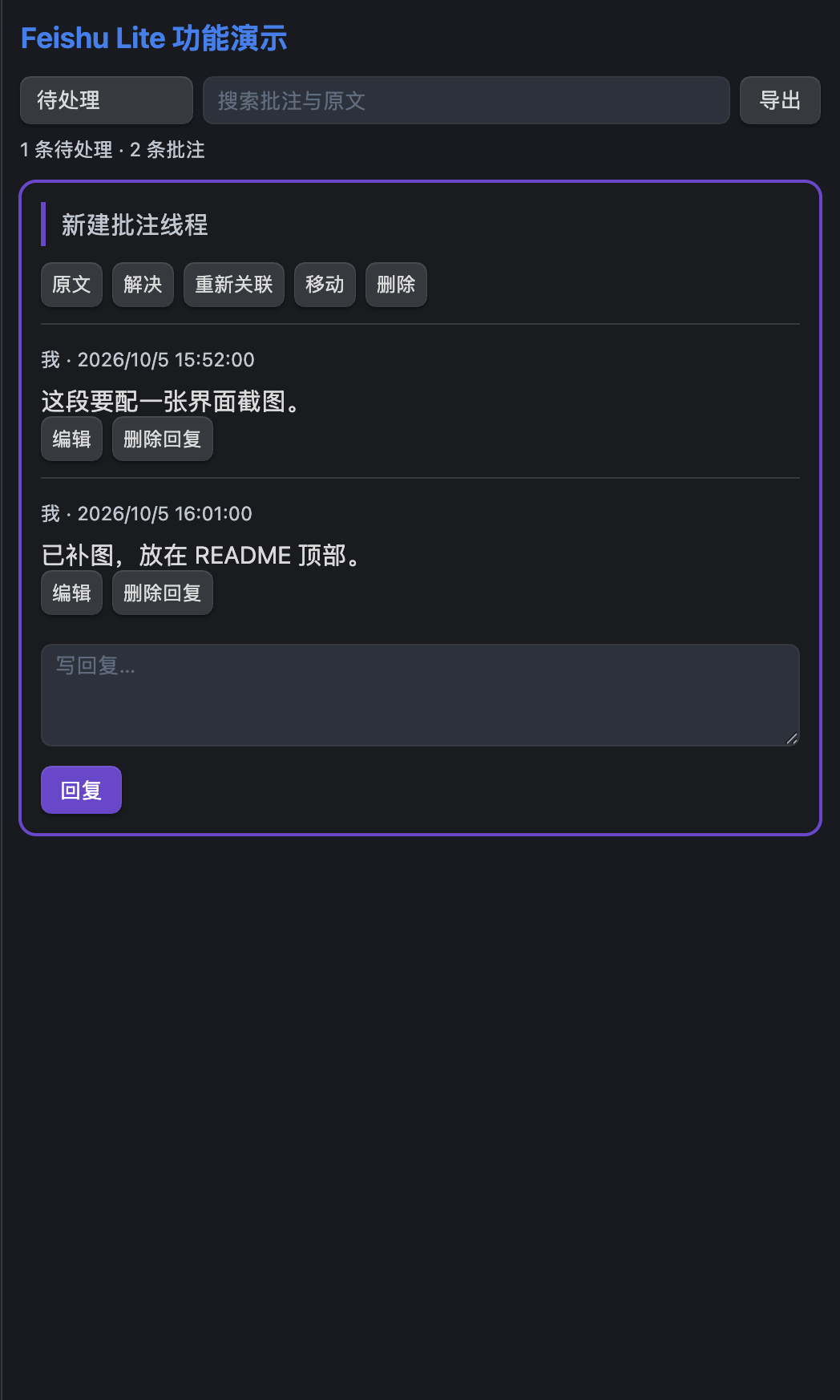
笔记批注 —— 划词新建批注线程,支持回复、解决 / 重新打开;正文标记与侧栏面板,数据保存在笔记内

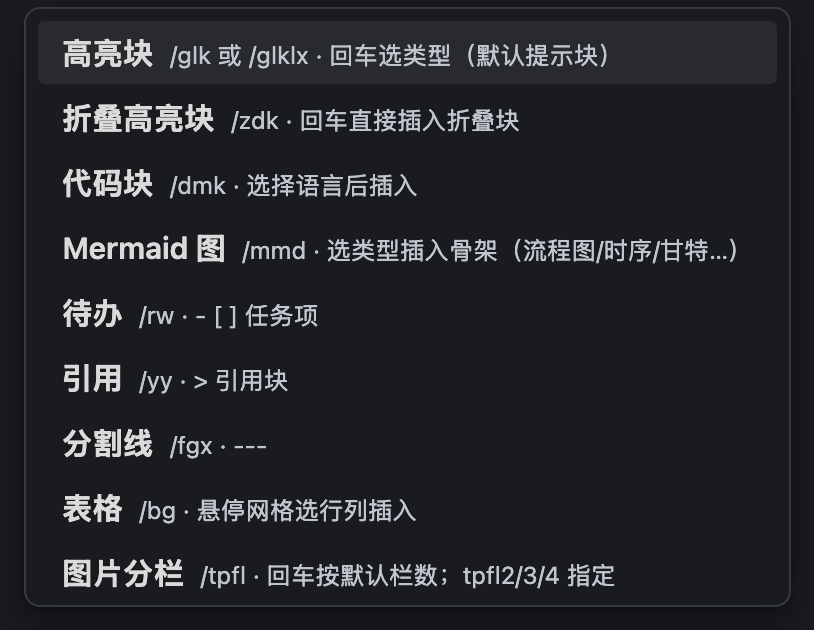
斜杠菜单 —— 行首 / 唤起,中文 / 英文 / 拼音匹配;回车选类型、参数级联展开
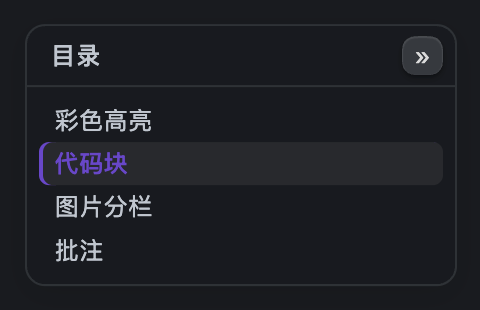
浮动目录 —— 右缘窄轨常驻(移动端为悬浮按钮),悬停 / 点按展开为大纲卡片;多级折叠、滚动跟随、点击跳转
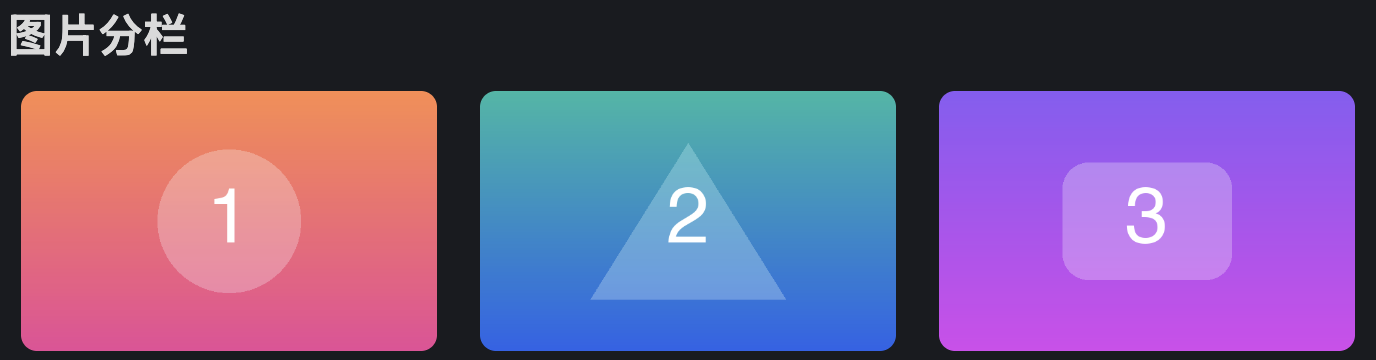
图片分栏 —— img-2/3/4 网格,多图粘贴自动成栏
彩色高亮 —— =={red}文字== 七色,划词工具条一键套用

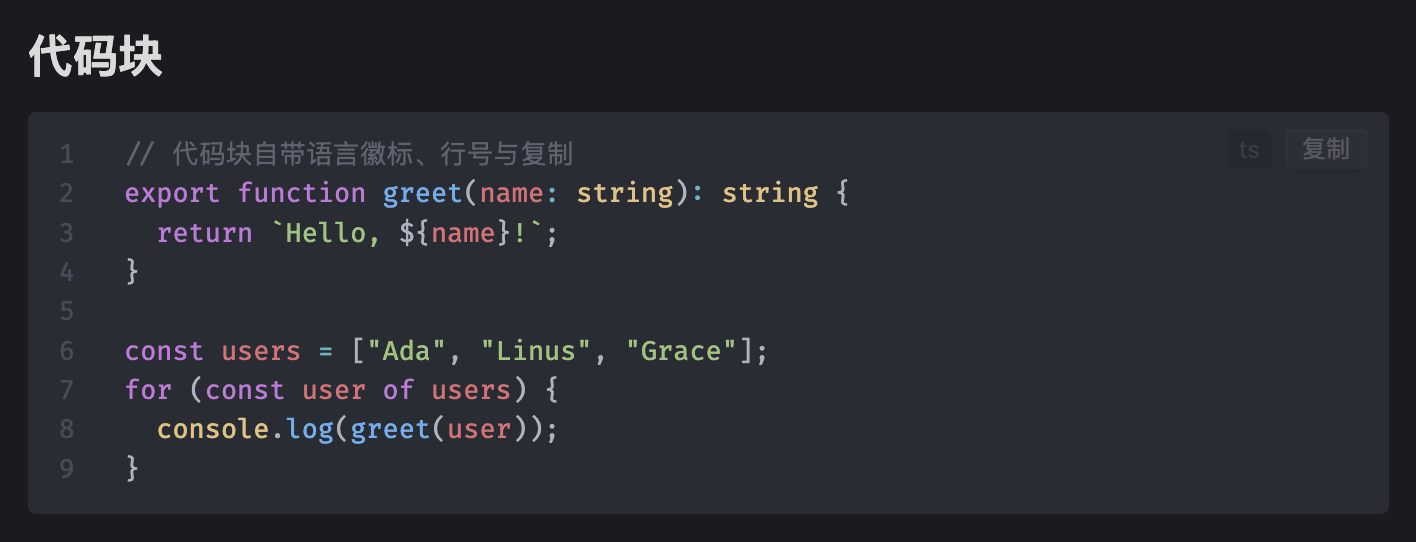
代码块行号 —— 语言徽标、行号与复制按钮
功能亮点
- 笔记批注 — 划词工具条新建,正文标记展开;回复、解决 / 重新打开、重新关联、跨笔记移动、搜索与导出;桌面侧栏、手机底部弹层,数据保存在笔记内;实现说明见 批注与图片编辑架构
- 图片工具条 — 拖边缘缩放、点一下居中、就地写图注;右键提供精确宽度、完整对齐、图文并排、分栏换位、查看、替换和裁剪标注
- 图片裁剪与标注 — 裁剪、完整实心箭头、方框、画笔、文字、选择移动 / 删除、撤销 / 重做;箭头按预览笔宽绘制,保存新 PNG 并保留原图和可编辑项目
- 斜杠菜单 — 行首
/,中文 / 英文 / 拼音匹配;参数化命令双栏级联,回车即用 - 图片分栏 —
img-2/3/4网格,阅读 / 编辑双端渲染;多图粘贴自动成栏 - 粘贴自动命名 —
{note}-{date}-{i}模板存入附件目录,可选 WebP / JPEG 压缩 - 彩色高亮 —
=={red}文字==七色;划词工具条(高亮 / 内联代码 / 删除线,再点取消) - 表格 / 列表增强 — Tab 跳格自动对齐、行列增删;
Cmd+Shift+↑/↓移动子树;对 Advanced Tables / Outliner 自动让位 - 阅读视图美化 — 代码块徽标 / 复制 / 行号、表格斑马纹
- 图片查看器 — 右键图片点「查看图片」悬浮放大:滚轮缩放、拖拽平移、Esc / 点击空白关闭(关闭图片工具条时保持直接点击查看)
- 浮动目录 — 右侧悬浮大纲:多级标题折叠(滚动进折叠分支自动展开);桌面悬停展开,移动端悬浮按钮点按展开;滚动跟随、点击跳转
- 还有 — Mermaid 骨架、中英混排美化、阅读位置记忆(仅桌面端)、附件自动清理、目录页自动化
Features
- Note annotations — Selection-toolbar comments, replies, resolve/reopen, reassociate, move between notes and export; note-owned portable data, desktop sidebar and mobile sheet
- Image tools — Aspect-ratio drag resize, one-click centering and inline captions; secondary actions live in the image context menu
- Crop & annotate — Crop, arrows, rectangles, pen and text with undo/redo; export a new PNG and retain its original and editable project
- Slash menu —
/at the start of a line, with Chinese / English / pinyin matching; two-pane cascading pickers for parameterized commands - Image grids —
img-2/3/4callout layouts rendered in reading and editing views; multi-image paste wraps automatically - Paste auto-rename —
{note}-{date}-{i}templates into your attachment folder; optional WebP / JPEG compression - Colored highlights —
=={red}text==(seven colors) plus a selection toolbar (highlight / recolor / inline code / strikethrough, click again to remove) - Table & list enhancements — Tab navigation with auto-alignment, row and column editing,
Cmd+Shift+↑/↓subtree moves; yields to Advanced Tables / Outliner - Reading view polish — code block badges, copy button and line numbers, zebra tables
- Image lightbox — choose View Image in the context menu: wheel scaling, drag to pan, Esc / click-outside to close (reading & editing views)
- Floating outline — collapsible heading tree, scroll-following highlight, click to jump; hover-to-expand rail on desktop, tap-to-expand floating button on mobile
- Also included — Mermaid snippets, CJK–Latin spacing, reading position memory (desktop only), attachment cleanup, index-page automation
安装 / Installation
- 社区插件市场 / Community plugins:设置 → 社区插件 → 搜索 "Feishu Lite" / Settings → Community plugins → search "Feishu Lite"
- 社区页面 / Community page:community.obsidian.md/plugins/feishu-lite — 一键 Add to Obsidian / one-click install
- 手动 / Manual:从 Releases 下载
main.js、manifest.json、styles.css,放入<vault>/.obsidian/plugins/feishu-lite/后启用 / download from Releases into<vault>/.obsidian/plugins/feishu-lite/, then enable
Requires Obsidian 1.7.2+ · MIT License
开发 / Development
npm install
npm test        # 纯逻辑 + 并发/恢复与附件安全测试
npm run build   # 类型检查 + esbuild 生产构建 → main.js
第三方斜杠菜单扩展 / Third-party slash items
其他插件可以把自己的入口注册进斜杠菜单(与内置项同规则匹配;本插件未启用时该 API 不存在,注册前请自行判空):
const fl = (this.app as any).plugins.plugins["feishu-lite"];
const off = fl?.slashMenu?.register({
  id: "your-plugin:action",        // 唯一标识(建议带插件前缀);同 id 重复注册即覆盖
  name: "菜单显示名",
  keys: ["dongzuo", "dz", "动作"],  // 匹配键:英文 / 拼音 / 中文,任一前缀或包含即命中
  hint: () => "说明行(可传函数,每次渲染时求值)", // 可选
  secondary: false,                // 可选:true = 输入关键词才出现
  run: (editor, file) => { /* /query 已被吃掉,光标处可直接插入 */ },
});
this.register(() => off?.());      // 卸载时注销(register 返回注销函数)
register 校验不通过抛 Error。Other plugins can register entries into the slash menu via plugin.slashMenu.register(item) — required: id / name / keys / run(editor, file); optional: hint (string or function), secondary. Validation errors throw; the returned function unregisters.
第三方划词动作扩展 / Third-party selection actions
其他插件可以把动作注册进本插件的两条划词浮条——编辑器划词工具条 + 阅读视图批注条(批注功能关闭时批注入口隐藏,第三方动作不受影响):
const fl = (this.app as any).plugins.plugins["feishu-lite"];
const off = fl?.selectionActions?.register({
  id: "your-plugin:translate",   // 唯一标识(建议带插件前缀);同 id 重复注册即覆盖
  label: "译",                    // 动作文字(工具栏空间有限,建议 1~2 字)
  title: "翻译选中内容",           // 可选:悬停提示
  multiLine: true,               // 可选:跨行选区也显示(默认 false,与内置格式工具一致)
  run: (editor) => { /* 编辑器工具条给 Editor,阅读批注条给 null(自行从 DOM 读选区) */ },
});
this.register(() => off?.());     // 卸载时注销(register 返回注销函数)
协调契约:本插件的两条划词浮条根元素都带 data-fl-ui 标记——其他划词浮层(如翻译弹窗)可用 event.target.closest('[data-fl-ui]') 判断「点在本插件 UI 上」并避让,不必硬编码内部 class。
register 校验不通过抛 Error。Other plugins can register actions into both selection bars (editor toolbar + reading-view comment bar) via plugin.selectionActions.register(item) — required: id / label / run(editor|null); optional: title, multiLine (show for multi-line selections). Both bars are marked with data-fl-ui for cross-plugin layering coordination. Validation errors throw; the returned function unregisters.
For plugin developers
Search results and similarity scores are powered by semantic analysis of your plugin's README. If your plugin isn't appearing for searches you'd expect, try updating your README to clearly describe your plugin's purpose, features, and use cases.