by Anthirayas
Route pasted files into per-folder asset folders and manage saved assets on one page.
Foldwise
Paste a screenshot into a note and Foldwise saves it in the right folder. Then it gives you one page to find, rename and move every image and PDF you have saved.
What it does
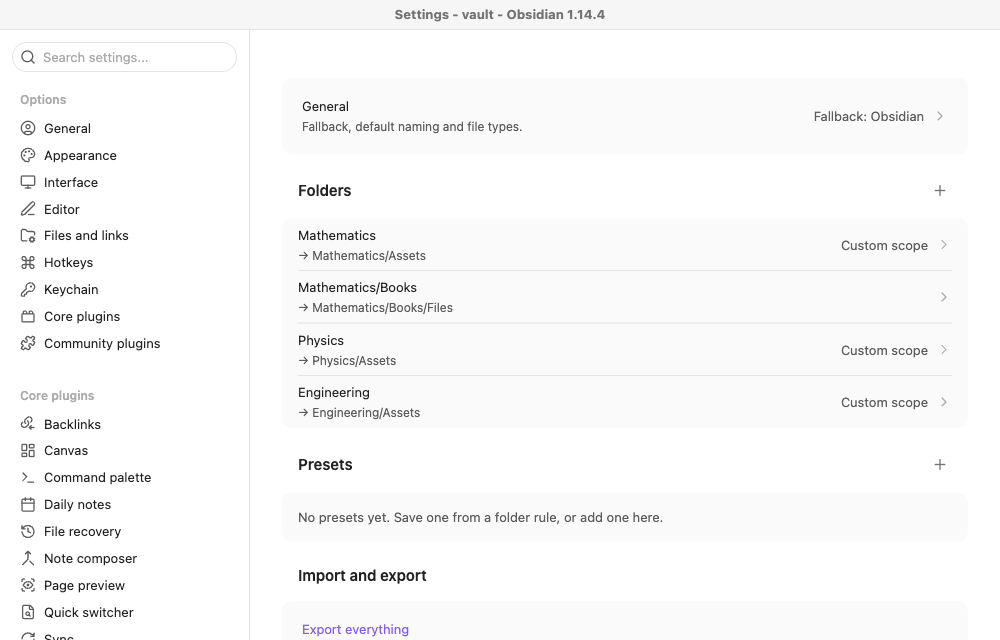
Saves pasted files where you want them. Give a folder a rule, such as "notes in Physics save to Physics/Assets". Subfolders follow the nearest rule, and you can exclude some of them. Files are named like Physics-ramp-20261013-1.png, and nothing is ever overwritten.
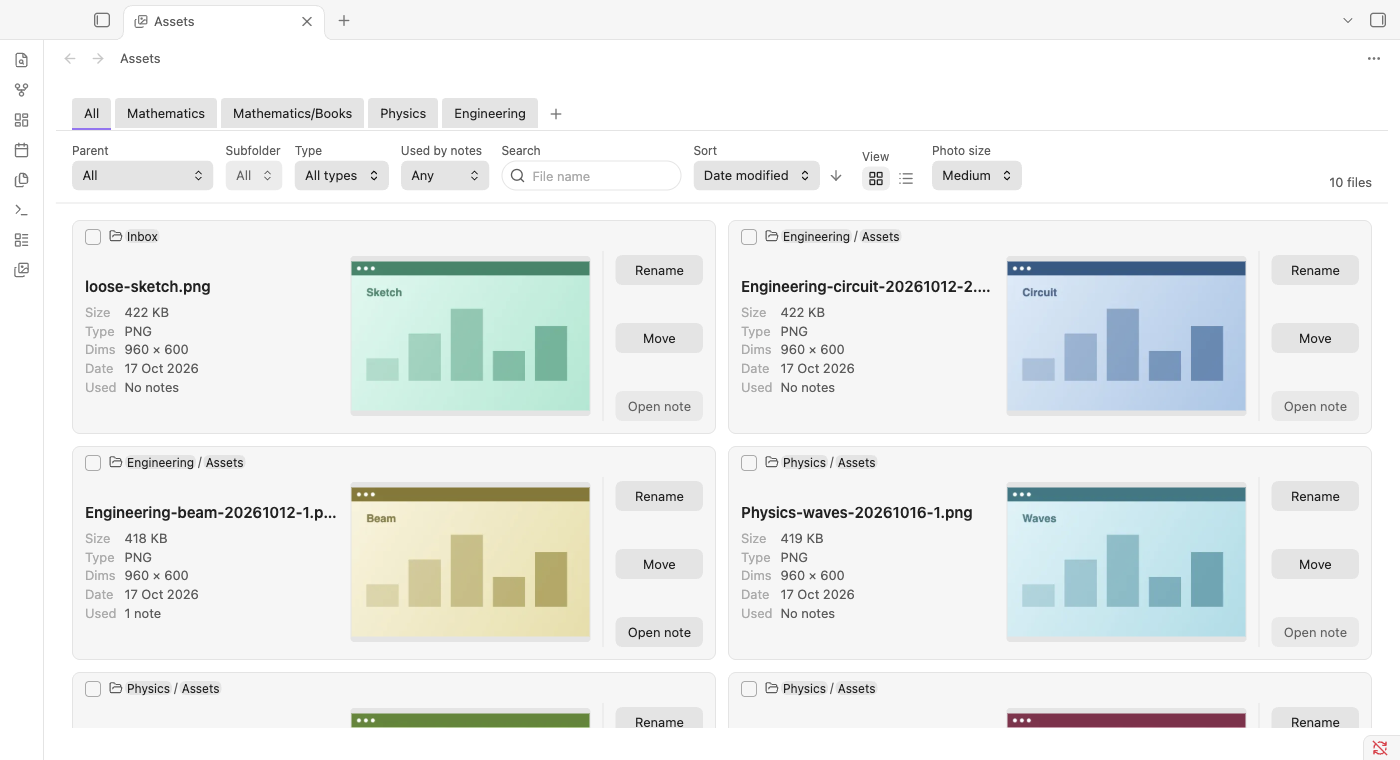
One page for everything you have saved.
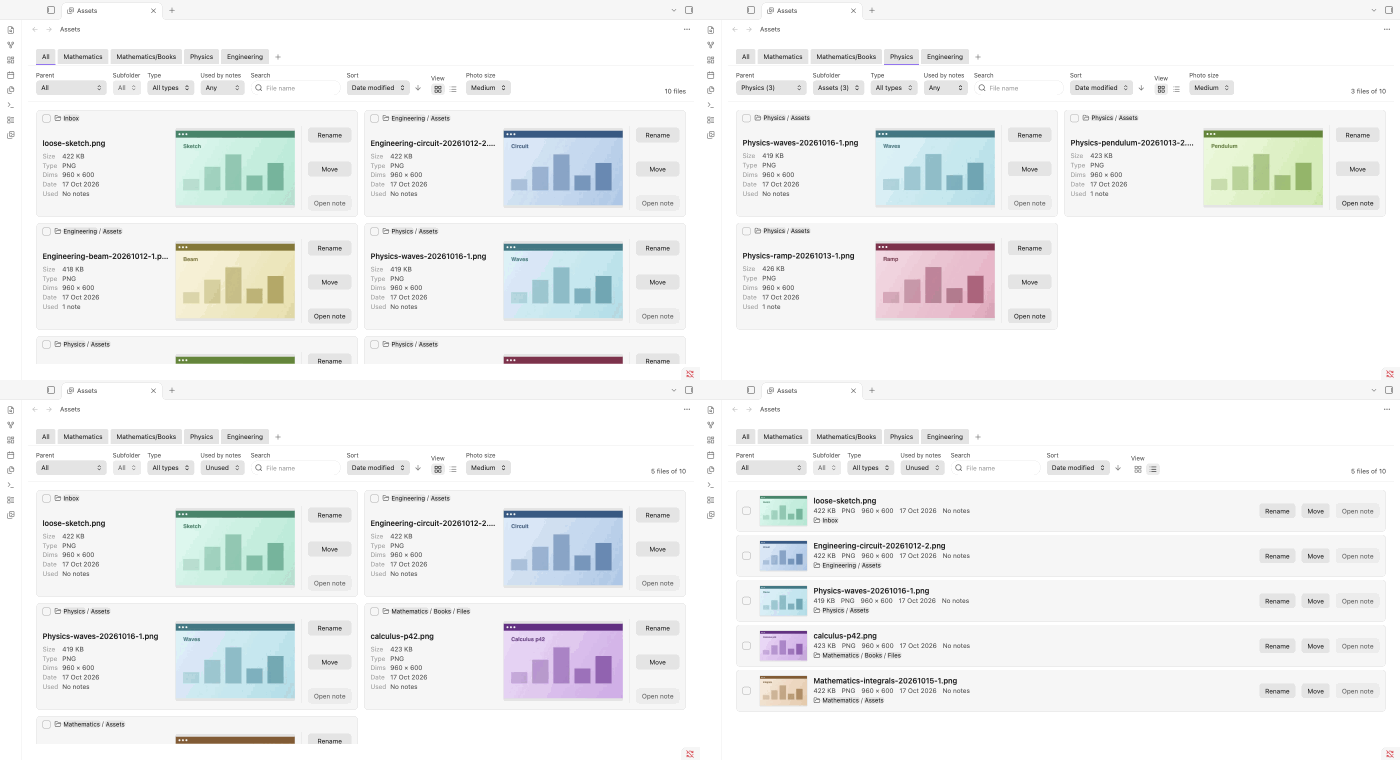
- Browse as a grid or a list, with a tab for each folder rule.
- Filter by folder, type, name, and whether any note uses the file.
- Rename or move a file and every link to it keeps working.
- Rename or move many files at once.
- Open the note that uses a file.
- Handles 10,000+ files smoothly. Small cached previews live in the plugin's own folder, never in your vault, and your original files are never copied.
Set up
Open Settings → Foldwise, then add a folder under Folders. Pick the folder it applies to and where its files should go. The page has a live summary and a test box where you can try a note path.
Open the page from the ribbon icon, the command palette ("Open asset manager"), or by right-clicking a folder and choosing Open assets for this folder.
You can also keep naming and scope settings as presets, and export or import everything as plain JSON.
Install by hand
- Run
npm installand thennpm run build. - Copy
main.js,manifest.jsonandstyles.cssinto<your vault>/.obsidian/plugins/foldwise/. - Turn the plugin on under Settings → Community plugins.
Needs Obsidian 1.13.4 or newer. It works on desktop; mobile has not been tested on a real device.
Development
npm run dev rebuilds on change, npm test runs the tests, and npm run lint checks the code. The design is in docs/SPEC.md.
Licence
MIT © 2026 Anthirayas. Free to use, change and share, as long as the licence notice stays with it.
For plugin developers
Search results and similarity scores are powered by semantic analysis of your plugin's README. If your plugin isn't appearing for searches you'd expect, try updating your README to clearly describe your plugin's purpose, features, and use cases.