Gamificate your PKM
approvedby saertna
Enhance your Personal Knowledge Management with gamification elements. Boost motivation and achieve growth as you engage with your PKM.
Gamificate your PKM
🌟 Elevate Your Knowledge Management with the Obsidian Gamification Plugin! 🚀
Hello, fellow learners and knowledge seekers! 📚 If you're as passionate about personal growth as I am, and you believe that motivation is the key to unlocking new horizons, then you're in for something special.
Hey there! 👋
Imagine transforming your knowledge management into an adventure where every step forward is a celebration. Introducing the Obsidian Gamification Plugin – a tool designed to harness the motivating power of game techniques and apply it to our pursuit of knowledge.
This plugin reimagines the way we interact with our knowledge base. By integrating game-like elements, it offers rewards for your progress, nurtures consistency, and makes the journey of learning a truly motivating experience. From achieving milestones to conquering challenges which shape your learning path, this plugin adds a layer of excitement to your knowledge management process.
The purpose of this plugin is to support you to foster your personal knowledge. The principal idea is to have a positive impact on society by connecting ideas across your knowledge, work, and personal life through better thinking. This is a big thing to say, and I still believe in it. This is relevant whether your knowledge management is for personal improvement, for business reasons or for charity. With better thinking comes better outcomes. Personal knowledge management takes time to pay out, and this plugin will help you bridge the time till then. It generates fun and excitement, maintaining high motivation even long after your PKM has started to provide returns on the time you've invested.
Why Support on Ko-Fi is Vital?
I'm the creator behind this venture, and I'm genuinely thrilled to share it with you all. Building and refining this plugin is a commitment that requires resources. By showing your support on Ko-Fi, you're directly contributing to:
-
Enhancing Motivational Techniques: Your contributions enable me to refine the plugin, introduce new motivational features, and enhance the overall user experience based on your insights.
-
Expanding the Experience: More challenges, more opportunities! With your support, I can craft diverse quests and challenges that cater to various learning paths and interests.
-
Sustaining Continuous Progress: Just like life itself, this plugin is a journey. Your support ensures that it receives regular updates, improvements, and remains aligned with the latest advancements.
🎉 How Can You Contribute?
If you resonate with the idea of infusing motivational game techniques into personal development, consider fueling my motivation with a virtual coffee on Ko-Fi. Your support plays a significant role in unlocking the full potential of this plugin!
👉 
Thank you for being a part of this movement to revolutionize our approach to knowledge management. Let's harness the power of motivation and level up our learning journey together! 🌐🌱
Installation
Follow the steps below to install "Gamificate your PKM".
- Search for "Gamificate your PKM" in Obsidian's community plugins browser
- Enable the plugin in your Obsidian settings (find "Gamificate your PKM" under "Community plugins").
- Check the settings. Maybe you would like to exclude TAGs (more about it below).
- The plugin needed to be installed and enabled to be fully operational
dataviewfor the number of notes in specified note maturity (0-5)
- In Obsidian, hit
CTRL+Pand run the commandInitialize gamification ratings - Create and improve notes and rate them again to increase points
Embark on a Motivational Journey!
Additional config information
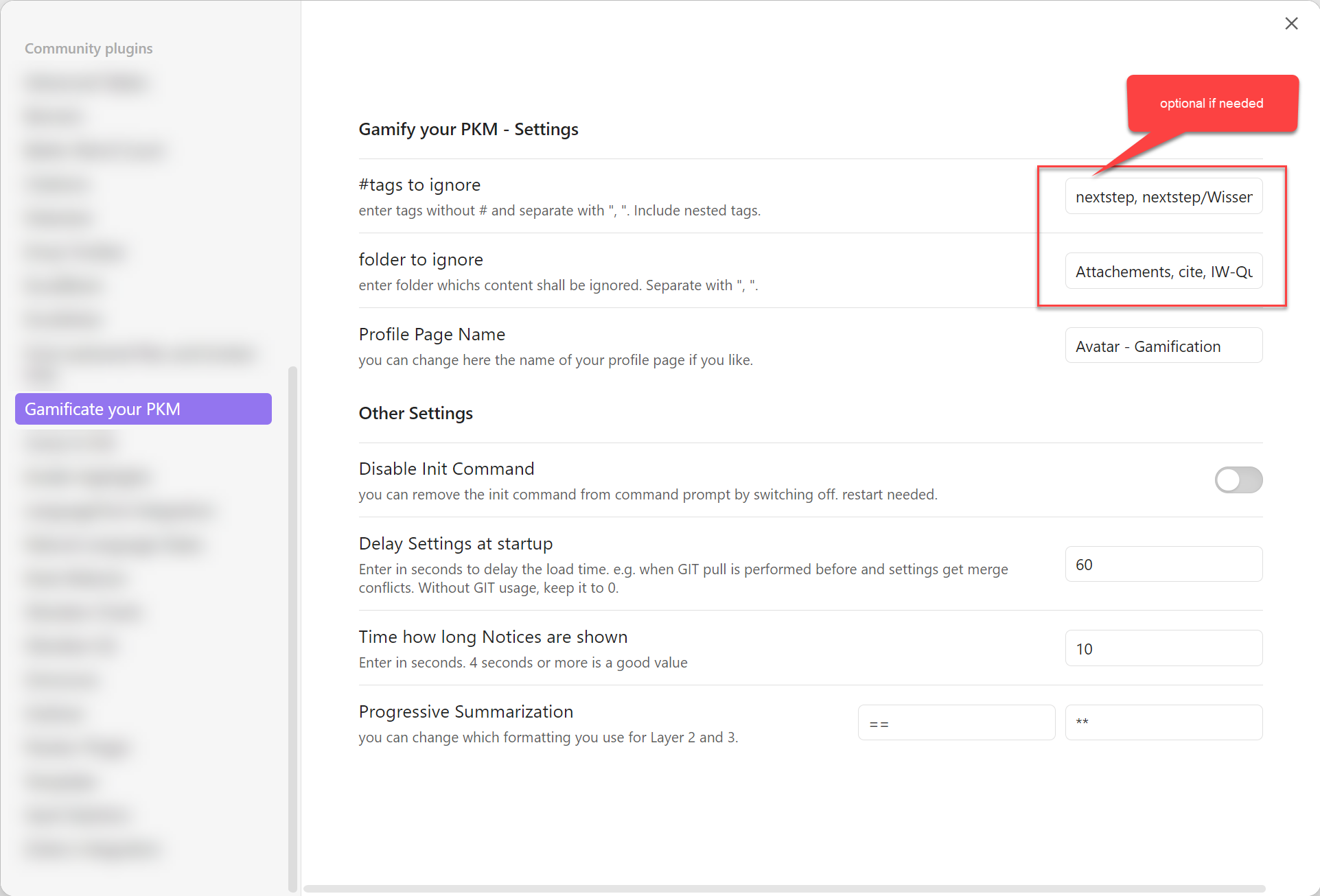
In some cases, the same vault is used for other activities as well as the knowledge management shall stay separated. Then you can exclude #tags and/or folders, which shall not be used when initialized. By default, the folder 'Excalidraw' is entered. You can ignore this setting if you want to use all files in your vault for your pkm.
Getting Started
Initialise game
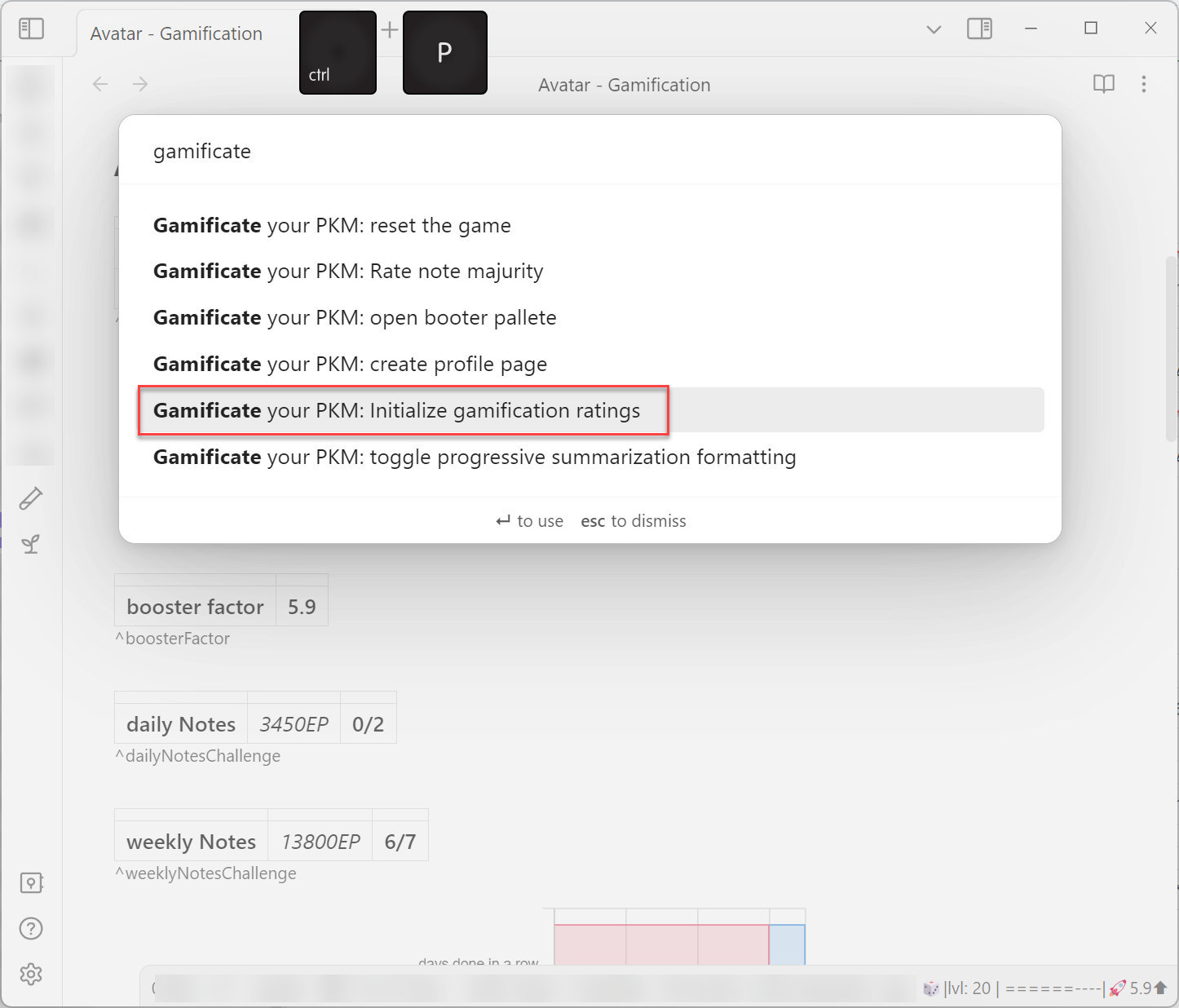
When not already done during installation, hit CTRL+P and run the command Initialize gamification ratings.
This command will rate all you notes (the ones which are not excluded by TAG and/or folder). You will be informed when the initialization is finished.
The resulting points, level, and distribution of note ratings will be displayed in the leaf. When the leaf is not open, you can open it with the command Open Profile Leave.
Next steps
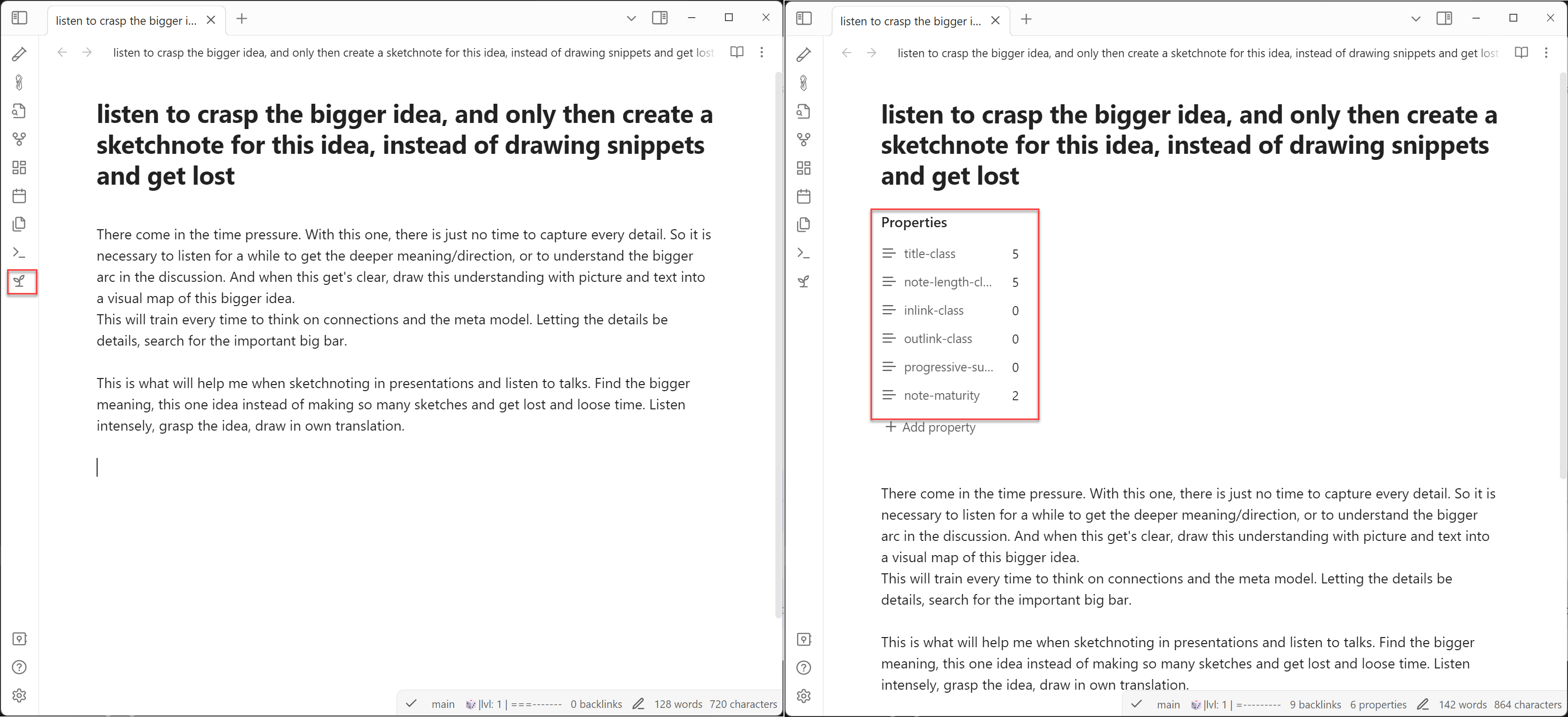
Create a new note and use the plant-icon on the side or CTRL+P or and the command Rate note maturity.
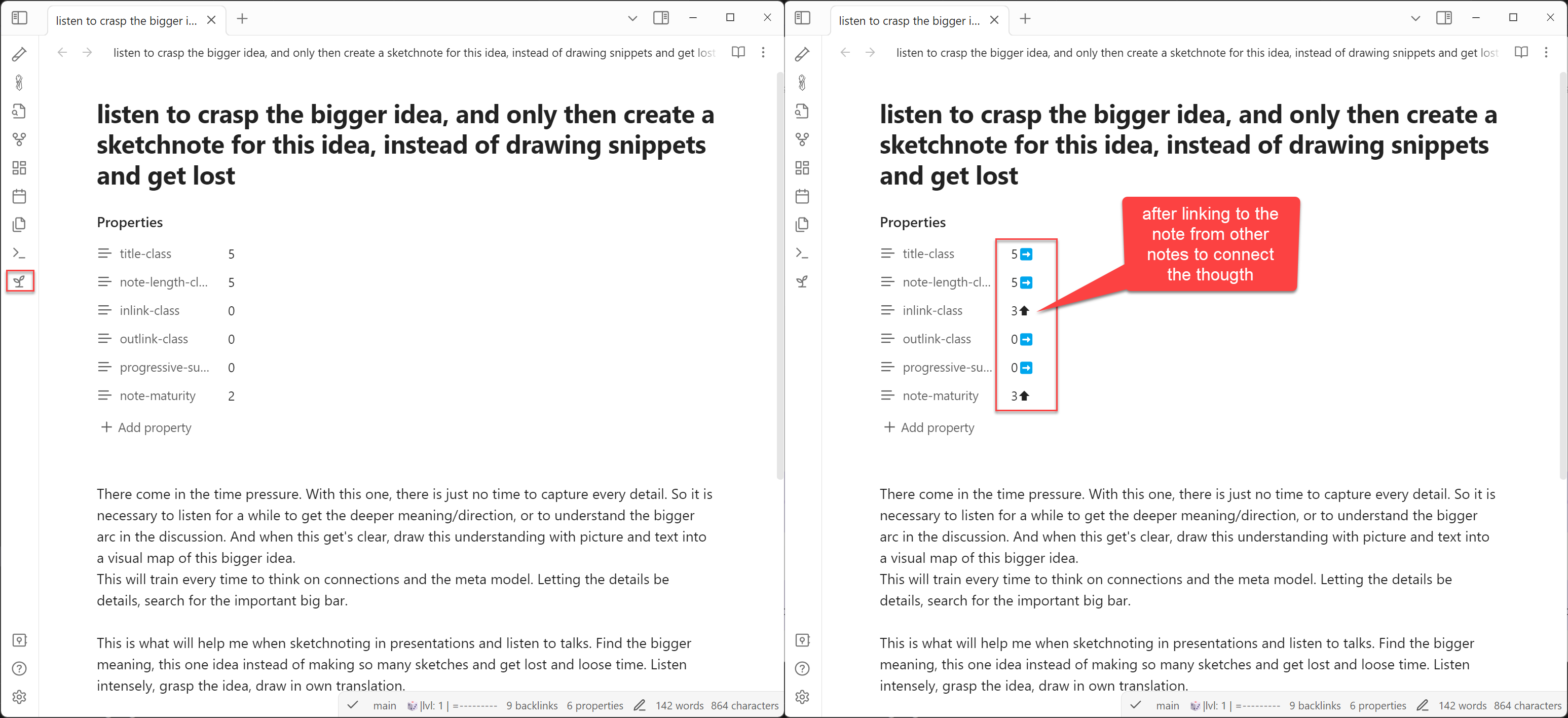
work on an existing note, improve your thoughts, your title, link it to other fitting notes, and run CTRL+P and run the command Rate note maturity, or use the plant-icon.
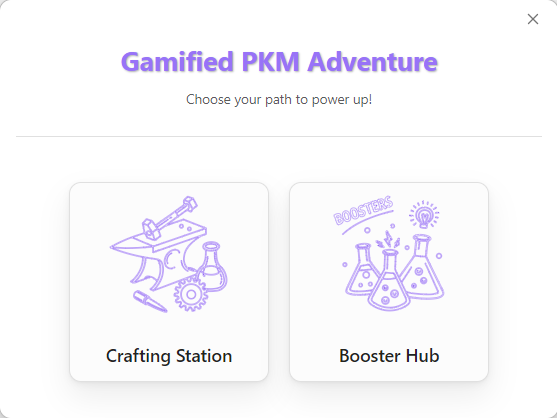
Boosters
When you have progressed for a while (rated several new notes) boosters will be enabled. You will be informed with a message when you have archived them.
The boosters can be opened with the test tube icon or with the command Open booster pallete. (When you don't like to see the icon, all icons can be controlled directly in Obsidian if they shall be shown or not. Just do a right click on the icon area.)
Rating of a new note will bring you a chance to collect ingredients, with which you can craft boosters to speed up your progress.
For each booster you can display a description by using the ? button, or just hoovering above the icon. Hoovering with the mouse over the ingredient icon will display its name.
Ratings
There are four rating categories with which your note will be rated
- title
- note length
- inlinks
- outlinks
Out of this four category, an overall rating will be calculated (
note-maturity).
The ratings are based on statistics, so it's a pure calculation. There's no reflection on the content itself.
Title
A very short or a very long title (filename) will get a low rating. When you have a meaningful and to the point title expressing the core of your thought, the title will have a certain range of lengths. This leads to a high rating. On the other hand, when you need a long title to express what's your note about, you should work at it to increase the rating.
This said, when you feel pretty fine with your title, but it's a low rating, don't mind and keep it as it is. The rating is based on character length, not content.
Note length / summarization
A very short note (a sentence) gets a low rating. A long text about several pages will get a low rating as well. A note which has roughly the length of an A5 index card will get a high rating.
Inlinks
A good number of links from other notes to the rated one will increase the rating. Overlinking will decrease it.
(It's on the roadmap to deal with Hub/MOC notes which have by nature high link numbers)
Outlinks
A good number of links from the rated one to other notes will increase the rating. Overlinking will decrease it.
(It's on the roadmap to deal with Hub/MOC notes which have by nature high link numbers)
🤝 Contributing
This project is driven by a mission to strengthen society through better thinking. Whether you are a PKM enthusiast, a developer, or a gamification expert, your contribution helps bridge the "Second Brain Gap."
I welcome contributions in the following areas:
🧠 Share Your Insights & Feedback
The core of this plugin is to make the "boring" parts of PKM motivating. I’d love to hear from you in the GitHub Discussions:
- Motivation Mechanics: Which game elements (boosters, levels, ratings) keep you going? What feels like a "grind"?
- PKM Methodology: How do you use the plugin with your Zettelkasten? I am particularly interested in how we can better reward atomic notes and meaningful linking.
- Gamification Theory: I follow Yu-kai Chou’s Octalysis Framework. If you have ideas on how to better implement Core Drives like Development & Accomplishment or Epic Meaning & Calling, let's talk!
🐛 Bug Reporting & Quality Assurance
As a professional in Software Qualification, I value precision.
- Report Bugs: If something isn't working, please open an issue with clear steps to reproduce it.
- Onboarding Experience: Was the setup easy? If the "First Time User Experience" was confusing, your feedback helps me improve the flow for everyone.
💻 Code & Technical Improvements
If you want to contribute to the codebase, Pull Requests are welcome!
- Improve the Code: Help me refine the logic or add new features from the roadmap.
- Test Coverage: This is a high priority. I am looking to increase unit test coverage and, more importantly, add integration tests to ensure all game mechanics work together seamlessly.
- Optimization: If you see a way to make the rating calculations more efficient, I’m all ears.
🚀 How to get started
- Fork the repository.
- Create a branch for your feature or bug fix.
- Submit a Pull Request with a detailed description of your changes.
“Better thinking leads to better outcomes. Let’s build a tool that makes thinking an adventure.”
Roadmap
Upcoming developments are in store for the Gamification Plugin! Here's a glimpse into the future:
- further metrics to generate points
- points for index/MOC creation and quality levels
- points for the chain of thoughts
- overview in the sidebar for game elements
- active boosters
- boosters
- additional boosters
- badges
- Add further badges for achievements
- new challenges
- Quests to follow and fulfill
- more stats information on hoover in status bar
For plugin developers
Search results and similarity scores are powered by semantic analysis of your plugin's README. If your plugin isn't appearing for searches you'd expect, try updating your README to clearly describe your plugin's purpose, features, and use cases.