by dimagious
Build a Garmin dashboard in a few clicks: paste a Personal API key, pick sports and metrics, insert a ready Dashy dashboard.
Garmy






Paste a Garmin key. Pick what you care about. Get a dashboard in your note.
Sleep, HRV, resting heart rate, Body Battery, steps, runs, rides, swims and strength sessions, drawn as cards, charts and year maps from your own Garmin data. About a minute from install to your first dashboard.
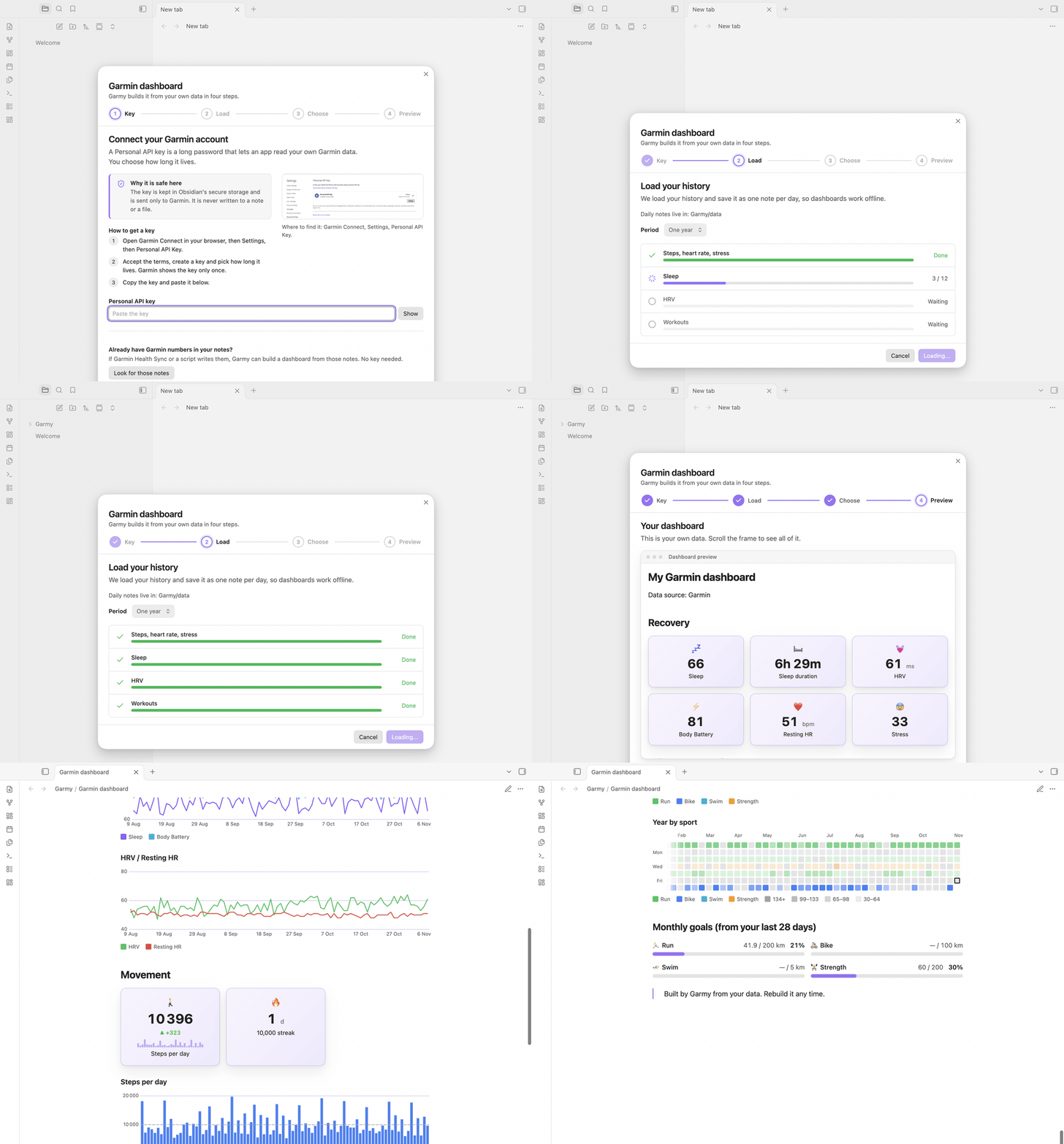
Install: Settings, Community plugins, Browse, search for Garmy. Garmy draws its blocks with Dashy, so install Dashy the same way. Then open the command palette and run Garmy: Build a Garmin dashboard.
Watch the 2 minute overview
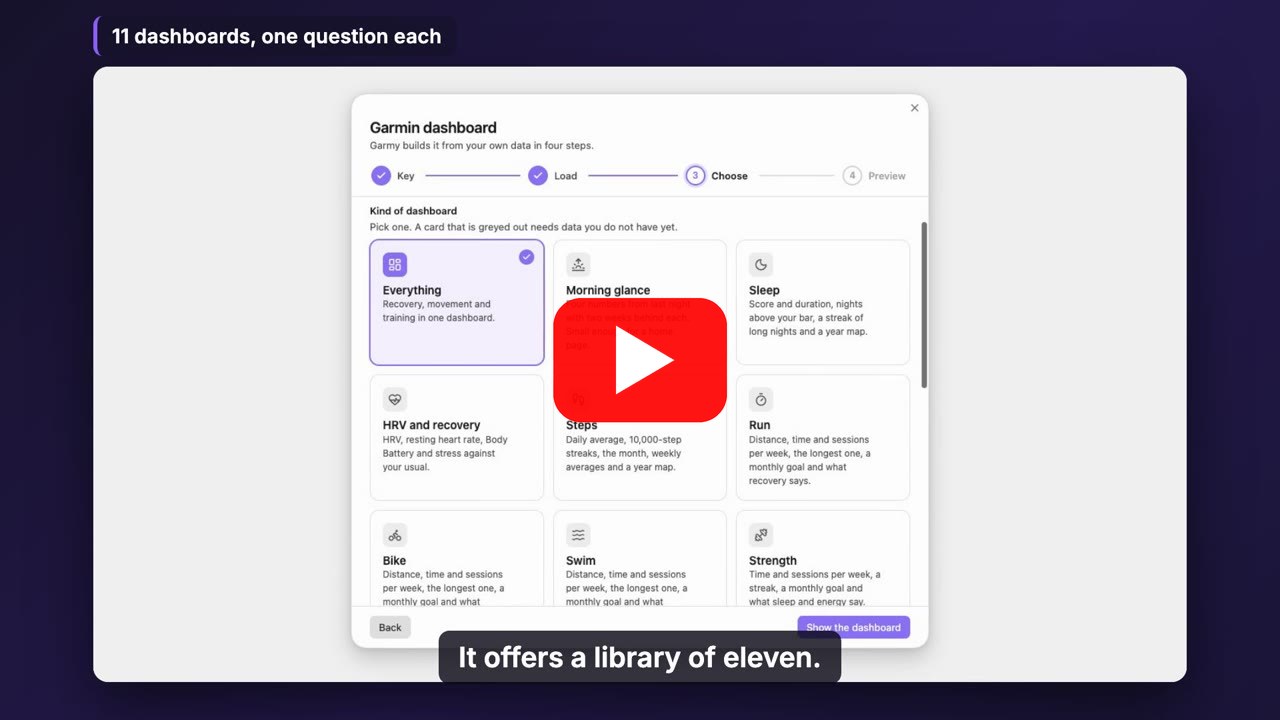
From the Garmin key to a finished dashboard, on my own data. Watch on YouTube.
Website · Guides · Get a Garmin Personal API key · Changelog
Why you might want it
You do not have to learn a query language. Garmy writes the dashboard for you, out of ordinary Dashy blocks in an ordinary note. You can read it, edit it, move it to your home page, or stop using the plugin and keep everything.
It only shows what you actually have. No swimming cards if you never swim. No year map after three days of data. Charts and week-over-week comparisons appear once there is enough history to mean something, and monthly goals come from your own last 28 days, not from someone else's numbers.
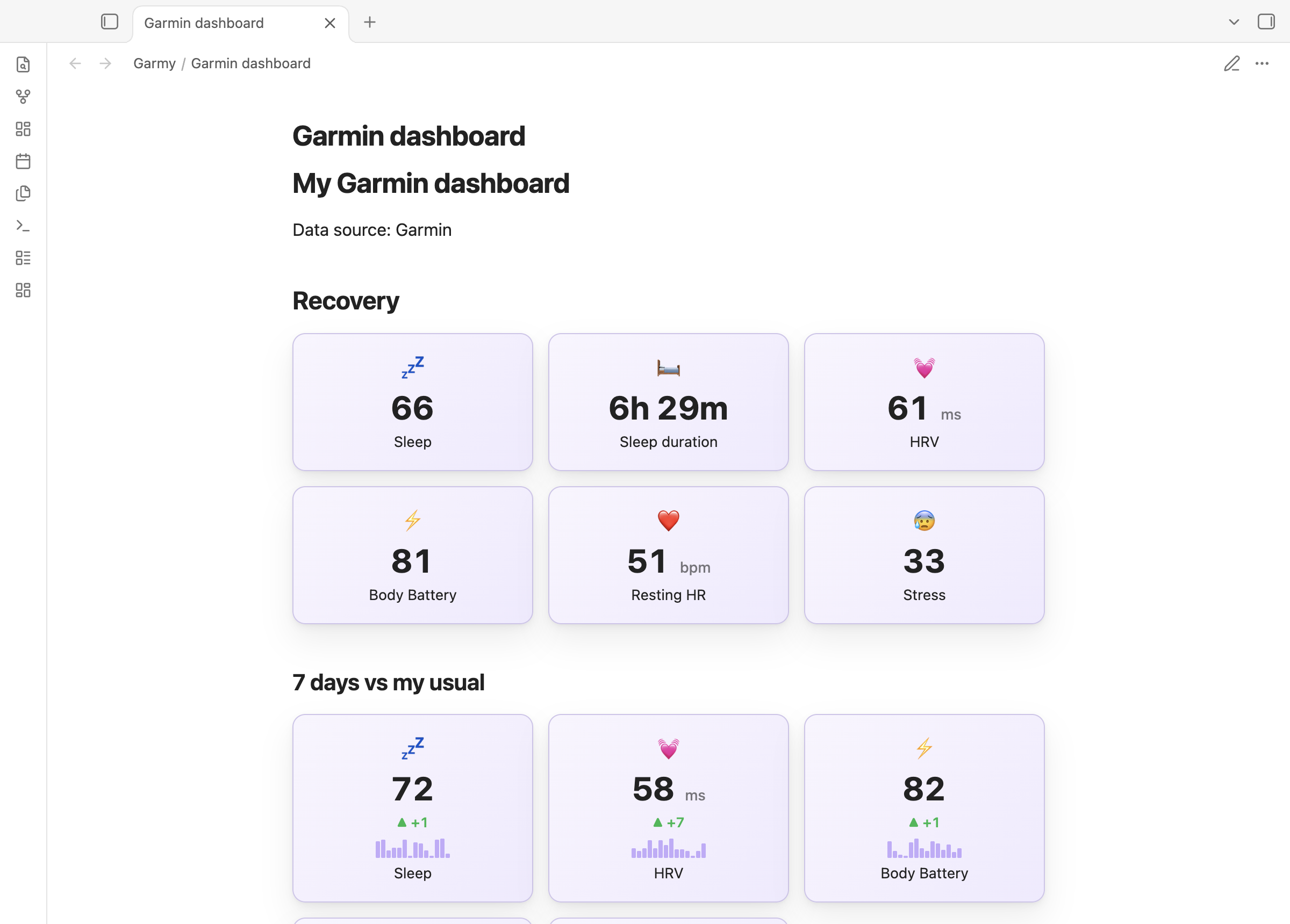
A year of history takes seconds. Garmy reads Garmin's official Personal API in about 17 requests, saves one plain note per day, and from then on your dashboards work offline.
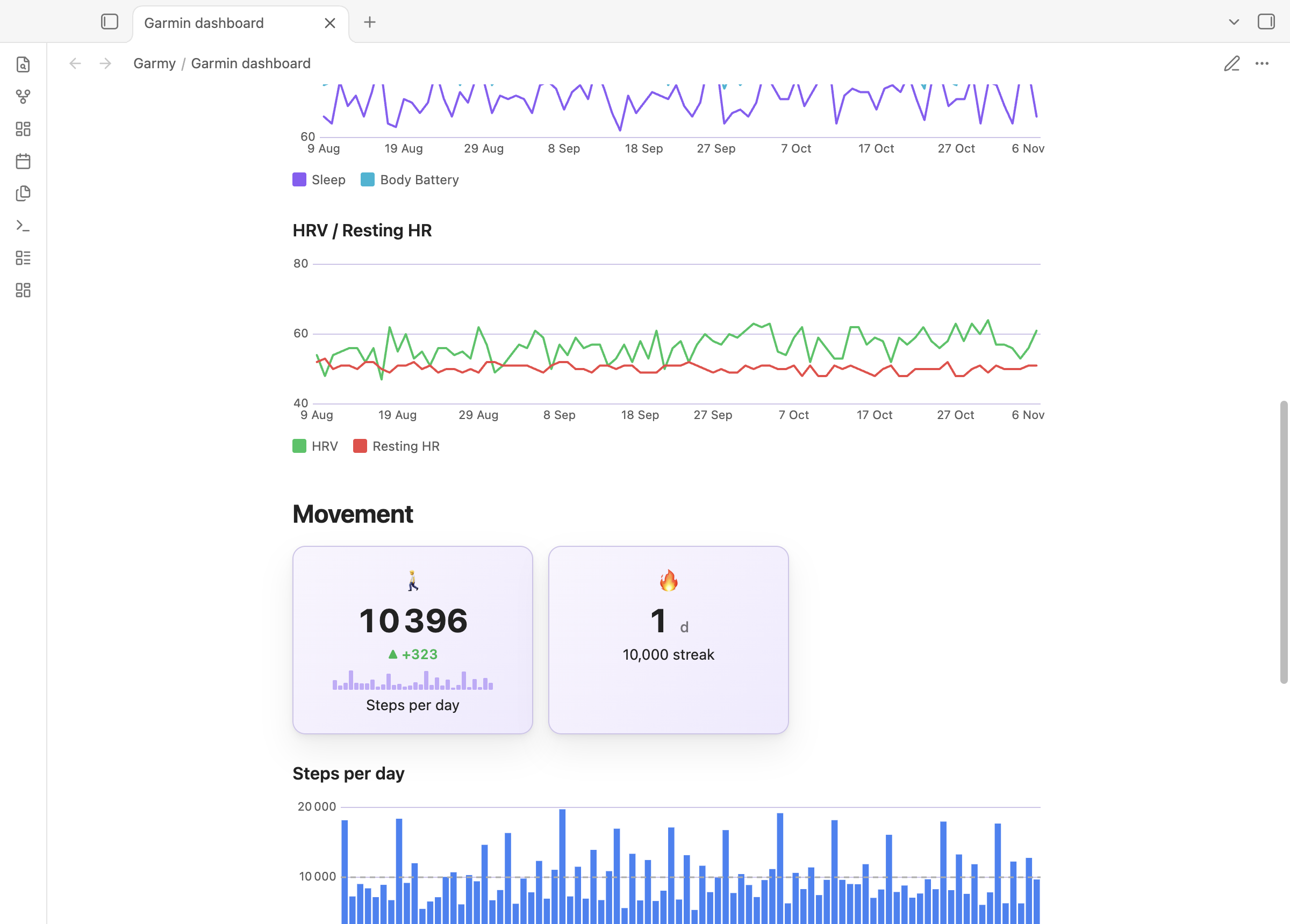
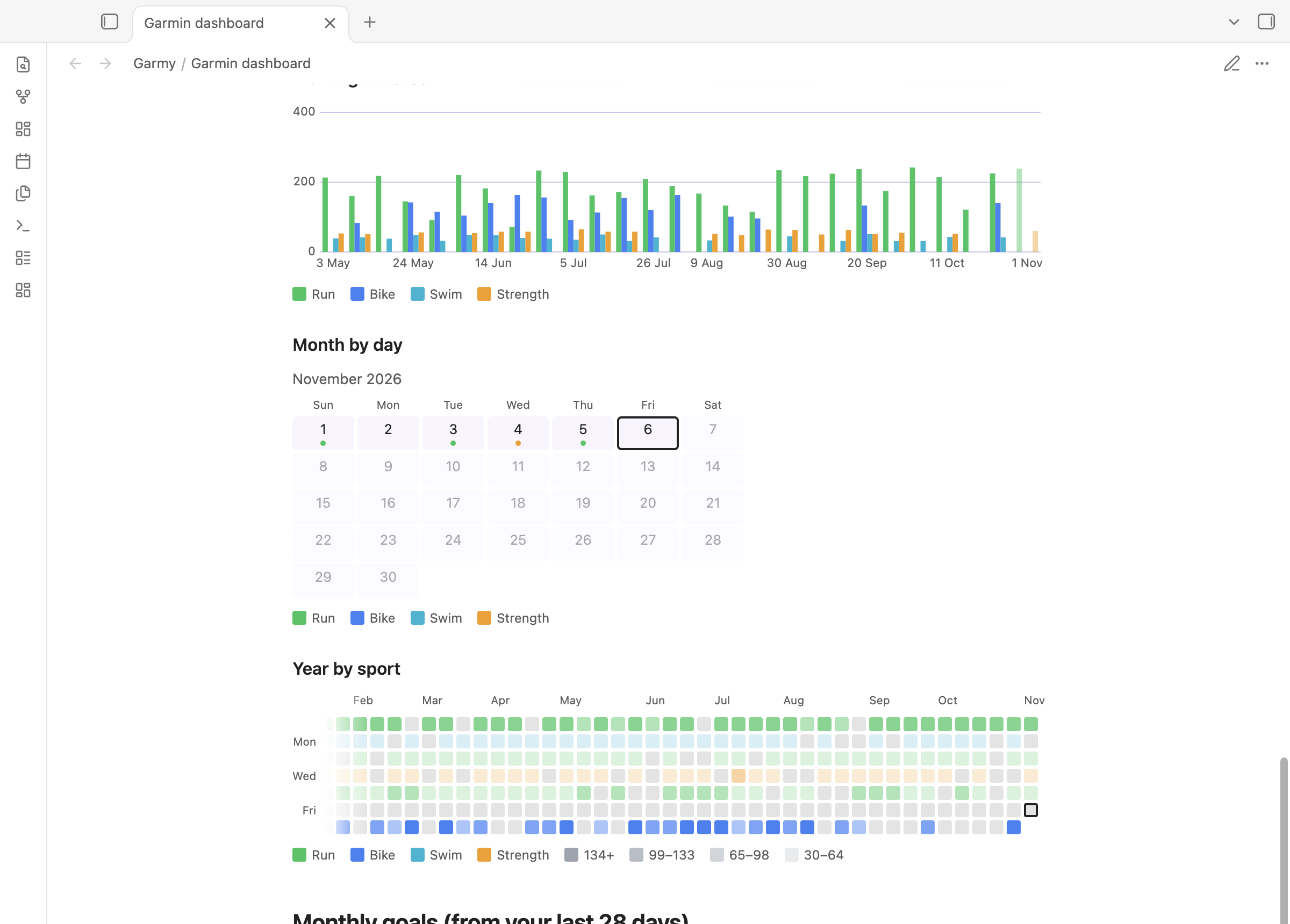
It stays fresh. Garmy syncs shortly after Obsidian starts and then every 6, 12 or 24 hours (your choice, or off). The three most recent days are rewritten on every sync, because a day is not finished until it is over.
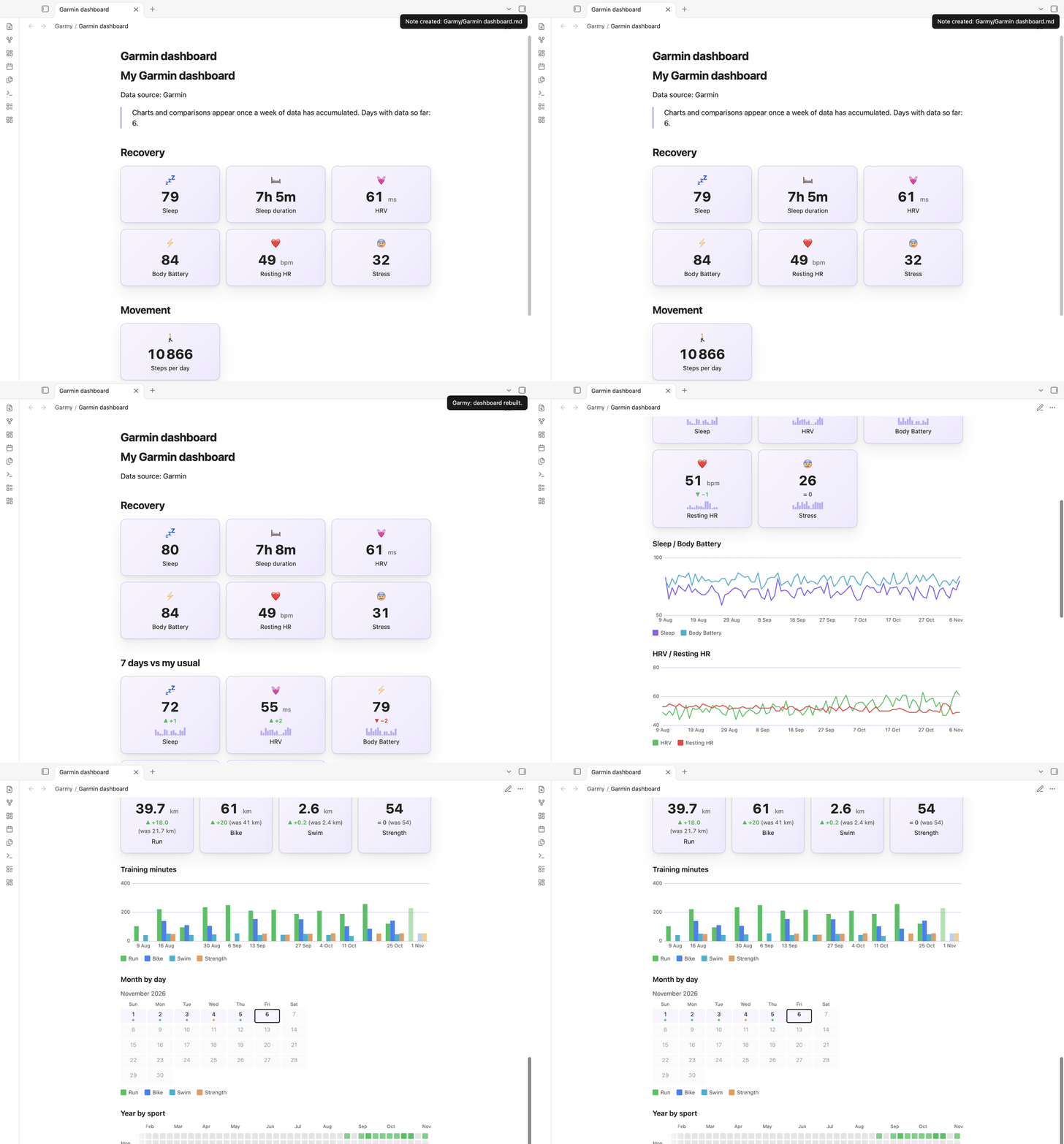
It grows with you. A dashboard built after three days is small. A month later, run Rebuild the dashboard in this note: Garmy regenerates only its own part, adds the charts, year maps and goals that were not possible before, picks up a sport you started since, and leaves everything you wrote around it alone.
Eleven dashboards
The third step of the wizard is a library. Cards the data cannot fill yet are greyed out and say what they wait for, so the list is yours: lifting has no distance, a swim page counts in yards in miles mode, and a sport you never do is not offered.
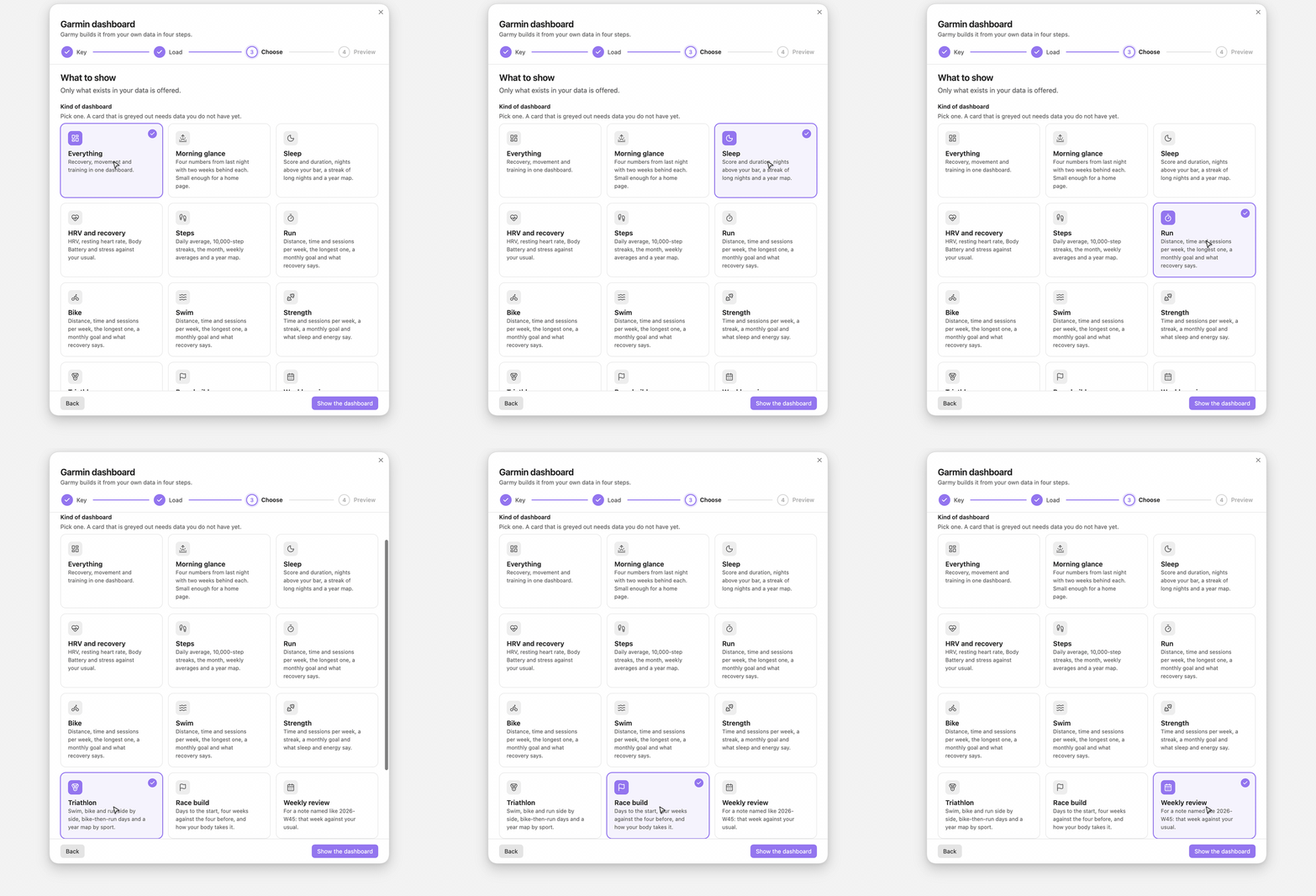
| Dashboard | What it shows | Needs |
|---|---|---|
| Everything | Recovery, movement and training in one dashboard | any data |
| Morning glance | Four numbers from last night with two weeks behind each, small enough for a home page | any data |
| Sleep | Score and duration, nights above 80, a streak of 7 hour nights, a year map | sleep score or duration |
| HRV and recovery | HRV, resting heart rate, Body Battery and stress against your usual | one of those |
| Steps | Daily average, 10,000 step streaks, the month and a goal for it, weekly averages, a year map | steps |
| Run, Bike, Swim, Strength | One sport: this week, this month, the longest, sessions, weekly volume, a goal, and the recovery signals that fit it | that sport |
| Triathlon | Swim, bike and run side by side, bike-then-run days, a year map by sport | two of the three |
| Race build | Days to the start, four weeks against the four before, how your body takes it | a race date or a folder |
| Weekly review | For a weekly note: that week against your usual | any data |
| Monthly review | For a monthly note: that month day by day | any data |
| Year so far | Totals, the longest effort per sport, months side by side, a year map | 60 days |
The kind is stored in the note, so Rebuild the dashboard in this note builds the same kind again. A weekly or monthly review is named for its period (2026-W45, 2026-11) because that name is how Dashy knows which days it counts; if you already keep weekly notes, use Insert into the current note inside one. The guides go through each: the library, running, weekly review, race build and steps.
Seven languages
The wizard, settings and notices follow Obsidian's language and fall back to English: English, Russian, Spanish, German, French, Portuguese (Brazil) and Japanese. The words inside the dashboard are chosen separately, so you can keep an English interface and a dashboard in your own language.
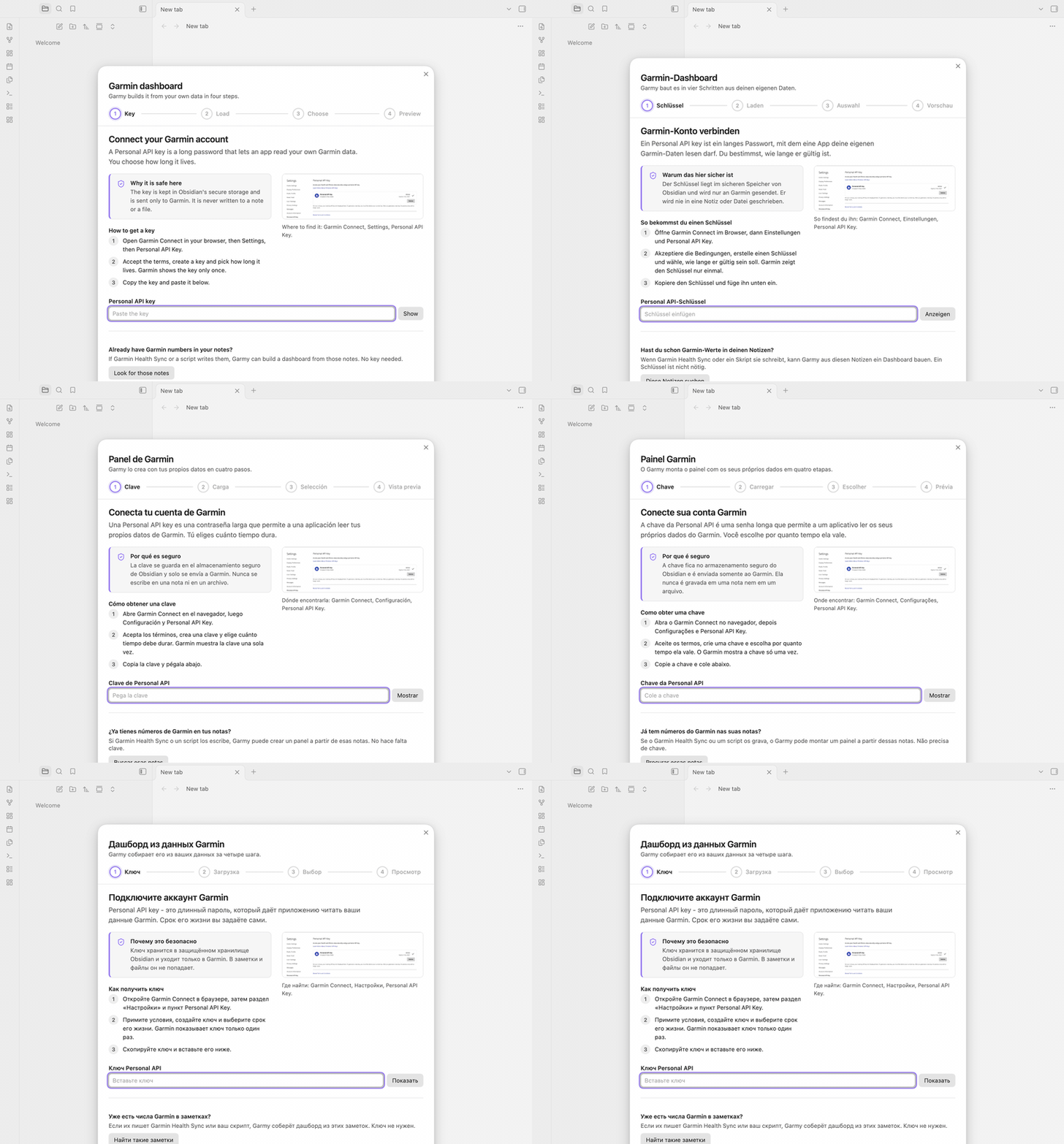
Translations other than English and Russian were machine-assisted and are open to correction by native speakers: open an issue.
Already keep Garmin numbers in your notes?
If Garmin Health Sync or your own script writes metrics such as steps or sleep_score into daily notes, the first step of the wizard can find those folders and build the dashboard from them. No key, no loading. Notes need a date in the name (2026-11-06, or the format of your daily notes from Daily notes or Periodic Notes, for example 06.11.2026) and at least two known metrics. Formats with month or weekday names are not read.
What it writes
One note per day in Garmy/data, with these properties when Garmin has them: steps, resting_hr, stress, sleep_score, sleep_duration, hrv, body_battery (the day's highest value), and per sport run_km, run_min, bike_km, bike_min, swim_km, swim_min, strength_min. Folders are configurable.
Kilometers or miles. Choose in the wizard (More options) or in settings. In miles mode the distances are run_mi, bike_mi and swim_yd, because a pool is measured in yards. A fresh install on an en-US machine starts in miles, everything else in kilometers. Switching converts the notes already on disk, asks Garmin for nothing, and keeps both sets of properties, so you can switch back. Run Rebuild the dashboard in this note to redraw a dashboard in the new unit.
A dashboard note sits between two comment markers (%% garmy:start %% and %% garmy:end %%) with its choices, including which dashboard it is, in one garmy property, which is how the rebuild knows what to do.
What it does not do
- No Training Readiness and no VO2 max number. Garmin's Personal API does not provide them.
- No full daily distance. The range endpoints report walking distance only, so Garmy does not write
distance_kmrather than show a wrong number. - Not tested on a phone yet. The plugin is not desktop-only and uses only Obsidian's own APIs, but nobody has run it on an iPhone or Android device, so treat mobile as unverified.
- Not a coach. It draws your numbers. It does not interpret them.
Disclosures
- Account and key. You need a Garmin Connect account and a Personal API key you create yourself. Garmin describes the Personal API as meant for individuals who want programmatic access to their own data, and not for commercial applications serving multiple end users. Garmy has no server and no accounts: it runs on your computer with your own key, it is free, and any donation is voluntary. Read the terms you accept when you create a key.
- Attribution. Every dashboard names Garmin as its data source right under the title, as Garmin's API brand guidelines ask. Keep that line if you share a screenshot. If Garmin rejects the key (it expires after the lifetime you chose), Garmy says so once and settings offer Replace key.
- Network. The plugin contacts
personal.connectapi.garmin.comand nothing else: once to exchange the key for a 24 hour token, then to read your own data. It uses Obsidian'srequestUrl. There is no telemetry, no analytics and no ads. - Your data. Health data stays in your vault. If your vault is synced (iCloud, git, Obsidian Sync), the daily notes sync with it, like any other note.
- Secrets. The key lives in Obsidian's secure storage, never in a note or
data.json. The token stays in memory. - Support. Garmy is free and nothing is locked behind a payment. If it saves you time, you can buy me a coffee; the plugin itself shows no ads and no donation prompts.
- Files. The plugin creates notes in the data folder and the dashboard folder you configure, and changes only the dashboard part of a note you ask it to rebuild. The only time it looks across the whole vault is when you click Look for those notes: it reads note properties from Obsidian's cache to find folders that already hold Garmin numbers, opens no file, and keeps nothing.
Garmy is an independent project and is not affiliated with, endorsed by or sponsored by Garmin. Garmin and Garmin Connect are trademarks of Garmin Ltd. or its subsidiaries.
Every picture and clip above is the real plugin running in real Obsidian, on generated demo data that is nobody's health data (npm run capture).
Requirements
Obsidian 1.13.0 or newer, the Dashy plugin, and a Garmin Personal API key.
Development
npm install
npm run lint && npm run typecheck && npm test && npm run build
npm run e2e                       # real Obsidian, fake Garmin (needs macOS Obsidian and a Dashy build, see CLAUDE.md)
GARMIN_LIVE=1 npm run e2e -- e2e/live.spec.ts   # real Garmin, key from the Keychain (service garmin-personal-api)
npm run capture                   # retake the README pictures and clips (needs ffmpeg)
npm run listing                   # rebuild the community directory pictures in docs/listing from the capture
npm run site:check && npm run site:assemble   # the website in site/, deployed to GitHub Pages on a release tag
Layers: src/core (mapping, data profile, dashboard composer, no I/O), src/api (client with injected transport), src/i18n (one file per language), src/app (wizard, note storage, sync, settings), src/main.ts. Changelog.
MIT licensed.
For plugin developers
Search results and similarity scores are powered by semantic analysis of your plugin's README. If your plugin isn't appearing for searches you'd expect, try updating your README to clearly describe your plugin's purpose, features, and use cases.