GitHub Updater
approvedby Real-Fruit-Snacks
Download and install unofficial plugins directly from GitHub. - This plugin has not been manually reviewed by Obsidian staff.
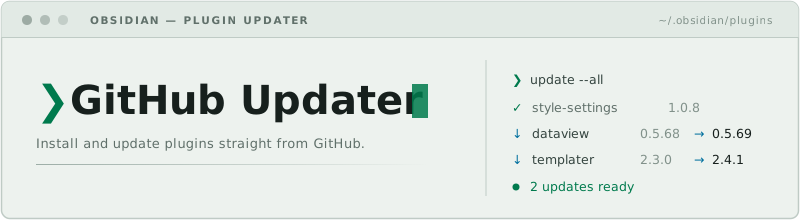
Install, track, and update Obsidian plugins straight from their GitHub repositories — no manual downloads, no leaving the app.


Overview
Plenty of useful Obsidian plugins never make it into the community store — they live only as GitHub releases. Keeping them installed and current means downloading main.js and manifest.json by hand, dropping the files into .obsidian/plugins/, and remembering to check back for new versions.
GitHub Updater does that work for you. Point it at a repository (username/repo or a full URL) and it installs the plugin from the latest GitHub release, tracks it, and tells you when a newer version ships. A built-in vault scanner also finds unofficial plugins you already have installed and starts tracking them automatically.
Features
- Install from a repository — enter
username/repo(or paste the GitHub URL) in a modal, opened from the ribbon icon or the command palette, and the plugin is downloaded and installed from its latest release. - Vault scanner — compares your installed plugins against the official community plugin list, flags the unofficial ones, and guesses their GitHub repository so tracking starts with one click.
- Update checker — fetches each tracked repository's latest release and compares versions semantically, so
1.10.0correctly beats1.9.2. - Raw-repository fallback — if a release has no
main.js/manifest.jsonassets attached, the files are fetched from the tagged source tree instead, so plugins install even when the developer forgot to attach binaries. - Update all — one button installs every available tracked update in sequence.
- Release notes viewer — read a release's changelog, rendered as Markdown in a native Obsidian modal, before deciding to update.
- Ignore a version — skip a specific update without losing tracking for future releases.
- Background checks — tracked repositories are checked shortly after Obsidian starts, with a notice when updates are found; a manual Check Now button and a "last checked" timestamp live in settings.
- Desktop and mobile — no desktop-only APIs; everything goes through Obsidian's own networking and vault adapters.
Installation
Community plugins (recommended)
- Open Settings → Community plugins → Browse.
- Search for GitHub Updater, install, and enable it.
BRAT (latest pre-release)
Install BRAT, then add Real-Fruit-Snacks/obsidian-github-updater as a beta plugin.
Manual
- Download
main.jsandmanifest.jsonfrom the latest release. - Create the folder
<your-vault>/.obsidian/plugins/github-updater/and place both files inside. - Reload Obsidian and enable GitHub Updater under Settings → Community plugins.
Getting started
- Click the GitHub ribbon icon (or run Install plugin from GitHub from the command palette) and enter a repository to install and track it.
- Open Settings → GitHub Updater and click Scan Vault to auto-detect unofficial plugins you already have installed.
- Manage everything from the tracked list: check status, read release notes, install updates, ignore a version, or remove a repository.
Commands
| Command | Description |
|---|---|
| Install plugin from GitHub | Open the install modal and add a repository |
How an update check works
- The latest release is fetched from
api.github.com/repos/<user>/<repo>/releases/latest. manifest.jsonis read from the release assets — or, if missing, from the repository's tagged source tree.- The remote version is compared against the manifest of the locally installed plugin.
- The result shows in settings as up to date, update available, or not installed, with release notes one click away.
The same asset-or-raw-fallback logic applies to main.js and styles.css when installing, so repositories without attached release binaries still work.
Architecture
obsidian-github-updater/
├── manifest.json                  Plugin metadata
├── versions.json                  Plugin version → minimum Obsidian version map
├── esbuild.config.mjs             Build configuration
└── src/
    ├── main.ts                    Plugin entry, settings persistence, startup check
    ├── checker.ts                 Release lookup and semantic version comparison
    ├── installer.ts               Release/raw download and vault installation
    ├── GithubInstallModal.ts      Install-from-repository modal
    ├── ScanModal.ts               Vault scanner for unofficial plugins
    ├── ReleaseNotesModal.ts       Markdown release-notes viewer
    └── GithubUpdaterSettingTab.ts Settings tab and tracked-repository list
Development
git clone https://github.com/Real-Fruit-Snacks/obsidian-github-updater.git
cd obsidian-github-updater
npm install
npm run dev     # watch build
npm run build   # production build
Copy (or symlink) the folder into a test vault's .obsidian/plugins/ directory and reload Obsidian to try changes.
Contributing
Issues and pull requests are welcome. See CONTRIBUTING.md for guidelines and CODE_OF_CONDUCT.md for community standards.
License
MIT © Real-Fruit-Snacks
For plugin developers
Search results and similarity scores are powered by semantic analysis of your plugin's README. If your plugin isn't appearing for searches you'd expect, try updating your README to clearly describe your plugin's purpose, features, and use cases.