by Tushar
Sync your notes with a private GitHub repository on desktop and mobile.
Gitless Vault Sync
Sync your Obsidian vault with a GitHub repository, on desktop and mobile. No server, no Git on your device.
Install in Obsidian · Website · Guide
Your notes stay in a repository you own, with history you can browse on GitHub.
What you get
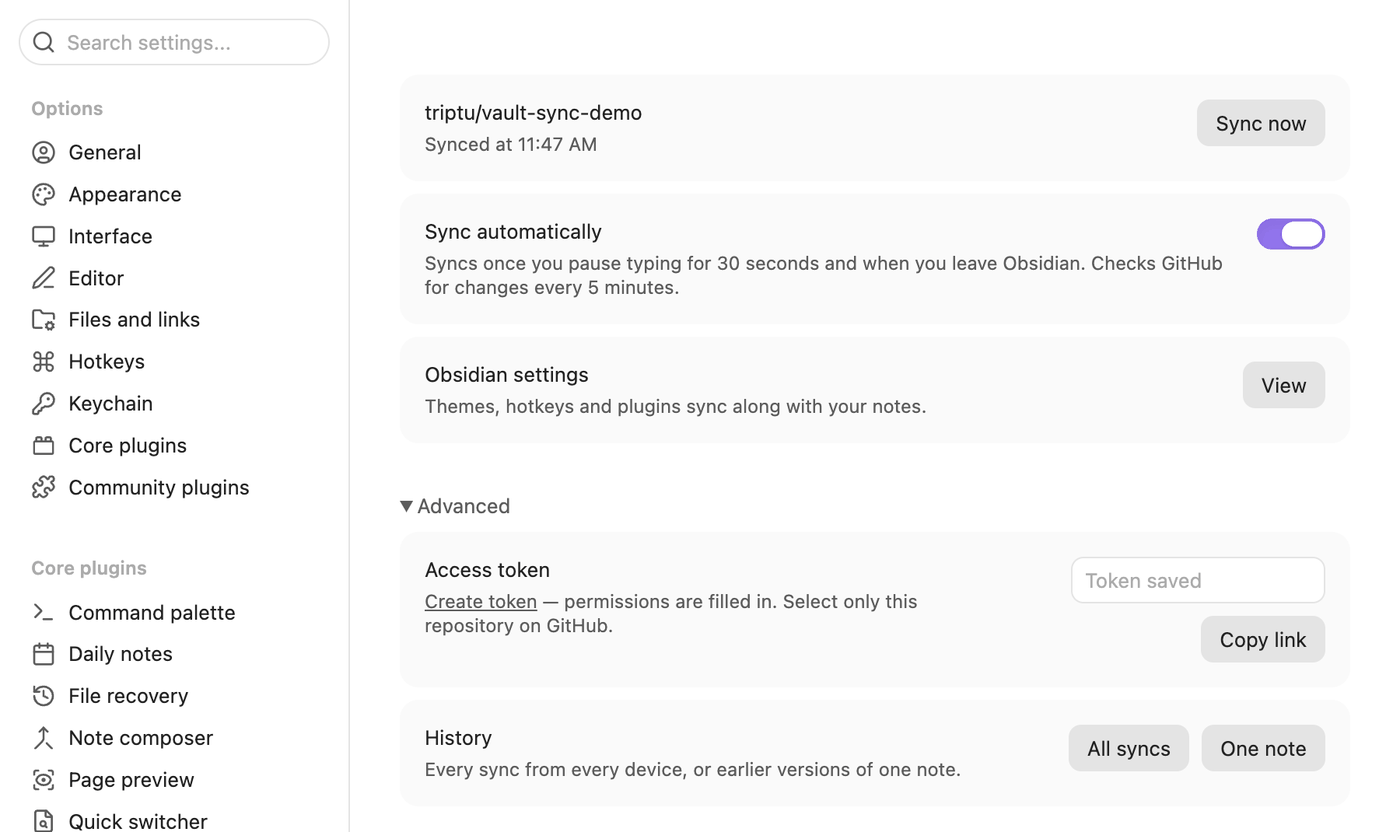
Sync runs on its own. It runs after you pause typing and when you leave Obsidian.
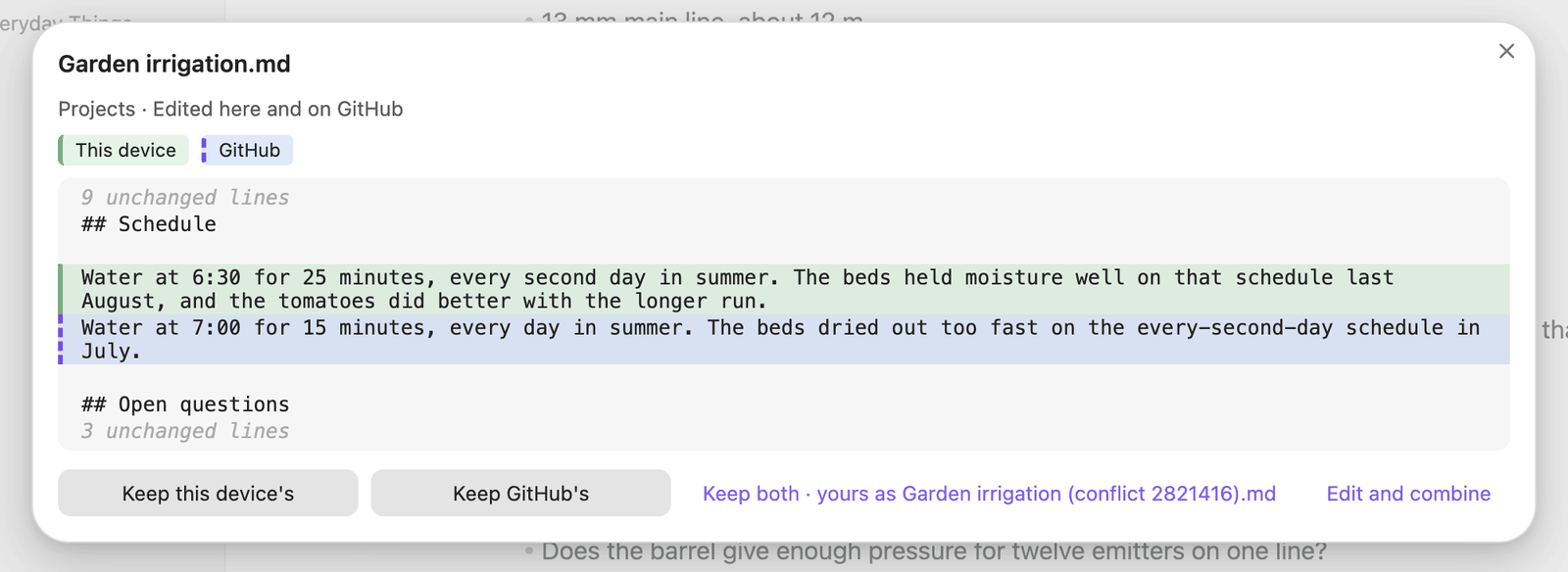
Edits merge on their own. Changes to different files, or to separate parts of a note, combine without asking. When they clash, you pick this device's version, GitHub's, both as two notes, or a combination you edit.
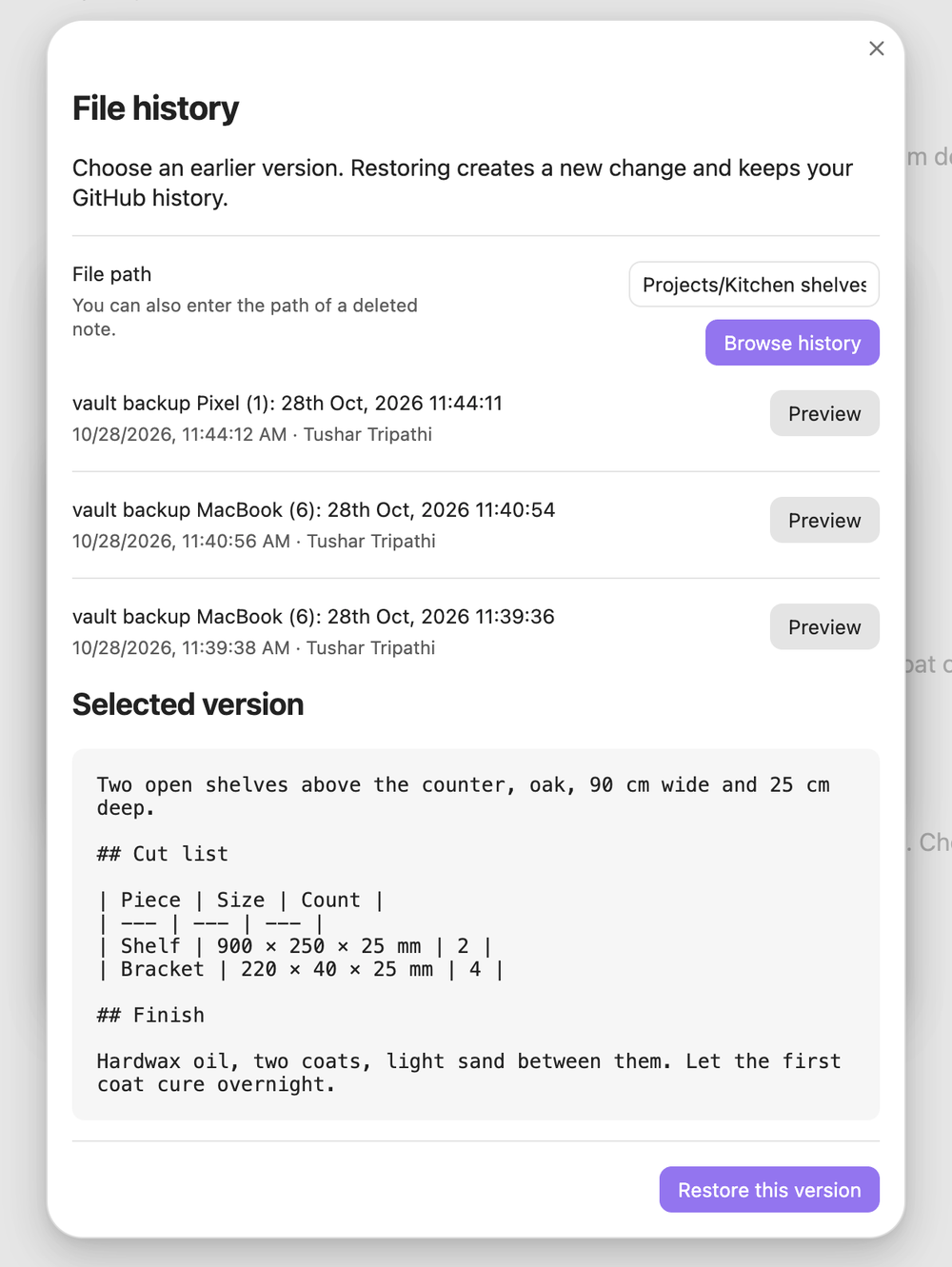
Every note keeps its history. File history lists a note's past versions from all your devices. Preview one and restore it as a new change.
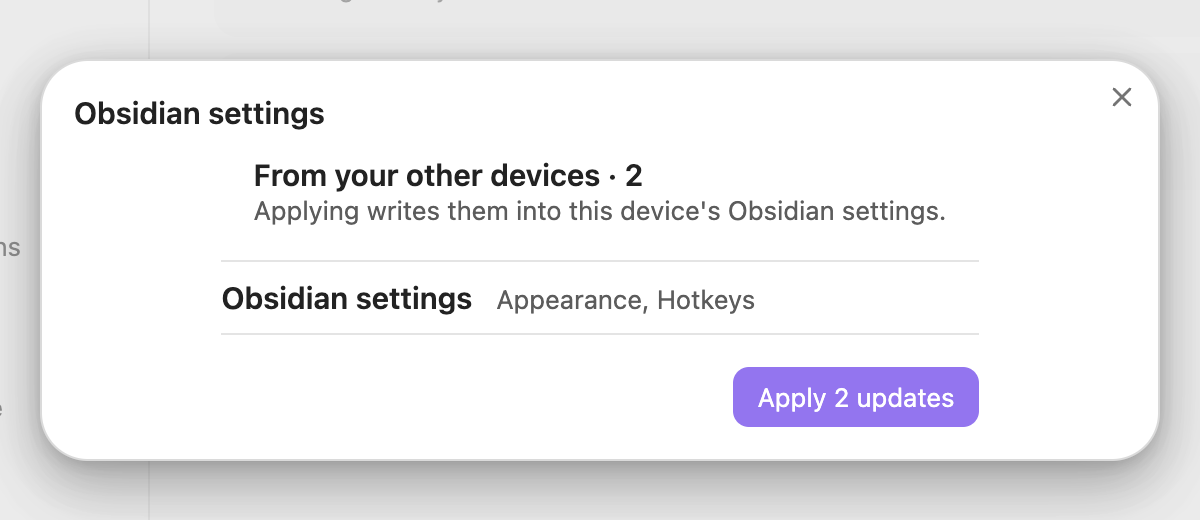
Themes, hotkeys and plugins sync too. You review them before they change on another device.
Notes for Android edits and syncs the same vault on an Android phone.
Install
In Obsidian, go to Settings → Community plugins → Browse and search for Gitless Vault Sync, or open its plugin page. Create one repository on GitHub with "Add a README file" ticked. Then, on each device:
- Turn off any other sync plugin, then enter the repository in this plugin's settings.
- Click Create token. GitHub's token form opens with the permissions filled in (Contents read and write). Pick just that repository on the form, and paste the token back into settings.
- Click Connect, look over what the first sync will do, and click Start syncing.
The guide covers what doesn't sync and troubleshooting.
Privacy and network use
- The plugin connects only to GitHub:
api.github.com(REST and GraphQL) for the repository, andcodeload.github.comto download a commit's files in one go. github.comis only opened in your browser, when you click the link to create a token or to view a commit. The plugin makes no requests to it.- Your token stays in Obsidian's secret storage on each device and is sent only to GitHub.
- It uploads your notes and the Obsidian settings that sync to the repository you choose. It reads only files inside the vault, and keeps its journal in
.git-vault-sync/there. - It uses base64 (
atobandbtoa) only because GitHub's API sends and receives file contents as base64. Nothing is hidden or obfuscated; the code is open source. - It writes to the clipboard only when you tap Copy link next to the token field, and never reads it.
- No telemetry, analytics or ads. It's free and open source.
For plugin developers
Search results and similarity scores are powered by semantic analysis of your plugin's README. If your plugin isn't appearing for searches you'd expect, try updating your README to clearly describe your plugin's purpose, features, and use cases.