Glossa
approvedby yiiwang
AI sidebar with multi-provider chat, @-context, semantic search (RAG), agent mode with sandboxed file edits, MCP bridge, encrypted keys, and Codex CLI integration. - This plugin has not been manually reviewed by Obsidian staff.
Glossa
Your vault, in context. Your edits, under control.
A local-first AI workspace for reading, researching, and changing real notes without losing sight of the source.




中文说明 · Latest release · Changelog
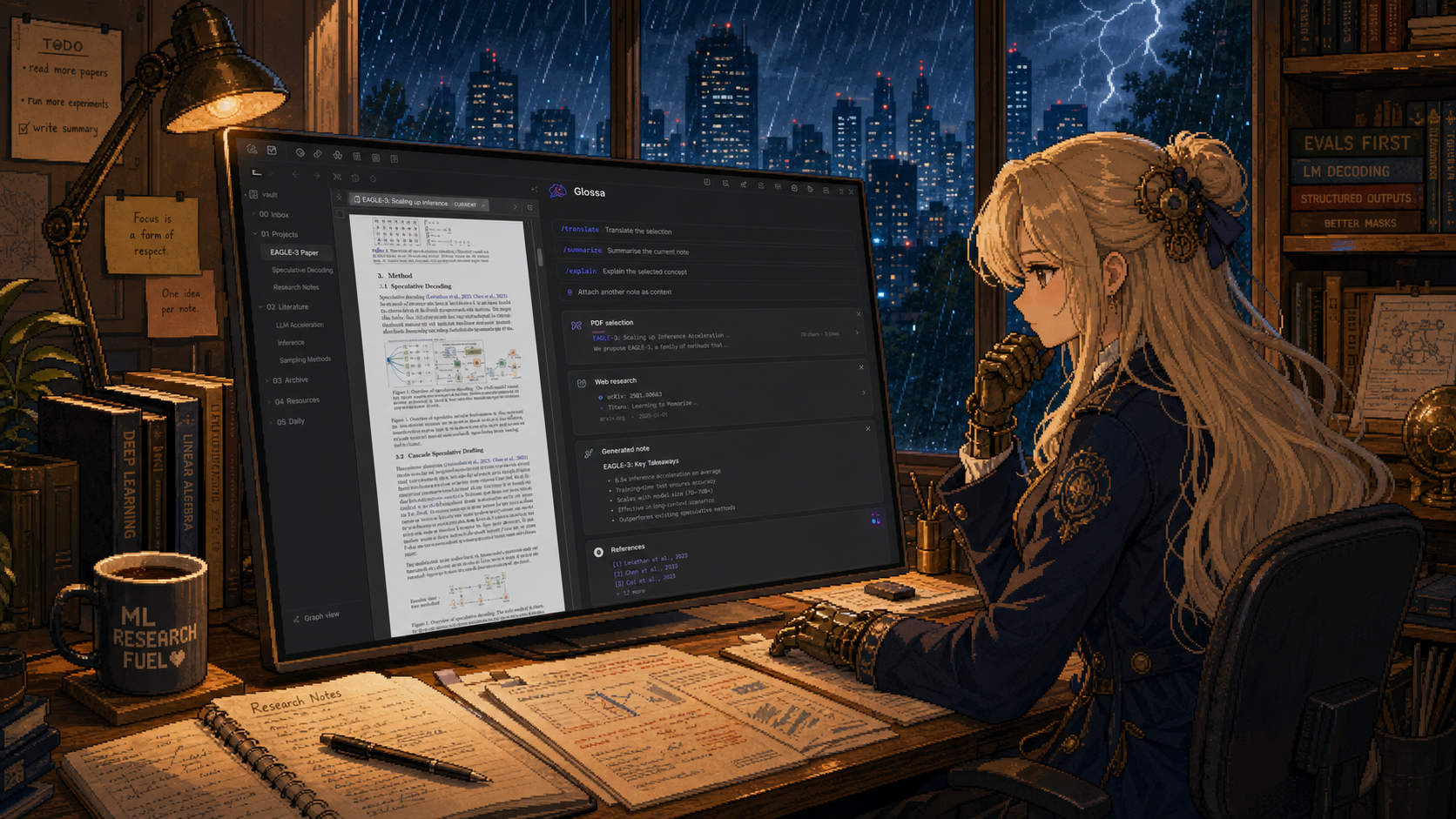
Glossa turns the sidebar into a working surface, not a separate chatbot. The active note can enter context automatically, explicit attachments stay grounded as the task target, and every file-changing action goes through visible tools and approval rules.
What Glossa Does
| Capability | What it means in practice | |
|---|---|---|
| 🧠 | Understands context | Work with the active note, selections, attached files, PDFs, images, and prior task state without repeatedly pasting content. |
| ✍️ | Edits precisely | Patch one section, replace exact text, coordinate multi-file changes, and preserve surrounding Markdown instead of rewriting everything. |
| ⌨️ | Suggests what comes next | Optionally request bounded, low-latency Markdown continuations while writing and accept the ghost text directly in the editor. |
| 📚 | Reads serious documents | Inspect papers by page, search PDF text, render visual pages, examine screenshots, run OCR, and inspect charts or UI details. |
| 🌐 | Researches the web | Search bounded public sources, extract useful content, verify paper identity, and save validated downloads with provenance. |
| 🧩 | Runs focused Skills | Use built-in workflows for Markdown, Canvas, Bases, PDFs, images, or create and validate your own vault Skills. |
| 🔐 | Keeps actions accountable | Start read-only, approve writes, inspect tool results, and restore checkpointed files when an edit needs to be rolled back. |
What's New
- 2026-07-25 —
Browse the workspace, then edit it as one safe transaction.
0.7.3adds the folder discovery requested in Issue #1: the Agent can list bounded, filtered vault-relative paths inside user-selected workspace folders, then pass them directly to note, PDF, and edit tools. Same-turn edits to one file now share one diff, approval, and write; multi-file patches are fully prepared and fingerprinted before the first write, with rollback on any failure. The unified edit engine preserves BOMs, line endings, trailing newlines, and Unicode while making fuzzy matching an explicit high-confidence last resort. Cropped native PDFs, provider-reported token usage, context breakdowns, compact outgoing links, and race-safe screenshot paste reduce extra work without weakening approvals. - 2026-07-22 —
0.7.2keeps the quick-translation panel available while its source document scrolls, pins it to the visible top edge after the selection passes out of view, and leaves sidebars, ribbons, and menus usable without dismissing it. Clearly flattened PDF notation is reconstructed as Obsidian-compatible LaTeX and rendered once after streaming completes; ordinary prose stays on the fast text path, and a missing math delimiter can trigger at most one focused correction. - 2026-07-22 —
0.7.1adds three deliberate trigger modes: keep selection translation off, show a clear Glossa action beside a stable selection, or translate each new PDF, Markdown, or HTML selection automatically after 350 ms. The translation window carries its own Auto switch, URL/formula/code-only selections are filtered before any request, sidebar streaming no longer closes an active translation, and dropped images can no longer leak into the PDF behind the composer. Release provenance is also restored safely:main.jsandstyles.cssreceive separate attestations that are verified before upload. - 2026-07-20 —
0.7.0lets the streaming translation panel grow with its answer before scrolling, then move or resize within the visible workspace. Native PDF selection remains highlighted while the panel is open, and a conservative text-layer boundary repair prevents high-zoom selections such astrainingfrom becoming a neighboring fragment such ase trainin. Compatibility returns to app version 1.12.0, with searchable settings still enabled automatically on 1.13 and newer. - 2026-07-17 —
0.6.11adopts the 1.13 declarative settings index, so model, translation, Agent, context, tool, privacy, and storage options can be found from settings search without replacing Glossa's task-focused layout. Selection geometry now stays fully typed under the directory scanner, deprecated controls are gone, and GitHub Actions publishes freshly validated standard assets without the shared multi-file attestation bundle rejected by the plugin directory verifier. This release requires app version 1.13.0 or newer. - 2026-07-17 —
0.6.10opens a focused, streaming translation panel beside selected text after a double press of Enter or an assigned hotkey. Paper titles and technical terms choose the right Chinese/English target more reliably, PDF line wraps are cleaned without flattening real paragraphs, and translation can use a dedicated endpoint and model instead of the sidebar model. Saved translations and PDF markers remain out of this release while their interaction design is refined separately. - 2026-07-13 —
0.6.9adds the officialeslint-plugin-obsidianmdrules to the same zero-warning gate as strict TypeScript lint, tests, dependency audit, production build, source review, CSS compatibility, and release metadata. Settings headings and DOM helpers now follow host conventions; native HTTP and DNS fallbacks validate every value crossing the Node bridge; Web Crypto handles hashes; and regression tests keep browser-first networking, private-address blocking, and older-WebView CSS compatibility intact. - 2026-07-12 —
0.6.8reorganizes configuration into five task-focused areas: General, Models & web, Agent, Tools & Skills, and Data & advanced. A compact status header keeps the active model, mode, and Auto/EN/中文 language control visible, while one keyboard-accessible selector keeps labels, checkmarks, arrows, and row geometry aligned throughout the plugin. - 2026-07-12 —
- 2026-07-12 —
off,none,minimal,low,medium,high,xhigh,max, orultra. OpenAI-compatible requests send the selected value unchanged,offomits the field, Anthropic-style endpoints use explicit budgets, and an unsupported model or gateway returns its real error with the attempted effort identified. Export chat and Settings also have direct header buttons instead of living behind a generic overflow menu.
Earlier updates (2026-04-08 to 2026-07-12, 21 entries)
- 2026-07-10 — 📌 The open note is useful context, not a selection requirement. With
0.6.7, requests to summarize, explain, translate, or analyze can use the active Markdown note automatically. Explicit selections and attachments still win when they name another target, while short follow-ups such as “continue”, “use Chinese”, or “save it below” retain the previous title, URL, output folder, failure, and requested object. - 2026-07-10 — ⚙️ Smaller prompts now do more work. Specialized schemas stay deferred until
tool_searchor an active Skill requests them;read_notesupports exact line ranges andread_filesbatches up to eight known files. Stale read/search evidence can leave the model prompt without deleting visible chat, while write confirmations, downloads, plans, failures, and Skill state stay protected. Repeated failures must change strategy, and identical-call loops stop before wasting a run. - 2026-07-10 — 📚 Papers, images, and formulas get task-specific treatment. PDF work can inspect identity, summarize, search concepts, read page ranges, or render visual evidence for equations, tables, figures, and scans. Image work can switch among description, OCR, UI review, chart analysis, detail crops, and exact color sampling. Math normalization preserves code while fixing historical
\(...\)and\[...\]output, and bounded caches make repeated media inspection faster. - 2026-07-10 — 🛠️ Six focused Skills ship with validation, not ceremony. Glossa includes
obsidian-markdown,obsidian-canvas,obsidian-bases,pdf-analysis,image-analysis, andskill-creator. Skill Creator uses positive and negative trigger examples, selects an appropriate constraint level, writes a focusedSKILL.md, and checks naming, activation cues, path safety, workflow structure, and tool references before the Skill is trusted. - 2026-07-05 —
0.6.6made dynamic plugin boundaries explicit and review-safe. Dataview, Tasks, Templater, and PDF.js integrations gained narrower types and runtime capability checks, removing the final broad top-type unions reported by source review without hiding host failures behind unchecked values. - 2026-07-04 —
0.6.5community review failures now stop locally. Removed forbiddenno-explicit-anydisables, described and bounded lint directives, wrapped non-Errorpromise rejections, and expanded release checks to reject the same source patterns that block directory review.0.6.4remains as the superseded cleanup attempt for a complete audit trail. - 2026-07-04 —
0.6.3updates lead back to the installed plugin. The update notice now opens Glossa inside the app's plugin browser first; GitHub Release remains available when the community catalog has not synchronized yet. - 2026-07-04 —
0.6.2marketplace-readiness pass. Tightened the public description, refreshed release documentation, replaced review-facing direct fetch paths, removed CSS:has()compatibility risks, added strict source lint, and brought the dependency audit to zero known vulnerabilities. - 2026-07-03 —
0.6.1faster selection translation. Select text and press Enter twice to translate when the composer is empty; mixed-language detection ignores Markdown URLs and reduces the weight of model names, providers, and other proper nouns before choosing a target language. - 2026-07-03 —
0.6.1quieter selection and session behavior. The quick-translate hint moved into the composer placeholder, deleted active chats reset cleanly, streaming preserves scroll position unless the reader is already following the bottom, and Node integration tests gained the browser globals they need. - 2026-06-30 —
0.6.0bounded web research. Search can route through DuckDuckGo, Brave, Tavily, Exa, or SerpAPI, then fetch and extract bounded source notes with domain filtering, deduplication, trust hints, useful metadata, and task-guided excerpts. - 2026-06-30 —
0.6.0safer downloads with provenance. Public PDFs, images, datasets, and release assets can be saved with redirect checks, private-network blocking, size caps, overwrite controls, SHA-256 hashes, optional.source.jsonrecords, and post-download PDF inspection. - 2026-06-30 —
0.5.3quiet update awareness. A throttled sidebar notice can report newer GitHub releases, users can check manually or dismiss one version, semver patches sort correctly, and long-running conversations avoid repeated DOM work. - 2026-06-29 —
0.5.2long-chat navigation. A compact conversation rail records user prompts only, highlights the current prompt while scrolling, previews earlier questions, and jumps back without filling the transcript with navigation chrome. - 2026-06-26 —
0.5.1clearer attachment context. Uploaded files remain visible on sent messages, the composer separates explicit attachments from the active note, stale chips clear after sending, and ordinary prose avoids unnecessary MathJax work. - 2026-06-26 —
0.5.0agent UI refresh. The sidebar, composer, tool activity, status pills, PDF context, history naming, empty-chat persistence, and endpoint settings received a coordinated visual and interaction pass. - 2026-06-25 —
0.4.3PDF, image, and provider polish. Task-aware document guidance improved,xhighbecame available without silent fallback, automatic selection capture stopped reading unrelated UI text, and custom API tool calls became more reliable. - 2026-06-23 —
0.4.2submission follow-up. Remaining review lint findings were cleared, trusted SVG rendering replaced unsafe HTML insertion, older WebViews kept readable release UI, and GitHub Actions added artifact provenance. - 2026-06-23 —
0.4.1first community submission pass. Addedread_pdf, release metadata checks, conservative Plan plus read-only defaults, endpoint-native connection tests, bounded large-diff previews, and explicit privacy documentation. - 2026-05-19 —
0.4.0security and persistence hardening. Atomic JSON writes, first-build RAG consent, checkpoint write serialization, encoded path-traversal protection, strict patch-envelope parsing, deferred-tool filtering, CI, privacy documentation, and release automation landed together. - 2026-04-08 —
0.3.0pre-open-source baseline. The final internal build established the chat, context, provider, and note-tool foundations that were hardened for the first public release.
For the exact Added, Changed, Fixed, and Checks breakdown, see the full Changelog.
Typical Workflows
Open a paper
  -> ask for the method or a figure
  -> Glossa chooses text pages or visual evidence
  -> answer stays grounded to page-level content
Name a public paper and a vault folder
  -> bounded source discovery
  -> title and response validation
  -> save the real PDF
  -> inspect the downloaded paper
Request a note change
  -> read only the relevant source
  -> preview and approve the edit
  -> write the smallest patch
  -> verify the changed region
Context That Behaves Naturally
- The active Markdown note is refreshed when the request is sent.
- A named attachment or explicit selection is treated as the primary target.
- Source language and response language are separate, so an English paper does not override a Chinese request.
- Long chats keep recent evidence complete, compact older tool output, and preserve corrections, URLs, paths, failures, and next actions.
- Persisted chat data strips repeated image payloads and model-only context while keeping useful text and metadata.
Safety by Design
- Plan mode and read-only permissions are the conservative starting point.
- Write approvals can be scoped by tool, path, folder, or session.
- Checkpoints snapshot affected files before destructive edits.
- Network tools use bounded responses, redirect checks, private-network blocking, and explicit download intent.
- Validated downloads enforce size limits and file signatures before writing.
- Community builds do not execute shell commands, read system identity, or use direct system filesystem access.
Glossa itself is not a hosted AI service. Conversation content and selected context are sent to the model endpoint you configure; web content is accessed only for the web action being performed. See Privacy and Security for the exact boundaries.
Install
Plugin Marketplace
Open Settings → Community plugins → Browse, search for Glossa, then install and enable it.
Open Glossa in the plugin marketplace
GitHub Release
Download main.js, manifest.json, and styles.css from the latest release, then place them in:
<your-vault>/.obsidian/plugins/glossa/
Reload the app and enable Glossa under Community plugins.
Start in a Minute
- Open Glossa from the ribbon or command palette.
- Add an OpenAI-compatible, Anthropic-compatible, or local HTTP model endpoint.
- Open a note, attach a file with
@, or select text. - Ask directly. Stay in Plan for read-only work; switch to Act when you want file changes.
- Review approvals before writes or downloads.
Build and Verify
git clone https://github.com/yiiwang118/obsidian-glossa.git
cd obsidian-glossa
npm install
npm run check
npm run check runs TypeScript checks, review and strict lint, directive auditing, the complete test suite, dependency audit, production build, generated-bundle review scanning, and release metadata validation.
For development builds:
GLOSSA_PLUGIN_DIR="/path/to/vault/.obsidian/plugins/glossa" npm run dev
Project
- Desktop-only in the current release.
- Compatible with app version 1.12.0 and newer; settings search is enhanced automatically on 1.13+.
- New installations default to Plan mode with read-only permissions.
- Release assets are rebuilt and validated by GitHub Actions before publication.
- Issues and focused, reproducible bug reports are welcome.
- This open-source project recognizes the LINUX DO community.
License
MIT © yiiwang
For plugin developers
Search results and similarity scores are powered by semantic analysis of your plugin's README. If your plugin isn't appearing for searches you'd expect, try updating your README to clearly describe your plugin's purpose, features, and use cases.