by renwujun
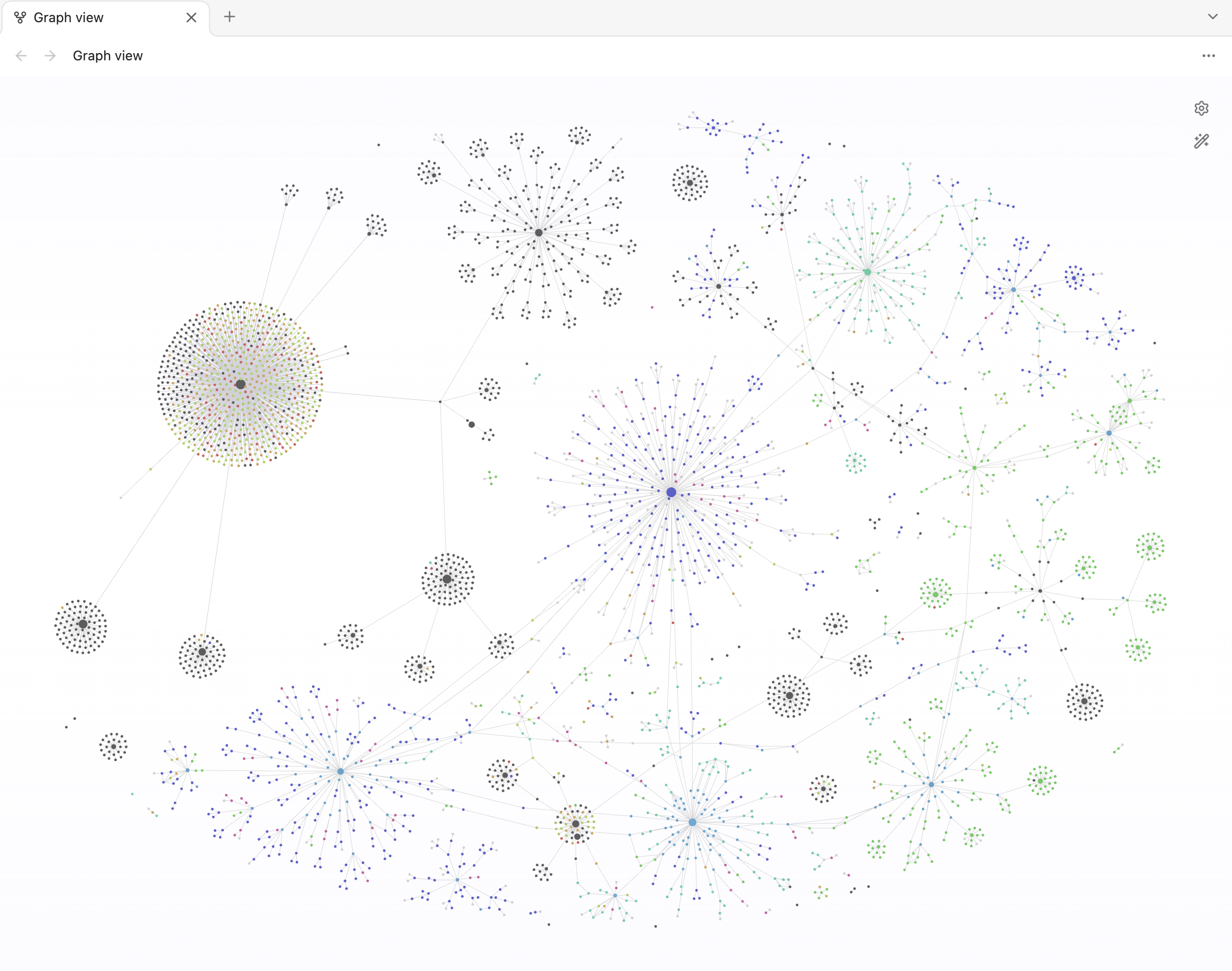
Squeeze the native graph into a wide band using fixed top and bottom directional force areas.
Graph Squeeze
Give your Obsidian graph more room to spread sideways. Two invisible horizontal force areas gently push nodes inward from above and below.
Install
Desktop only.
Community plugins
Open the Community Directory listing and select Add to Obsidian. If it is not available in your app yet, use manual installation below.
Manual installation
- Download
main.jsandmanifest.jsonfrom the latest release and place them in your vault’s.obsidian/plugins/graph-squeeze/folder. - Reload Obsidian and enable Graph Squeeze in Settings → Community plugins.
- Open a global or local graph. Adjust the squeeze in Settings → Graph Squeeze.
Settings
| Setting | Default | Range / behavior |
|---|---|---|
| Barrier distance | 80,000 | Gap between barriers; 0–80,000 graph units |
| Edge softness | 10,000 | Distance from zero to full force; 0–40,000 graph units, limited to half the gap |
| Maximum barrier force | 10 | Push strength; 0–1,000. Zero disables the push |
| Barrier force visualizer | Off | Shows force areas; weaker force is more transparent |
Reduce the barrier distance for a narrower band. Increase softness for a gentler transition. Nodes can move beyond the soft boundaries.
Compatibility
Uses private Obsidian graph internals, so Obsidian updates may require a plugin update. Patches an in-memory copy of the local graph worker; no application files are modified.
Privacy
The plugin reads Obsidian’s bundled sim.js outside your vault through the local app:// protocol to add the barrier forces. The scanner counts this fetch call as a network request, but it contacts no remote service and sends no notes or other data over the internet. No telemetry is collected.
Build
npm ci
npm run lint
npm run package
Output: dist/graph-squeeze/.
For plugin developers
Search results and similarity scores are powered by semantic analysis of your plugin's README. If your plugin isn't appearing for searches you'd expect, try updating your README to clearly describe your plugin's purpose, features, and use cases.