Halo
approvedby halo-sigs
Publish content to Halo sites.
Obsidian plugin for Halo
This plugin allows you to publish your Obsidian documents to Halo.
Preview
Usage
- Search for "Halo" in Obsidian's community plugins browser.
- Click Install.
- Go to Settings -> Community Plugins -> Halo and configure the settings.
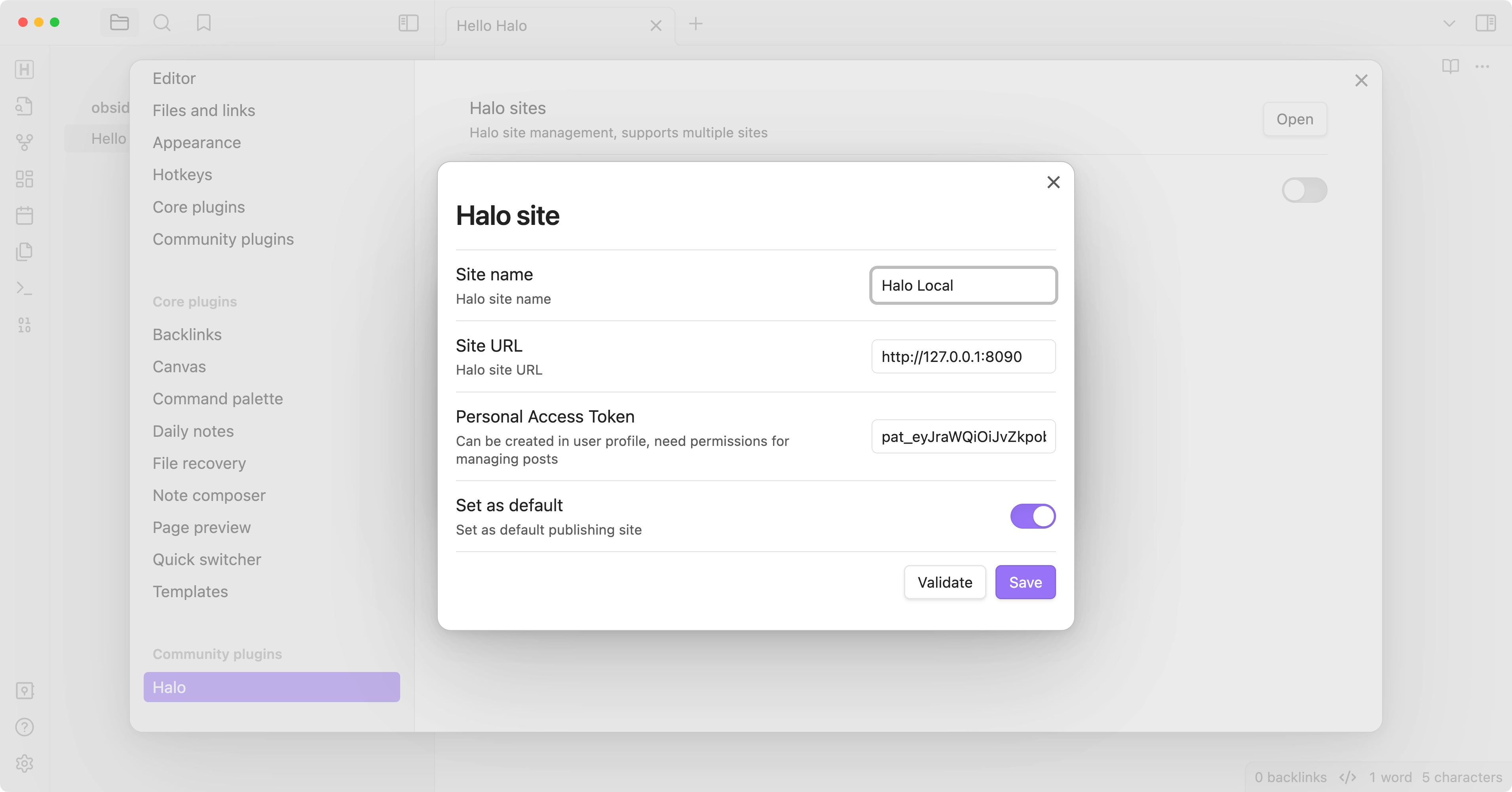
- Create a new site:
-
Site name: the name of the site, optional.
-
Site URL: the URL of the site, e.g.
https://example.com. -
Personal access token: The personal access token of your Halo site, needs
Post Managepermission.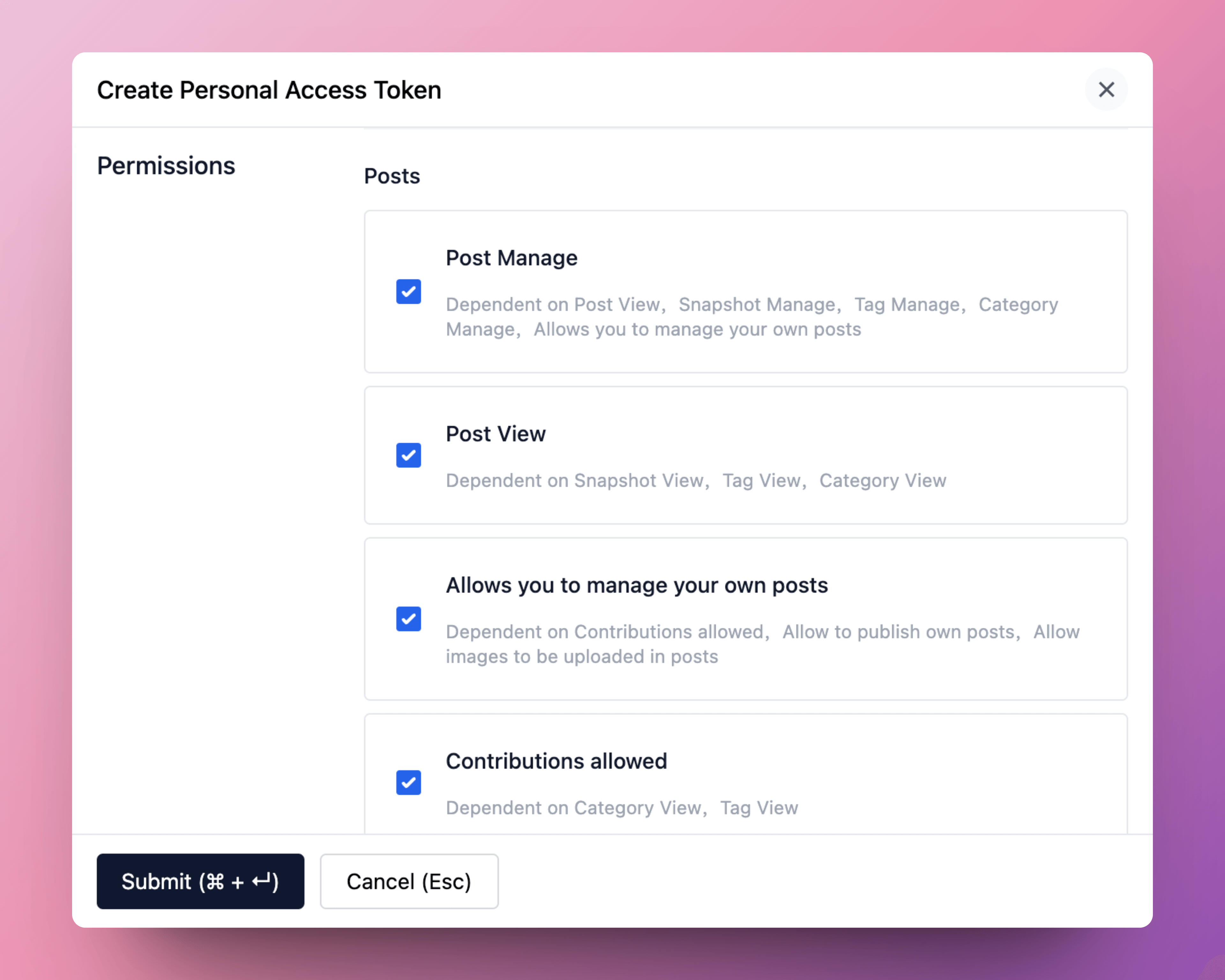
More information about personal access token: Personal Access Token
-
Set as default: set the site as the default site.
-
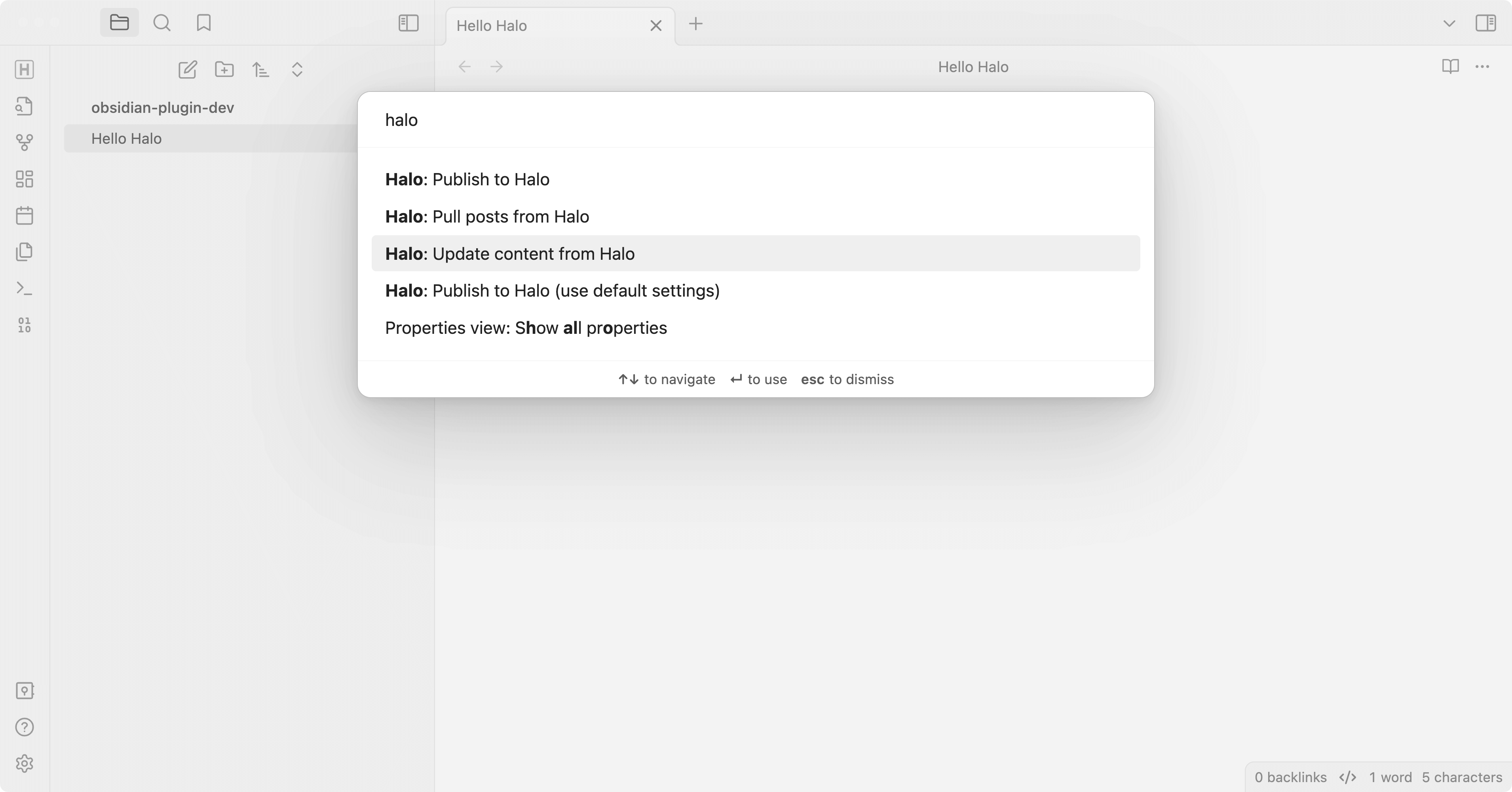
- Open a note you want to publish, and run the command
Halo: Publish to Halo. - All available commands:
- Halo: Publish to Halo: publish the current note to Halo.
- Halo: Publish to Halo (use default settings): publish the current note to the default site.
- Halo: Upload images to Halo: upload local images in the current note to Halo and replace them with remote URLs.
- Halo: Pull posts from Halo: pull posts from Halo to Obsidian.
- Halo: Update content from Halo: update the content of the current note from Halo.
Development
-
Create a new Obisidian vault for development.
-
Clone this repo to the plugins folder of the newly created vault.
cd path/to/vault/.obsidian/plugins git clone https://github.com/ruibaby/obsidian-halo -
Install dependencies
cd obsidian-halo npm install -
Build the plugin
npm run dev -
Reload Obsidian and enable the plugin in Settings.
Credits
- obsidian-wordpress: the original idea came from this repo.
TODO
- i18n
- Upload images
- Publish this plugin to Obsidian community
For plugin developers
Search results and similarity scores are powered by semantic analysis of your plugin's README. If your plugin isn't appearing for searches you'd expect, try updating your README to clearly describe your plugin's purpose, features, and use cases.