Header navigation
approvedby talwrii
Quickly jump between headers and toggle folding
Header navigation plugin
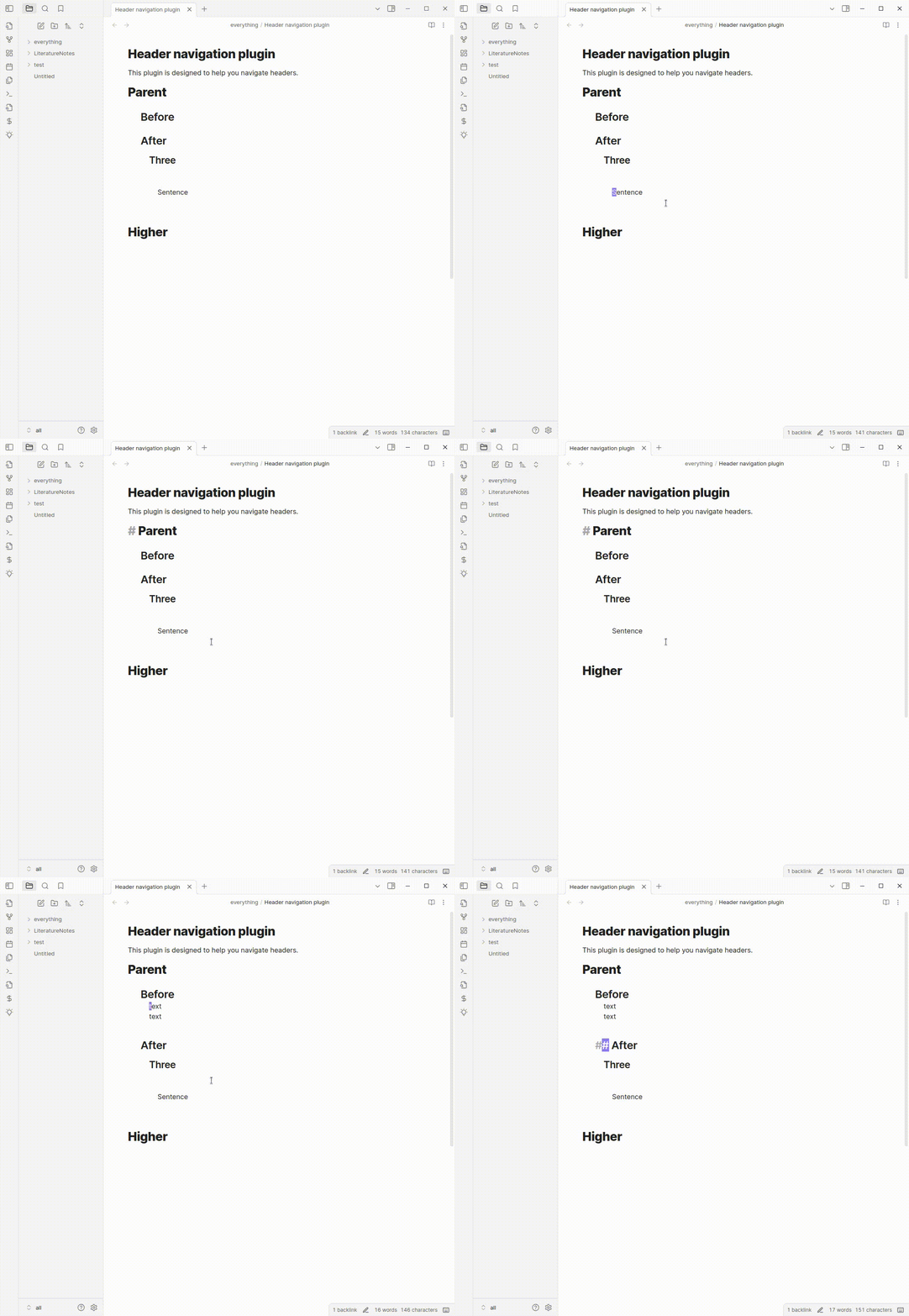
This is a header navigation plugin for the markdown editor called Obsidian. This plugin lets you quickly navigate between headers and fold them. It provides a command to toggle the folding of a header.
It is a third-party plugin and has no affiliation with the Obsidian editor.
Installation
This plugin should be available as an Obsidian community plugin.
Alternatively, you can install it directly by:
- Cloning the git repository into
.obsidian/pluginsin your vault - Running
npm install,npm run devin the repository - Reloading obsidian
- Enabling the plugin in the community plugins tab of settings.
Usage
Press Ctrl-p to open the command palette and search for "header nagivation".
You will then have a list of command that this plugin provides.
I would suggest binding these commands to hotkeys. You might find a plugin like sequence hotkeys useful: this allows you to define a "prefix" key such as Ctrl-m for motion commands so that you can then assign e.g Ctrl-m Up etc for moving around headers.
Influences and related tools
This tool is very much influenced by the functions provided by emacs org-mode.
This project uses the remark markdown parser and its source code is included (under and MIT license) within the built main.js file.
This plugin was based on the obsidian sample plugin.
Quiet outline provides a sidebar tool similar to a "code browser" that allows you to perform similar motions with a mouse, and well as reorder headings.
About me
If you like this you might like my plugin-repl for obsidian that lets you quickly script Obsidian.
I make productivity tools and AI tools related to reading and research. If that sounds interesting you can follow me on twitter or bluesky.
I write about these topics on substack.
If you find this piece of software useful. Maybe give me money (like $2 dollars?) on my kofi.
For plugin developers
Search results and similarity scores are powered by semantic analysis of your plugin's README. If your plugin isn't appearing for searches you'd expect, try updating your README to clearly describe your plugin's purpose, features, and use cases.